
Shipping automation has become a core operational requirement for modern businesses rather than a back-office convenience. As online sellers expand across multiple marketplaces and customer expectations continue to rise, manual shipping processes increasingly lead to errors, delays, and unnecessary costs.
For businesses shipping regularly in the United States and Canada, automation now plays a direct role in profitability, customer satisfaction, and long-term scalability. Managing orders across platforms, selecting carriers, generating labels, and sharing tracking information manually no longer scales in a competitive ecommerce environment.
This guide explains how shipping automation works, what tools power it, and how businesses use automated shipping systems in real-world scenarios. It is written for ecommerce operators, resellers, creators shipping merchandise, and service-based businesses that rely on outbound shipping and want a clearer, more reliable way to manage fulfillment.
- Shipping automation helps businesses reduce manual work, shipping errors, and fulfillment delays.
- Modern shipping tools centralize orders from multiple platforms into a single workflow.
- Automation improves cost visibility, label creation, tracking updates, and scalability.
- Businesses shipping in the U.S. and Canada increasingly rely on automated systems to manage rising carrier costs and cross-border complexity.
- The most effective shipping tools combine flexible pricing, carrier choice, optional hardware, and AI-assisted workflows.
What Is Shipping Automation, and Why Does It Matter Now?
Shipping automation is the use of software to automatically manage order imports, carrier selection, label creation, and tracking without manual handling.
This shift matters now because shipping complexity has increased. Businesses rarely sell through a single channel anymore. A single seller may manage orders from a branded website, multiple marketplaces, and social commerce platforms simultaneously. Each additional channel adds operational strain when handled manually.
Automation reduces friction in several key ways:
- Fewer data entry errors
- Faster order processing
- Better visibility into shipping costs
- More consistent customer communication
For small teams and solo operators, these improvements can be the difference between growth and burnout.
Who Benefits Most From Shipping Automation Tools?
Shipping automation is not limited to large retailers or enterprise operations. In practice, it delivers the most value to businesses with limited time and resources.
The groups that benefit most include:
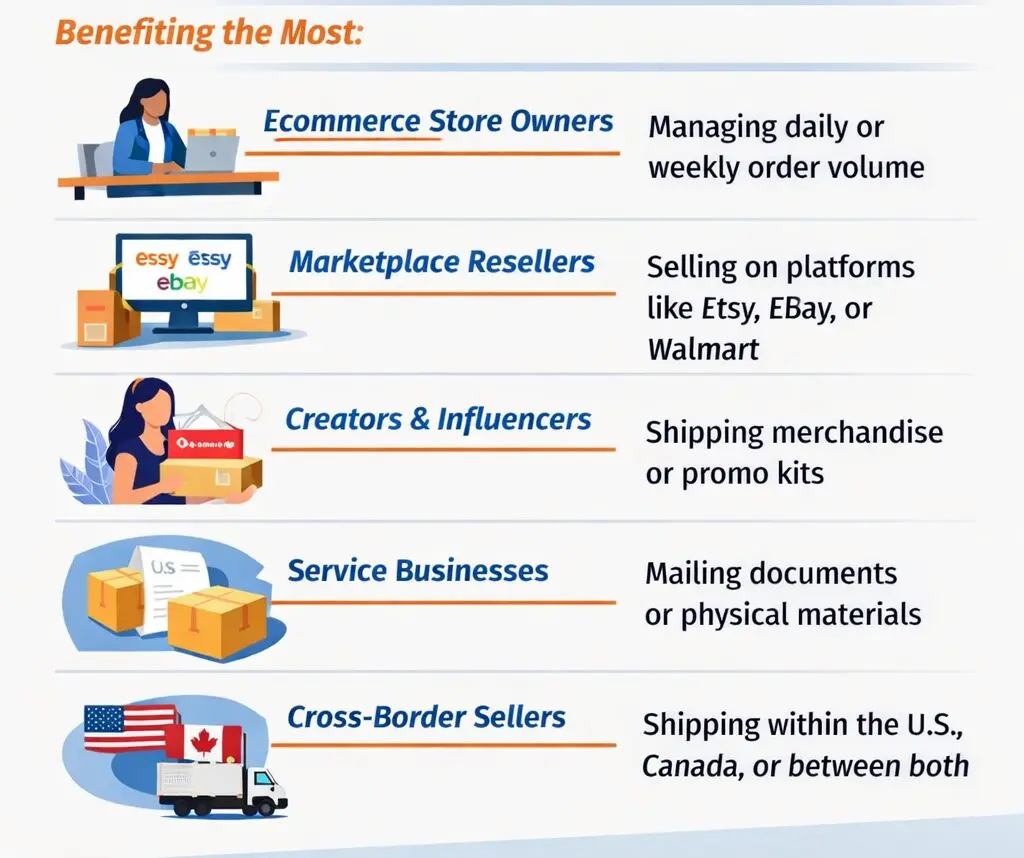
- Ecommerce store owners managing daily or weekly order volume
- Marketplace resellers selling on platforms like Etsy, eBay, or Walmart
- Creators and influencers shipping merchandise or promotional kits
- Service businesses mailing documents, products, or physical materials
- Cross-border sellers shipping within the U.S., Canada, or between both
For these businesses, automation replaces repetitive manual steps with predictable workflows that are easier to maintain.
The Core Components of a Modern Shipping Automation Tool
Not all shipping tools are built the same. However, modern shipping automation platforms tend to share a common foundation.
Centralized order management
Automated tools pull orders from multiple sales channels into one dashboard. This eliminates the need to switch between platforms to manage fulfillment.
Carrier selection and rate visibility
Modern tools allow users to view shipping options from major carriers in one place, making it easier to compare delivery times and costs.
Label generation and bulk printing
Instead of printing labels individually, automation supports batch processing, which saves time during high-volume periods.
Tracking and customer notifications
Automated tracking updates reduce customer inquiries and improve transparency without manual follow-ups.
Cross-device access
Cloud-based platforms allow shipping tasks to be managed from desktop, tablet, or mobile devices, which is essential for modern operations.
How Shipping Automation Works in Practice
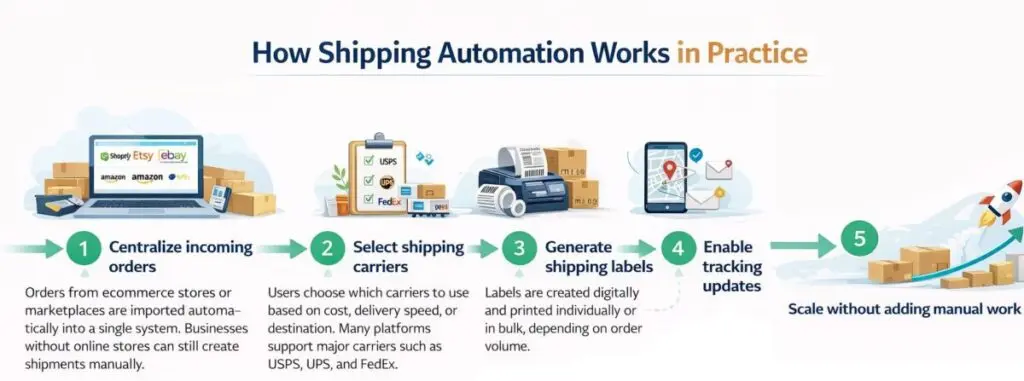
-
Step 1: Centralize incoming orders
Orders from ecommerce stores or marketplaces are imported automatically into a single system. Businesses without online stores can still create shipments manually.
-
Step 2: Select shipping carriers
Users choose which carriers to use based on cost, delivery speed, or destination. Many platforms support major carriers such as USPS, UPS, and FedEx.
-
Step 3: Generate shipping labels
Labels are created digitally and printed individually or in bulk, depending on order volume.
-
Step 4: Enable tracking updates
Tracking numbers are shared automatically with recipients, improving communication and trust.
-
Step 5: Scale without adding manual work
As order volume increases, the same automated workflow continues to function without requiring additional staff.
This approach allows businesses to grow without redesigning their shipping process every few months.
Practical Use Cases Across Ecommerce and Service Businesses
Shipping automation supports a wide range of business models, not just traditional online stores.
Multi-marketplace ecommerce sellers
Sellers operating on several platforms benefit from a single fulfillment view, reducing missed orders and shipping delays.
Seasonal or promotional sellers
Automation helps businesses handle sudden spikes in order volume without overwhelming internal teams.
Influencers and creators
Merchandise drops and brand collaborations require fast, accurate shipping to maintain audience trust.
Service-based businesses
Organizations that mail documents, products, or kits can access shipping tools without needing ecommerce integrations.
Cross-border operations
Businesses shipping within the U.S. and Canada benefit from unified workflows that reduce administrative complexity.
Where Shipping Automation Tools Differ From Each Other
Although many platforms offer shipping automation, meaningful differences appear in how they are structured.
Some tools rely on monthly subscriptions, while others use pay-per-label pricing. Some require proprietary hardware, while others allow users to work with existing printers. Carrier access and discount availability also vary by platform and region.
These differences matter because they affect long-term flexibility. Businesses often outgrow rigid systems faster than expected.
Example of a Modern Shipping Automation Platform in Action
Rollo Ship is a free shipping automation platform designed specifically for small and mid-size businesses that need multi-carrier, multi-device fulfillment without subscription fees.Unlike subscription-based shipping tools that charge regardless of volume, this pay-per-label model aligns costs more closely with actual usage.
The platform is available on desktop, iOS, and Android, allowing shipments to be created and managed from virtually any device. Orders from multiple marketplaces can be consolidated into a single dashboard, which reduces the need to switch between systems and helps prevent missed or duplicated shipments. This unified view is especially useful for businesses selling across more than one channel or operating with lean teams.
Rollo Ship does not rely on monthly subscription fees. Instead, it uses a pay-per-label pricing model, with the first 200 shipping labels waived. After that threshold, a small per-label fee applies to support the platform. Postage costs are paid directly to the carrier, and users maintain full control over which carrier and service they select for each shipment.
In the United States, the platform provides access to discounted shipping rates with USPS and UPS, which can be especially valuable for businesses shipping frequently or managing tight margins. USPS services are often favored by small businesses due to their broad domestic coverage, residential delivery reach, and predictable delivery timelines. By surfacing discounted USPS options within the shipping workflow, the platform allows users to compare services more easily and select cost-effective options without navigating separate carrier portals.
For businesses that already have existing carrier relationships, Rollo Ship also supports connecting carrier accounts directly. FedEx accounts, for example, can be linked to generate labels and manage tracking within the same interface, even though discounted rates are not applied in that case. This flexibility allows businesses to preserve negotiated contracts while still benefiting from centralized shipping management.
In Canada, Rollo Ship is available for free and supports major carriers including UPS Canada, FedEx Canada, Purolator, and Canada Post. While discount availability varies by carrier and service, the platform enables Canadian businesses to manage shipments and tracking across these carriers within a single system, reducing administrative complexity.
Taken together, this approach illustrates how modern shipping automation platforms balance cost control, carrier flexibility, and workflow efficiency without locking users into rigid pricing structures or mandatory hardware purchases.
What Makes Rollo Ship Different
Rollo Ship is designed for small and mid-size businesses and creators that need automation without subscription overhead or vendor lock-in.
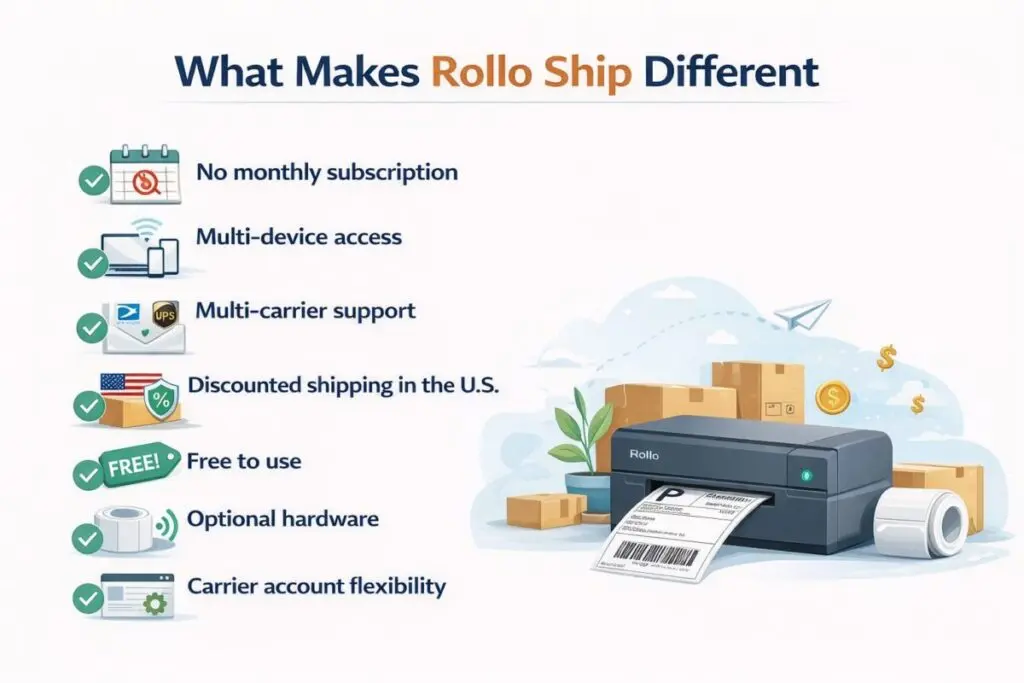
- No monthly subscription: Uses a pay-per-label model rather than recurring software fees
- Multi-device access: Available on web, iOS, and Android for flexible operations
- Multi-carrier support: Works with USPS, UPS, FedEx, Canada Post, and Purolator
- Discounted shipping in the U.S.: Provides access to discounted USPS and UPS rates
- Free to use: Canadian and US users can generate 200 labels without platform fees
- Optional hardware: Does not require proprietary printers or equipment
- Carrier account flexibility: Supports connecting existing carrier accounts, including FedEx
Shipping Automation and Hardware: When Does Equipment Become Part of the System?
In high-volume shipping operations, hardware becomes an extension of the automation stack. When businesses process large numbers of orders, print labels in batches, or operate within tight fulfillment windows, printer reliability, output speed, and label accuracy directly affect workflow efficiency.
Rather than being optional accessories, label printers become infrastructure—reducing downtime, minimizing errors, and supporting consistent throughput across daily operations.
A printer such as the Rollo X1040 illustrates how dedicated hardware can support automated shipping environments by improving print speed, reducing consumables interruptions, and maintaining barcode clarity for carrier scanning.
How the Rollo X1040 Supports Shipping Workflows
Why dedicated label hardware matters in automated shipping
- Standard 4×6 label support
Compatible with the most common shipping label formats used by major carriers, eliminating resizing or formatting adjustments. - Direct thermal printing (no ink or toner)
Removes downtime caused by cartridge replacement and prevents smudging in high-volume workflows. - High-speed output for batch printing
Supports rapid label generation during promotions or seasonal spikes without slowing fulfillment. - Clear barcodes and address rendering
Improves carrier scanning accuracy and reduces misreads or processing delays - Automatic label detection
Reduces manual alignment and label waste during bulk printing. - Cross-device compatibility
Enables printing from desktop or mobile environments within modern shipping platforms. - Software-agnostic operation
Works with any shipping system that produces compliant labels—no proprietary software required. - Compact workspace footprint
Fits into home offices, small warehouses, or shared packing areas without dedicated stations.
In this way, hardware complements shipping automation rather than defining it, allowing businesses to scale operations without being locked into a single software or equipment ecosystem.
AI in Shipping Automation: What Is Actually Useful?
Artificial intelligence plays a growing role in shipping automation, but its most valuable applications are often simple.
Rather than complex predictions, AI is used to:
- Import and organize new orders automatically
- Group shipments efficiently
- Surface notifications that require action
These features reduce the need for constant manual monitoring. For small teams, this type of automation provides clarity rather than complexity.
Industry Trends Shaping Shipping Automation in the U.S. and Canada
Several trends continue to shape how businesses approach shipping automation.
Greater focus on cost control
As carrier rates rise, businesses seek tools that improve visibility into shipping expenses and provide access to negotiated rates where available.
Cross-border normalization
Selling across the U.S. and Canada has become more common, increasing demand for platforms that support both markets.
Mobile-first operations
Business owners expect to manage shipping tasks from mobile devices without losing functionality.
Automation replacing headcount
Rather than expanding fulfillment teams, businesses invest in systems that scale with volume.
Shipping automation tools are increasingly evaluated based on how well they support these realities.
Is a Shipping Automation Tool Right for Your Business?
- Ships orders weekly or daily
- Sells across multiple platforms
- Needs rate visibility across carriers
- Has limited operational staff
- Wants predictable fulfillment workflows
If several of these apply, shipping automation is no longer optional.
Final Thoughts
Shipping automation has evolved into foundational infrastructure for modern businesses. It supports growth, protects margins, and reduces operational stress without requiring large teams or complex systems.
As ecommerce and service-based shipping continue to expand across the United States and Canada, the businesses that invest in flexible, automation-ready tools are better positioned to adapt to changing market demands. In that sense, shipping automation is no longer about convenience—it is about sustainability.
Frequently Asked Questions
Can I use Rollo for printing product labels, not just shipping?
Yes. Rollo thermal printers are well suited for printing product labels such as Amazon FBA/FNSKU labels, barcode labels, and simple branded product labels, not just shipping labels. They use direct thermal printing (no ink or toner), support multiple label sizes like 2×1 barcode labels and round labels, and integrate cleanly with ecommerce workflows that also use Rollo Ship for order and shipping management. Printing in black-and-white, labels are heat-sensitive, and changing label sizes requires swapping label rolls.
Does Rollo offer a warranty on their thermal printers?
Yes. Rollo thermal printers include a replacement warranty, with coverage depending on whether the unit is new or certified refurbished. New printers come with a 1-year replacement warranty, while certified refurbished printers include a 6-month replacement warranty, provided the buyer is the original purchaser from Rollo or an authorized dealer and the printer has not been misused or improperly maintained. Any issue must be reported within 10 days of discovery for warranty eligibility.

