
Learning how to download Facebook videos is a common need for marketers, brands, and creator teams looking to capture, analyze, and repurpose content.
With more than 8 billion video views happening on Facebook every day, the platform remains a major source of trends, UGC, and high-performing creative formats. Whether you want to download videos from Facebook for inspiration, competitor analysis, or content planning, having the right approach matters.
In this guide, we walk you through exactly how to download Facebook videos, including tools, methods, and use cases relevant for modern marketing teams.
- Why People Download Facebook Videos
- How to Download Facebook Videos on Your Desktop Computer
- How to Download Facebook Videos Using a Chrome Browser Extension
- How to Download Facebook Videos on an Android Smartphone
- How to Download Facebook Videos on an iPhone
- Download Facebook Videos Faster and Smarter
- Frequently Asked Questions
Why People Download Facebook Videos
For brands, marketers, and creator teams, understanding how to download Facebook videos goes beyond convenience; it is a practical part of content strategy. Facebook remains a high-volume video platform, and many trends, ad formats, and user-generated content (UGC) concepts originate or gain traction there before spreading elsewhere.
Downloading videos from Facebook allows teams to build a reference library of high-performing creatives. This is especially useful for capturing emerging trends, analyzing hooks, or studying competitor campaigns in detail. Instead of relying on links that may break or content that may be deleted, saved assets ensure continuity in research and planning.
There is also a growing need to archive UGC. Brands often collaborate with creators, and having a local copy of approved content helps with repurposing across channels, internal reviews, and long-term campaign tracking.
In some cases, marketers may also need to download private Facebook videos shared within groups or communities where valuable insights surface.
Finally, content on Facebook is not permanent. Videos can be removed, accounts can change privacy settings, and live streams may not always remain accessible. Downloading key assets ensures brands do not lose access to valuable inspiration, data points, or campaign references.
How to Download Facebook Videos on Your Desktop Computer
There are several browser-based tools that make it easy to download Facebook videos without installing software. Most follow the same process: copy the video URL, paste it into a downloader, and choose your preferred quality.
Here are four sites you can use to download Facebook videos:
1. Fdown.net
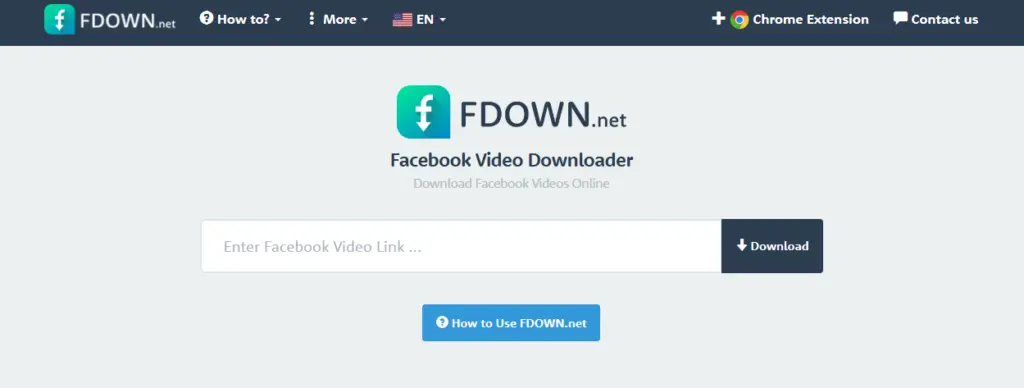
Fdown.net is one of the most widely used Facebook video downloader tools, known for its simplicity and reliability. To use it, copy the Facebook video link, paste it into the homepage, and click download. You will then be given options such as SD or HD quality.
It also supports downloading Facebook Reels and even private videos through a separate tool. One advantage is that it does not require any software installation, and downloads are generated directly from Facebook servers.
For marketers, this makes it a fast way to download videos off Facebook for trend tracking or creative analysis.
2. Bigbangram.com
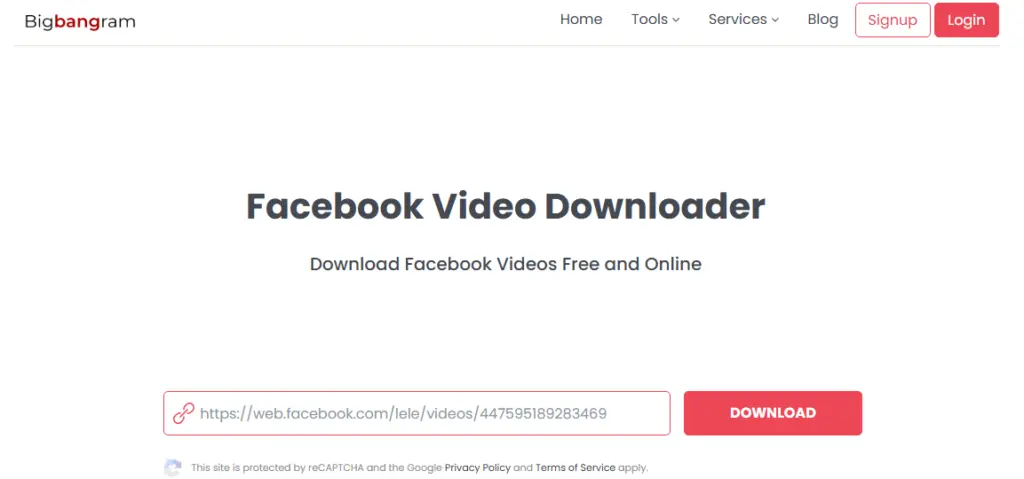
Bigbangram offers a straightforward, cloud-based Facebook downloader that works across desktop and mobile devices. To download a Facebook video, copy the video link, paste it into the tool, and click download. The file is then saved directly to your device.
The platform emphasizes ease of use and does not require extensions or apps. It also supports high-quality downloads, including HD and sometimes 4K when available.
This makes it useful for brands building a swipe file of UGC or competitor creatives without adding extra tools to their workflow.
3. SaveFrom.net
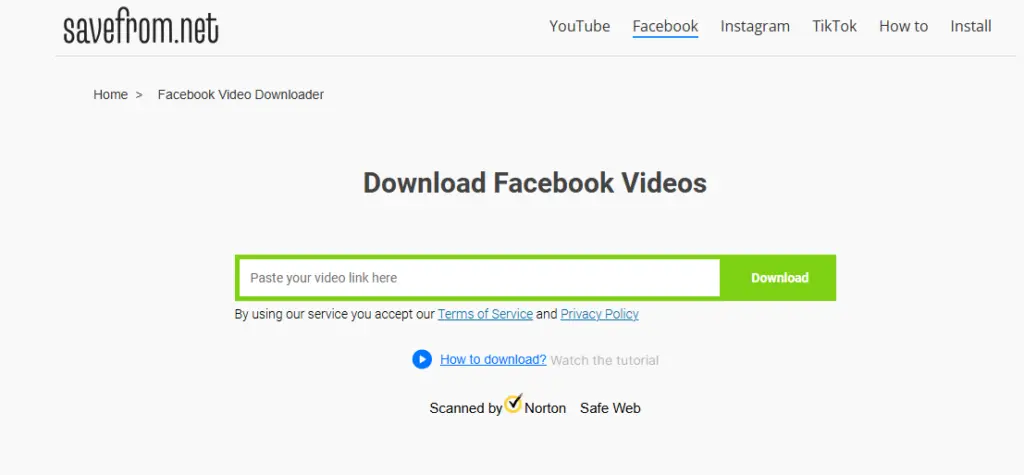
SaveFrom.net is another popular option for downloading videos from Facebook directly through your browser. The process is simple: copy the Facebook video URL, paste it into the input field, and generate a download link.
Some versions of the tool also offer browser extensions that allow you to download videos directly from the Facebook interface. While straightforward, availability and functionality can vary depending on region and browser compatibility.
For users looking for a quick, no-frills way to download Facebook videos, it remains a commonly used option.
4. SnapSave.app
SnapSave.app stands out for its focus on high-quality downloads. To use it, copy the Facebook video link, paste it into the site, select your preferred resolution, and download the file.
It supports resolutions up to 4K and works across devices without requiring installation. The platform can also handle different formats, including videos from posts, Watch, and even completed live streams.
For teams that need high-resolution assets, for example, when repurposing UGC or analyzing creative details, SnapSave is often the preferred choice.
How to Use a Facebook Video Downloader: Step-by-Step
To make this more practical, here is how to download a Facebook video using Fdown.net. The process is quick and works the same way for most browser-based tools.
Start by going to Facebook and locating the video you want to download. Click on the video so it opens in its own tab or expanded view.
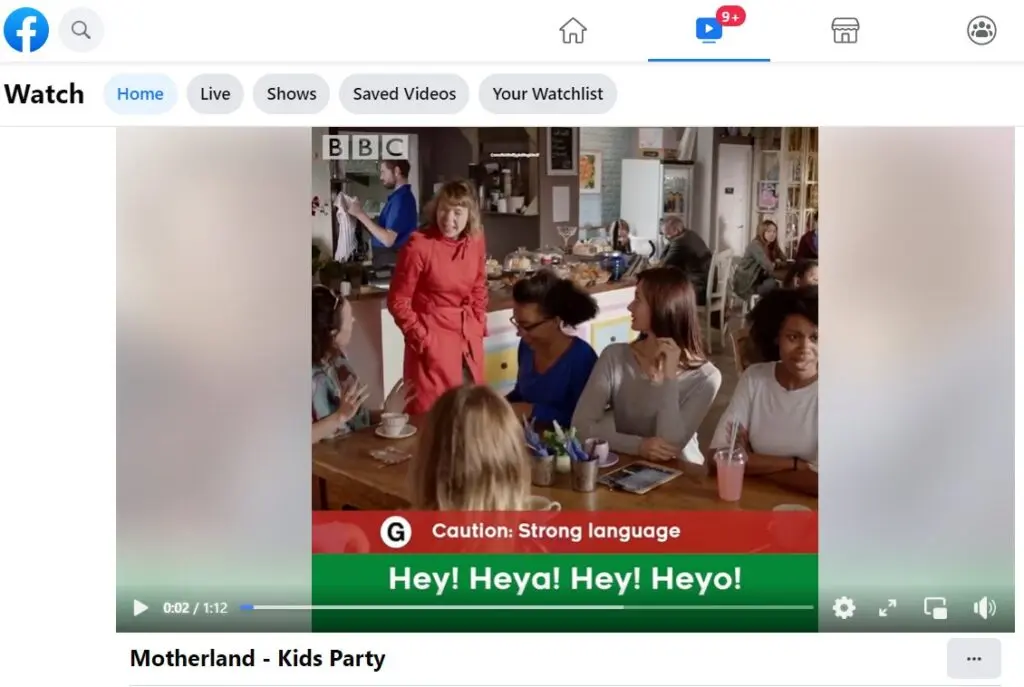
Next, copy the full URL from your browser’s address bar.
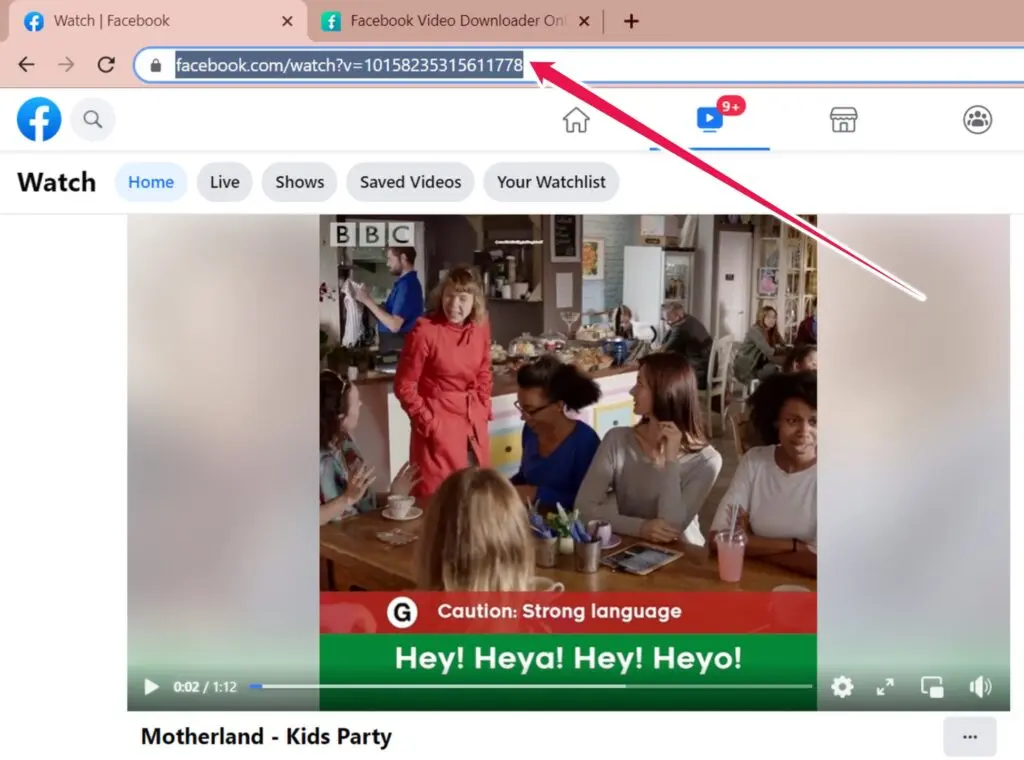
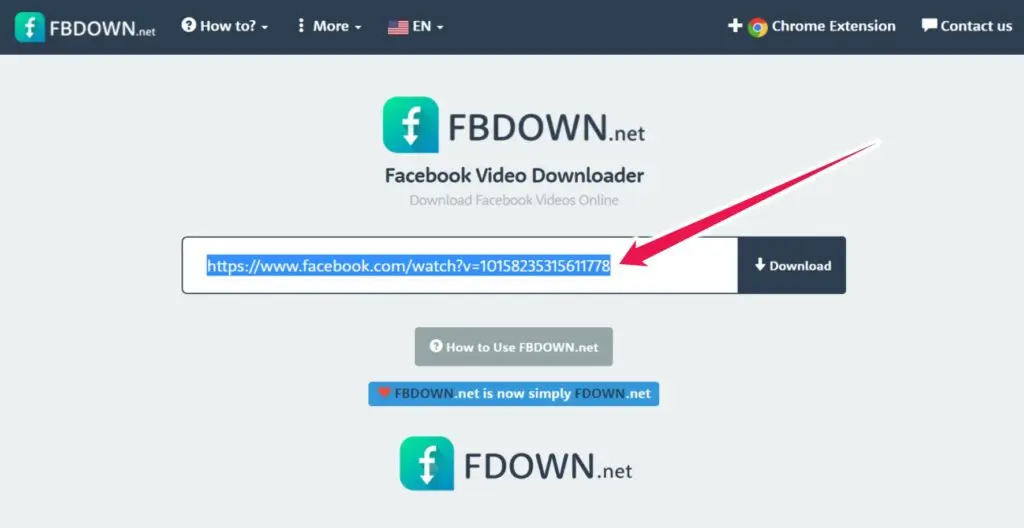
Then, go to Fdown.net and paste the video link into the input field on the homepage. Click the Download button to generate your options.
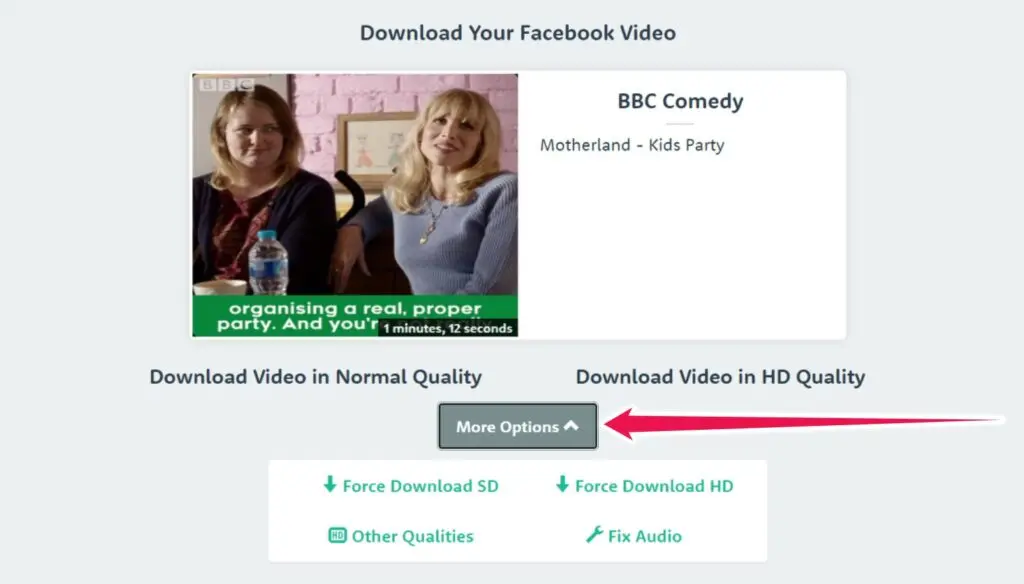
Once processed, you will see a preview of the video along with multiple download formats and quality settings. Click More Options, then select Force Download HD if you want the highest available quality.
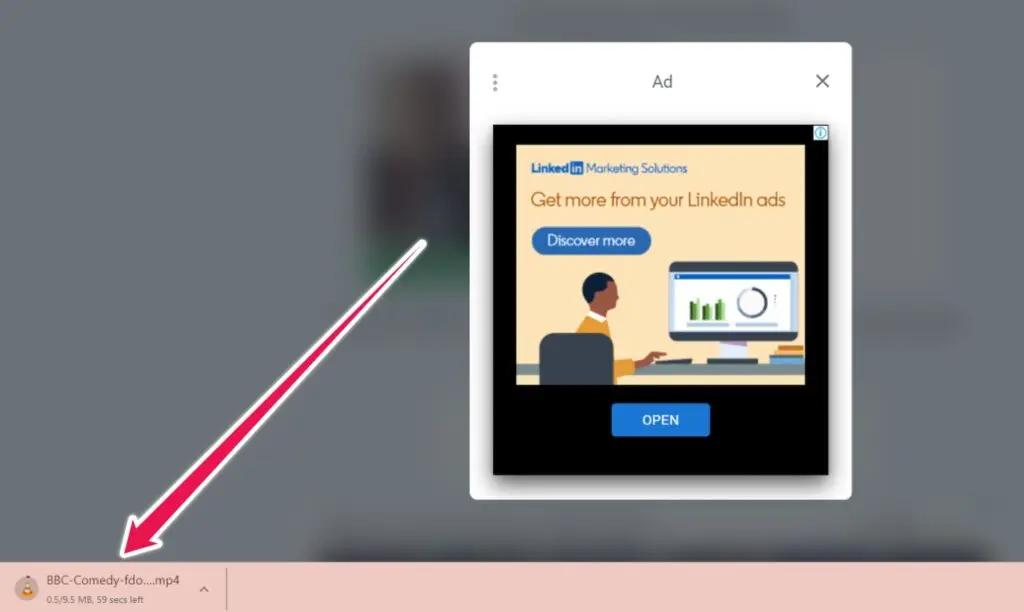
On Mac, you will be prompted to choose where to save the file. On Windows, the video will typically download directly to your Downloads folder.
How to Download Facebook Videos Using a Chrome Browser Extension
Another option for downloading videos from Facebook is using a Chrome browser extension. These tools are lightweight, quick to install, and let you download videos directly from the Facebook interface without switching tabs.
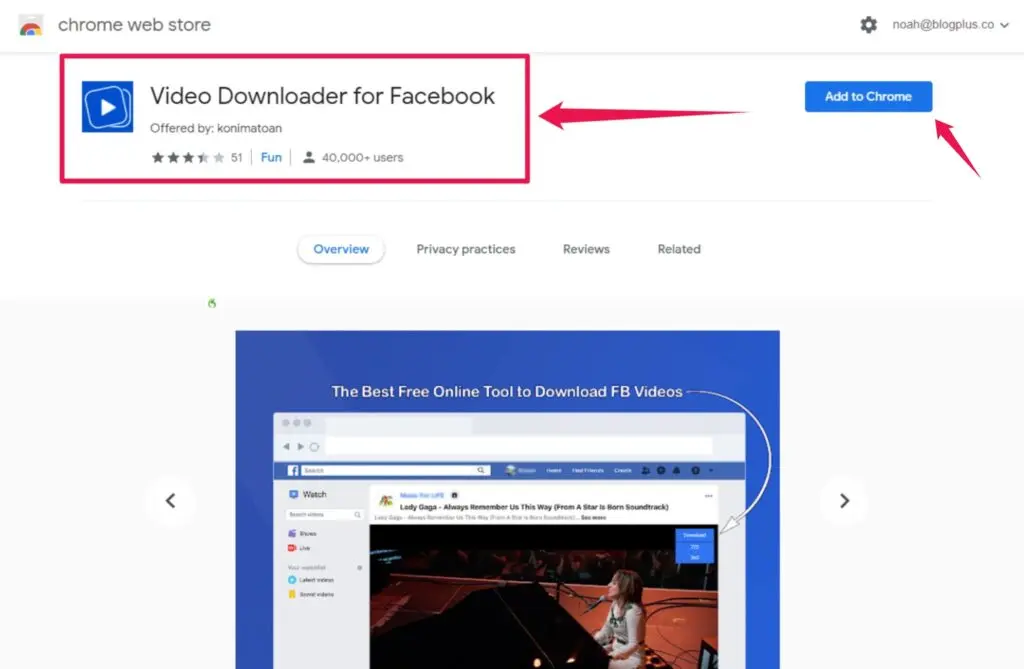
To get started, go to the Chrome Web Store and search for “Facebook video downloader.”
You will find several options, and not all explicitly mention Facebook in their name. A simple way to filter is to look for extensions that include the Facebook logo or clearly reference Facebook in the title or description.
For this example, we will use Video Downloader for Facebook by Konimatoan.
Installing an extension is straightforward. Click Add to Chrome, confirm, and it will be added to your browser.
Once installed, log into Facebook and navigate to the video you want to download. Play the video, then hover over the top-right corner. You should see a small overlay that changes into a blue Download button.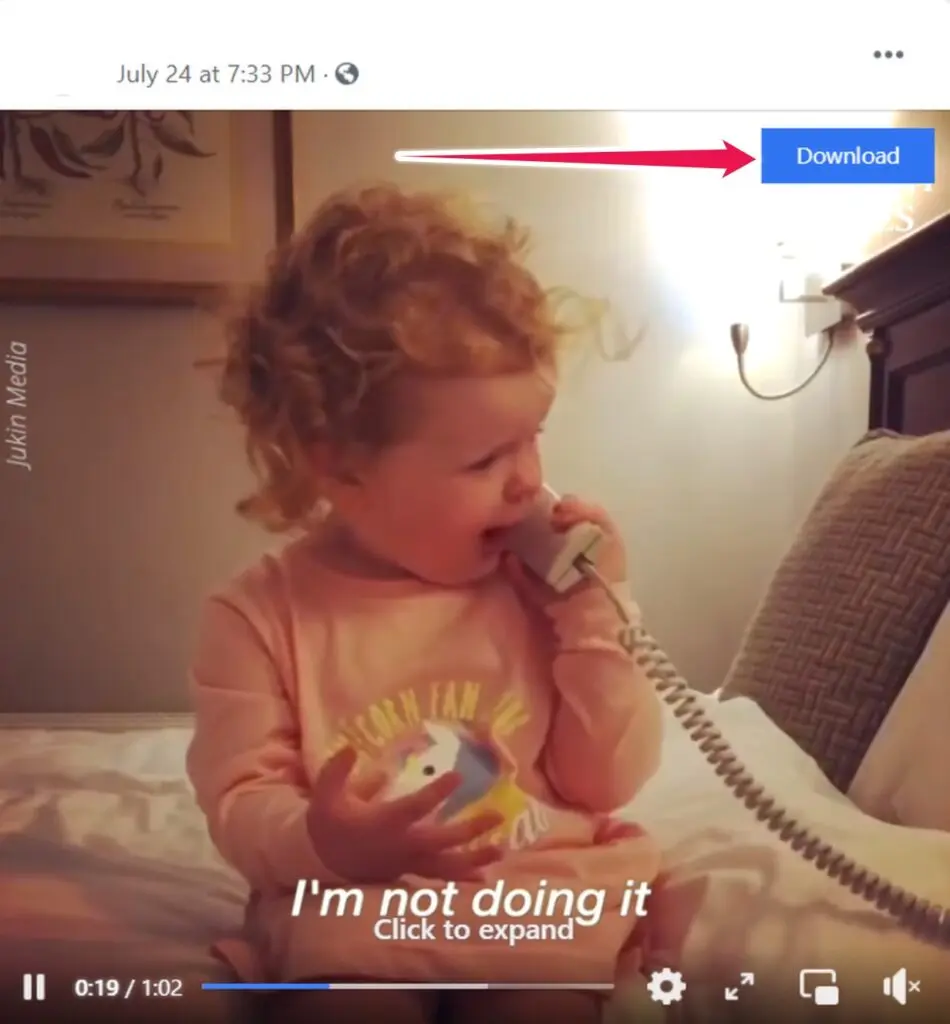
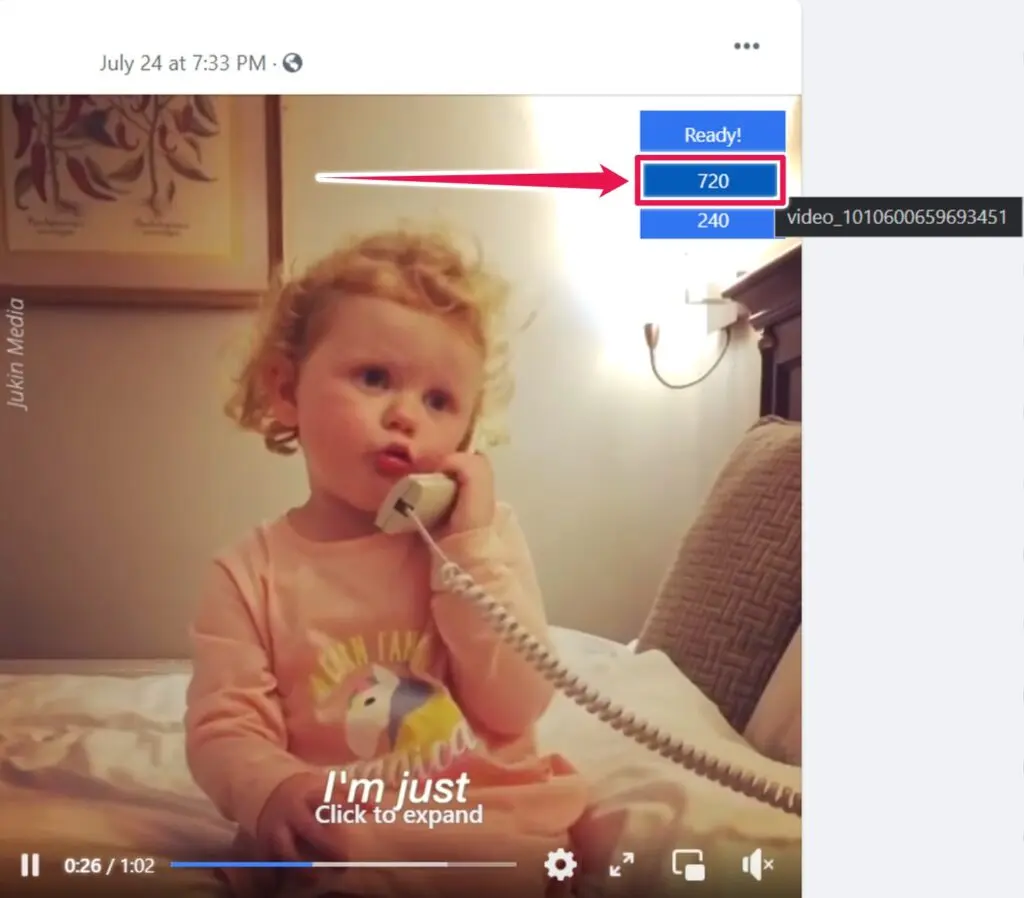
Click the Download button to view available quality options, typically 720p or 240p. Select your preferred resolution, and the video will begin downloading immediately.
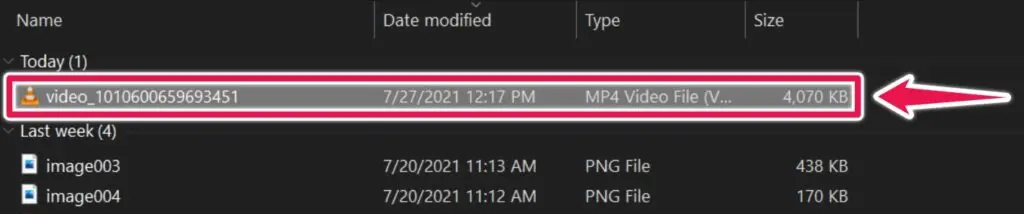
You can then find the file in your Downloads folder, ready for offline use, analysis, or content planning.
How to Download Facebook Videos on an Android Smartphone
Downloading Facebook videos on Android is typically done through dedicated apps available on the Google Play Store. A quick search for “Facebook video downloader” or “video downloader for Facebook” will return dozens of options, many of which offer similar functionality.
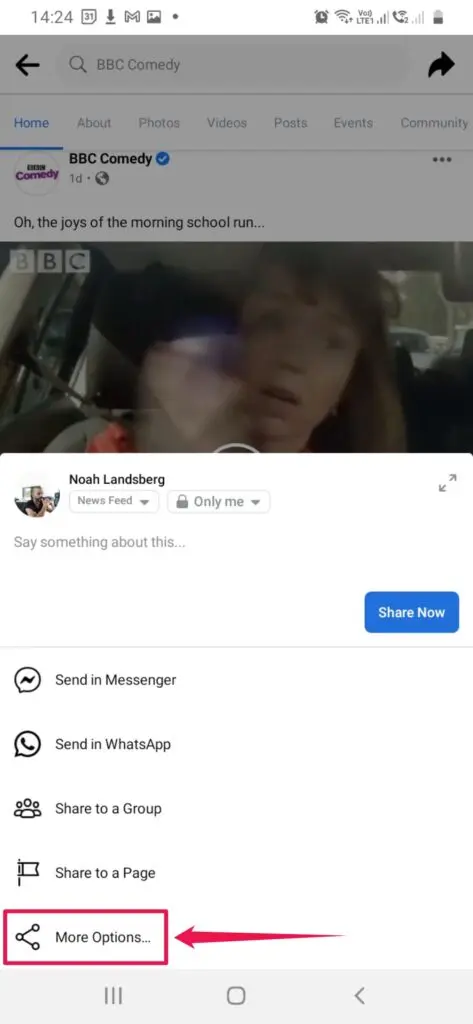
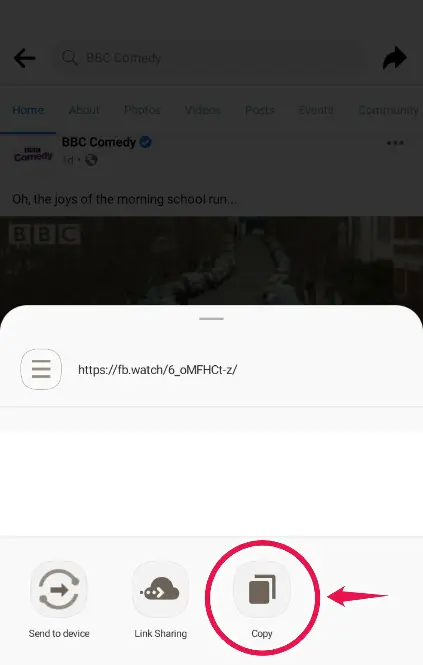
After installing your preferred app, the process is straightforward. Open the Facebook app or your mobile browser and find the video you want to download. Tap the Share icon, then select Copy Link to save the video URL to your clipboard.
Next, open your chosen downloader app. Most apps will either prompt you to paste the link or automatically detect the copied URL. From there, you will be given download options, usually including HD, SD, or audio-only formats.
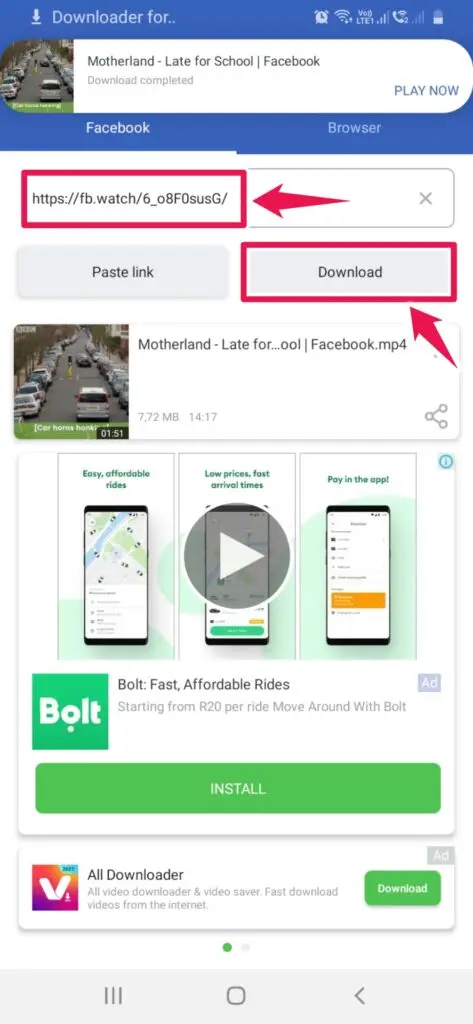
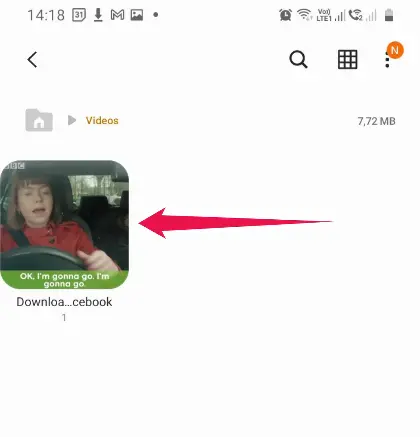
Once you select your preferred format, the app will download and save the video directly to your device’s gallery.
It is worth noting that most free apps include ads throughout the experience. While this can be intrusive, it is standard for no-cost tools. For marketers and teams looking to download videos off Facebook quickly on mobile, these apps remain one of the most accessible solutions.
How to Download Facebook Videos on an iPhone
Downloading Facebook videos on an iPhone involves an extra step compared to Android due to iOS restrictions. Instead of direct downloads, you will need a file manager app combined with a browser-based tool.
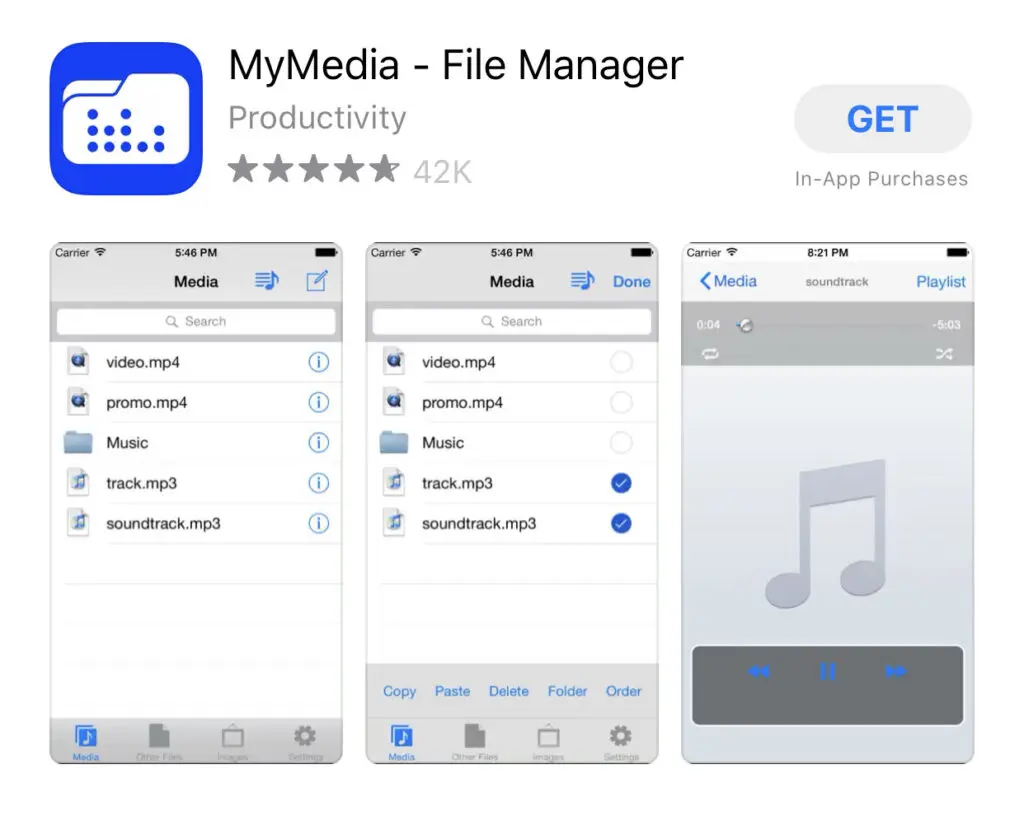
Start by installing a file manager app such as MyMedia – File Manager from the App Store. This app allows you to access web-based downloaders and store files locally.
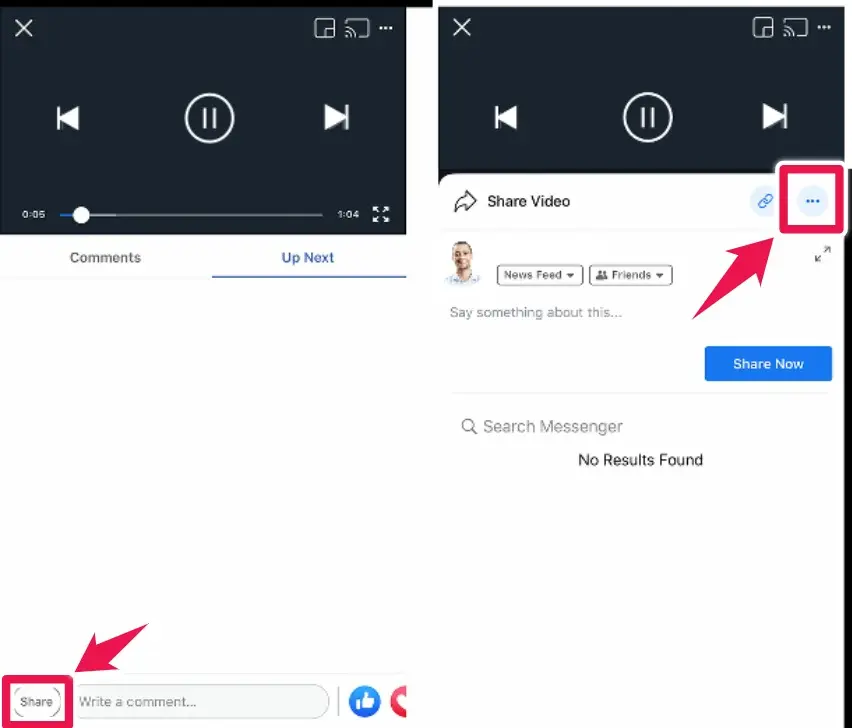
Next, open the Facebook app and locate the video you want to download. Tap the Share button, then select Copy Link to save the video URL to your clipboard.
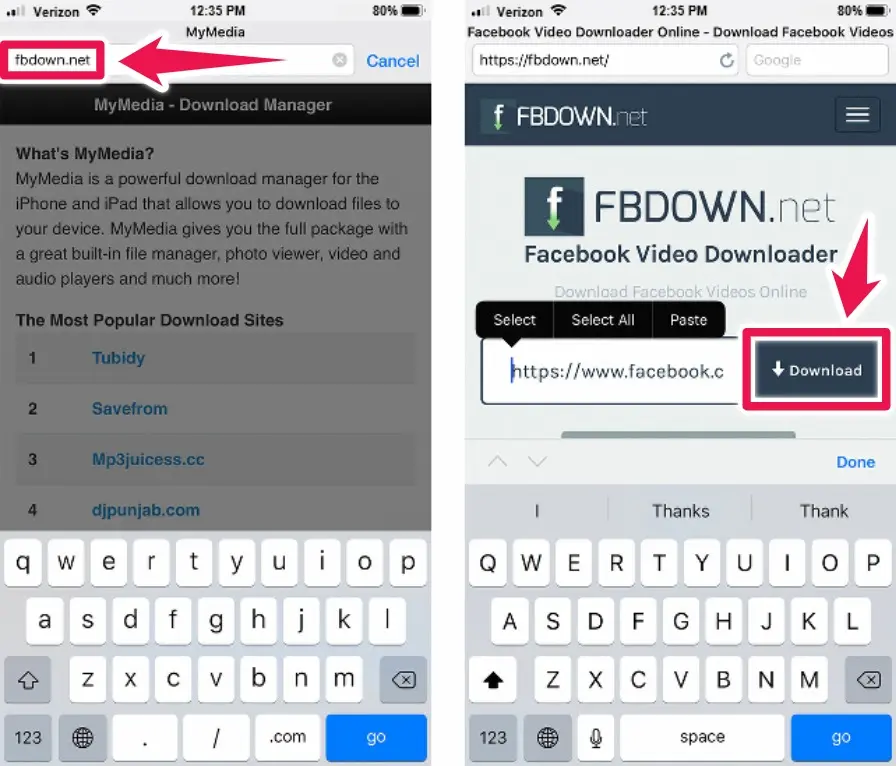
Open the MyMedia app and use its built-in browser. In the address bar, go to Fdown.net. Paste your copied Facebook video link into the input field and tap Download.
Once the video loads, you will see quality options such as Normal Quality and HD Quality. Select your preferred option, then choose Force HD Download for the best resolution.
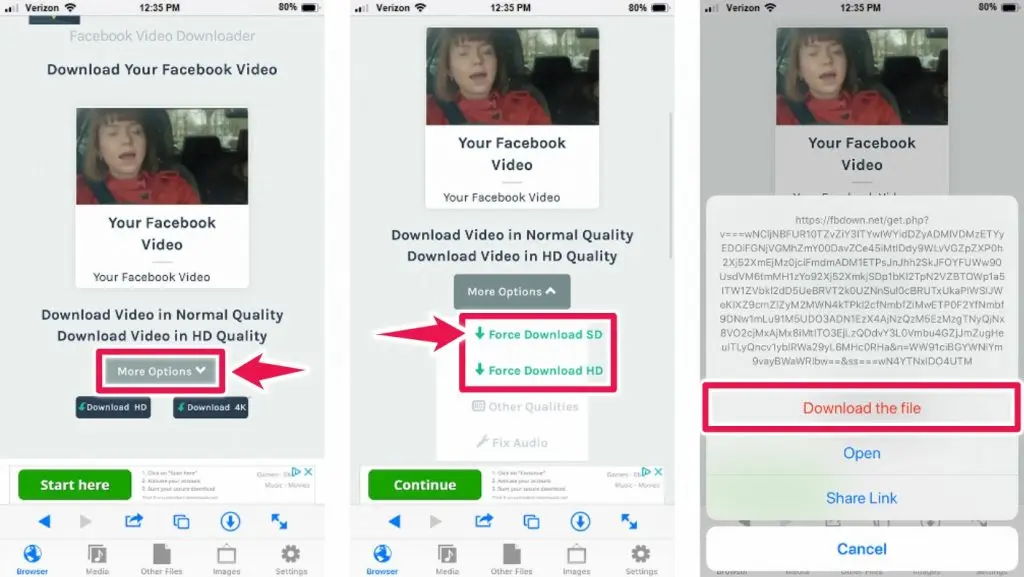
After the download completes, navigate to the Media section within the app. From there, save the file to your Camera Roll so it appears in your Photos app, ready for offline access or content review.
Download Facebook Videos Faster and Smarter
Learning how to download Facebook videos gives you more control over how you capture, analyze, and reuse content.
Whether you use a browser-based Facebook video downloader, a Chrome extension, or a mobile app, the process is simple once you know the right tools.
For marketers and creator teams, downloading videos from Facebook is not just about convenience; it is a practical way to track trends, store UGC, and safeguard valuable content.
Use the methods above to download Facebook videos efficiently and build a stronger, more informed content strategy.
Frequently Asked Questions
Is Downloading Facebook Videos Illegal?
No. If you download a video from Facebook to watch it later, you’re good. But if you download, alter, and then upload the altered work of a creator without their permission, then you’ve committed a copyright infringement.
What is the Fair Use Policy?
Fair use policy is a legal principle. It was introduced to promote the freedom of expression by allowing the unlicensed use of copyright-protected work in certain circumstances. For example, it is permissible to use the work of others if done so to express criticism, comment, for news reporting, teaching, scholarship, and research.
While this is not an extensive list of what is allowed under fair use policy, it is a good indication of how it is possible to use someone's great work. For a complete breakdown of the inclusions and exclusions that fall under fair use policy, visit the US Copyright Office Fair Use Index.
Why can I no longer download videos from Facebook?
As often happens, certain features change within the Facebook app and on the desktop side. For example, just over a year ago, you were able to right-click on a video on a desktop and capture the URL for that video. You then take its URL and go to a website like the 6 listed above and download the Facebook video. That's changed.
Today, you can download the videos by following the steps mentioned in this article.
Are there instructions on how to download videos from Facebook to a computer?
Yes. This article includes two ways to develop videos from Facebook. Instructions are available for the use of your web browser and video download website and how to use Chrome browser extensions.


