
Pinterest rewards consistency, but maintaining that consistency manually is difficult at scale. Publishing pins daily, optimizing for search, tracking performance, and iterating on content formats quickly becomes operational overhead rather than strategic work.
That is where Pinterest automation tools come in. The best Pinterest automation tools do not just schedule pins but streamline workflows, surface performance data, and help marketers maintain a steady publishing cadence without sacrificing quality or compliance with platform guidelines.
At the same time, not all automation is equal. Pinterest has strict expectations around authentic activity, which means the right tools focus on scheduling, optimization, and analytics, not artificial engagement.
Therefore, choosing the right Pinterest automation tool is less about “doing more automatically” and more about enabling consistent, scalable growth.
This guide breaks down the best Pinterest automation tools available today, along with how they work, where they fit, and how to choose the right one based on your goals.
- What Are Pinterest Automation Tools?
- Types of Pinterest Automation Tools (And What Each One Does)
- Best Pinterest Automation Tools
- 1. GeeLark
- 2. Tailwind
- 3. dlvr.it
- 4. BlogToPin
- 5. Make
- How to Choose the Right Pinterest Automation Tool
- Are Pinterest Automation Tools Safe to Use
- Pinterest Automation Tools That Actually Scale Your Growth
- Frequently Asked Questions
What Are Pinterest Automation Tools?
Pinterest automation tools are platforms designed to reduce the manual work involved in publishing, optimizing, and managing Pinterest content while maintaining a consistent and compliant posting strategy.
At a functional level, most Pinterest automation tools focus on the following:
- Pin scheduling and publishing: Automatically publish pins at optimal times to maintain consistency without manual posting
- Bulk pin creation: Generate multiple pins from a single piece of content, often using templates or design automation
- Keyword and SEO optimization: Assist with titles, descriptions, and hashtags to improve visibility in Pinterest search
- Analytics and performance tracking: Measure impressions, saves, clicks, and conversions to understand what drives results
- Workflow automation: Connect Pinterest with other tools such as content management systems, spreadsheets, or eCommerce platforms
- Multi-account management: Manage multiple Pinterest accounts or boards from a single dashboard
The key distinction is that modern Pinterest automation tools are not limited to scheduling. They support the full content lifecycle, from creation and optimization to distribution and analysis, allowing brands and marketers to scale activity without increasing manual workload.
Types of Pinterest Automation Tools (And What Each One Does)
Before comparing specific Pinterest automation tools, it helps to understand that not all tools serve the same purpose. Most platforms focus on a specific part of the workflow, which is why choosing the right category matters as much as choosing the right tool.
The 5 Types of Pinterest Automation Tools
Pinterest Scheduling Tools
Pinterest scheduling tools are the most common type of automation tools. Their primary function is to publish pins automatically at pre-selected times, ensuring a consistent posting cadence without manual effort.
Platforms in this category often include features such as queue-based scheduling, optimal time suggestions, and board-level publishing controls. These tools are best suited for marketers who already have content and need a reliable way to distribute it consistently.
Pin Creation and Design Automation
Some Pinterest automation tools focus on generating pins at scale. Instead of manually designing each pin, these platforms use templates or automation workflows to create multiple variations from a single URL or asset.
This category is particularly useful for content-heavy strategies where volume matters. It reduces the time required to produce fresh creatives while maintaining visual consistency across pins.
Workflow Automation Tools
Workflow automation tools extend Pinterest automation beyond the platform itself. They connect Pinterest with other systems such as blogs, eCommerce stores, or databases, enabling automatic actions based on triggers.
For example, publishing a new blog post can automatically generate and schedule a pin. These tools are valuable for teams looking to reduce repetitive tasks and integrate Pinterest into a broader content or marketing workflow.
Analytics and Growth Tools
Analytics-focused automation tools prioritize performance tracking and optimization. Rather than focusing only on publishing, they help identify which pins, boards, and formats are driving results.
These platforms often include insights into engagement metrics, audience behavior, and keyword performance. They are essential for marketers who want to move beyond activity and focus on measurable growth.
Multi-Account and Scaling Tools
Advanced Pinterest automation tools support managing multiple accounts or running large-scale content experiments. These tools are typically used by agencies or teams handling multiple brands.
They enable centralized control, bulk actions, and parallel content testing, making it easier to scale Pinterest operations without increasing manual workload.
Best Pinterest Automation Tools
Not all Pinterest automation tools are built for the same outcome. Some focus on scheduling, others on content creation, while more advanced platforms support full workflow automation and performance tracking. Let's explore the best options the market has to offer.
1. GeeLark
Best for: Marketers, Agencies, Creators and Growth Teams
Pricing: From $9.75/month
Core strength: Mobile-native automation with cloud phones for safer multi-account management
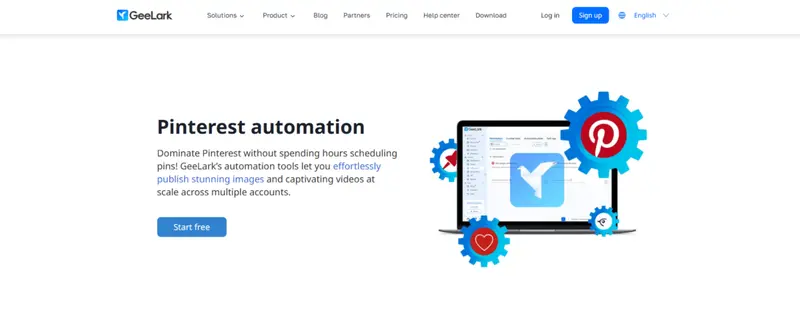
GeeLark takes a different approach from most Pinterest automation tools. Instead of focusing only on scheduling or workflows, it is built around infrastructure for scaling Pinterest accounts safely and efficiently.
At its core, GeeLark uses cloud-based mobile environments, often referred to as cloud phones. Each Pinterest account operates within its own isolated mobile device, running the official Pinterest app. The setup is designed to mimic real user behavior more closely than browser-based tools, reducing the likelihood of accounts being linked or flagged when managing multiple profiles.
This distinction becomes important at scale. Managing multiple Pinterest accounts from a single device or IP address increases the risk of account restrictions. GeeLark addresses this by assigning unique device fingerprints and, when combined with proxies, separate network identities for each account.
From an automation standpoint, the platform supports bulk publishing across accounts. Users can schedule and publish both image and video pins simultaneously, eliminating the need to manually log in and upload content account by account.
The platform also includes no-code automation through pre-built templates. Tasks such as posting image pins or video content can be configured once and deployed across multiple accounts, with scheduling parameters handled centrally.
In addition to publishing, GeeLark integrates AI-assisted content creation. It’s AIGC tools support generating visual assets and adapting content formats, which can be useful for producing multiple pin variations at scale. Combined with automation, this creates a workflow where content creation and distribution are tightly connected.
GeeLark is best suited for teams that need to manage multiple Pinterest accounts or run large-scale publishing operations. It goes beyond traditional Pinterest automation by combining publishing automation, content generation, and account-level infrastructure into a single system.

2. Tailwind
Best for: End-to-end Pinterest automation with scheduling, content creation, and analytics
Pricing: Free plan available, paid plans from $14.99/month
Core strength: All-in-one Pinterest automation tool built around consistency and performance optimization
Tailwind is one of the most established Pinterest automation tools, designed specifically to help marketers maintain consistent publishing while improving performance over time.
The platform combines multiple parts of the Pinterest workflow into a single system. Scheduling remains the foundation, with SmartSchedule automatically distributing pins across optimal time slots.
Instead of relying on fixed “best times,” the system focuses on consistent spacing and cadence, which aligns with how Pinterest content performs over time.
Tailwind extends beyond scheduling by integrating content creation and optimization. Its SmartPin feature can generate pins from existing URLs, including titles, descriptions, and design variations. This reduces the manual effort required to produce new pins while ensuring each one is aligned with keyword and metadata best practices.
Keyword research is another core component. The platform surfaces relevant Pinterest search terms using a combination of trends data, audience signals, and search behavior. This allows users to build content around what users are actively searching for, rather than relying on guesswork.
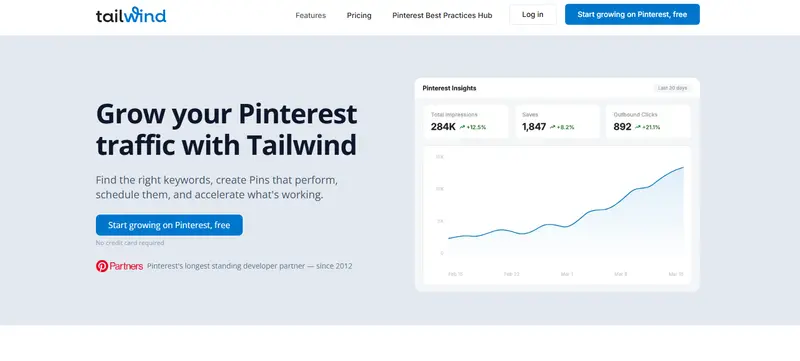
Performance tracking is built into the workflow. Tailwind provides visibility into impressions, saves, and outbound clicks, making it easier to identify which pins drive traffic and replicate those formats. The platform’s approach centers on reinforcing repeatable patterns rather than one-off performance spikes.
Data from Tailwind’s benchmark analysis shows that high-performing pins are strongly associated with consistency and complete metadata, rather than timing alone. Pins published through structured workflows were up to 54% more likely to generate traffic, highlighting the role of disciplined publishing and optimization.
Tailwind is best suited for marketers and brands looking for a comprehensive Pinterest automation tool. It combines scheduling, content generation, keyword research, and analytics into a single workflow, making it one of the most complete solutions for managing and scaling Pinterest activity without increasing manual effort.
3. dlvr.it
Best for: Automated Pinterest posting from RSS feeds and content sources
Pricing: From $9.99/month
Core strength: Hands-free content distribution through feed-based automation
dlvr.it is a Pinterest automation tool built around content distribution rather than content creation. Its core function is to automatically publish pins based on updates from connected sources such as blogs, news feeds, or websites.
The platform works by linking RSS feeds or content streams to Pinterest boards. Once connected, dlvr.it continuously scans for new content and automatically converts those updates into pins. This removes the need to manually upload or schedule content, making it a fully hands-off Pinterest automation workflow.
Scheduling and control remain part of the system. Users can choose whether content is published instantly or queued for later distribution. Frequency controls and filters allow teams to manage posting volume and avoid over-publishing, which is important for maintaining a consistent and compliant Pinterest presence.
Customization is also built into the publishing process. Pins can be configured with custom text, images, hashtags, and links, allowing users to retain some level of control over how content appears despite the automated workflow.
One of the key advantages of dlvr.it is its ability to extend beyond Pinterest. The same automation workflows can distribute content across multiple social platforms simultaneously, making it useful for teams managing cross-channel publishing strategies.
dlvr.it is best suited for publishers, bloggers, and content-driven businesses that produce a steady stream of new material. It focuses on automating the distribution layer of Pinterest marketing, ensuring that new content is consistently published without requiring manual intervention.
4. BlogToPin
Best for: Automated pin generation and scheduling directly from website content
Pricing: Starts at $25/month (billed annually)
Core strength: Full automation from URL to published pins with AI-generated content
BlogToPin is built for one specific use case: turning website content into a continuous stream of Pinterest pins without manual work.
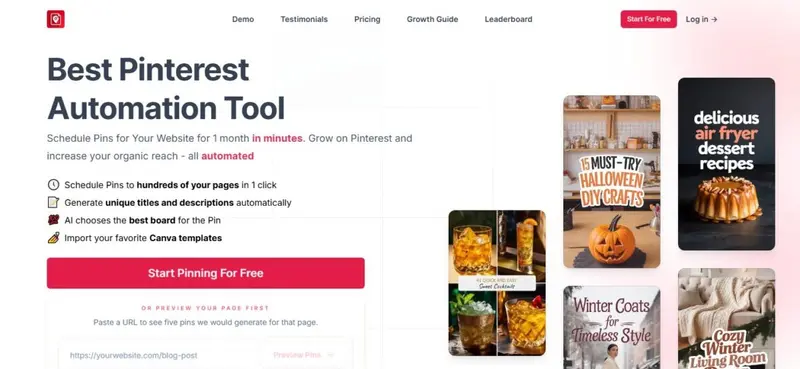
Unlike most Pinterest automation tools that separate creation and scheduling, BlogToPin combines both into a single workflow. The platform scans a website, extracts pages and images, and automatically generates pins for each URL. Titles, descriptions, and visuals are created using AI, removing the need to manually design or write each pin.
Once pins are generated, the system assigns them to relevant boards and schedules them over time. The scheduling logic is designed to avoid repetitive patterns by distributing pins across different pages and boards, reducing the risk of content appearing duplicated or overly concentrated.
One of the key differentiators is volume. BlogToPin supports high output, with plans allowing hundreds to thousands of pins per day, depending on the tier. This makes it suitable for content-heavy businesses where scaling Pinterest traffic requires consistent and frequent publishing.
The platform also includes features to improve performance over time. It tracks how different pin templates and formats perform, allowing users to identify which designs drive higher click-through rates. Underperforming pins can be removed to maintain stronger engagement signals across the account.
Customization remains part of the workflow despite the automation. Users can import Canva templates, adjust branding elements, and review generated pins before publishing, ensuring that automation does not come at the expense of brand consistency.
BlogToPin is best suited for bloggers, publishers, and eCommerce sites that rely on Pinterest as a traffic channel. It focuses on automating the entire content-to-distribution pipeline, making it one of the more comprehensive Pinterest automation tools for generating and publishing pins at scale.
5. Make
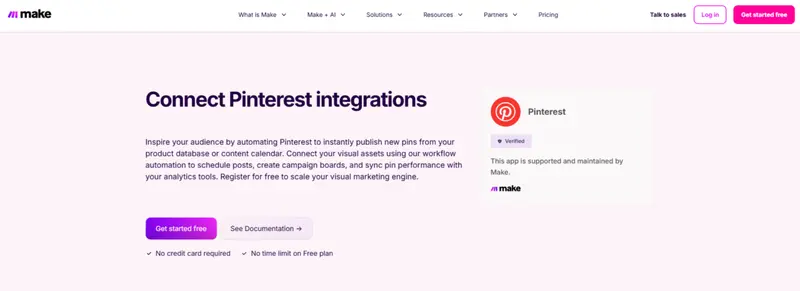
Best for: Workflow automation and connecting Pinterest with other tools
Pricing: Free plan available, paid plans from $9/month
Core strength: Visual no-code automation across 3,000+ apps, including Pinterest
Make is not a traditional Pinterest automation tool. Instead of focusing only on scheduling or pin creation, it enables custom workflows that connect Pinterest with the rest of your MarTech stack.
At its core, Make operates as a visual automation builder. Users create “scenarios” that define how data moves between platforms.
In the context of Pinterest automation, this means Pinterest can act as either a trigger or an action. For example, a new product added to a store can automatically generate a pin, or new blog content can be converted into pins without manual input.
The platform supports a wide range of Pinterest actions, including creating pins, managing boards, retrieving performance data, and syncing content across systems. These actions can be combined with integrations such as Google Sheets, Shopify, WordPress, and AI tools, allowing teams to build highly customized automation workflows.
One of the key advantages of Make is flexibility. Unlike fixed-function Pinterest automation tools, it does not impose a predefined workflow. Instead, users can design automation around their specific processes, whether that involves content pipelines, eCommerce product feeds, or cross-platform distribution.
Make also includes pre-built templates to simplify setup. Common workflows include generating Pinterest pins from spreadsheet data, publishing new blog posts automatically, or syncing content across multiple social platforms. These templates reduce the technical barrier while still allowing customization when needed.
The platform operates on a credit-based system, where each action within a workflow consumes credits. This model allows users to scale automation based on usage, from simple workflows to more complex, high-volume scenarios.
Make is best suited for teams that need more than basic Pinterest automation. It is particularly valuable for marketers managing multiple systems who want to integrate Pinterest into broader workflows, rather than treating it as a standalone channel.
How to Choose the Right Pinterest Automation Tool
As mentioned, not all Pinterest automation tools solve the same problem. Choosing the right one depends on how you plan to use Pinterest, the volume of content you produce, and how much of the workflow you want to automate.
Use the table below to help you indetify the right Pinterest automation tool for your needs:
|
Goal / Use Case |
Recommended Tool |
Why It Fits |
| Consistent scheduling and optimization | Tailwind | Built for structured publishing, keyword optimization, and performance tracking |
| Hands-free content distribution | dlvr.it | Automatically converts RSS feeds and content updates into pins |
| High-volume pin generation | BlogToPin | Turns website pages into multiple pins with AI-generated content |
| Workflow automation across systems | Make | Connects Pinterest with tools like Shopify, Google Sheets, and CMS platforms |
| Multi-account management and scaling | GeeLark | Enables bulk publishing and isolated environments for multiple accounts |
Are Pinterest Automation Tools Safe to Use
Yes, Pinterest automation tools are safe when used correctly. The platform allows automation for publishing, scheduling, and analytics, but actively restricts behavior that appears artificial or manipulative.
The distinction comes down to how the tool operates and how it is used.
Safe Pinterest Automation
Most approved Pinterest automation tools focus on improving efficiency without altering how users interact with content. These tools support workflows that align with Pinterest’s expectations for authentic activity.
Safe use cases include:
- Scheduling pins in advance to maintain consistency
- Managing multiple boards and organizing content
- Tracking performance metrics such as clicks and saves
- Generating and optimizing pin titles, descriptions, and keywords
Tools like Tailwind fall into this category, as they are built around publishing consistency and best practices rather than artificial engagement.
Risky Automation Practices
Problems arise when automation attempts to simulate user behavior at scale. Pinterest monitors activity patterns, device fingerprints, and account behavior to detect misuse.
Risky practices include:
- Automated liking, commenting, or following
- Reposting identical content across multiple accounts at high frequency
- Running multiple accounts from the same device or IP without separation
- Using bots to artificially inflate engagement
These approaches can lead to reduced reach, account restrictions, or permanent bans.
Where Advanced Tools Fit
Some Pinterest automation tools are designed for more complex setups, such as managing multiple accounts. In these cases, safety depends on how the infrastructure is handled.
Platforms like GeeLark attempt to address this by isolating accounts across separate environments, reducing the likelihood of accounts being linked when operating at scale.
Key Takeaway:
Pinterest automation tools should be used to improve efficiency, not to manipulate the platform. Tools that focus on scheduling, optimization, and workflow automation are aligned with Pinterest’s guidelines, while tools that attempt to mimic human engagement patterns introduce risk.
Pinterest Automation Tools That Actually Scale Your Growth
Pinterest automation tools are no longer limited to scheduling. They now support the full workflow, from content creation to publishing and performance tracking. The key is not how much you automate, but how effectively you use automation to maintain consistency, quality, and relevance.
The best Pinterest automation tools help reduce manual effort while keeping your strategy aligned with how the platform works. Consistent publishing, fresh content, and optimized metadata remain the core drivers of reach.
Automation should support these fundamentals, not replace them. When used correctly, Pinterest automation tools allow you to scale output, stay organized, and focus more on strategy and less on repetitive tasks.
Frequently Asked Questions
What are Pinterest automation tools?
Pinterest automation tools are platforms that help schedule pins, generate content, track performance, and automate workflows to reduce manual work.
What are the best Pinterest automation tools?
The best Pinterest automation tools depend on your goal, whether it is scheduling, content generation, workflow automation, or multi-account management.
Are Pinterest automation tools allowed?
Pinterest allows automation for scheduling, publishing, and analytics, but restricts automated engagement such as liking, following, or commenting.
How do Pinterest automation tools work?
Most Pinterest automation tools connect to your account and automate tasks like scheduling pins, generating descriptions, or publishing content based on triggers.
Are there free Pinterest automation tools?
Some Pinterest automation tools offer free plans with limited features, typically including basic scheduling and analytics.
Can you automate Pinterest posting?
Yes, Pinterest posting can be automated using approved tools that schedule and publish pins without manual input.
Do Pinterest automation tools help with SEO?
Yes, many Pinterest automation tools include keyword suggestions and optimization features that improve visibility in Pinterest search.
What is the difference between Pinterest schedulers and automation tools?
Pinterest schedulers focus on publishing pins at set times, while Pinterest automation tools handle a broader range of tasks including content creation, workflows, and analytics.


