Top 10 Twitter (X) Automation Tools for 2025

Advertising Disclosure

Managing X at scale has become more complex than simply scheduling a few tweets and hoping for engagement.

How do you stay visible in fast-moving conversations without posting manually every day? And how do you automate Twitter activity without risking account limits, duplicated content, or wasted effort?

As Twitter continues evolving into a real-time discovery, customer support, and creator monetization channel, automation tools are shifting as well. In 2026, the focus is no longer just on scheduling. Brands are prioritizing smarter timing, performance-triggered amplification, evergreen content systems, and deeper integration with analytics, CRM, and commerce tools.

Creators, meanwhile, are using automation to turn viral moments into subscribers and revenue rather than vanity metrics.

This guide breaks down the top Twitter automation tools for 2026, highlighting how each platform fits different goals, team sizes, and operating models, so you can choose software that supports growth without sacrificing control or compliance.


Best Twitter Automation Tools

Top
twitter automation tools
2026

1. Brandwatch Social Media Management

Brandwatch Social Media Management

Ideal for: Comprehensive social media automation and audience insights

Pricing: Upon request

Demo: Yes, live product demo available on request

Brandwatch is more than just a piece of Twitter software—it’s an all-encompassing social media automation tool designed to engage and analyze every aspect of SMM. The tool’s primary aim is to help you stand out on social media and expand brand outreach across various channels.

One of its unique propositions is the Engage feature, which allows you to set automated welcome and away messages tailored for specific channels like Twitter.

Moreover, Brandwatch offers seamless customer engagement and care capabilities that funnel interactions into a unified inbox. The obvious benefit is that you will never miss an opportunity to engage with your customers when using Brandwatch.

In the realm of analytics, Brandwatch shines by offering aggregated metrics and real-time consumer listening. Finally, you can monitor mentions, track competitors, and stay updated on industry trends, making them crisis-ready.

Key Twitter Automation Features:

  • Unified content calendar for cross-channel publishing
  • Automated scheduling and publishing across global markets
  • Single inbox for mentions, messages, and customer interactions
  • Advanced reporting with audience demographics and performance metrics
  • Real-time social listening and competitor monitoring

Pros

  • Enterprise-grade social listening with real-time alerts
  • Unified inbox simplifies high-volume engagement workflows
  • Strong analytics combining social and CRM data
  • Scales well for large teams and multi-brand environments

Cons

  • Pricing may be prohibitive for small teams or solo creators
  • Setup and onboarding can be complex for first-time users
  • Overkill for users only needing basic Twitter automation

Why Choose Brandwatch?

Brandwatch is best positioned as a full-scale social media intelligence and automation platform rather than a lightweight Twitter tool. Its ability to combine publishing, engagement, and deep consumer listening in one system makes it stand out from simpler automation tools.

Brands that need real-time insights, crisis readiness, and cross-channel coordination will benefit most from its feature depth.

4.8 out of 5 stars
A consumer intelligence platform, a social media marketing platform, and an influencer marketing platform were all acquired and forced to play well with each other—and they do!
Ratings
Features & Pricing
Pros and Cons
Ratings
Features
5.0
Ease of Use
4.5
Support
5.0
Overall Score
4.8
Features & Pricing
Analytics
Automated Publishing
Content Management
Keyword Filtering
Multi-Account Management
Post Scheduling
Brand Tracking
Social Media Monitoring
Hashtag Tracking
Sentiment Analysis
Reputation Management
Social Media Management
Price on request
Pros and Cons
Consumer Intelligence product uses social listening to help brands understand what people want
Audience tools give deep insights into the aggregate AND individuals
Newly added TikTok support goes further than you’d expect
Confusing array of products and services from three different companies
You can't post on multiple networks at once, but you can choose multiple channels within the same network for posting
Best for: Mid to Large-sized Businesses
4.8 out of 5 stars
A consumer intelligence platform, a social media marketing platform, and an influencer marketing platform were all acquired and forced to play well with each other—and they do!
Visit Website View Profile

2. Iconosquare

Iconosquare

Ideal for: Enhancing Twitter efficiency through intuitive scheduling

Pricing: Pricing starts from $33 per month

Demo: Yes, 14-day free trial available, no card required

Iconosquare provides an effortless way to plan your Tweets through the power of automation. Whether you’re looking to post text-only content, images, or even GIFs and videos, the platform guides you through the process. Iconosquare allows you to choose your content type and add your text. Simply said, it streamlines every step of the way.

Moreover, with the added feature of Time Slots, Iconosquare takes the guesswork out of deciding the optimal publishing time. The feature does this based on your audience’s engagement patterns, ensuring your tweets get the maximum visibility.

To add icing on the cake, Iconosquare’s integration of automated social media reporting ensures you’re always updated on your performance metrics without the hassle of manual reporting.

Key Twitter Automation Features:

  • User-friendly Scheduler for easy Tweet planning
  • Advanced audience and competitor listening 
  • Identify unread comments and mentions and respond easily
  • Crossposting option for multi-platform content distribution

Pros

  • Clean, intuitive scheduler well-suited for Twitter workflows
  • Strong analytics and automated reporting for performance tracking
  • Best-time-to-post recommendations improve tweet visibility
  • Supports X alongside multiple major social platforms

Cons

  • Twitter automation depth is lighter than enterprise-focused tools
  • Advanced listening features are more limited than dedicated monitoring platforms
  • No Twitter-specific automation rules beyond scheduling and timing

Why Choose Iconosquare?

Iconosquare is a strong choice for teams that want reliable Twitter automation without enterprise-level complexity. Its combination of intuitive scheduling, smart timing recommendations, and automated reporting makes it easy to stay consistent and data-driven on X.

While it does not offer deep rule-based automation or advanced listening at scale, it excels at simplifying day-to-day Twitter management.

Iconosquare Social Media Management Platform
4.5 out of 5 stars
Manage your social media and your analytics all in one place with Iconosquare. Businesses and agencies can easily manage the performance of their content as well as analytics, posting, and more. The platform supports Instagram, Facebook, TikTok, LinkedIn, and Pinterest.
Ratings
Features & Pricing
Pros and Cons
Ratings
Features
4.6
Ease of Use
4.4
Support
4.4
Overall Score
4.5
Features & Pricing
Analytics
Automated Publishing
Contact Management
Keyword Filtering
Multi-Account Management
Post Scheduling
Social Media Management
Price starting at:$49
Pros and Cons
Evolving functionality
Industry benchmarks
Competitive analysis features
Excellent automated posts
Customer support may not be helpful
Some features may glitch
Some platforms are not included
Best for: Brands and Agencies
Iconosquare Social Media Management Platform
4.5 out of 5 stars
Manage your social media and your analytics all in one place with Iconosquare. Businesses and agencies can easily manage the performance of their content as well as analytics, posting, and more. The platform supports Instagram, Facebook, TikTok, LinkedIn, and Pinterest.
Visit Website View Profile

3. Later

Later

Ideal for: Multi-platform social media management with a focus on Twitter

Pricing: Pricing starts from $18 per month

Demo: Yes, 14-day free trial available

Later revolutionizes the way you approach Twitter marketing, making drafting, tweaking, and scheduling Tweets a breeze. The platform even offers a single interface to manage your Twitter postings.

But Later isn’t limited to just Twitter and even supports other major social media platforms like Instagram, Pinterest, Facebook, TikTok, and LinkedIn, turning it into a one-stop solution for all your social media content needs.

Their Auto Publish tool is a game-changer for those constantly on the move. The tool is designed to take the burden away from tweeting on time. With this feature, you can set your tweets and forget about them, knowing they’ll be posted right on schedule.

Furthermore, the URL shortener feature ensures your tweets are concise without sacrificing essential links.

Key Twitter Automation Features:

  • User-friendly scheduler for automated tweet planning
  • Best-time-to-post recommendations based on engagement data
  • Unified inbox for mentions, comments, and conversations
  • Automated analytics and customizable reporting dashboards
  • Cross-posting support for multi-platform distribution

Pros

  • Simple, reliable Twitter scheduling with auto-publish
  • Clean interface that supports fast content batching
  • Strong media organization and link management tools
  • Works well for managing Twitter alongside other platforms

Cons

  • Twitter automation is limited to scheduling and publishing
  • No advanced rule-based automation or listening features
  • Analytics depth is lighter than enterprise-focused platforms

Why Choose Later?

Later is best suited for teams that want dependable Twitter automation as part of a broader multi-platform workflow. It focuses on making scheduling, publishing, and content organization effortless rather than offering complex automation logic. Brands that prioritize consistency, speed, and cross-channel coordination will find Later easy to adopt and maintain.

Later
4.3 out of 5 stars
Later is a calendar-focused social media scheduling platform with a drag-and-drop interface. Their planning and scheduling tools make it easy to visualize your social media management. Features include photo editing, publishing for stories, and more.
Ratings
Features & Pricing
Pros and Cons
Ratings
Features
4.0
Ease of Use
4.5
Support
4.3
Overall Score
4.3
Features & Pricing
Analytics
Automated Publishing
Content Management
Multi-Account Management
Post Scheduling
Reporting/Analytics
Price starting at:$16.67
Pros and Cons
Easy to use, simple interface and media gallery
Competitive pricing plans
"Best time to publish" feature
You need business accounts on social
Limited features compared to competition
Free version has basic features
Best for: Businesses of all sizes
Later
4.3 out of 5 stars
Later is a calendar-focused social media scheduling platform with a drag-and-drop interface. Their planning and scheduling tools make it easy to visualize your social media management. Features include photo editing, publishing for stories, and more.
Visit Website View Profile

4. Loomly

Loomly

Ideal for: Streamlined content management and audience engagement on Twitter

Pricing: Upon request

Demo: Yes, free trial available

Loomly takes a holistic approach to X automation, offering a comprehensive platform tailored for efficient content management and optimization.

Recognizing the challenges faced by teams dealing with spreadsheets for content organization, Loomly brings all content under one roof, enhancing team collaboration and ensuring real-time updates with notifications spanning email, push, Slack, and Microsoft Teams

Based on Twitter trends, RSS feeds, and even social media best practices, the platform ensures you never face a content drought. Further emphasizing its focus on crafting perfect tweets, Loomly guides you with post ideas, optimization tips, and even provides post previews before going live.

Its collaborative review, approval workflow, and end-to-end post history also keep all your team members in sync. 

Key Twitter Automation Features:

  • Auto-publish for scheduled tweets
  • Centralized media library for organizing on-brand content
  • Custom link tools for driving traffic from Twitter
  • User tagging support within tweets
  • Analytics dashboards for tracking engagement and growth

Pros

  • Excellent content planning and approval workflows for teams
  • Built-in post ideas and optimization guidance for Twitter
  • Reliable automated publishing with clear visual calendars
  • Strong collaboration support across email, Slack, and Teams

Cons

  • Twitter automation focuses on publishing rather than advanced rules
  • Listening and monitoring are lighter than enterprise tools
  • Feature set may feel robust for solo users with simple needs

Why Choose Loomly?

Loomly stands out as a Twitter automation platform built for structured workflows and collaborative teams. Its strength lies in combining content ideation, optimization guidance, approvals, and automated publishing in one cohesive system.

While it does not offer deep rule-based automation or large-scale social listening, it excels at keeping Twitter content organized, consistent, and on-brand.


4.8 out of 5 stars
One of the social media management platforms we’ve seen is also the easiest to use and designed to meet any sized marketing need.
Ratings
Features & Pricing
Pros and Cons
Ratings
Features
4.8
Ease of Use
5.0
Reporting
4.5
Overall Score
4.8
Features & Pricing
Analytics
Automated Publishing
Contact Management
Customer Targeting
Keyword Filtering
Multi-Account Management
Post Scheduling
Customer Engagement
Multi-User Collaboration
Reporting/Analytics
Price starting at:$32
Pros and Cons
Post creation process leaves nothing to chance: every aspect is well thought out
Multiple social calendars eliminate confusion/accidental postings
Workflow templates are suitable for large teams and one-person operations
Reporting could use more audience insights
Best for: Literally everyone: Creators, Brands, Agencies, Marketing teams and solo freelancers, Franchises
4.8 out of 5 stars
One of the social media management platforms we’ve seen is also the easiest to use and designed to meet any sized marketing need.
Visit Website View Profile

5. Hypefury

Hypefury

Ideal for: Growing & monetizing your Twitter audience seamlessly

Pricing: Pricing starts from $29 per month

Demo: Yes, free trial available

Hypefury is designed to be your personal Twitter assistant. This platform empowers you to effortlessly create compelling content and expand your audience and product sales. With a seamless interface and unique features, Hypefury takes pride in turning successful tweets into sales opportunities.

One Hyperfury functionality automatically adds comments promoting your newsletters, courses, or websites under your high-performing tweets. But what really sets Hypefury apart is the ability to automatically retweet, ensuring a wider reach without any extra effort.

The obvious benefit is the chance to boost your email list and increase engagement. Additionally, Hypefury can convert tweets into Instagram-friendly formats, further amplifying your digital presence.

Key Twitter Automation Features:

  • Auto-scheduling and recurring tweets for consistent posting
  • Performance-based auto-reposts to extend tweet lifespan
  • Autoplugs that auto-comment offers under high-performing tweets
  • Auto-DM campaigns to convert engagement into subscribers
  • Evergreen content queues for long-term audience growth

Pros

  • Designed specifically for Twitter growth and monetization
  • Smart automation triggered by tweet performance
  • Strong tools for converting engagement into email subscribers
  • Excellent support for evergreen and recurring content

Cons

  • Limited analytics compared to full social management platforms
  • Collaboration features are basic for larger teams
  • Not suited for brands needing deep cross-channel reporting

Why Choose Hypefury?

Hypefury stands apart by focusing on what happens after a tweet performs well. Instead of generic scheduling, it automates amplification, lead capture, and monetization workflows that directly impact revenue. This makes it fundamentally different from traditional social media management tools.

Read also:

6. Zapier

Zapier

Ideal for: Streamlining Twitter activities by connecting with other apps

Pricing: Pricing starts from $19.99 per month

Demo: Yes, free trial available

Zapier’s automation prowess goes beyond just managing tweets. Instead, Zapier integrates Twitter with your favorite apps, allowing you to monitor brand mentions and be notified about relevant tweets.

Moreover, Zapier eliminates unnecessary alerts from Twitter and other social platforms thanks to its customizable “Zaps.” These allow you to get tailored alerts for brand mentions, tweets from industry leaders, and much more.

Zapier also allows you to monitor Twitter lists, ensuring you never miss out on crucial industry-related updates. However, the tool’s list of impressive capabilities doesn’t stop there. Zapier allows long-term sentiment tracking, a comprehensive view of audience interactions, customizable cross-postings, and more.

For businesses, Zapier’s automation ensures a hassle-free way to promote content on Twitter and draft tweets in advance, fostering a more efficient social media strategy.

Key Twitter Automation Features:

  • Automated posting to Twitter from CMSs and content tools
  • Custom alerts for mentions, keywords, and Twitter lists
  • Multi-step workflows using if then logic
  • Cross-posting and content distribution across connected apps
  • Logging Twitter activity into CRMs, spreadsheets, or databases

Pros

  • Extremely flexible Twitter automation through custom workflows
  • Integrates with over 8,000 apps across marketing and operations
  • Ideal for connecting Twitter to existing business systems
  • Scales well for complex, multi-tool environments

Cons

  • No native tweet editor or Twitter-focused content planning
  • Requires setup and logic building to unlock full value
  • Not designed for analytics-heavy Twitter performance tracking

Why Choose Zapier?

Zapier is best viewed as a Twitter automation backbone rather than a traditional social media tool. It excels at connecting X to the rest of your tech stack, enabling workflows that go far beyond scheduling or engagement. This makes it especially powerful for teams automating content distribution, alerts, and internal processes tied to Twitter activity.


7. RecurPost

RecurPost

Ideal for: Seamless scheduling and content recycling on Twitter

Pricing: Pricing starts from $9 per month

Demo: Yes, 14-day free trial available, no credit card required

RecurPost is a social media scheduling tool designed to simplify your tweeting journey. From scheduling tweets for multiple accounts to redoing and reusing old tweets, RecurPost offers a versatile approach to help you reach your audience consistently.

But the platform isn’t just about scheduling; it ensures your tweets resonate with your followers by integrating rich multimedia and curating content on the go.

RecurPost does this by delving deep into content creation. The platform’s integration with tools like Canva ensures you always have access to high-quality visuals. Moreover, its innovative AI content generator allows you to generate tweet ideas effortlessly.

With additional integration features like RSS feed and the Google Chrome plugin, you can stay updated with trending content from your favorite sources, ensuring you always have something relevant to share.

Key Twitter Automation Features:

  • Bulk scheduling of tweets and full Twitter threads
  • Evergreen content recycling with automatic rewrites
  • AI-assisted tweet creation and content variations
  • RSS feed and browser extension for curated content
  • Media previews and performance tracking

Pros

  • Excellent evergreen content recycling for Twitter
  • Thread scheduling works smoothly end to end
  • AI tools help maintain consistency without manual effort
  • Bulk uploads save time for high-volume posting

Cons

  • Analytics are basic compared to enterprise platforms
  • Limited collaboration features for larger teams
  • Focuses more on scheduling than engagement automation

Why Choose RecurPost?

RecurPost stands out as a Twitter automation tool designed for long-term consistency rather than real-time engagement. Its evergreen recycling system allows users to publish once and benefit repeatedly without risking content duplication penalties. This makes it especially valuable for creators and marketers who rely on recurring ideas, threads, and campaigns.

Read also:

8. Missinglettr

Missinglettr

Ideal for: Streamlined campaign automation and content generation

Pricing: Pricing starts from $15 per month

Demo: Yes, free trial available, no credit card required

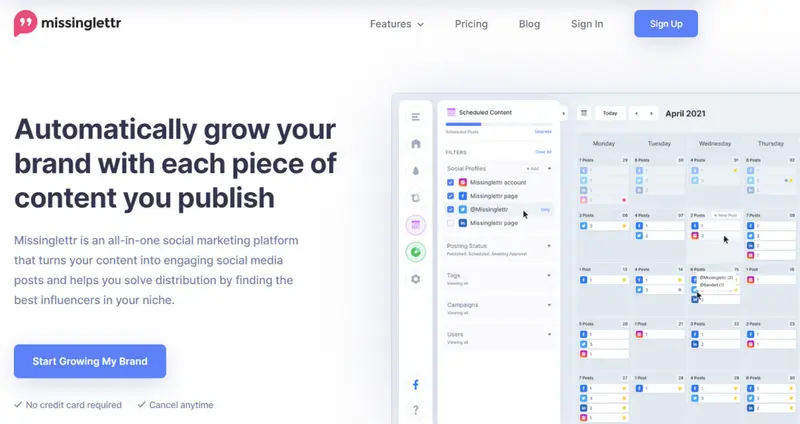
Missinglettr stands out as a premier Twitter scheduler tool that takes the hustle out of finding tweet-worthy content. The platform not only schedules but also automates your entire campaign process. With Missinglettr, you can enjoy the benefits of hands-free content curation, enhancing your Twitter presence and driving consistent engagement.

Missinglettr also provides in-depth analytics that empower you to optimize your Twitter strategies. With data-driven insights at your fingertips, you can understand what resonates with your audience. Refine your approach based on actual performance metrics and keep your Twitter engagement growing.

Key Twitter Automation Features:

  • Automatic tweet generation from blogs, videos, and links
  • 12-month drip campaigns for evergreen content promotion
  • Unified dashboard for scheduling and campaign review
  • Automated content curation to supplement original tweets
  • Analytics for tracking engagement and traffic performance

Pros

Excellent long-term automation for content-driven Twitter accounts

Reduces manual effort by auto-generating tweet campaigns

Strong evergreen promotion without constant reposting

Simple setup suitable for non-technical users

Cons

Less control over individual tweet customization

Limited real-time engagement and reply management

Not designed for advanced Twitter-native growth tactics

Why Choose Missinglettr?

Missinglettr stands out by automating Twitter campaigns at the content level rather than the post level. Its ability to convert a single asset into months of scheduled tweets makes it especially powerful for blogs, publishers, and content-heavy brands. While it is not built for real-time engagement or complex automation rules, it excels at keeping Twitter feeds active with minimal effort. Missinglettr is best suited for content-focused teams that want consistent Twitter promotion without daily manual scheduling.

Pros

  • Excellent long-term automation for content-driven Twitter accounts
  • Reduces manual effort by auto-generating tweet campaigns
  • Strong evergreen promotion without constant reposting
  • Simple setup suitable for non-technical users

Cons

  • Less control over individual tweet customization
  • Limited real-time engagement and reply management
  • Not designed for advanced Twitter-native growth tactics

Why Choose Missinglettr?

Missinglettr stands out by automating Twitter campaigns at the content level rather than the post level. Its ability to convert a single asset into months of scheduled tweets makes it especially powerful for blogs, publishers, and content-heavy brands. While it is not built for real-time engagement or complex automation rules, it excels at keeping Twitter feeds active with minimal effort.


9. Agorapulse

Agorapulse

Ideal for: Comprehensive social media management with in-depth Twitter automation

Pricing: Pricing starts from $79 per month

Demo: Yes, 30-day free trial and on-demand demo available

Agorapulse helps elevate your social media strategy by ensuring each post is perfectly timed and optimized for maximum engagement. Team collaboration is a breeze, letting you manage pending content cohesively.

When it comes to managing user interaction, Agorapulse acts as a central hub. All your messages, be it from Twitter, Facebook, or any other platform, come to a unified inbox.

You can label, assign, or share conversations without the hassle of switching between apps. Moreover, Agorapulse offers a social media listening tool that ensures you’re always attuned to your audience’s sentiments and can jump into pivotal conversations in a timely.

Key Twitter Automation Features:

  • Advanced tweet scheduling with campaign categorization
  • Unified inbox for managing Twitter DMs, mentions, and replies
  • Social listening for brand mentions and audience sentiment
  • Automated moderation and conversation labeling
  • Customizable reporting with engagement and ROI metrics

Pros

  • Strong engagement management through a centralized inbox
  • Reliable scheduling and organization for complex Twitter calendars
  • Built-in listening and reporting without external tools
  • Well suited for collaborative teams and agencies

Cons

  • Higher starting price compared to basic schedulers
  • Interface depth may feel heavy for solo users
  • Automation focuses more on management than growth hacks

Why Choose Agorapulse?

Agorapulse stands out as a Twitter automation platform designed for teams that need structure, visibility, and control. Its ability to combine publishing, engagement, listening, and reporting makes it more comprehensive than lightweight schedulers. While it is not focused on creator-style growth automation, it excels at managing high-volume Twitter activity efficiently.

4.5 out of 5 stars
Agorapulse is a social media management platform stocked full of features for individuals, businesses, and enterprises. Their added listening tool helps users monitor brand mentions. Features include a variety of ways to publish content, reporting, analytics, and more.
Ratings
Features & Pricing
Pros and Cons
Ratings
Features
4.0
Ease of Use
4.6
Support
4.8
Overall Score
4.5
Features & Pricing
Analytics
Automated Publishing
Contact Management
Content Management
Conversion Tracking
Keyword Filtering
Multi-Account Management
Post Scheduling
Reporting/Analytics
Social Media Monitoring
Competitive Analysis
Scheduling
Social Media Calendar
Social Media Management
Team Workflow & Collaboration
Social Media Listening
Price starting at:$49
Pros and Cons
Easy social media management
Simple platform
Makes it easy not to double reply etc
Lack of post editing features
Limited third party integrations
Engagement platform can be difficult to use
Best for: Mid-sized agencies, mid-sized businesses and some enterprise brands.
4.5 out of 5 stars
Agorapulse is a social media management platform stocked full of features for individuals, businesses, and enterprises. Their added listening tool helps users monitor brand mentions. Features include a variety of ways to publish content, reporting, analytics, and more.
Visit Website View Profile

10. IFTTT

IFTTT

Ideal for: Versatile automation with extensive third-party integration capabilities

Pricing: Pricing starts from $2.99 per month

Demo: Yes, free plan and free trial available

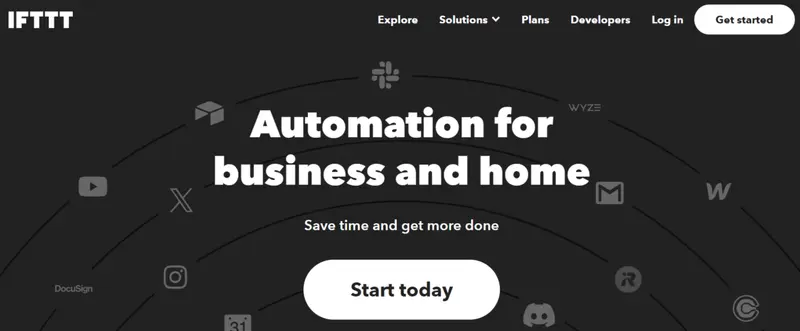
IFTTT stands out with its impressive spectrum of automation possibilities, especially for Twitter. The sheer variety it offers ensures that your Twitter strategy is flawlessly aligned with your needs. IFTTT’s auto-tweeting, tracking vital hashtags, and curating messages from select accounts help you streamline Twitter tasks efficiently.

But what truly sets IFTTT apart is its expansive library of third-party integrations. Connect, combine, and create unique workflows interlacing Twitter with other services and apps. Lastly, you gain access to a wide array of tools capable of monitoring news and social feeds.

Key Twitter Automation Features:

  • Auto-tweeting content from RSS feeds, blogs, or apps
  • Hashtag and keyword monitoring with custom notifications
  • Triggers for mentions and activity alerts
  • Multi-step workflows with filters, delays, and conditions
  • Integration with hundreds of third-party apps and services

Pros

  • Extremely flexible automation for Twitter-related tasks
  • Large ecosystem of third-party integrations
  • Easy to set up simple workflows without coding
  • Affordable entry-level pricing

Cons

  • No native Twitter content planning or scheduling calendar
  • Limited analytics and performance insights
  • Complex workflows can require trial and error

Why Choose IFTTT?

IFTTT stands out as a lightweight automation layer that connects Twitter to the rest of your digital tools. Rather than managing tweets directly, it excels at triggering actions around Twitter activity and distributing content across platforms automatically. This makes it ideal for users who want simple, reliable automations without committing to a full social media management suite.


Which Twitter (X) Automation Tools Best Fit Your Brand?

Choosing the right X automation platform depends less on features in isolation and more on how well a tool aligns with your operating model, team size, and growth goals. Below are common real-world scenarios that brands, agencies, and creators face when using Twitter at scale, paired with the platforms that best support those needs.

  • Enterprise-scale listening, crisis response, and brand intelligence -> Brandwatch
  • Data-driven scheduling with clear performance reporting -> Iconosquare
  • Multi-platform social management with lightweight Twitter automation -> Later
  • Structured workflows, approvals, and collaborative content planning -> Loomly
  • Creator-led Twitter growth and monetization -> Hypefury
  • App-to-app automation and Twitter workflow orchestration -> Zapier
  • Evergreen scheduling and long-term content recycling -> RecurPost

Tool

Best For Pricing Demo Key Twitter Automation Offering

Use For

Brandwatch Enterprise governance and deep audience insights Pricing starts from $800/mo Yes – live demo Real-time social listening with unified engagement and advanced analytics Comprehensive brand intelligence and crisis-ready monitoring
Iconosquare Data-driven scheduling with performance reporting Pricing starts from $33/mo Yes – 14-day trial Best-time-to-post recommendations plus intuitive scheduling and reporting Reliable, analytics-backed tweet planning
Later Multi-platform social management with Twitter support Pricing starts from $18/mo Yes – 14-day trial Auto publish scheduling and basic analytics Cross-channel scheduling simplicity
Loomly Structured workflows and team collaboration Pricing starts from $32/mo Yes – free trial Auto-publish with content guidance and approval workflows Organized, collaborative Twitter content planning
Hypefury Creator-led growth and monetization Pricing starts from $29/mo Yes – free trial Performance-based auto-reposts and engagement automations Monetization and audience growth workflows
Zapier Twitter workflow automation across apps Pricing starts from $19.99/mo Yes – free trial Custom triggers/Actions connecting Twitter to other systems Integrating Twitter into broader business workflows
RecurPost Evergreen scheduling and content recycling Pricing starts from $25/mo Yes – 14-day trial Bulk schedule, evergreen reposts, AI content variations Consistent presence with reusable tweet content
Missinglettr Automated drip campaigns from long-form content Pricing starts from $19/mo Yes – free trial Auto tweet generation with 12-month drip campaigns Turning content assets into long-running Twitter campaigns
Agorapulse Centralized engagement with listening + reporting Pricing starts from $79/mo Yes – 30-day trial Unified inbox, listening, moderation, and scheduling Comprehensive engagement with team collaboration
IFTTT Lightweight cross-app automation Pricing starts from $3.49/mo Yes – free plan & trial Trigger-based automations connecting Twitter to hundreds of apps Simple, extensible workflows around Twitter activity

Why do Businesses Need Twitter Automation Tools?

The importance of these automation tools is manifold.

Firstly, they grant marketers the invaluable gift of time. Instead of being tethered to the platform around the clock, they can set up campaigns, analyze metrics, and orchestrate engagements with a few clicks, leaving the software to execute their strategy flawlessly. This not only conserves time but also reduces the risk of human error.

Furthermore, these tools are equipped with analytical capabilities, allowing marketers to glean information about peak engagement hours, audience demographics, popular hashtags, and more, all of which can inform a more targeted and effective approach.

In a sense, Twitter Automation Tools don't just automate; they elevate.


Factors to Consider When Selecting Twitter Automation Tools

Choosing the right Twitter automation software comes down to how well it supports your specific workflows, growth stage, and risk tolerance. Breaking the decision into clear evaluation areas makes it easier to match the right platform to your needs.

Feature Alignment With Your Twitter Goals

Start by mapping what you actually need to automate on X. Some teams only need reliable scheduling, while others require listening, engagement management, or monetization workflows.

For example, Hypefury is purpose-built for creators who want automation tied directly to audience growth and revenue, while Brandwatch is better suited for brands that prioritize listening, insights, and large-scale engagement over posting frequency.

Usability and Day-To-Day Workflow Efficiency

Even the most powerful platform loses value if it slows your team down. An intuitive interface, clear calendars, and low-friction publishing matter for daily use. Later and Iconosquare stand out here by offering clean scheduling experiences that reduce setup time and make it easy to stay consistent without extensive training.

Scalability as Your Team and Output Grow

As your Twitter presence expands, the tool you choose should scale with additional accounts, collaborators, and workflows. Platforms like Loomly and Agorapulse are designed with structured workflows, approvals, and collaboration in mind, making them suitable as teams grow beyond a single user or brand.

Pricing Versus Long-Term Value

Cost should be evaluated in terms of return, not just monthly fees. Lightweight tools may appear cheaper, but can require multiple subscriptions to cover analytics, engagement, or integrations. RecurPost offers strong value for brands focused on evergreen content and reuse, while Brandwatch justifies its higher price through enterprise-grade insights and risk management capabilities.

Customer Support and Learning Resources

When automation fails or workflows break, responsive support becomes critical. Platforms with strong documentation, onboarding, and support teams reduce downtime and frustration. Agorapulse is particularly well regarded for support responsiveness, while Loomly provides guided workflows and educational resources that shorten the learning curve.

Compliance and Platform Safety

Automation must operate within X’s rules to avoid account limitations or penalties. Tools that focus on safe scheduling and native publishing tend to carry lower risk than aggressive growth hacks.

For teams concerned about compliance and brand safety, Brandwatch and Agorapulse offer structured, policy-aware automation, while integration-based tools like IFTTT and Zapier require more careful configuration to stay within platform guidelines.

By evaluating Twitter automation tools across these dimensions, brands can move beyond feature checklists and select a platform that fits both current needs and future growth.


Choosing the Right Twitter Automation Tool Without Guesswork

Twitter automation works best when it supports how your brand actually operates, not when it forces you into workflows that do not scale. The tools covered in this guide span a wide range of use cases, from enterprise-level listening and crisis management to creator-led growth, evergreen scheduling, and app-to-app automation.

Some platforms prioritize deep insights and governance, while others focus on speed, consistency, or monetization.

The key is aligning your choice with your goals, team structure, and tolerance for complexity. A lightweight scheduler can be powerful in the right hands, just as an enterprise platform can be transformative when Twitter plays a critical business role.

By understanding what each tool is designed to do best, you can automate smarter, stay compliant, and turn X into a reliable growth channel rather than a daily manual task.

Frequently Asked Questions

Is Twitter automation still safe to use in 2026?

Yes, when used correctly. Automation is safest when it focuses on scheduling, monitoring, and workflow efficiency rather than aggressive engagement tactics, which is why many brands also work with vetted Twitter marketing partners to ensure compliance and long-term account health.

Do Twitter automation tools replace dedicated Twitter marketing software?

Not entirely. Automation platforms often handle publishing and workflows, but brands still rely on specialized Twitter marketing tools for deeper audience research, content optimization, and competitive insights that go beyond scheduling.

Can automation tools help with visual consistency on Twitter?

Indirectly, yes. While automation tools schedule posts, teams still need to follow correct Twitter image size guidelines to ensure visuals display properly across timelines and devices, especially when scheduling content in bulk.

How do automation platforms support performance measurement on X?

Most tools integrate reporting features or connect with native analytics, helping teams track engagement, reach, and growth trends using established Twitter analytics metrics rather than guessing what content performs best.

Should brands use automation if they also run Twitter ads?

Automation and paid media serve different roles. Many brands automate organic activity while relying on a Twitter advertising agency to manage campaign structure, targeting, and optimization for paid placements.

Does automation affect how long tweets should be?

Automation does not change optimal post length, but it makes consistency easier. Teams still benefit from aligning scheduled posts with research on the best length for social media posts to maximize readability and engagement.

Can automation tools manage profile-level assets like banners?

No, profile design remains manual. However, scheduling campaigns alongside updated visuals works best when brands follow current Twitter banner sizes to maintain a polished, professional presence.

How important are hashtags when using Twitter automation?

Hashtags remain valuable for discovery, but automation should be paired with data-driven selection. Many teams reference hashtag analytics to avoid overuse and ensure scheduled tweets align with relevant conversations.

About the Author
Dan Atkins is a renowned SEO specialist and digital marketing consultant, recognized for boosting small business visibility online. With expertise in AdWords, ecommerce, and social media optimization, he has collaborated with numerous agencies, enhancing B2B lead generation strategies. His hands-on consulting experience empowers him to impart advanced insights and innovative tactics to his readers.