
The time alone that you’ll save using Fulfillment by Amazon (aka Amazon FBA) makes it a worthwhile option to explore. Sure, you’ll have to pay fees, but time is also money, right?
Much of being successful on the marketplace is linked to the products that you choose to sell. As you won’t have to take care of shipping the orders and customer service, you’ll have more time to dedicate to finding the right products to sell on Amazon and reliable suppliers.
To help you save even more time, here are 15 tools that can help you with Amazon FBA management. From keyword research tools to comprehensive software that offers a suite of tools, there’s a wide range of tools to check out.
Top 15 Amazon FBA Management Software Tools:
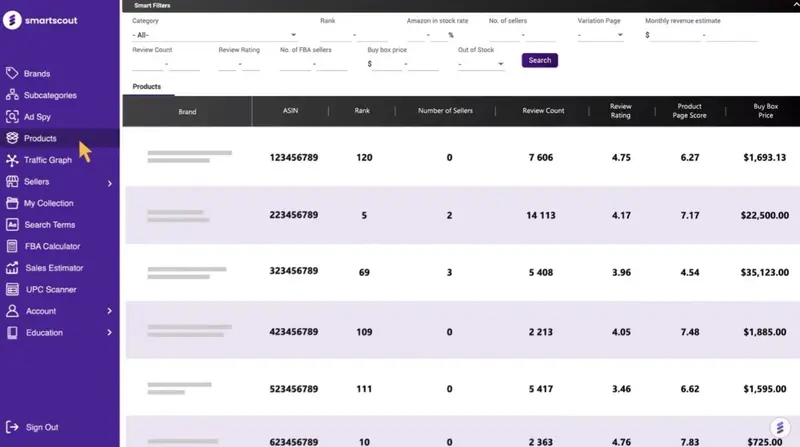
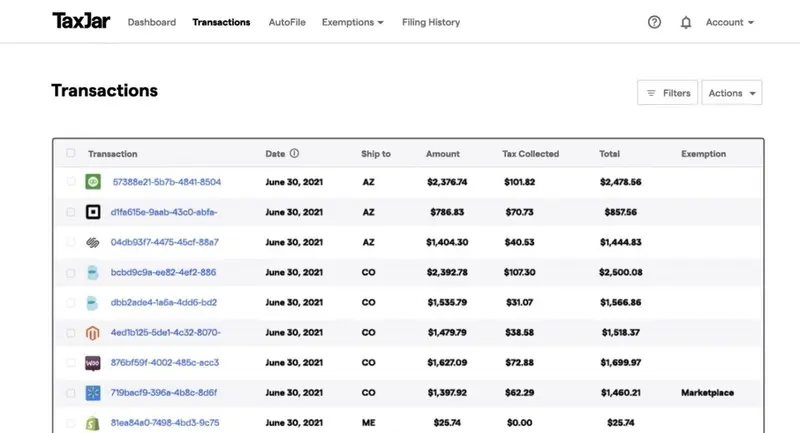
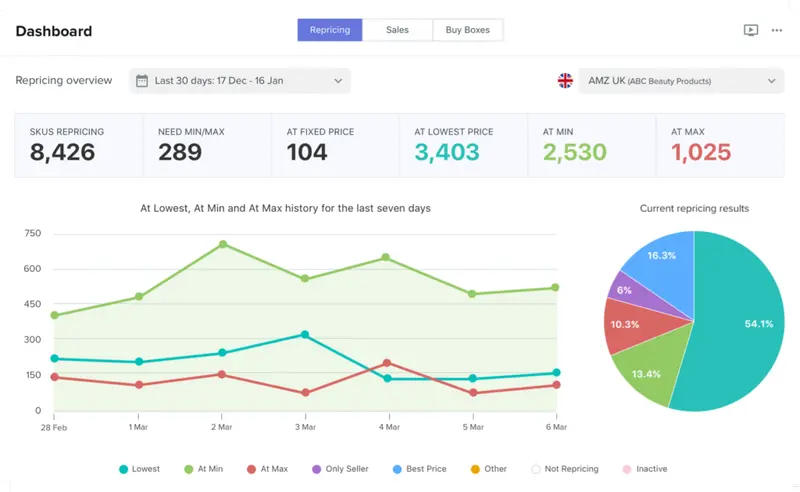
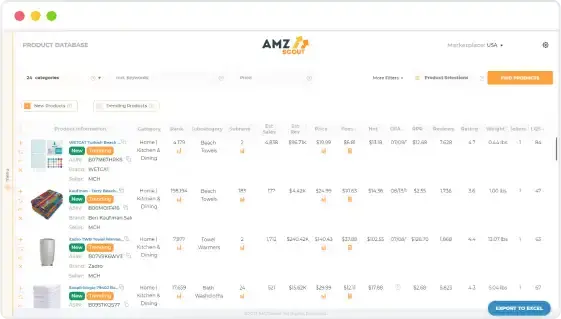
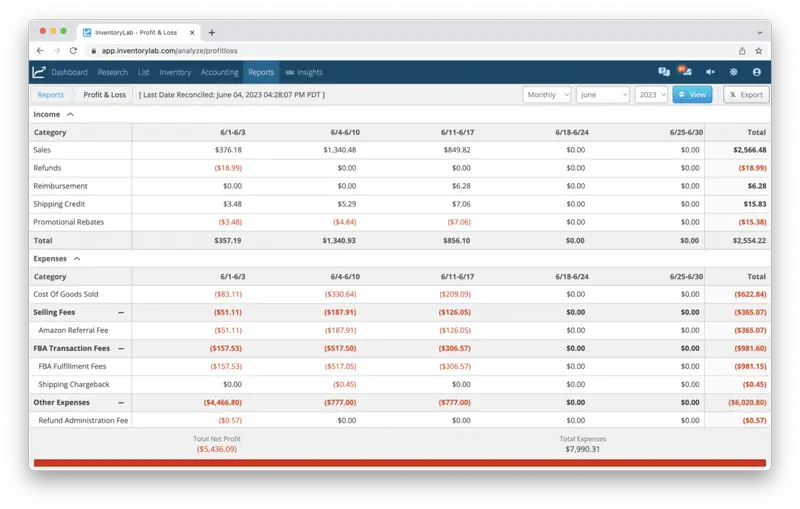
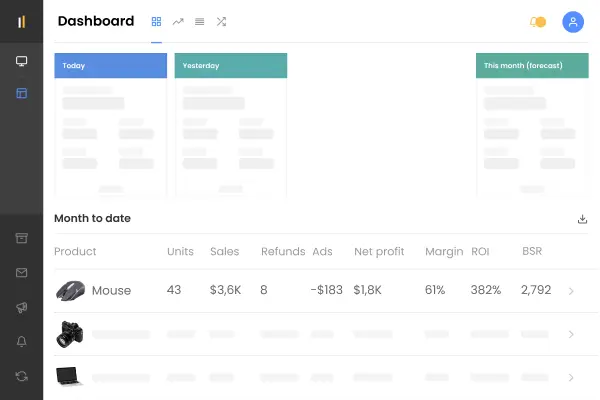
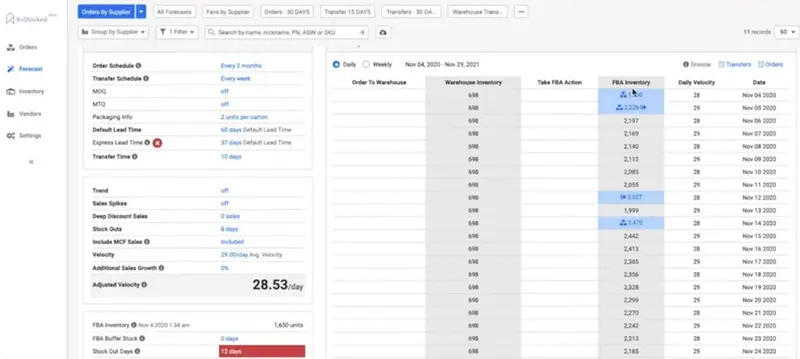
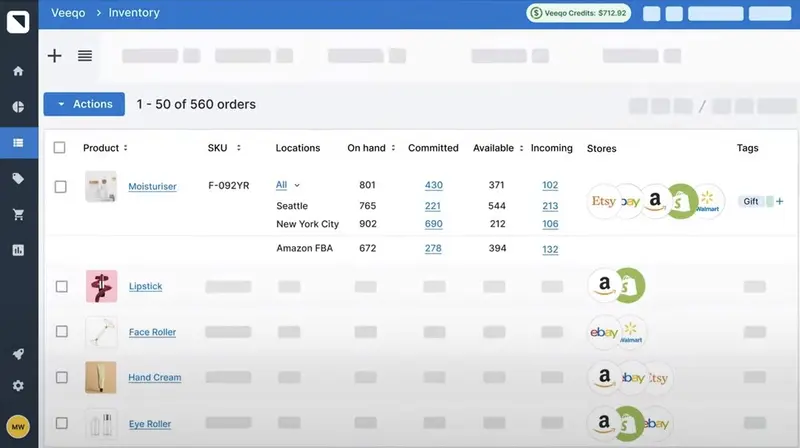
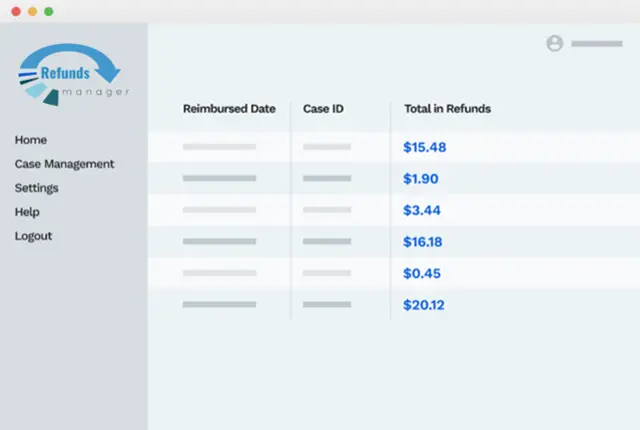
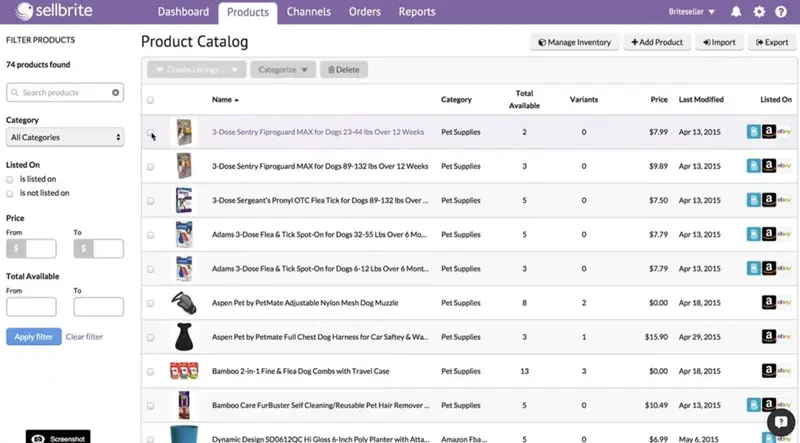
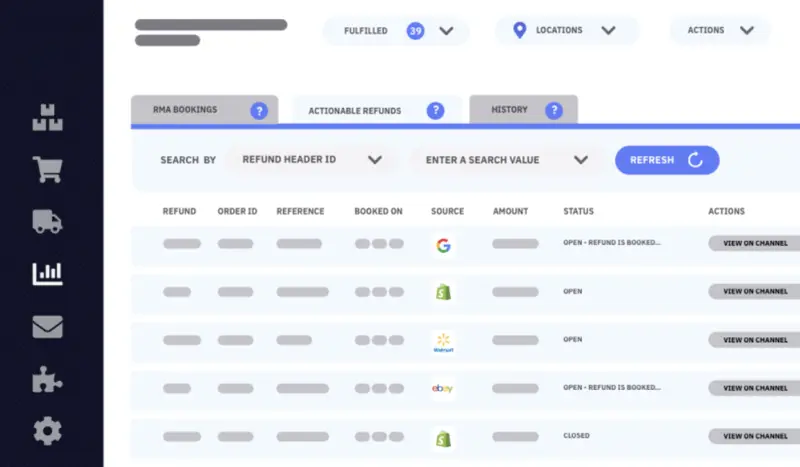
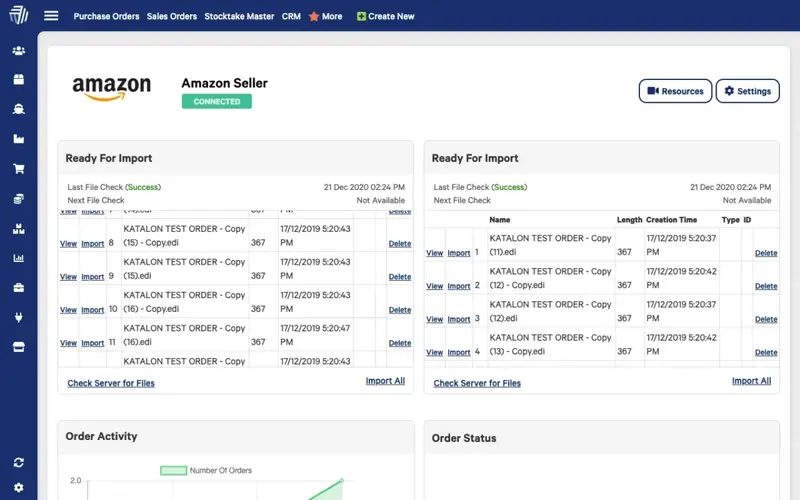
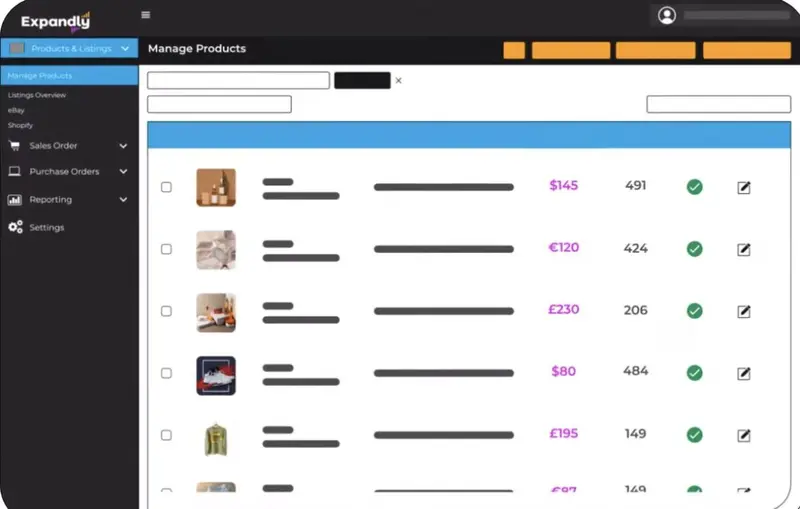
If you need help finding profitable products to sell on Amazon, check out SmartScout. It’s an Amazon FBA product research software solution that was founded by one of the highest reviewed Amazon sellers. To use SmartScout’s own words, you can think of it as your own “personal treasure map of Amazon”. It gathers millions of data points so that you can make data-driven decisions regarding which products to add to your range. Unlike the majority of other product research tools that limit it to only about a hundred categories, SmartScout breaks it down into tens of thousands of subcategories. You can then also use its filtering to refine your product search further by criteria like budget. While TaxJar isn’t an Amazon FBA management software in the true sense of the word, it tackles one daunting aspect of selling on Amazon — tax. Brought to you by Stripe, it offers multi-channel US sales tax reporting for Amazon helping you to stay compliant. You see, when you use Amazon FBA, you’ll still need to pay sales tax and as you’ll most likely be selling in multiple states, it becomes a headache to keep track of what is due and when. For help with repricing, there’s RepricerExpress, a member of Amazon’s Partner Network. It gives you a comprehensive, real-time view of your products’ prices and a richer set of features than a tool like Amazon’s Repricer. It also offers you the tools you need to adjust your pricing strategies to meet your specific requirements. You can, for example, use template rules or create your own rules that you can then apply to groups of listings. It also offers flexibility so that you can have different strategies for competing against FBA. AMZScout is another product research tool that FBA sellers can check out. Whether you’re a struggling, first-time seller or established brand, over a million sellers have already leveraged AMZScout. It also offers one of the best Amazon profitability calculators, making it a useful tool if you need help calculating Amazon FBA fees. This way, you can estimate the fees you’ll be charged so that you can make an informed decision whether a product is worth it. Pricing starts at $49.99 per month when billed monthly. It also offers a 10-day, money-back guarantee. InventoryLab helps sellers in various departments. From research to reporting, you’ll basically find a use for it at various stages of growing your business. It features a Scoutify app that offers accurate data that will speed up the decision-making process. Then, to help you with the listing part of the process, there’s its Stratify feature. It automates a lot of the workload, displays the FBA and MFN listing options, and tracks expenses like shipping costs, mileage, etc. This is especially useful come tax time. For help with profit analytics, there’s Sellerboard. Thousands of Amazon sellers use it for real-time monitoring of their sales and profits. It features a profit dashboard where you can get a quick overview of key metrics like sales, refunds, and net profit. If you prefer a more detailed breakdown, it also lets you zoom in on product level. Then, you can also export data so that you can share spreadsheets with the rest of your team for further analysis. In addition to its profit dashboard and stats, it also features a number of automation tools. These include inventory management, PPC optimization, and listing change alerts. For help specifically with Amazon inventory management, there’s SoStocked. It’s a customizable inventory management and forecasting software that currently solely focuses on Amazon. It was created by a team of Amazon sellers and is used by thousands of sellers. Some of its standout features that Amazon FBA users will find useful include its min/max restocking, KPI dashboards, and forecast modeling. For example, with the min/max restocking feature, you can set the min and max number of stock units for FBA. SoStocked will then ensure that you’re at all times within those numbers. If you don’t necessarily want to spend money on any Amazon tools at this stage, you can check out Veeqo. It’s a free inventory management tool that integrates with FBA as well as MCF. You can use it to track your stock and keep up to date with your orders. It’s great for getting an overview as you can view all your shipments in a central place. You can also zoom in on the stock levels for different products at each of your FBA locations. This makes it much easier to ensure that you at all times have enough stock on hand. As with anything else in life, mistakes do happen from time to time. Refunds Manager will look for any errors that could work in your favor. Basically, you can simply sit back and it will make claims and finalize any reimbursements that should come your way. After you’ve signed up, Refunds Manager combines manual review with software and will collect the necessary documentation and audit them. As for safety, you can rest assured. It was independently audited and approved by Amazon. You’ll pay a fixed commission of 25% when you get paid. For inventory optimization, you can try Sellbrite. Depending on your monthly sales volume, you might even be able to use it free of charge. It offers one-click integrations with several leading marketplaces for online sellers, including a robust integration with Amazon FBA. This way, you can list products from your FBA inventory to other sales channels connected to Sellbrite as well as sync your stock levels and use your FBA inventory to fulfill orders from any channel. Rated as one of the top Walmart inventory management software along with tools like Veeqo, SkuVault’s system lets you know where your Amazon inventory is at all times. This real-time insight into the stock levels across your FBA warehouses can solve the issue of overselling, helping you to reduce unnecessary spending. It also offers a Replenishment Report. This way, you can create a purchase order or pick list with a single click. Pricing starts at $449 per month for up to 2,000 orders per month. For sellers that have over 10,000 monthly orders, custom pricing is also available. Cin7 Orderhive offers a seamless integration with Amazon FBA. Aside from its robust integration, it also provides a complete suite of features for inventory and order management. You can use it to create and send shipping plans, while the inbound notifications will keep you up to speed as to when your products have arrived at the warehouse location. It will also alert you when products are picked. Its beauty is found in its intuitive user interface (UI). This simplifies staying on top of inbound shipment management. Pricing starts at $349 per month. Expandly is a multi-channel eCommerce software solution that lets you send orders from multiple channels to Amazon FBA. With the help of a single platform, you can sync orders from marketplaces like eBay, Wish, and Etsy as well as eCommerce platforms like Magento, Shopify, and WooCommerce straight to Amazon FBA. Aside from the major tasks like listings, order, and inventory management, it also supports minor tasks like gift wrapping. Some of the other features it plans to implement in the future include the ability to push Amazon fees to Xero. That said, it does currently support an accounting integration with Xero that you can use to combine your sales orders and automate invoicing. Brightpearl is a retail operating system created by Sage for merchants. From sales order management to financial matters, it’s a popular tool that can be used for various key tasks. It includes a number of key FBA features like inventory reconciliation, reporting, and automated workflows. To streamline order processing and lower costs, it allows you to create rules using various criteria. This way, you can automate FBA inventory’s allocation and fulfillment. If you want to use it for its reporting capabilities alone, you’ll already benefit. Unlike Amazon that shares bi-weekly settlement reports summarizing various fees, Brightpearl links individual Amazon fee codes to account codes. This way, you can plan more accurately for the future.1. SmartScout

2. TaxJar

3. RepricerExpress
4. AMZScout
Key Features
Pricing
5. InventoryLab
6. Sellerboard
7. SoStocked
8. Veeqo
9. Refunds Manager
Key Features
Pricing
10. Sellbrite
11. SkuVault
Key Features
Pricing
12. Cin7 Orderhive
Key Features
Pricing
13. Expandly
14. Brightpearl

Wrapping Things Up
Whether you’re selling through your own website or a marketplace like Amazon, online stores need to have a solid set of tools to help them with crucial aspects like running PPC campaigns, finding relevant keywords, and gathering valuable insights. You might think that using Amazon FBA will give you all the help you’ll need, but you’ll still need to do the “intellectual work” like crafting email campaigns, testing advertising strategies, etc. Aside from the workload, Amazon remains a competitive landscape and you’ll want all the (extra) help that you can get.
Frequently Asked Questions
What is Amazon FBA?
Amazon FBA stands for Fulfillment by Amazon. It’s a service that lets Amazon sellers deliver the products that they want to sell directly to the marketplace’s warehouses. Amazon will then also take care of order fulfillment and will be responsible for packing the products, shipping the orders to the customers, and dealing with any possible customer service inquiries. This leaves Amazon sellers with more time to dedicate to other key business tasks like marketing.
How does Amazon FBA work?
Getting started with Amazon FBA is pretty straightforward. Here’s what you need to do:
- Research market and product trends and identify which products you wish to sell
- Find reliable, trustworthy vendors/manufacturers that will be able to supply these products to you
- Sign up for Amazon FBA
- Create detailed product listings for all the products you’ll be selling
- Ship your products to Amazon
What are the benefits of using Amazon FBA?
Amazon FBA offers a number of perks and is a great alternative for several businesses. Its biggest advantage is probably the time that you’ll save. Not only will it take care of all the logistics, but also customer inquiries meaning that you won’t need to employ a big team. Another way it can help you save money is with its extended warehouse space. As there are more than a hundred fulfillment centers across the world, you probably won’t need a warehouse space yourself.
Does Amazon FBA have any cons?
Before signing up for Amazon FBA, there are a few potential disadvantages that you’ll need to weigh up. While you won’t have to worry about fulfillment, you’ll still need to ensure that your items are packaged and labeled according to the marketplace’s guidelines. You’ll also have less control over branding as Amazon will add their own labels before shipping orders. Then, there’s also the cost involved. You’ll need to budget for commissions and fees like referral fees and storage fees.
What are some tips for getting started with Amazon FBA?
To help you make the most of the benefits offered by Amazon FBA, here are a few practical tips to incorporate into your operations:
- Take your time researching possible products to sell
- Ensure that all your product listings are optimized by using high-quality product images and keyword-rich titles
- Include Amazon’s paid advertising options in your marketing strategy
- Use automation tools to streamline operations like product research and repricing


