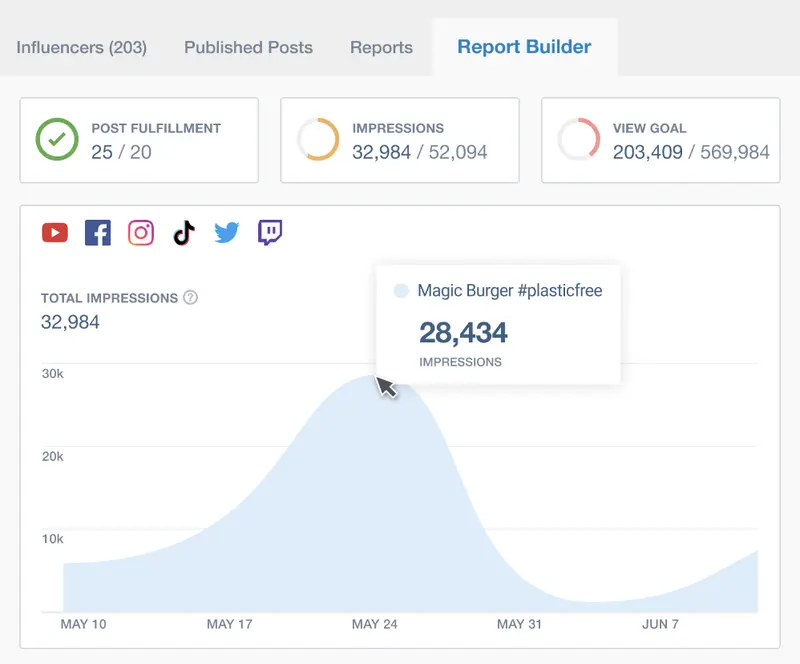
If you are at all serious about operating your Instagram account, you need to keep a close eye on your analytics. Unfortunately, Instagram doesn't make things easy if you have a personal profile – they obviously don't believe you're serious! However, once you change to a Business Profile, you can begin to access much more useful information.
We have previously written about the benefits of having an Instagram Business Profile and how to switch over.
One of the best benefits is that you gain access to Instagram Insights, providing you with a range of analytics and performance statistics for the average Instagram user. There are also quite a few Instagram analytics tools available (for those with Business Profiles), and some of these are even free.
Notably, 90% of Instagram users follow at least one business, underscoring the platform's potential for brand engagement. This article explores the best free Instagram analytics tools that can help you maximize your social media strategy without breaking the bank.
Brandwatch’s tool Listen provides a range of analytics to build an effective social strategy and inform day-to-day execution on social media. This includes:
Profile analysis
Keyword listening
Campaign reporting
Competitive analysis
Research
You can analyze engagement with your posts, discover fans, and identify your top content. It monitors engagement with your Instagram accounts continuously, giving you the latest insights as they happen.
Although plans range from $49 to $199 per month, you can take a free Instagram account checkup. The free Instagram analytics checkup connects with Instagram to analyze the last 30 days of activity on your account, including your posts and engagement from your fans, to give you critical insights into how to improve. These include:
the best times to post new photos and videos to receive the most significant response from your audience
which posts resonate with your followers and which posts fall flat, so you can do more of what works.
the kind of posts you share, and what else you can add to your feed for more engagement
what hashtags result in the most engagement for your posts to get in front of new audiences
Brandwatch has a social media management platform you can use to manage Instagram and your other social media channels. This gives you access to a social listening tool, centralized social CRM, custom dashboards, and other advanced tools.
Founded in 2007
Over 1,000 employees
Serving more than 5,000 established brands worldwide
Ratings:
4.8 out of 5 stars
Features & Pricing
Content Calendar
Ad Campaign Automation
Performance Tracking and Benchmarking
Audience Data
Social Listening
Price: On Request
Packages
*Brandwatch does not have standard pricing or packages. Its products and services are fully customized according to each client’s needs. Book a meeting with them to know what packages they can offer your business.
Since its launch in 2007, Brandwatch has provided effective ways for brands to monitor the online conversations about them. After its 2021 acquisition by Cision, it still does—and does it better than most.
Ratings
Features & Pricing
Pros and Cons
Ratings
Features
4.8
Ease of Use
4.5
Reporting
5.0
Overall Score
4.8
Features & Pricing
Sentiment Analysis
Trend Tracking
Influencer Identification
Report Customizability
Social Analytics
Social Measurement
Brand Monitoring
Keyword Tracking
Trend Analysis
Competitor Analysis
Social Reporting
Price on request
Pros and Cons
Goes beyond mere social listening and monitors dozens of sources
An astounding amount of data (12+ years worth) yields powerful insights
Data visualization is impressive in its ability to sum up the numbers at a glance
Advanced boolean queries must be typed from scratch
Overwhelming amount of data and filtering options require more than tech savvy to use the software
Best for: Medium and Enterprise Companies
4.8 out of 5 stars
Since its launch in 2007, Brandwatch has provided effective ways for brands to monitor the online conversations about them. After its 2021 acquisition by Cision, it still does—and does it better than most.
Planable is a robust social media management tool designed to streamline the planning, collaboration, and analysis of your social media content. For Instagram, Planable provides an array of powerful analytics features that help you understand your performance, refine your strategy, and enhance engagement with your audience.
Notable Features
Planable provides a clear and intuitive dashboard that consolidates all your Instagram metrics in one place. This dashboard displays essential data such as likes, comments, shares, and follower growth, making it easy to track your performance over time. The user-friendly interface ensures that even those new to analytics can navigate and interpret their data effectively.
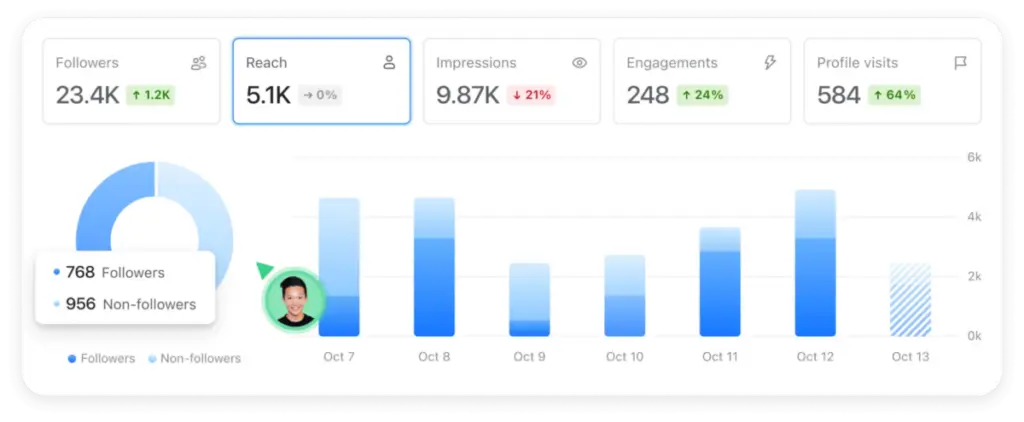
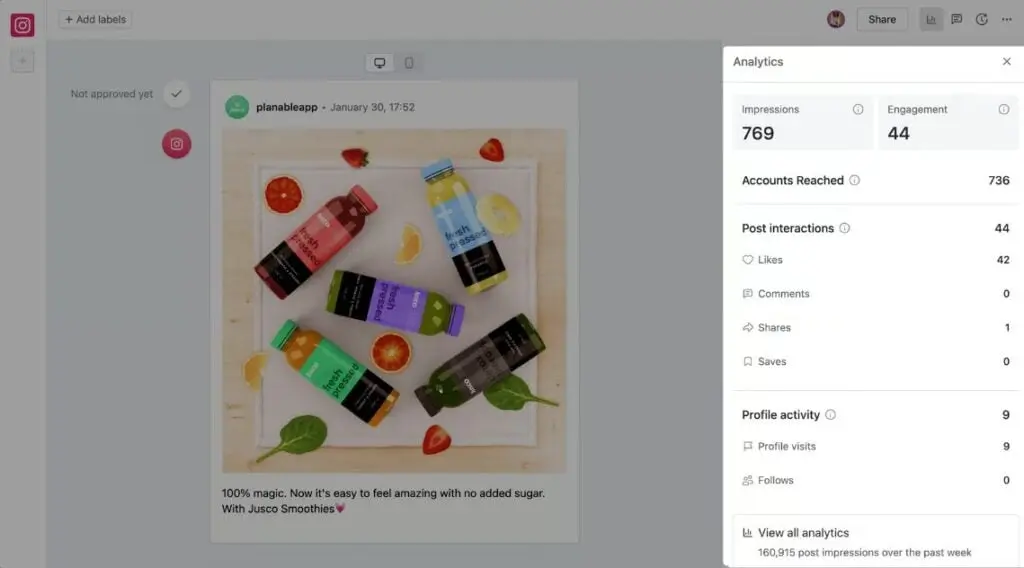
One of Planable’s standout features is its ability to offer in-depth metrics for each piece of Instagram content. You can see how your audience engages with every post, from impressions and reach to more granular details like engagement rates and sentiment analysis. This level of insight helps you understand what content resonates most with your followers, allowing you to refine your strategy accordingly.
Instagram analytics
Planable’s audience insights feature provides detailed demographic information about your Instagram followers, including geographical spread, age, gender, and professional info. This detailed data allows you to tailor your content to better meet the interests and needs of your audience, enhancing engagement and fostering a stronger community.
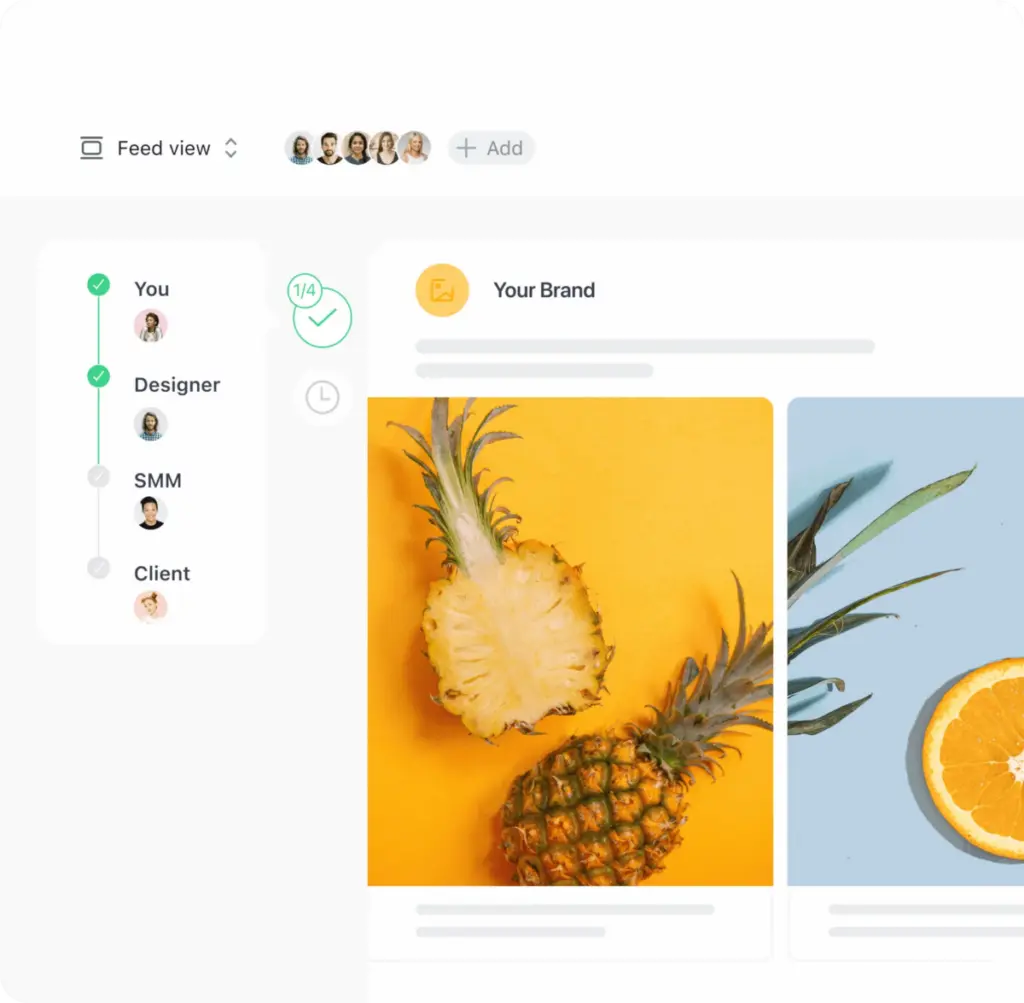
For teams, Planable offers seamless collaboration capabilities. It allows multiple team members to work together on Instagram content creation and planning, with all feedback and approvals managed within the platform. This ensures a smooth workflow and reduces the chances of errors or missed posts, making it easier to coordinate efforts and maintain a consistent brand voice across all posts.
Speaking of this functionality, one of Untapped’s team members said
“It just made it so much simpler to get feedback for different content pieces. The client could approve things with one click. Posts would be scheduled straight away. We no longer had to copy and paste posts from the Google Docs into social.”
Instagram content creation
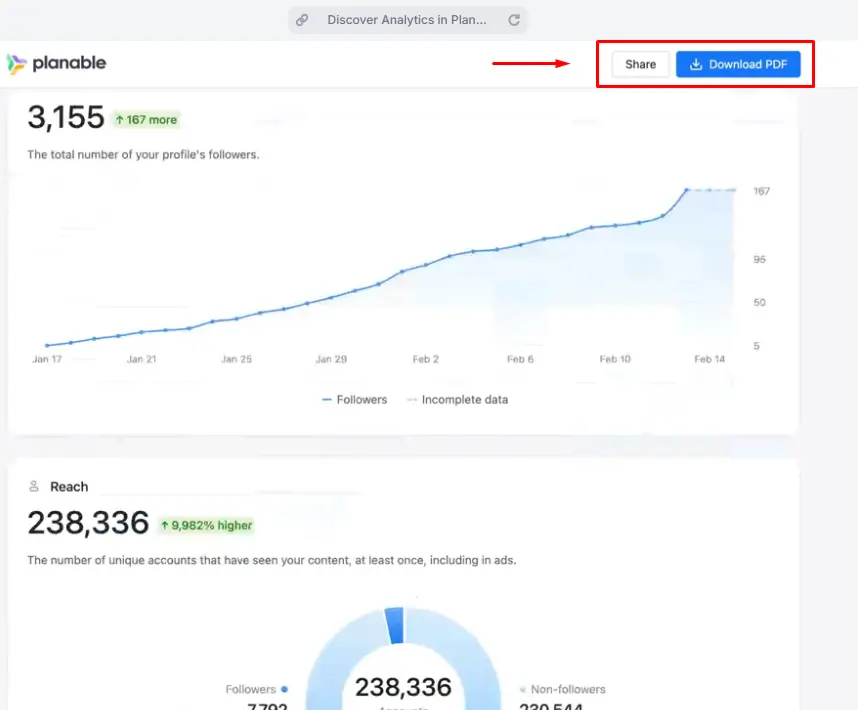
Creating reports for stakeholders or clients can be time-consuming, but Planable simplifies this process. The platform allows you to generate comprehensive reports quickly, compiling all relevant Instagram metrics and insights into a professional format. This feature is particularly useful for agencies and businesses that need to demonstrate their social media performance and ROI.
Planable report
Pricing Information
Planable offers a free plan with 50 total posts, perfect for basic Instagram management. Planable’s paid plans include:
Basic plan: $39/workspace/month with 60 posts/workspace
Pro plan: $59/workspace/month with 150 posts/workspace
Enterprise plan: Custom pricing with unlimited posts, multi-level approvals, and dedicated support
All paid plans include approval workflows and analytics add-ons.
Planable is a social media management tool for agencies and brands. It helps teams plan, collaborate, and approve social media content in one place, making it ideal for managing multiple clients or stakeholders.
Ratings
Features & Pricing
Pros and Cons
Ratings
Features
5.0
Ease of Use
5.0
Reporting
4.0
Overall Score
4.7
Features & Pricing
Analytics
Post Scheduling
Scheduling
Social Media Management
Team Workflow & Collaboration
Content Planning
Marketing Calendar
Price starting at:$33
Pros and Cons
Best-in-class collaboration for social media teams
Highly customizable approval workflows
Built for agencies and multi-brand teams
Advanced features like analytics and engagement cost extra
Less focused on full-stack social media management
Best for: Marketing agencies, multi-location brands, multi-brand companies
4.7 out of 5 stars
Planable is a social media management tool for agencies and brands. It helps teams plan, collaborate, and approve social media content in one place, making it ideal for managing multiple clients or stakeholders.
Brand24 collects insights on what Instagram users say about your brand. For example, it can analyze the tone of conversations, monitor multiple hashtags, and provide a list of trending hashtags to help you increase your Instagram reach. Most importantly, it offers qualitative data that goes with Instagram Insights’ quantitative data.
You begin by setting up a project for each branded hashtag you want to monitor. You can then use Brand24 to provide information on how your followers feel about your product or service. Its sentiment analysis for Instagram includes reputation management, customer feedback, and crisis prevention. You can use sentiment analysis to discover how your content resonates with your audience and adjust it if necessary, if they indicate that your content is not exactly what they’ve been looking for.
Brand24 generates a list of 100 trending hashtags based on your predefined keywords. You can use the hashtags to boost your brand awareness and increase reach. You can also measure your hashtag efficiency to determine whether your campaign was successful and how the hashtag spread across social media.
You can also use Brand24’s hashtag analytics to compare your performance across different social media channels and choose the most suitable for your brand. As well as Instagram, you can use Brand24 to analyze hashtag performance on Twitter, Twitch, and TikTok.
Awards and Recognitions
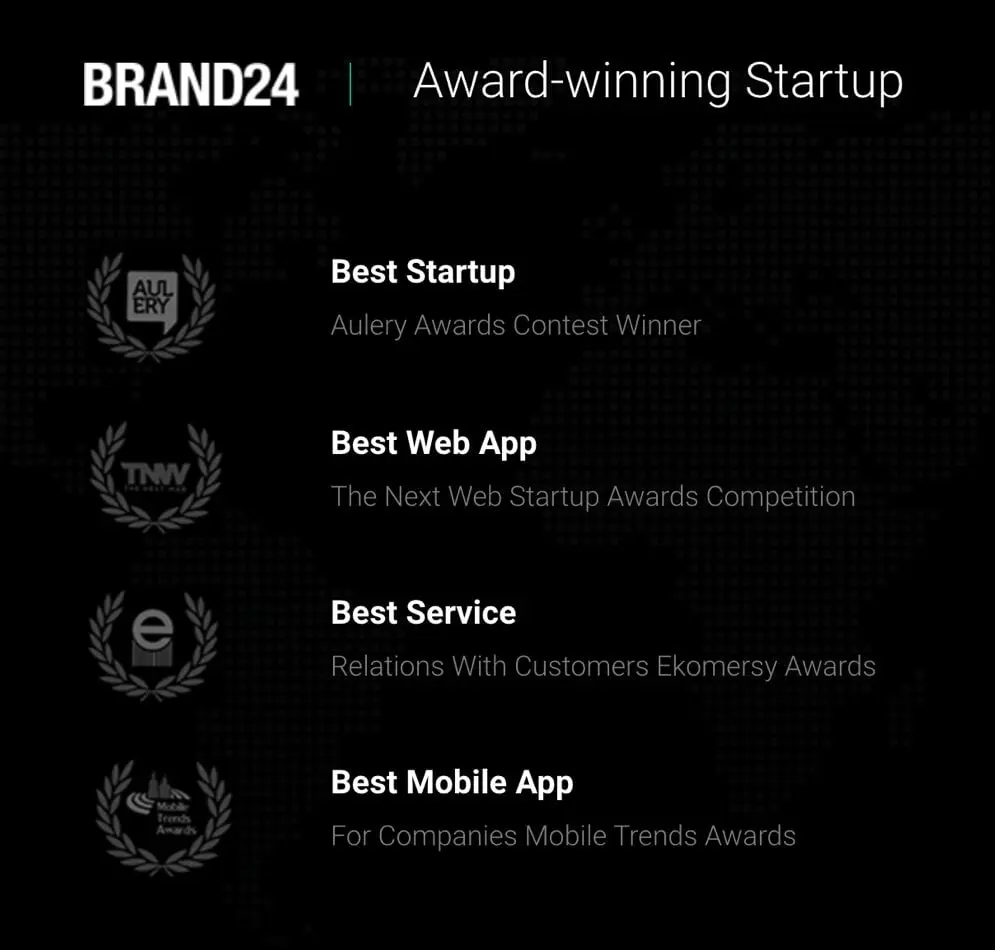
Brand24 got its start in 2011 as a social listening tool in the Polish market. In 2014, Brandwatch released a worldwide version of its product. Since then, it has received several awards and recognitions, including:
Best Startup – Aulery Awards Contest
Best Web App – The Next Web Startup Awards Competition
Best Mobile App – For Companies Mobile Trends Awards
Brand24’s awards
Brand24’s Instagram Analytics Capabilities
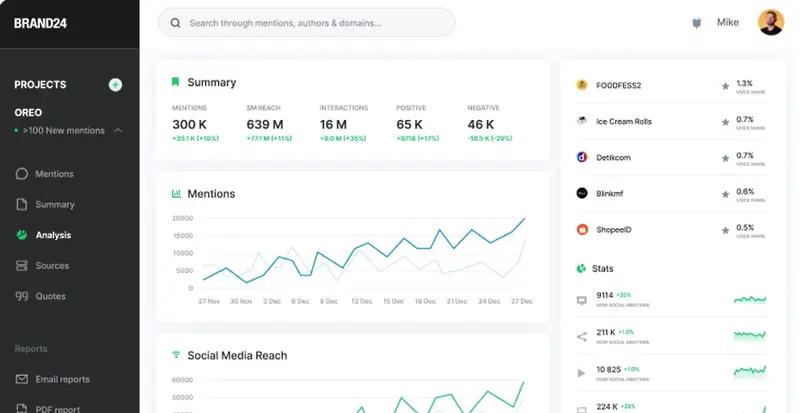
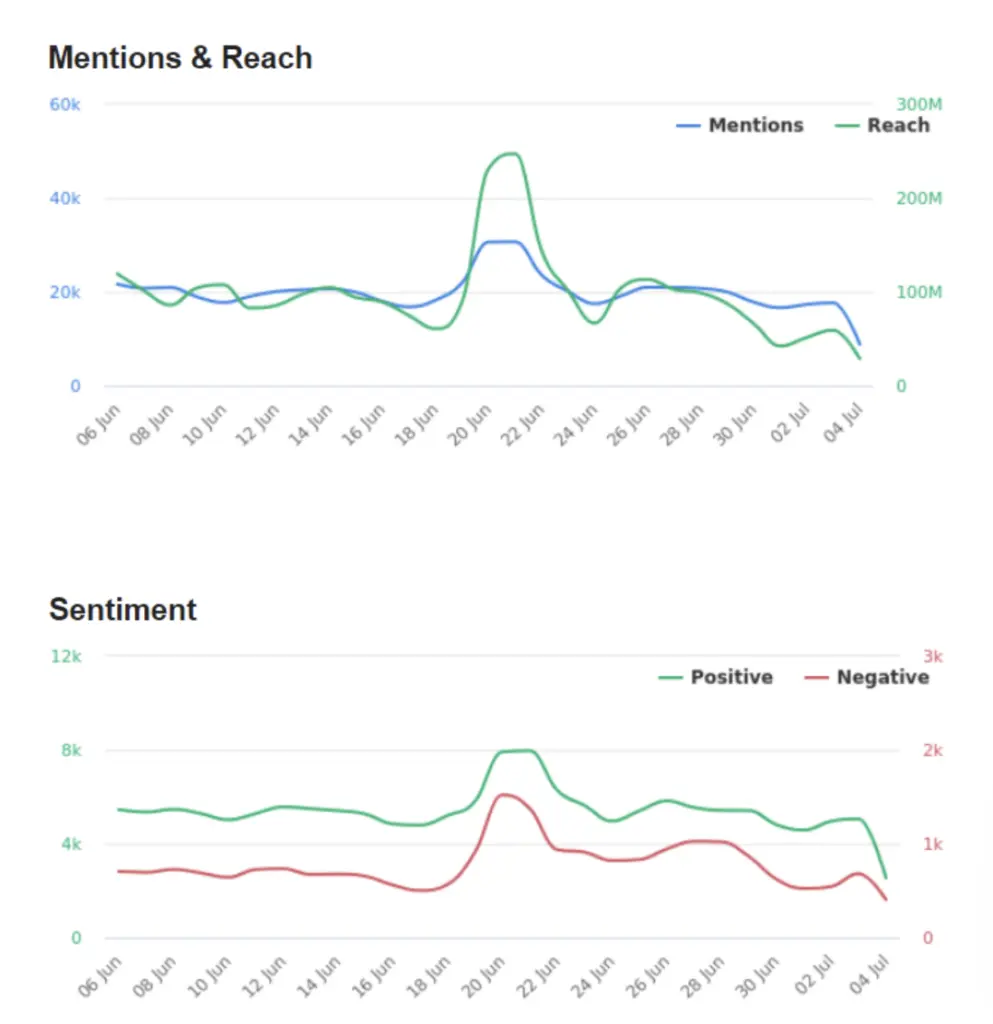
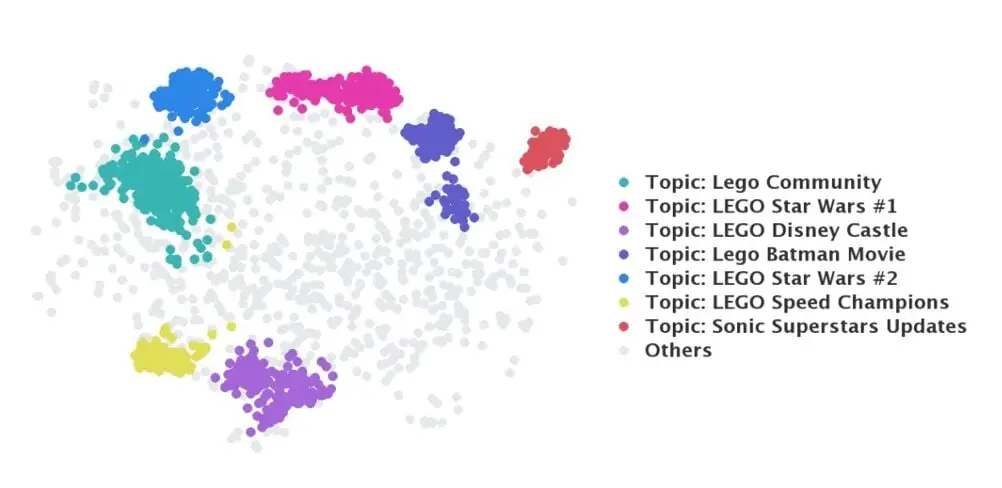
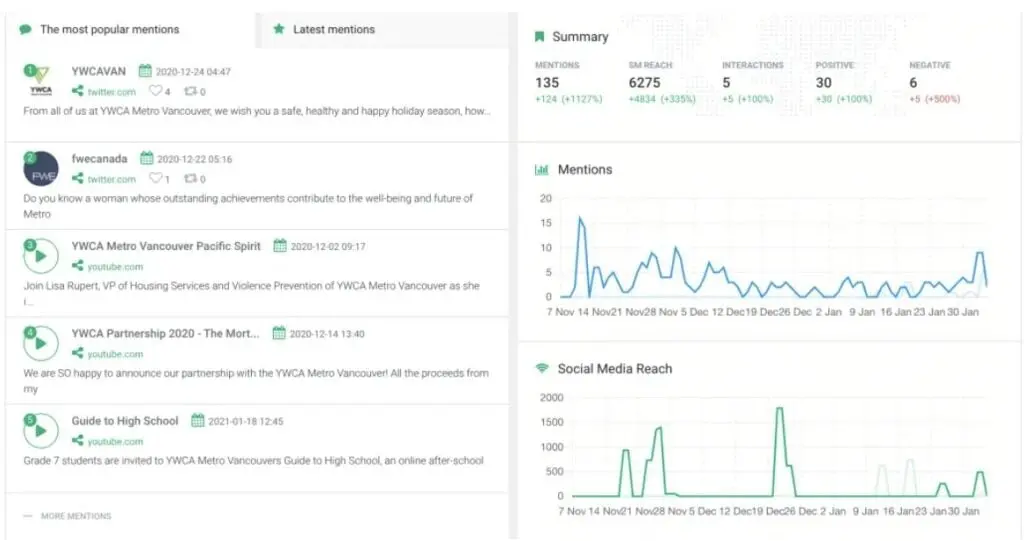
Brand24 gives you access to a Mentions feed where you can discover what people are saying about your brand. This feature also lets you take action in real time and engage your audience with relevant discussions. With the Discussion Volume Chart, you can identify changes in the discussion volume, identify potentially problematic issues, and maximize the positive publicity you’re getting.
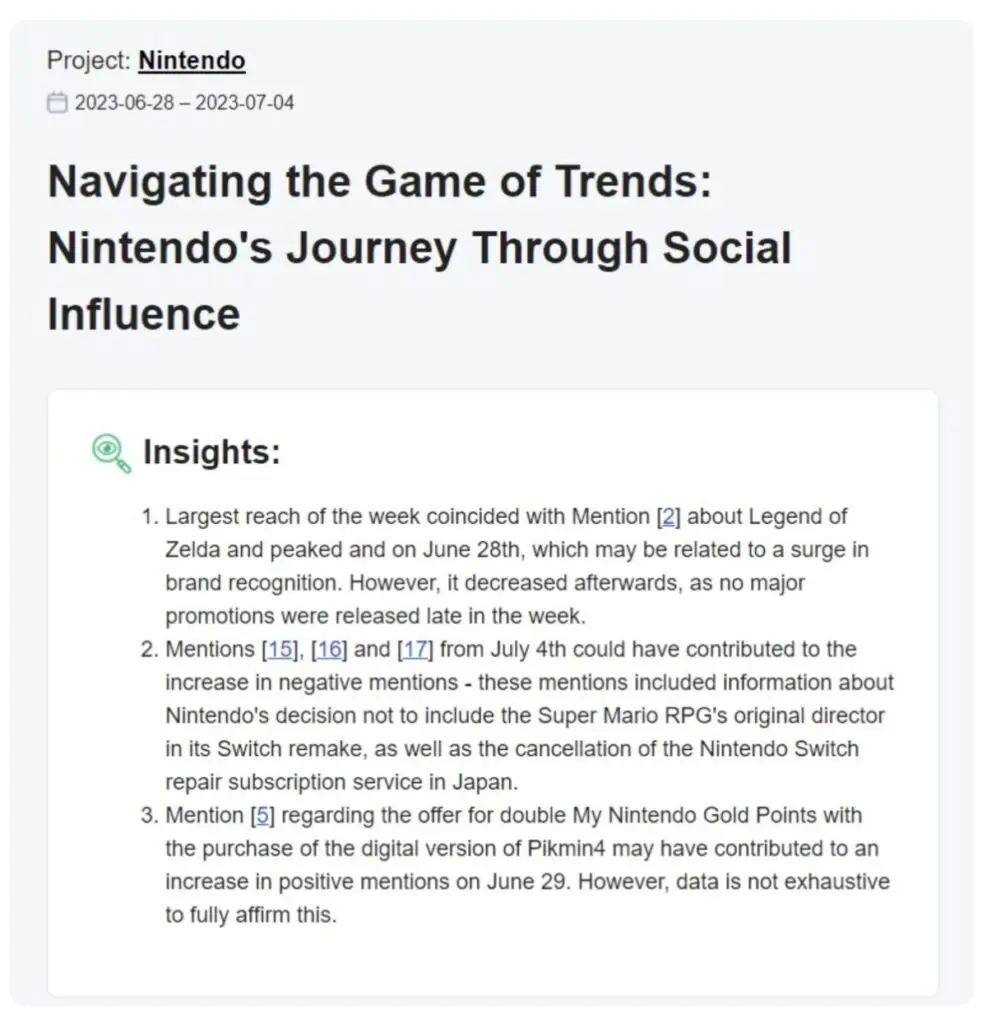
Taking its analytics capabilities even further, Brand24 rolled out its AI Insights feature in 2023. With this, brands can use Brand24’s machine learning algorithms to take raw data and turn them into actionable insights. This feature is also capable of automatically linking your mentions with the metrics shared on reports. AI Insights also includes trend analysis, recommendations, and more.
These capabilities are designed to equip businesses with the insights they need to make informed decisions and optimize their social media strategies for Instagram and other platforms.
AI Insights is also capable of identifying patterns and correlations in your data. Brand24’s AI algorithms then highlight emerging customer preferences, allowing brands to easily identify potential growth opportunities. How can brands use these AI-powered insights?
The comprehensive information presented in reports can help brands improve their strategies and enhance their offerings. These all tie into helping brands maintain their competitive advantage.
Brand24’s AI Insights
Aside from generating insights, AI Insights is also capable of identifying new trends, allowing brands to stay several steps ahead of the competition. AI Insights uses data to identify patterns and make predictions. This capability provides brands with tailored suggestions on things like how to improve their products or streamline business processes. Lastly, AI Insights provides brands with snippets of additional metrics like mentions and sentiment.
A preview of AI Insight’s additional metrics
Brand24 continues to enhance its analytics features with the help of AI. Some of the AI-powered solutions that are ready to use include:
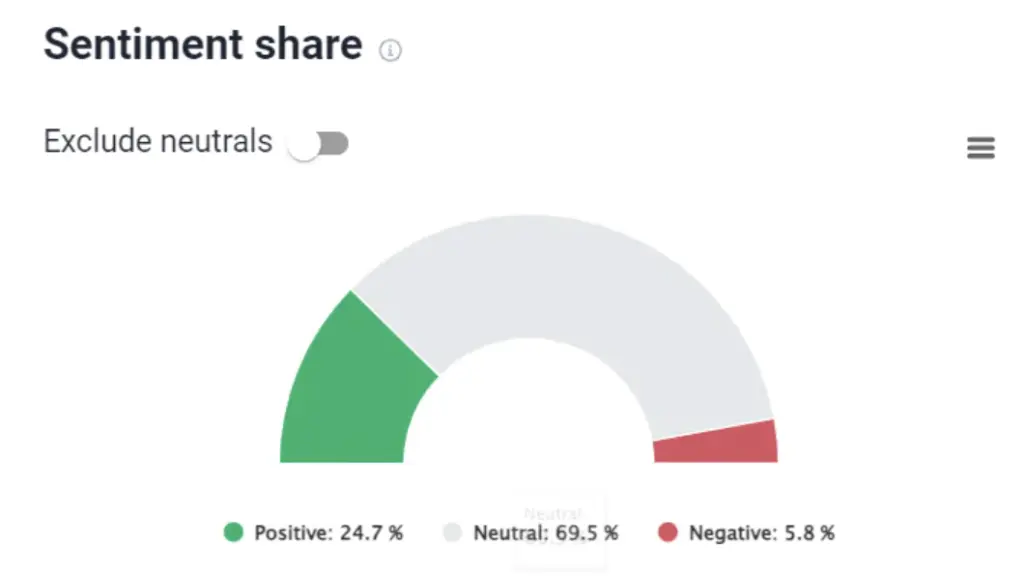
Sentiment Analysis. Brand24’s AI-powered sentiment analysis feature automatically analyzes your audience’s sentiments. It determines if they fall into any of these three categories: positive, negative, or neutral. Through real-time insights, brands can better understand how customers perceive them and take the right course of action to improve brand sentiment.
Brand 24’s AI-powered sentiment analysis
Topic Analysis. This text analysis method helps brands conveniently identify and distinguish topics. It’s capable of analyzing different content types (articles, social media posts, comments) to help brands extract relevant topics, keywords, and more.
Brand24’s AI-powered topic analysis feature
The AI Insights feature is only available on the Pro and Enterprise plans.
How Brand24 Helps Brands Grow
More than being an Instagram Analytics tool, Brand24 is a powerful platform that lets you perform in-depth market research and competitive analysis. The examples below show how brands are using Brand24 to grow their business online.
Extradom.pl
Extradom.pl specializes in helping clients choose and buy house design plans. It created a social networking site that has over 500,000 members. The company has been using Brand24 since 2017, and since then, Brand24 has helped it track 170,000 mentions. Extradom.pl uses Brand24 for brand monitoring, anti-crisis measures, traffic source analysis, and more. Through Brand24, the company can easily filter brand mentions on Instagram. Extradom.pl then extracts interesting or useful content.
Rethink Canada
How Rethink Canada uses Brand24 to collect mentions
Rethink Canada is an independent creative agency that uses Brand24 for media monitoring. The agency also uses the platform to track the effectiveness of its social media campaigns. With Brand24, Rethink can easily collect mentions from platforms like Instagram and Twitter. It will then use the data to create case studies, conduct internal campaign analysis, and determine the estimated reach of its content.
While Brand24 is not a free Instagram analytics tool, you can carry out a 14-day free trial before having to decide on a paid plan. Paid plans start at $79/month.
Brand24 is a brand monitoring and social listening tool powered by AI. It helps measure the buzz around your brand or products through advanced analytics.
Launched in 2012
10+ years in the industry
80+ specialists serving 154 countries
25B+ mentions delivered
25M+ active domains monitored
Trusted by 4000+ brands including Samsung, Uber, and Stanford University
Ratings:
4.6 out of 5 stars
Features & Pricing
Audience Segmentation
Competitive Analysis
Configurable Alerts
Customer Engagement
Dashboard
Price starts at:$119(billed annually)
Packages
Individual ($149 per month): 1 user, 3 keywords, 2K mentions monthly, updates every 12H, basic AI features
Team ($199 per month): Unlimited users, 7 keywords, 10K mentions monthly, hourly updates, basic AI features
Pro ($299 per month): Unlimited users, 12 keywords, 40K mentions monthly, real-time updates, advanced AI features
Enterprise ($499 per month): Unlimited users, 25 keywords, 100K mentions monthly, real-time updates, advanced AI features
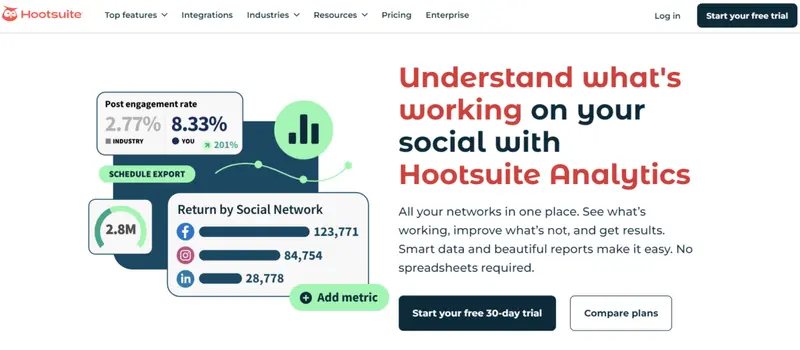
Hootsuite’s Instagram Analytics tool offers a powerful solution for brands and creators looking to unlock the full potential of their Instagram presence. It goes beyond basic metrics, providing an in-depth look at what’s driving engagement, reach, and growth on your account.
With a sleek, user-friendly dashboard, you can view detailed performance metrics for posts, profiles, and even advertising campaigns—all in one place. Designed to simplify complex data, Hootsuite’s analytics capabilities empower you to identify what works, refine what doesn’t, and make data-driven decisions to elevate your Instagram strategy.
Hootsuite recently earned prestigious accolades at the 15th annual Shorty Awards, taking home the award for Best LinkedIn Presence and a Gold Honoree for its innovative Rebrand Campaign.
Adding to its achievements, Hootsuite swept all three “Best Of” awards within the Social Media Management category, excelling in Customer Relationship, Value for Price, and Feature Set. These recognitions underscore Hootsuite’s commitment to delivering powerful, user-friendly tools that help businesses thrive in the digital space.
Hootsuite Capabilities
Hootsuite’s Instagram Analytics tool provides an all-encompassing solution for tracking and improving your Instagram marketing strategy. By consolidating metrics into a single, intuitive dashboard, it allows you to monitor performance with ease.
Slade Meadows, Digital Marketing Manager at Classic of Denton, said the following about the analytics dashboard:
“The analytics dashboard is … invaluable! Hootsuite dashboards provide a birds-eye view on the performance of our many social campaigns. We can quickly analyze the results and create reports at the click of a button.”
From impressions and reach to engagement rates and audience demographics, the tool gives you access to hundreds of detailed data points that help you understand what resonates with your audience and what doesn’t. This data-driven approach eliminates the need for guesswork, enabling you to fine-tune your content for maximum impact.
One of the standout features is its ability to provide post-level, profile-level, and network-level insights. This granular view helps you identify top-performing posts and replicate successful strategies without duplicating content.
Additionally, Hootsuite’s analytics include seamless tracking of organic and paid performance side by side, giving you a comprehensive understanding of your ROI and the effectiveness of your advertising efforts. Metrics like click-through rates, cost per click, and conversion tracking make it easy to optimize campaigns for better results.
Hootsuite template
Hootsuite also leverages AIto simplify your reporting process. Its automated recommendations highlight your most and least engaging posts, while built-in templates and customizable reports allow you to present your data effectively to stakeholders.
Hootsuite analytics
For competitive and industry benchmarking, Hootsuite goes above and beyond. The tool enables you to track up to 20 competitors, monitoring their posting frequency,engagement rates, and follower growth. It also benchmarks your performance against key players in your industry, providing insights that help you stand out and refine your strategy.
Hootsuite analytics
Finally, Hootsuite ensures your Instagram strategy stays future-focused with its advanced trend monitoring and social listening tools. By tracking hashtags, mentions, and key industry topics, you can align your content with what’s capturing audience attention in real time.
Combined with its “Best Time to Post” feature, which pinpoints the optimal posting times based on audience activity, Hootsuite ensures your content reaches its intended audience when they’re most engaged.
Notable Hootsuite Case Studies
Below are a few examples of how Hootsuite’s Instagram analytics capabilities have aided clients.
Witness Change
Witness Change, a non-profit organization dedicated to amplifying stories from marginalized communities, sought to challenge stereotypes about refugees with its 1000 Dreams campaign.
This photo-storytelling initiative, created by 48 refugee storytellers, aimed to share 1,000 authentic refugee experiences to foster understanding and empathy. Despite its previous successes, Witness Change needed to extend its reach and impact even further. By turning to Hootsuite Enterprise, the organization streamlined its social media operations, saving time on content creation, scheduling, and publishing while delivering a powerful and cohesive campaign.
Witness Change campaign results
Hootsuite’s analytics tools were instrumental in tracking the campaign’s performance, enabling the team to adjust strategies and optimize engagement. Within the first week of the campaign, Witness Change reached 100 million people, gaining over 30,000 new Instagram followers and achieving a 54% increase in organic reach.
Eurpac Service
Eurpac Service Inc., a sales and distribution company serving the US Defense Commissary Agency, faced the challenge of revitalizing a centuries-old institution—the commissary—to appeal to younger audiences.
With declining foot traffic among younger shoppers, Eurpac needed a robust social media strategy to connect with these demographics. The company created its first social media manager role and turned to Hootsuite’s Professional plan to transform its online presence.
Using Hootsuite Publisher, Eurpac increased its posting frequency and optimized its content mix with tips, recipes, and military history profiles. Hootsuite’s analytics and scheduling features helped the company identify the best times to post, resulting in a 47% growth in followers and a 57% increase in engagement within six months.
By leveraging partnerships with retail brands and the Defense Commissary Agency, Eurpac developed contests and offers that resonated with its audience, reinforcing its relevance in the digital age.
“Hootsuite has saved me numerous times and made me the ‘main man’ in my office,”
said Evan Davis, Social Media Manager at Eurpac, highlighting the platform’s role in driving the company’s digital success.
One of the first platforms designed to streamline social media management, Hootsuite continues to be one of the market leaders.
Ratings
Features & Pricing
Pros and Cons
Ratings
Features
5.0
Ease of Use
5.0
Reporting
5.0
Overall Score
5
Features & Pricing
Analytics
Automated Publishing
Contact Management
Content Management
Conversion Tracking
Customer Targeting
Keyword Filtering
Multi-Account Management
Post Scheduling
Brand Tracking
Customer Engagement
Multi-User Collaboration
Reporting/Analytics
Social Media Monitoring
Price starting at:$99
Pros and Cons
Connected Social OS structure brings publishing, listening, care, analytics, and advocacy into one suite
Wisdom adds a conversational AI layer across the platform, helping teams ask questions, surface insights, draft content, and take action from one workflow
Perch keeps Hootsuite’s core publishing strength, including content planning, scheduling, AI-assisted post generation, and performance review
Nest centralizes messages, comments, mentions, routing, and customer care workflows
Lumen strengthens Hootsuite’s listening and intelligence layer, especially for teams that need brand, competitor, trend, and audience insight
Advanced and Enterprise plans support more structured collaboration, approvals, routing, governance, reporting, SSO, compliance, and advanced listening
Pricing now scales per user, so larger teams need to calculate seat costs carefully
The new product naming may require existing users to relearn where older Hootsuite features now live
Some of the strongest Social OS capabilities, including advanced listening, governance, compliance, and advocacy, are concentrated in higher-tier or Enterprise plans
Best for: Social media teams of all sizes
5 out of 5 stars
One of the first platforms designed to streamline social media management, Hootsuite continues to be one of the market leaders.
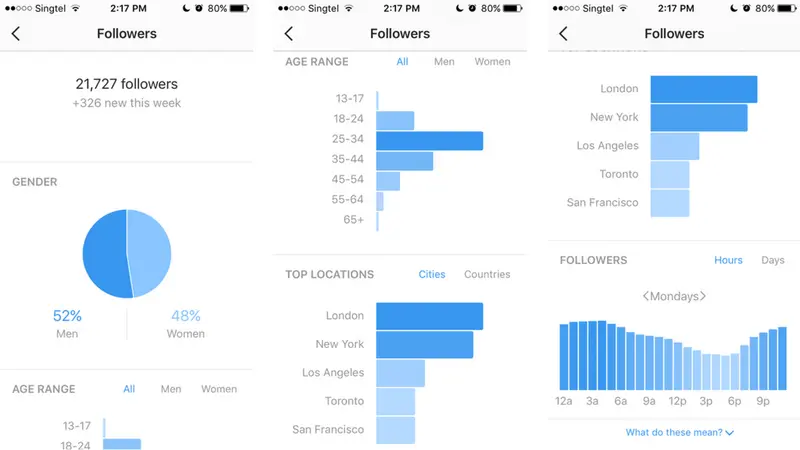
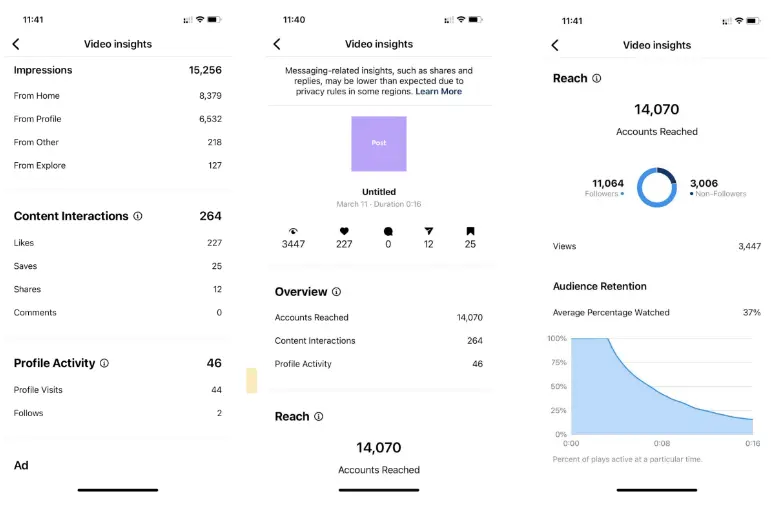
All business profiles automatically gain access to Instagram Insights – Instagram’s free “in-house” analytics tool. It gives data on your follower demographics and actions, along with analytics about your content.
Once you convert a personal account to a business account, you will see Insights relating to the content you post after you make the switch. You can access your Instagram Insights in multiple ways – from your profile, individual posts, and your stories.
You will find a summary of data for the content you’ve posted in the last seven days. It also shows you how many followers you have and how many you’ve gained in the past seven days. Likewise, it shows you the total number of posts you’ve made and how many you’ve added in the last week.
Further down, you will find data such as total impressions, reach, and profile views for the past seven days. You can swipe to view website clicks and call-to-action button clicks – Call, Email, Directions.
Instagram Insights for Creators
Brands aren’t the only ones that can benefit from using Instagram Insights. Social media creators can use Insights to monitor their growth using metrics like reach and engagement. Through Content Insights, you can view metrics for each post, helping you determine which content types are performing well. For instance, you can see interactions, such as the number of likes, comments, impressions, and more, on formats like Reels, Live, and Stories.
Some of Insights’ features for content creators include:
A Calendar that lets you track your historical performance, as well as audience engagements (Instagram Live and Reels)
A breakdown of your reach by content type
Instagram Insights on mobile
How You Can Use Instagram Insights to Improve Your Campaigns
Instagram Insights is a powerful tool for brands and creators. Aside from the abovementioned metrics, it also lets you segment your audience and analyze campaign performance. You can also use it to calculate the ROI for paid partnerships and ads.
Instagram Insights includes considerably more statistics, including:
a summary of your follower demographics
data for individual posts
insights from your Instagram Stories
paid promotions data (if you have it)
But how can you make all this data make sense? Here are a few tips so you can leverage Instagram Insights for growth:
Use follower demographics to uncover potential markets. Instagram Insights shows you where your followers are from. If you see that many of them are coming from a particular region or country, consider tweaking your strategy to include these locations and expand your reach.
Find the best time (and content type) to post. Because Insights gives you a breakdown of your content performance per type, you can use this information to figure out when you should post and what type of content your audience engages with the most. For example, if you see that infographics or carousels have higher engagement rates and impressions, consider tailoring your strategy to feature more of these content types.
Use Stories to your advantage. Insights help you understand which Stories your followers like best. You can check this under the Audience Retention section, which shows you the data for the Average percent watched. You can also view engagement metrics, such as views, likes, and comments.
Instagram Insights is a built-in tool that is available on the Instagram mobile app. It can be used to monitor content performance and check out trends on the platform.
Ratings:
No ratings
Features & Pricing
Recent Highlights
Insights Overview
Content Performance
Price: Free
Packages
*Instagram Insights is free to use on the mobile app.
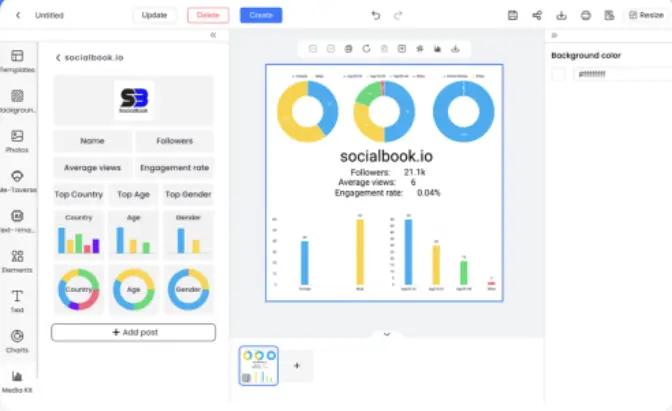
SocialBook provides AI-powered data analytics for any Instagram, YouTube, or Twitch influencer. Although you will need a membership for serious analysis, you can view some data for a limited range of influencers using the SocialBook Checker plugin on Instagram and YouTube. However, you do need a paid plan to do an advanced search.
You will find a wide variety of stats for your influencers. Obviously, the data for Instagrammers varies from what SocialBook provides for influencers on YouTube or Twitch.
Each Instagram influencer profile begins with basic stats, like total followers, likes, and posts. This is followed by a cost in “BoostCoins” to see more details about the influencer and the channel’s primary language. BoostCoins are a virtual currency on SocialBook. More importantly, SocialBook also gives each influencer a Boost Score, a score from 0 to 100 based on how powerful they believe an influencer is.
They follow this with the Top Ten Tags the influencer uses in his or her posts. The next section includes a range of recent posts made by the influencer, showing the number of likes and comments for each post.
SocialBook then provides an estimated price range based on an influencer’s historical performance and subscriber behavior, as well as an estimated cost per 1000 Likes.
The rest of each influencer’s page includes much more detailed analytics. These include multiple impression and engagement stats, split up in almost every way imaginable. It also analyzes audience demographics and interests.
SocialBook is an influencer marketing intelligence platform that gives users access to real-time and in-depth information from a massive database of millions of influencers and users.
Emplifi.io provides a free Instagram analytics tool for both Personal and Business Profiles. It gives you statistics on your most popular Instagram posts so you can track your success and learn what gets your audience double-tapping.
If you have more advanced Instagram needs, then you will find more advanced capabilities in the Emplifi.io unified marketing platform – an AI-powered social media marketing suite. You can manage your social media accounts smarter by using AI to discover what posts to promote, when to publish them, and which audience segments to target. Emplifi.io allows you to take their suite for a test run in a quick-to-learn personalized trial.
Keyhole provides a range of solutions for social listening, social media analytics, and historical insights. These allow brands to uncover conversations about them, unlock comprehensive social media insights, and create a better strategy with the help of historical data.
When it comes to social media analytics, Keyhole offers actionable data and reports that offer clarity. Users get a simple dashboard they can use to track performance, create reports, measure the performance of each social media channel, and more. It also lets users see the best times to post, identify which content types work best with your audience, and find top-performing content to repurpose.
Keyhole’s social media analytics tool also lets you:
This brand monitoring tool helps build a live dashboard for your team and clients. Their reports and analytics help teams save time and make smarter, data-driven decisions.
Ratings
Features & Pricing
Pros and Cons
Ratings
Ease of Use
4.5
Quality of Support
4.2
Ease of Setup
4.4
Overall Score
4.4
Features & Pricing
Audience Segmentation
Competitive Analysis
Configurable Alerts
Customer Engagement
Dashboard
Impact Scoring
Influencer Tracking
Reputation Management
Sentiment Analysis
Trend Tracking
Price starting at:$63
Pros and Cons
Comprehensive dashboards and reporting
Straightforward interface
Multiple price points
PDF exports of reports misses information
Customer support can be slow
Lack of tracking options
Best for: B2C Brands and agencies
4.4 out of 5 stars
This brand monitoring tool helps build a live dashboard for your team and clients. Their reports and analytics help teams save time and make smarter, data-driven decisions.
Analytics tools empower you to make data-driven decisions that pave the way for business growth. While there are a lot of free tools available online, you may want to consider investing in premium tools that provide more comprehensive data and in-depth insights. Here are some of the top features to look for when choosing analytics tools.
1. Comprehensive Analytics
To gain a holistic view of your Instagram performance, look for analytics tools that offer both basic and in-depth metrics. Make sure it covers the basics, including audience demographics, hashtag tracking, competitor analysis, and engagement monitoring. Then, check its capabilities for in-depth metrics that provide more comprehensive insights into aspects such as sentiment analysis and campaign performance.
Real-time analytics and insights allow marketers to stay in the loop with ongoing conversations and trends. This feature provides a snapshot of online discussions that help you understand your customers better. It's an invaluable asset for evaluating your social media channel performance and adjusting your marketing campaigns to align with customer preferences.
3. Usability and Customization
An ideal analytics tool should be user-friendly. Aside from an interface that is easy to navigate, it must also create reports that can be easily interpreted. Customizable reporting options enable you to tailor data presentation to your unique needs. This not only helps you glean insights faster but also simplifies collaboration within your team and communication with clients.
4. Attribution Models
Effective analytics tools offer a combination of attribution models. Media mix models provide aggregated campaign-focused data over an extended period, while multi-touch attribution offers person-level data. Instead of choosing between these two, look for tools that integrate various attribution methods. Having a mix of models gives you a more accurate understanding of your marketing efforts' impact.
5. Reliable Data Sources
The quality and quantity of data depend on the sources accessible to the analytics tool. Third-party tools are often chosen when structured, reliable data and data science expertise is unavailable in-house. So, the tool you select should have access to diverse and dependable data sources to ensure the data you rely on is both comprehensive and trustworthy.
6. Contextualized Insights
Beyond raw data, the best analytics tools provide contextualized insights. Along with delivering accurate numbers, the tool must also give you insights into why these numbers matter to your marketing strategy. This would enable you to fine-tune and optimize your campaigns more effectively.
7. Affordability
Your choice of an Instagram analytics tool should fit within your budget and provide value for your investment. Assess the capabilities of the tools and how they can help you achieve your goals. Then, consider your financial constraints and determine how much of your budget you can allocate. Choose the tool that can potentially deliver the highest returns.
These are just the main features you should consider when choosing analytics tools. Keep in mind that your business has unique needs that require unique solutions. The tools you use for analytics must be aligned with these needs for you to achieve your marketing and business goals.
Tips to Supercharge How You Track Your Instagram Analytics
With more than a billion monthly active users, there’s no denying Instagram’s massive reach and impact. 44% of these users use the platform to search for and discover brands. However, with millions of monthly advertisers and business accounts, how can you help your brand stand out and retain its competitive advantage?
Social media analytics enables you to assess the performance of your marketing efforts. Through analytics, you gain valuable insights and make informed business decisions to power your social media strategies. Follow these tips to take your Instagram analytics to the next level.
Pay attention to important metrics. When tracking your performance, you’re bound to encounter a lot of data. Focus on the more business-critical ones, such as your engagement rate, reach and impressions, traffic, and audience growth. In addition to these, monitor your watch-through rate (for IG Stories, Reels, and videos), Reels engagement, follower growth, and audience demographics.
Study the competition. Benchmarking lets you see how your Instagram marketing efforts are faring against the competition. Doing so also lets you gain insights into emerging trends and new growth opportunities. To conduct competitive benchmarking, you can use market intelligence tools like Sprout Social with its Competitor Campaign Insight feature.
Use the best Instagram analytics tool. Instagram analytics tools enable brands to gain valuable audience insights, track engagement, and measure the performance of their content. To find the best tool for your business, start by identifying your brand’s needs. Are you after simple metrics, or do you want deeper insights? Assess a tool’s integration capabilities to ensure that it will work with your current tech stack. Consider trying out some of these analytics tools. Take advantage of free trials to see whether or not a particular solution is the right fit.
Focus on the right analytics trends. Most Instagram analytics tools are capable of giving you comprehensive insights, which include trends. Use this to your advantage and focus on your engagement and performance trends. Doing so allows you to identify patterns, opportunities, and potential bottlenecks. You can then use these insights to improve your social media strategy.
Take advantage of hashtags. Hashtags make it easier for the right people to find your content on Instagram. Tracking your hashtag performance gives you insights on how to strategically use hashtags. Using Instagram analytics tools, you can assess their impact on your content, especially when it comes to reach and engagement.
Make use of your reports. Reports are a great way to get an overview of your performance. Aside from sharing them in presentations, consider compiling reports for a particular season or year. Doing so helps you visually track your progress. Tracking Instagram analytics over a certain period of time lets you better understand which types of content are more effective and perform better for a particular audience segment.
Know your goals. What do you want to achieve by tracking your Instagram analytics? Setting clear and measurable goals helps you prioritize the types of data to track and how you want to use these insights (drive engagement, increase sales, etc.).
Test and refine. More than tracking your Instagram analytics, you also need to test your current strategy to see which elements are performing well and which ones need improvement. The data Instagram analytics tools provide will help you optimize and adapt your strategy.
Use insights to optimize your campaigns. Insights help you understand your audience via their demographics. This, in turn, allows you to tailor your campaigns so that they effectively resonate with a particular target audience. In 2021, Instagram rolled out several features to help brands and creators gain a better understanding of their audiences. These include accounts engaged and additional visibility (for creators). The former shows you the total number of accounts that interacted with your posts for a specific period of time. The latter allows creators to see the performance (likes, comments, etc.) of paid sponsorship posts.
What metrics should you track to measure Instagram performance?
To truly understand how your Instagram account is performing, you need to track a range of metrics that offer insights into how well your content is resonating with your audience and how effectively you're reaching new users. Here's a breakdown of the key metrics to focus on:
1. Follower Growth Rate
This shows how quickly your follower base is increasing. Instead of just looking at the total number of followers, Sprout Social suggests examining the growth rate over time to assess the success of your campaigns and strategies.
2. Engagement Rate
This metric includes likes, comments, shares, and saves relative to your follower count. A high engagement rate, as highlighted by Brand24, indicates that your content is hitting the mark with your audience.
3. Reach
Reach measures how many unique users have seen your posts. It’s a vital metric that helps you gauge how far your content is spreading across Instagram. Tools like Iconosquare provide detailed analytics to track and enhance your content's reach.
4. Impressions
This tracks the total number of times your posts have been viewed, even if viewed multiple times by the same user. Using Planable's intuitive dashboard, you can easily track your content's visibility.
5. Website Clicks
This metric shows how many users clicked on links in your bio or posts, indicating how effectively your Instagram presence is driving traffic to your website. SocialBook’s performance prediction tools can provide insights into boosting this metric.
Monitoring the number of users visiting your profile offers insights into your brand's attractiveness and content appeal. Pixlee TurnTo can help you identify social media influencers who are bringing new visitors to your profile.
7. Story Engagement
For Instagram Stories, metrics like views, replies, and exits show how engaging your content is. Emplifi.io offers insights on story engagement to refine your strategy further.
8. Content Saves
The number of times users save your posts reflects the value they find in your content. Instagram Insights can help you track these saves to understand what types of content are most valued by your audience.
9. Video Views
If you post videos, tracking the number of views can help you understand their effectiveness and audience interest. Brandwatch provides detailed analytics to optimize your video content strategy.
Wield Analytics Tools for Instagram Success
Social media trends shift in the blink of an eye. To keep up with the changes and adapt fast, you need the latest and most advanced analytics tools in your marketing arsenal. With the right tools, you can transform mere social posts into strategic business maneuvers.
Our list of top analytics tools for Instagram can keep you agile with data-driven insights that enable you to fine-tune your social media marketing strategies.
Frequently Asked Questions
Comparing Instagram Analytics Tools
Instagram analytics tools are designed to track various metrics, providing insights into your social media performance. These tools monitor key indicators such as follower growth, engagement rates, reach, impressions, and audience demographics. Explore the section below for an overview of even more Instagram tools for marketers and creators:
The best Instagram analytics tool varies depending on your specific needs and budget. Some popular options include Brand24, Sprout Social, and Brandwatch. To determine the best tool for you, consider the features, pricing, and integrations that align with your goals.
Is there an official Instagram analytics app?
While Instagram provides its own analytics tool, Instagram Insights, there isn't a standalone official Instagram analytics app. You can access Instagram Insights within the Instagram mobile app or through the web interface.
How do I change my Instagram account to a business account?
To access Instagram Insights, you first need to change your personal account to a business one. To do that, follow these steps:
Go to your profile and tap the menu icon in the upper right corner
Tap Settings and privacy
Tap Account type and tools
Tap Switch to Professional Account
Choose the right category for your business
Tap Business and click Next
Optionally, follow the steps to attach your account to a Facebook page
Add details about your business, e.g., business category and contact information
Tap Done
Are there any free Instagram analytics?
Yes, there are Instagram analytics tools you can use online. HypeAuditor’s Trending Instagram Hashtags, are some of the free tools available. They provide basic insights into your account's performance, engagement metrics, hashtags, and audience demographics. However, for more advanced features and in-depth analysis, you may need to invest in paid analytics tools.
What other resources are essential for Instagram analytics?
Explore this curated list of reviews and guides for various Instagram analytics tools:
Audience Insights, In-Depth Metrics, Platform-Specific Statistics (Facebook, Instagram, LinkedIn, and TikTok), and Collaboration Features and Tools
HypeAuditor
Reports & Dashboards, Report Customizability, Report Exporting, Social Analytics, Competitor Analysis, Follower Analysis, Post Performance
Instagram Insights
Account Reach and Engagement, Content Interaction, Followers Insight, Number of Plays
SocialBook
Performance Prediction, Unlimited Search, KPI Tracking, Competitor Tracking and Monitoring
Emplifi.io
Influencer Link Tracking, KPI Tracking, Social Engagement Metrics, eCommerce Conversions
Do the best Instagram analytics tools offer other free tools?
Most of the tools on this list offer an array of other social media tools that can help you improve your performance.
Tool
Free Tools
Tools Offered
Sprout Social
Yes
Image Resizing Tool, Social Media Templates
Brand24
No
Iconosquare
Yes
Free Instagram Audit, Free Facebook Audit, Random Comment Picker, Link in bio by Omnilink, Free Instagram Caption Generator
HypeAuditor
Yes
Instagram Audit, Instagram Engagement Calculator, Instagram Post Engagement Rate Analysis
Instagram Insights
Yes
Monetization Tools
SocialBook
Yes
Free Instagram Templates, Influencer Media Kit, Photo/Video Background Remover
How much do Instagram analytics tools cost?
While most of the tools on this list let you get started for free, they also offer paid plans in case you want to access advanced analytics features.
Tool
Free Trial
Pricing Plan (Starting from)
Sprout Social
Yes (30-day)
$199/seat/month, billed annually
Brand24
Yes (14-day)
$119/month, billed annually
Iconosquare
Yes (14-day)
$49/month, billed annually (1 user)
HypeAuditor
N/A
Pricing on request
Instagram Insights
No
Free for business or creator accounts
SocialBook
No
$499/month, billed annually
Why do I need to pay attention to Instagram analytics?
Instagram analytics can help you get insights you could use to create a strategy that delivers real results. By tracking metrics, such as engagement rate, traffic, and reach, you get a better understanding of your Instagram performance. In addition to that, it helps paint a clearer picture of your audience, their behavior, and preferences, then use those insights to bolster your content or social media strategy.
The Influencer Marketing Hub Team brings together a diverse group of experts with a passion for influencer marketing, digital trends, and social media strategies. Each piece of content crafted by this team is researched and written to provide valuable insights, tips, and updates for our readers. Our authors are dedicated to delivering high-quality, informative, and engaging articles that help businesses and influencers thrive in this rapidly changing digital world.