In today’s fast-moving digital world, your Google Business Profile (GBP) isn’t just nice-to-have—it’s your ticket to standing out in local searches, driving engagement, and turning clicks into loyal customers. With somewhere between 5.11 and 5.46 billion people using the internet—representing 63.1% to 67.4% of the global population—a polished and active GBP can skyrocket your visibility, boost local SEO, and build customer trust.
But for small business owners juggling a million priorities, keeping a GBP updated and engaging can feel like one more thing on an already packed to-do list. That’s where scheduling tools step in to save the day. These platforms simplify the process, allowing you to plan, schedule, and publishposts seamlessly while offering insights to fine-tune your strategy and maximize results.
Whether you’re a solo entrepreneur or managing multiple locations, there’s a tool to match your needs. In this article, we’ve rounded up the Top 10 Google Business Profile scheduling tools and platforms for 2025, to help you streamline your workflow and amplify your presence. From automating posts and responding to reviews to tracking performance, these tools are designed to save you time and deliver real results. Let’s jump in!
Summary
Platform:
Best For:
Pricing:
Sendible
Agencies and multi-location and multi-brand businesses
Best For: Multi-location businesses, digital marketing agencies, and small to medium businesses looking for an affordable, user-friendly solution.
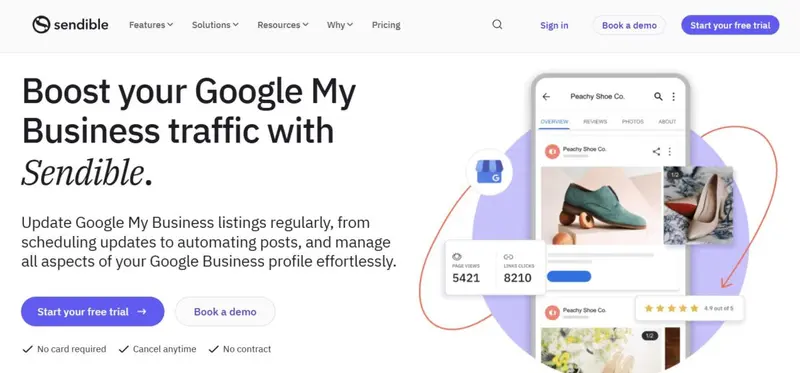
If you’re searching for a powerful tool to streamline your Google My Business (GMB) management, Sendible offers robust scheduling features designed to keep your business profile active and your content consistent. Whether managing a single location or multiple, Sendible makes it easy to maintain an engaging online presence effortlessly.
Trusted by over 30,000 agencies, marketers, and brand managers, Sendible is a comprehensive social media management platform tailored for brands and agencies looking to scale. It lets you manage all your profiles—including GMB—in one place, providing tools to schedule, publish, and tailor posts with ease. You can even plan a month’s worth of content in minutes using the bulk importer, complete with profile tags, locations, and hashtags for optimized reach.
Sendible’s GMB scheduler is built for efficiency. With auto-posting capabilities, you can schedule content to go live on your Google Business Profiles automatically. This feature ensures that your business stays visible to potential customers without the need for constant manual updates.
Furthermore, Sendible’s GMB scheduling tool isn’t just about posting content; it’s about optimizing it. The platform provides intuitive tools for content planning across multiple locations, allowing you to spot gaps in your calendar and adjust your strategy as needed. Sendible also frequently shares tips for creating trending content:
Additionally, if your business operates in multiple locations, Sendible’s content cloning function is a game-changer. You can easily duplicate posts across different profiles, which is especially useful for recurring content like store hours or promotional events. This not only saves time but also ensures uniformity across all your business locations.
Sendible also shines in collaboration, offering features like shared content calendars, secure client onboarding, and in-app approvals to streamline workflows. You can invite team members to review and approve content, ensuring that everything is on-brand and error-free before it goes live. Notifications via email, Slack, or Microsoft Teams keep everyone in the loop, so you can quickly act on feedback.
With white-labeling options, you can build trust, create new revenue streams, and expand your business. Plus, with a dedicated customer success team and real human support, help is always just a call away.
Case Study: Social Reach’s Efficiency Transformation with Sendible
Social Reach, a social media marketing agency founded in 2017, set out to deliver affordable and impactful social media strategies to clients ranging from startups to enterprises. With a dedicated team of nine brand managers, Social Reach prioritized building client engagement and revenue through tailored strategies.
However, manual management of multiple social profiles quickly became a bottleneck, hindering the team’s ability to scale and win new business.
Strategic Approach
To address their challenges, Social Reach turned to Sendible, a comprehensive social media management tool. After evaluating various platforms, Sendible stood out for its extensive features and seamless integrations, providing Social Reach with the efficiency and functionality they needed to grow.
By leveraging Sendible’s Compose Box, the team streamlined content creation, enabling them to format messages for multiple platforms from a single interface. The platform’s content discovery tools also simplified the process of finding and generating high-quality content. This all-in-one solution allowed Social Reach to maintain consistent and results-driven social media activity for their clients.
Results
The implementation of Sendible delivered transformative results for Social Reach:
10 Hours per Month per Client: Brand managers now spend just 10 hours monthly on creating and scheduling content, freeing up resources for client relationship-building and trend research.
Improved Engagement and Content Quality: Sendible enabled the team to produce more content in less time, leading to increased engagement for clients and higher overall satisfaction.
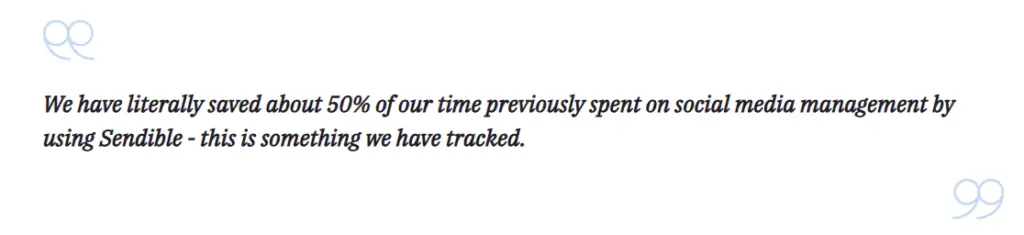
50% Reduction in Time Spent: The team saved half the time previously dedicated to social media management, a metric they actively tracked.
By integrating Sendible into their workflow, Social Reach not only enhanced efficiency but also positioned themselves for long-term growth, focusing their efforts on winning new clients and staying ahead of social media trends.
Sendible’s ease of use and social scheduling capabilities make the platform ideal for businesses of all sizes, from sole traders to enterprises and agencies. No matter who you are, you will find a plan suitable for your needs, with each plan including all you need to manage your social accounts but scaling to add those additional features needed by larger organizations.
Ratings
Features & Pricing
Pros and Cons
Ratings
Features
4.6
Ease of Use
5.0
Reporting
4.9
Overall Score
4.8
Features & Pricing
Analytics
Automated Publishing
Content Management
Keyword Filtering
Multi-Account Management
Post Scheduling
Price starting at:$35
Pros and Cons
Excellent social scheduling features
Smart queues ensure you always have evergreen content to share
Centralized social engagement platform
Canva and other useful integrations
Value for money
Pricing tiers can be confusing
Best for: Agencies and multi-location and multi-brand businesses
4.8 out of 5 stars
Sendible’s ease of use and social scheduling capabilities make the platform ideal for businesses of all sizes, from sole traders to enterprises and agencies. No matter who you are, you will find a plan suitable for your needs, with each plan including all you need to manage your social accounts but scaling to add those additional features needed by larger organizations.
Pricing: Free plan available. Pricing starts at $33/month
Best For: Small businesses, marketing teams, and digital agencies managing multiple Google Business Profiles to ensure consistent, high-quality content delivery.
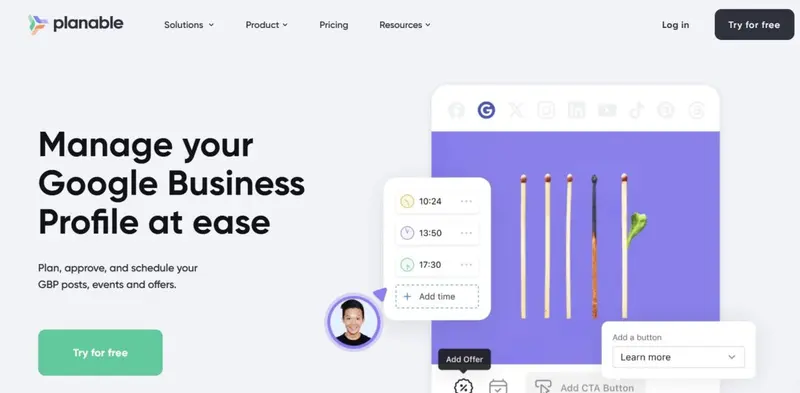
Planable, the ultimate content collaboration platform, has introduced an effortless integration with Google Business Profile, enabling users to schedule posts, events, and offers with ease. This feature simplifies online presence management, allowing businesses to stay consistently connected with local customers while maintaining an effective digital strategy.
As a platform designed to streamline marketing workflows, Planable empowers teams to create, plan, approve, schedule, and analyze all forms of content, including social media posts, blogs, newsletters, and press releases. With its intuitive drag-and-drop calendar and collaborative tools for refining and approving content, Planable ensures a smooth and efficient process for internal teams and external stakeholders.
With Planable, you can easily schedule Google My Business posts ahead of time. This feature is particularly beneficial for small businesses looking to maintain a steady flow of content without the hassle of manual posting. The scheduling process is straightforward: connect your Google Business Profile, compose your post, and select the desired date and time for it to go live.
In fact, over 7 million social media posts have been created using Planable in 2024, showcasing its popularity and effectiveness among marketers worldwide:
Yes, that’s a loooot🤯 ! We bet you liked some posts created with Planable and didn’t even know.😎 pic.twitter.com/VCpM0Bog4O
Ideal for agencies handling multiple clients and brands managing complex workflows, Planable also offers direct publishing to major platforms, advanced analytics for performance tracking, and customizable reporting features. By centralizing all aspects of marketing collaboration, Planable transforms teamwork into a seamless, productive, and engaging experience.
Additionally, Planable supports collaboration, allowing team members to give feedback and approve posts before they go live. This feature is crucial for maintaining professionalism and ensuring that all content aligns with your brand’s voice.
Case Study: Attractive Media’s Transparent Client Collaboration with Planable
Attractive Media, a boutique marketing agency, faced the challenge of maintaining transparency and efficiency in their social media management process. Managing content creation, approvals, and feedback through spreadsheets proved cumbersome, leading to miscommunication and wasted time. To scale their operations and streamline collaboration with clients, the agency needed a solution that could centralize workflows while fostering trust and transparency.
Strategic Approach
To address these challenges, Attractive Media adopted Planable as their central collaboration platform, streamlining every stage of their social media management process. Planable replaced the cumbersome spreadsheet-based system, allowing the team to create editorial plans, craft captions, and integrate hashtags seamlessly within one platform.
The visually intuitive interface ensured that clients could review posts in their final, contextual format, making feedback and approvals straightforward. With the ability to leave comments, resolve feedback, and track changes in real time, the workflow became significantly more efficient and transparent. Planable’s structured approach enabled the team to save valuable time while improving collaboration and ensuring clients remained actively involved in the content creation process.
Results
Since adopting Planable, Attractive Media has transformed their workflow and seen measurable benefits:
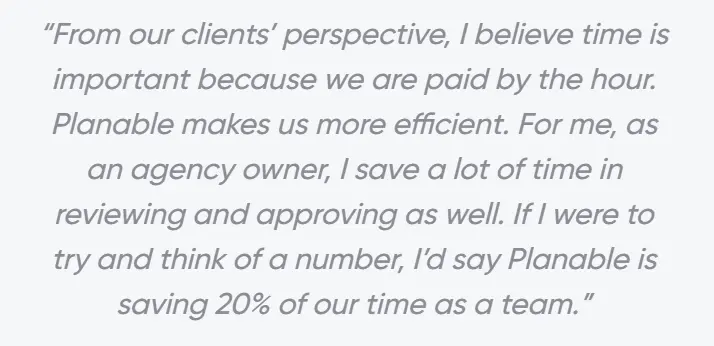
Time Savings: The team reported a 20% reduction in time spent on manual tasks, freeing up resources to onboard new clients and refine strategies.
Improved Client Experience: Clients appreciated the intuitive, visually familiar platform, making collaboration seamless and feedback actionable.
Enhanced Transparency: Planable fostered trust with clients by involving them in the process and providing a clear view of content before publishing.
By integrating Planable into their operations, Attractive Media has redefined their approach to social media management.
Planable is a social media management tool for agencies and brands. It helps teams plan, collaborate, and approve social media content in one place, making it ideal for managing multiple clients or stakeholders.
Ratings
Features & Pricing
Pros and Cons
Ratings
Features
5.0
Ease of Use
5.0
Reporting
4.0
Overall Score
4.7
Features & Pricing
Analytics
Post Scheduling
Scheduling
Social Media Management
Team Workflow & Collaboration
Content Planning
Marketing Calendar
Price starting at:$33
Pros and Cons
Best-in-class collaboration for social media teams
Highly customizable approval workflows
Built for agencies and multi-brand teams
Advanced features like analytics and engagement cost extra
Less focused on full-stack social media management
Best for: Marketing agencies, multi-location brands, multi-brand companies
4.7 out of 5 stars
Planable is a social media management tool for agencies and brands. It helps teams plan, collaborate, and approve social media content in one place, making it ideal for managing multiple clients or stakeholders.
Pricing: Free plan available. Pricing starts at $5/month
Best For: Small businesses, content creators, and marketing teams needing a collaborative solution with seamless approval workflows and unified social media management.
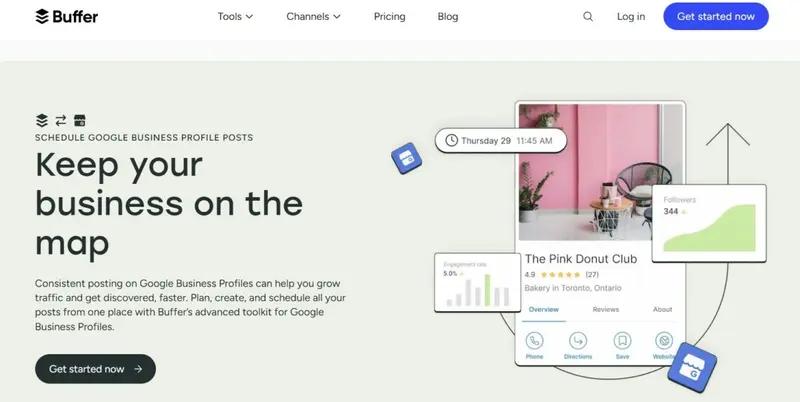
Buffer provides an intuitive and flexible solution for managing your Google Business Profile (GBP) and other social media platforms. With its integration for GBP, Buffer simplifies scheduling and content management, making it easier for businesses to maintain a consistent online presence while engaging effectively with their local audience.
Buffer allows you to plan and schedule posts for your Google Business Profile alongside your other social channels. With its straightforward interface, you can create and queue up posts with text, images, and call-to-action buttons, such as “Learn More” or “Get Directions.” Buffer’s scheduling ensures that your posts go live at the optimal time, maximizing visibility and engagement.
Buffer’s scheduling tools also support a wide range of content types, making it a versatile choice for businesses that want to share updates, promotions, or events without needing to constantly manage posts manually.
Buffer’s clean and simple interface helps users plan their content strategy with ease. The calendar view provides a clear overview of all scheduled posts, allowing businesses to spot gaps and ensure consistent messaging. Buffer also supports collaboration, enabling teams to draft, review, and approve content efficiently.
Case Study: Buffer and Veico Car Rental
Veico Car Rental, a growing small business, faced the challenge of competing with larger brands for visibility and customer engagement in the competitive car rental market.
Recognizing the potential of local SEO to drive business growth, Veico sought assistance in optimizing its Google Business Profile (GBP) presence. To streamline the creation and scheduling of consistent GBP content, Veico partnered with Buffer, leveraging its tools to enhance local visibility and customer connection.
Strategic Approach
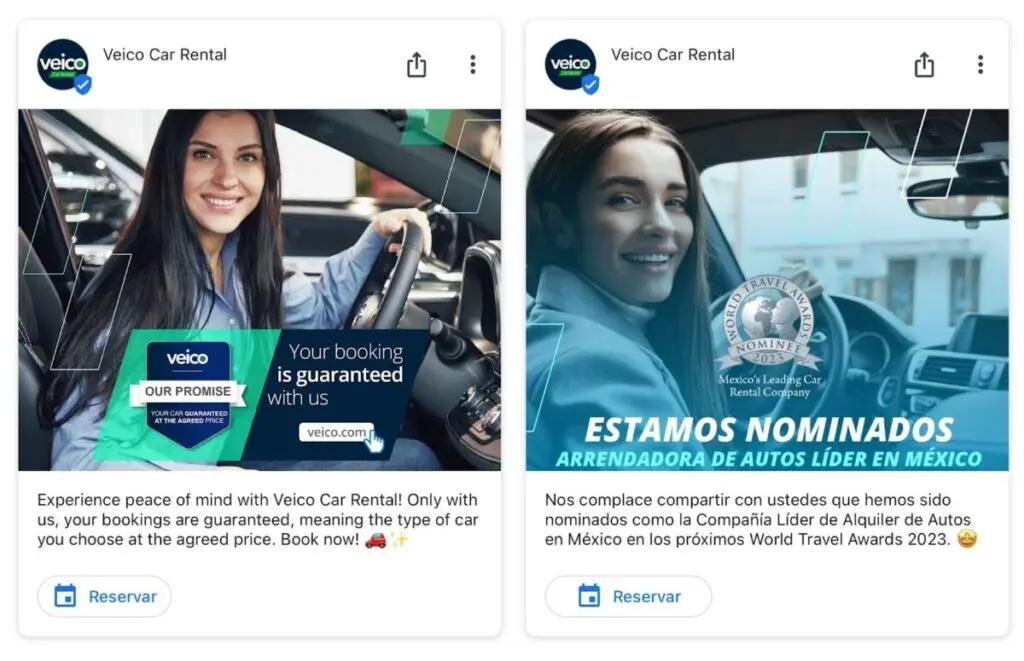
Buffer provided Veico with tools to efficiently schedule and maintain GBP posts, ensuring a steady flow of updates, promotions, and customer-focused content. This included posts highlighting customer reviews, service updates, and engaging visuals that showcased the brand’s value.
Veico also implemented review acquisition strategies, such as using QR codes and verbal prompts, to boost the quantity and quality of feedback. Using Buffer, Veico created a consistent presence on GBP, making use of its scheduling features to remain ahead of competitors and engage customers consistently. This collaboration focused on leveraging GBP as a free, accessible tool for building local trust and increasing visibility.
Results
By combining Buffer’s scheduling platform with proactive local SEO strategies, Veico achieved a spot in Google’s “local 3-Pack,” significantly increasing its GBP visibility. Over time, Veico recorded a 70% customer review rate, achieving an average rating of 4.85 and boosting both online inquiries and sales.
Co-founder Hilario Trillo remarked,
“Buffer helped us streamline our GBP strategy, making it easy to share our story and connect with customers consistently.”
Buffer is one of the most popular social media scheduling platforms. This software helps drive engagement and traffic on social media with the help of their scheduling, engagement, and analytics tools.
Buffer is one of the most popular social media scheduling platforms. This software helps drive engagement and traffic on social media with the help of their scheduling, engagement, and analytics tools.
Pricing: Free plan available. Pricing starts at $5/month
Best For:Small Businesses, digital agencies, and content creators and teams seeking collaborative tools for approval workflows, team management, and AI-powered content creation.
RecurPost is a comprehensive social media management tool that streamlines your Google Business Profile (GBP) management alongside other social platforms. Its robust features, including evergreen content recycling and advanced analytics, help businesses maintain a consistent online presence and maximize audience engagement. Its integration with AI tools, like the ChatGPT-powered content generator and AI-based optimal scheduling, adds efficiency and ensures your posts are both timely and impactful.
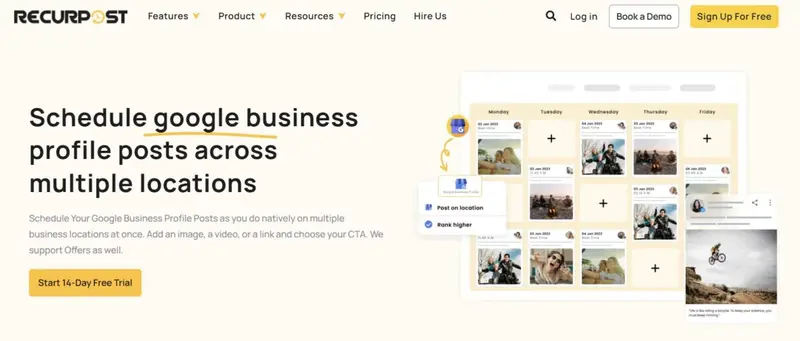
RecurPost streamlines Google Business Profile management by enabling effortless scheduling of “What’s New,” “Event,” and “Offer” posts, complete with images, links, and CTAs like “Call Now” or “Get Directions.” For businesses with multiple locations, it supports simultaneous posting to multiple profiles, saving time and ensuring consistency. Its evergreen content feature automatically reshapes impactful posts, keeping your profile active and driving engagement with minimal effort.
RecurPost’s intuitive interface makes it easy to plan, schedule, and review content across multiple accounts. The shareable calendar feature allows teams and clients to provide feedback or approvals seamlessly. Team collaboration tools enable smooth workflow management, while the social inbox lets you monitor and reply to comments, messages, and mentions, ensuring prompt and professional interactions.
Pricing: Hootsuite offers plans starting at $99/month.
Best For:Large enterprises, digital marketing agencies, small to medium businesses, helping them streamline their social media and Google My Business management from one intuitive platform.
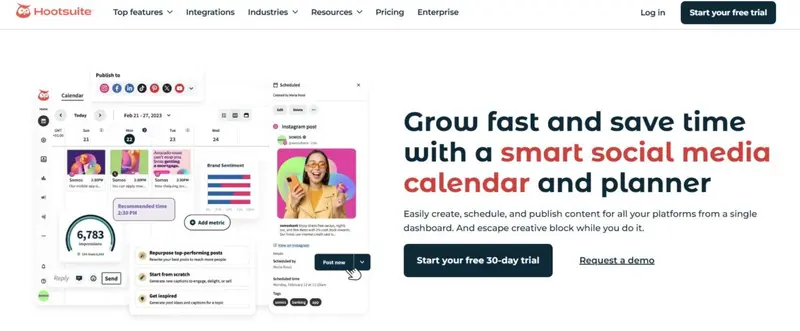
Hootsuite is known for bringing structure to the chaos of social media, offering tools that help thousands of brands launch standout social campaigns, manage customer interactions, and gain real-time insights—all from one centralized dashboard. Among its many features, Hootsuite provides an effective way to manage Google My Business alongside other networks like Instagram, TikTok, Facebook, and LinkedIn.
To post to Google My Business using Hootsuite, start by verifying your profile, then access Hootsuite’s App Directory to install the Google My Business integration. Once installed, authorize Hootsuite to manage your streams, including posts, questions, and reviews. Check out this video for detailed, step-by-step instructions for integrating Hootsuite with your GBP:
Beyond posting, Hootsuite simplifies engagement by letting you track and respond to questions and reviews directly in your dashboard, making it easy to stay on top of customer interactions.
Hootsuite’s broader capabilities, including scheduling across multiple platforms, managing paid and organic content, and its robust Hootsuite Academy for social media education, make it a comprehensive tool for businesses seeking to master both social media and Google My Business.
Case Study: Croda’s Digital Transformation with Hootsuite
Croda, a global leader in life sciences and consumer care, aimed to enhance its digital presence and customer experience while driving sustainability messaging. With a diverse audience of scientists and chemists, the company needed a platform to centralize its social media efforts, amplify employee advocacy, and streamline operations across its 36 social channels.
Strategic Approach
Croda partnered with Hootsuite to centralize its social media strategy, consolidating 36 channels across divisions into one platform for seamless collaboration and campaign management. Using Hootsuite Amplify, employees shared curated content, boosting advocacy and engagement.
Advanced Analytics and Social Listening provided actionable insights, while Google Analytics integration tracked social-driven conversions. To protect its online presence, Croda used ZeroFox through Hootsuite to address threats like impersonations and fraud. This streamlined approach enhanced Croda’s digital presence, supported sustainability messaging, and strengthened customer engagement.
Results
Croda’s partnership with Hootsuite delivered impressive outcomes:
23 Million Connections Reached: Employee advocacy through Amplify significantly boosted LinkedIn visibility.
5,000+ Web Conversions: Amplify-driven advocacy translated into substantial website traffic and conversions.
50% Increase in Website Conversions: Social media content generated a notable rise in conversions from Q2 2022 to Q2 2023.
Enhanced Employee Engagement: With over 150 active Amplify users, employees across departments became active social media participants, amplifying Croda’s messaging.
Improved Operational Efficiency: Centralized management through Hootsuite saved time, reduced costs, and ensured consistent messaging across all channels.
One of the first platforms designed to streamline social media management, Hootsuite continues to be one of the market leaders.
Ratings
Features & Pricing
Pros and Cons
Ratings
Features
5.0
Ease of Use
5.0
Reporting
5.0
Overall Score
5
Features & Pricing
Analytics
Automated Publishing
Contact Management
Content Management
Conversion Tracking
Customer Targeting
Keyword Filtering
Multi-Account Management
Post Scheduling
Brand Tracking
Customer Engagement
Multi-User Collaboration
Reporting/Analytics
Social Media Monitoring
Price starting at:$99
Pros and Cons
Connected Social OS structure brings publishing, listening, care, analytics, and advocacy into one suite
Wisdom adds a conversational AI layer across the platform, helping teams ask questions, surface insights, draft content, and take action from one workflow
Perch keeps Hootsuite’s core publishing strength, including content planning, scheduling, AI-assisted post generation, and performance review
Nest centralizes messages, comments, mentions, routing, and customer care workflows
Lumen strengthens Hootsuite’s listening and intelligence layer, especially for teams that need brand, competitor, trend, and audience insight
Advanced and Enterprise plans support more structured collaboration, approvals, routing, governance, reporting, SSO, compliance, and advanced listening
Pricing now scales per user, so larger teams need to calculate seat costs carefully
The new product naming may require existing users to relearn where older Hootsuite features now live
Some of the strongest Social OS capabilities, including advanced listening, governance, compliance, and advocacy, are concentrated in higher-tier or Enterprise plans
Best for: Social media teams of all sizes
5 out of 5 stars
One of the first platforms designed to streamline social media management, Hootsuite continues to be one of the market leaders.
Pricing: Free plan available. Pricing starts at $18/month
Best For: Small businesses, marketing agencies, and multi-location enterprises seeking an efficient solution for streamlining content scheduling and review management across locations.
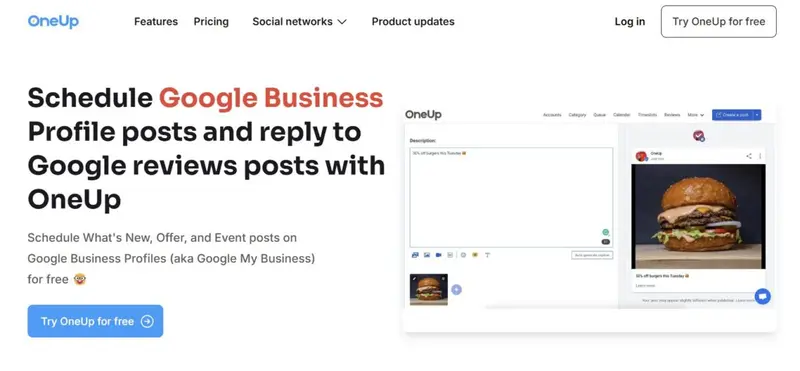
OneUp provides a user-friendly platform for managing your social media presence, including Google Business Profiles (GBP). Users can post “What’s New,” “Event,” or “Offer” updates and even upload images to the Photos section of their GBP. The platform also allows for bulk scheduling, making it ideal for businesses managing multiple locations or recurring promotions.
In addition, OneUp enables businesses to post simultaneously to multiple Google locations, saving valuable time while maintaining consistency in messaging. Users can also add actionable buttons like “Call Now” or “Get Directions,” enhancing customer engagement directly from the post.
Beyond scheduling, OneUp allows users to manage Google Business Profile reviews. With the ability to view and reply to reviews directly within the platform, OneUp ensures you stay connected with your audience. Its AI-powered feature even suggests response templates to streamline interactions.
OneUp’s standout feature is its unlimited access model. For a fixed price, businesses can manage unlimited social accounts, schedule posts in bulk, and collaborate seamlessly with team members. The inclusion of AI-generated captions, Canva integration, and the ability to post directly to multiple platforms makes OneUp an efficient and cost-effective choice for businesses of all sizes.
How to Optimize Google Business Profile to Boost Your Small Business
For small businesses, a well-optimized Google Business Profile (GBP) is a powerful, free tool to attract local customers and enhance online visibility. Most consumers use Google to search for places, services, and products, making it crucial for small businesses to stand out on Google Search and Maps.
Start by ensuring your business information—Name, Address, and Phone (NAP)—is accurate and consistent across all platforms. Use features like photos, posts, and product highlights to showcase your offerings and engage potential customers. Add high-quality visuals of your business, products, and team to make your profile more appealing.
Regular updates to your profile, such as sharing offers, events, or new services, keep customers informed and engaged. Leverage tools like Google’s Q&A section to address common queries and the review section to manage feedback and build credibility. Encourage customers to leave reviews and respond promptly to demonstrate your commitment to quality service.
Google’s free tools also empower small businesses to create professional websites, measure success with performance insights, and refine strategies based on customer behavior. These insights help you track views, searches, and customer actions, such as calls or direction requests, ensuring you can improve continuously.
Claiming and optimizing your GBP is a simple yet impactful way to connect with customers, build trust, and drive growth. Take advantage of Google’s tools to elevate your small business and thrive in today’s digital-first world.
Pro Tips for Optimizing Google My Business Posts
To maximize the effectiveness of your Google Business Profile (GBP) posts and improve local SEO, follow these advanced strategies:
1. Use Keywords to Boost Local SEO
Incorporate relevant local keywords into your GBP posts to improve your visibility in search results. For example:
Use terms like “best [service] in [city]” or “[product] near me” strategically in your post titles and descriptions to capture search intent.
Highlight unique offerings in your area by mentioning location-specific services, promotions, or events. For instance, “Holiday discounts on [product] in [city]” or “Exclusive services for [neighborhood] residents.”
Aligning your content with what local audiences are searching for not only increases your chances of appearing in local search results but also makes your posts more relevant and engaging for potential customers. Additionally, use keywords naturally to maintain readability and authenticity, avoiding keyword stuffing that can harm your SEO efforts.
Engaging visuals are crucial for grabbing attention and encouraging interactions.
Photos: Use high-resolution images of your business, products, or services to make your posts visually appealing.
Videos: Showcase short videos of your offerings, events, or customer testimonials to build trust and engagement.
Ensure that all visuals align with Google’s image size recommendations to maintain quality.
Visual content not only captures interest but also signals professionalism and reliability, boosting customer confidence.
3. Monitor and Analyze GBP Post Performance
Leverage Google Business Profile Insights or third-party analytics tools to measure the performance of your posts.
Track metrics like views, clicks, and engagement rates to understand what resonates with your audience.
Identify high-performing posts and replicate their structure or content to maximize future success.
Use these insights to refine your strategy, focusing on post types (e.g., “What’s New,” “Offers”) and formats that drive the best results.
Regular analysis ensures that your GBP posts consistently deliver value and meet your business goals.
Build a Stronger Local Presence with Google
Managing and optimizing your Google Business Profile (GBP) can feel daunting, especially for small business owners already juggling multiple priorities. Challenges like time constraints, inconsistent posting, and limited expertise are common hurdles. However, leveraging the right tools and strategies can turn these obstacles into opportunities for growth.
The tools highlighted in this article simplify GBP management through automation, analytics, and user-friendly interfaces, making it easier to maintain a polished and engaging profile. Whether you’re scheduling posts, responding to reviews, or analyzing performance, these platforms save time and improve consistency, all at affordable or even free price points.
Frequently Asked Questions
Can I schedule posts on Google My Business?
Yes, you can schedule posts using third-party tools since Google My Business does not have a native scheduling feature. These tools allow you to plan and automate content to keep your profile active and engaging.
What kind of platform is Google My Business?
Google My Business is a free platform that helps businesses manage their online presence on Google Search and Maps. It allows you to share updates, engage with customers, and improve local search visibility.
What tools can I use to schedule Google My Business posts?
Tools like Loomly, Sprout Social, and Hootsuite enable scheduling posts for Google My Business. They also help streamline content management across multiple platforms.
Are there any free tools available for scheduling GMB posts?
Tools like Planable and Buffer enable scheduling posts for Google My Business. They also help streamline content management across multiple platforms.
How do I connect my Google Business Profile to a scheduling tool?
To connect your Google Business Profile to a scheduling tool, log in to the scheduling tool, grant access to your Google account, and link your Business Profile by following the connection steps. This setup ensures seamless content publishing and management.
Which scheduling tools offer additional features like insights or review management?
Tools like Sendible and Hootsuite provide advanced features such as performance analytics, review management, and customer interaction tracking. These tools are ideal for businesses seeking to optimize their local marketing strategy.
Can I automate the repetition of posts on Google My Business?
Yes, tools like Loomly, Sendible, and Planable offer auto-posting features that allow you to schedule and automate content across multiple Google Business Profiles. Loomly stands out with its ability to clone and publish consistent posts across locations, while Sendible offers bulk scheduling for efficient content management.
Do all tools support the creation of specific post types like events or offers?
Not all tools support every GMB post type. For example, Sprout Social and Planable specifically allow scheduling of events and offers. Sendible and Hootsuite also provide features for creating tailored post types, ensuring versatility in content strategy.
What is the best tool for managing multiple GMB accounts or locations?
Loomly stands out for its seamless multi-calendar management and cloning features. Sprout Social is perfect for enterprises, offering advanced analytics and review management. Hootsuite provides centralized workflows to manage diverse online profiles, while Sendible is a budget-friendly option for smaller teams needing efficient multi-location scheduling.
The Influencer Marketing Hub Team brings together a diverse group of experts with a passion for influencer marketing, digital trends, and social media strategies. Each piece of content crafted by this team is researched and written to provide valuable insights, tips, and updates for our readers. Our authors are dedicated to delivering high-quality, informative, and engaging articles that help businesses and influencers thrive in this rapidly changing digital world.