
On Instagram, 76% of accounts have between 1,000 and 10,000 followers. It's safe to assume that the majority of these are looking to become influencers. Even so, these accounts have the highest engagement rates, with the average being 1.29%. These influencers are vying for the attention of over 1.45 billion users. Needless to say, the competition among influencers is stiff.
To stand out in this overcrowded space, you need to post high-quality content. Not only that, you also need to track the performance of your posts 24/7. This is why dynamic influencers install Instagram management apps on their mobile devices.
There is no shortage of Instagram management apps in the marketplace. In fact, the choices can be enough to overwhelm you. So, we’ve identified and reviewed 13 great Instagram management apps that are a must for your Instagram marketing strategy. But first, let's learn more about these apps.
- What Is An Instagram Management App?
- Summary of the Best Instagram Tools
- Best Instagram Management Apps:
- 1. Brandwatch Consumer Intelligence
- 2. PromoRepublic
- 3. Snapseed
- 4. VSCO
- 5. Life Lapse
- 6. InShot
- 7. FilmoraGo
- 8. Layout from Instagram
- 9. Panoramiq Insights
- How to Pick the Right Social Media Management Tool?
- Over to You
- Frequently Asked Questions
What Is An Instagram Management App?
An Instagram management app is a specialized tool designed to help you oversee and optimize your Instagram account effectively. These applications provide various features that streamline the management process, making it easier for influencers or teams to maintain a consistent and engaging presence on the platform.
Key Features of Instagram Management Tools
- Content Scheduling: You can draft, schedule, and publish posts at optimal times, ensuring a steady flow of content. This is crucial for maintaining engagement and growing your follower base.
- Analytics and Insights: These apps often include analytics tools that track performance metrics such as engagement rates, follower growth, and content reach. Understanding these metrics helps you refine your strategy and improve your content based on audience preferences.
- Collaboration Tools: If you work with a team, management apps facilitate collaboration by allowing multiple users to access and manage the account. Features may include role assignments (e.g., Manager or Contributor) and real-time feedback on content.
- Community Engagement: Many apps help you manage direct messages and comments, ensuring timely responses to followers. This can enhance customer service and build stronger relationships with your audience.
- Content Creation Tools: Some management apps offer built-in tools for creating visually appealing posts, including photo editing features and templates for stories and reels.
Using an Instagram management app can significantly enhance your ability to create engaging content, analyze performance, and interact with your audience, ultimately leading to a more successful Instagram presence.
Summary of the Best Instagram Tools
- Sprout Social: A comprehensive tool that excels in content scheduling, analytics, and team collaboration, perfect for managing multiple Instagram accounts.
- Loomly: An intuitive platform ideal for content creation and scheduling, offering seamless integration with creative tools like Canva.
- Brandwatch: A robust platform that combines advanced scheduling with powerful analytics, helping brands maintain a consistent presence across social channels.
- PromoRepublic: A versatile tool with real-time engagement features and strong customer support, designed for agile social media management on the go.
Best Instagram Management Apps:
1. Brandwatch Consumer Intelligence
Platform: iOS, Android, Web
Purpose: Scheduling and Analytics
Price: Upon Request
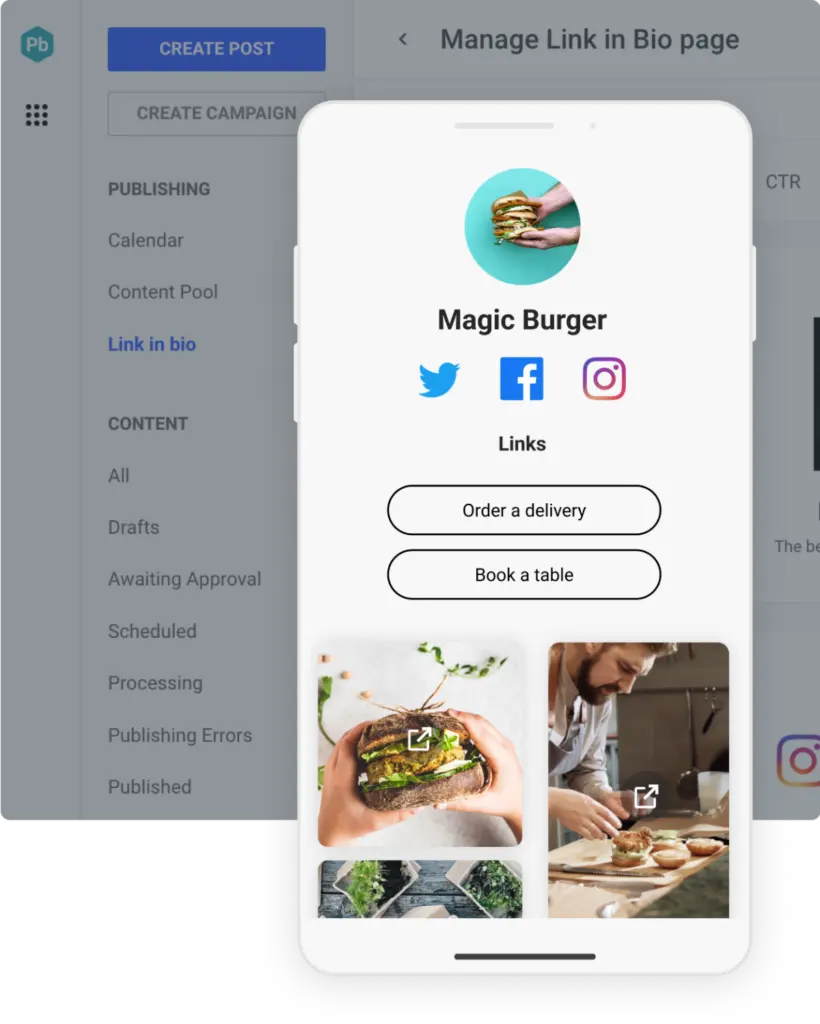
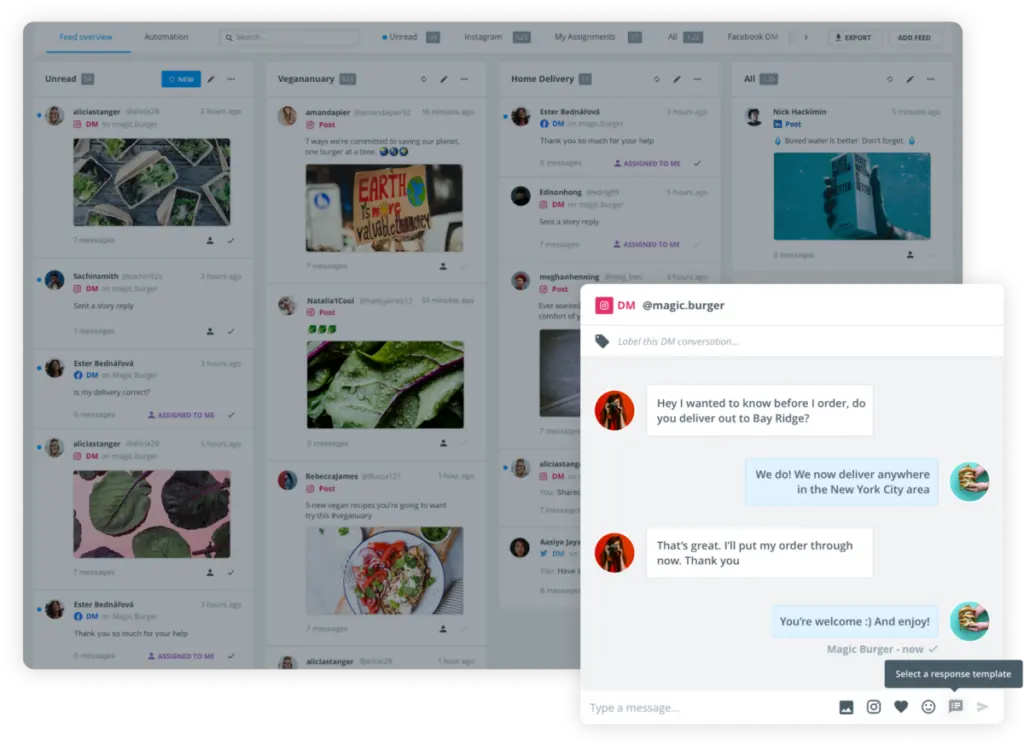
When managing your brand’s presence on Instagram, efficiency and effectiveness are paramount. Brandwatch offers a comprehensive suite of Instagram management capabilities designed to streamline your social media activities, allowing you to focus on what really matters—growing your audience and engaging with your community.
Seamless Scheduling and Publishing
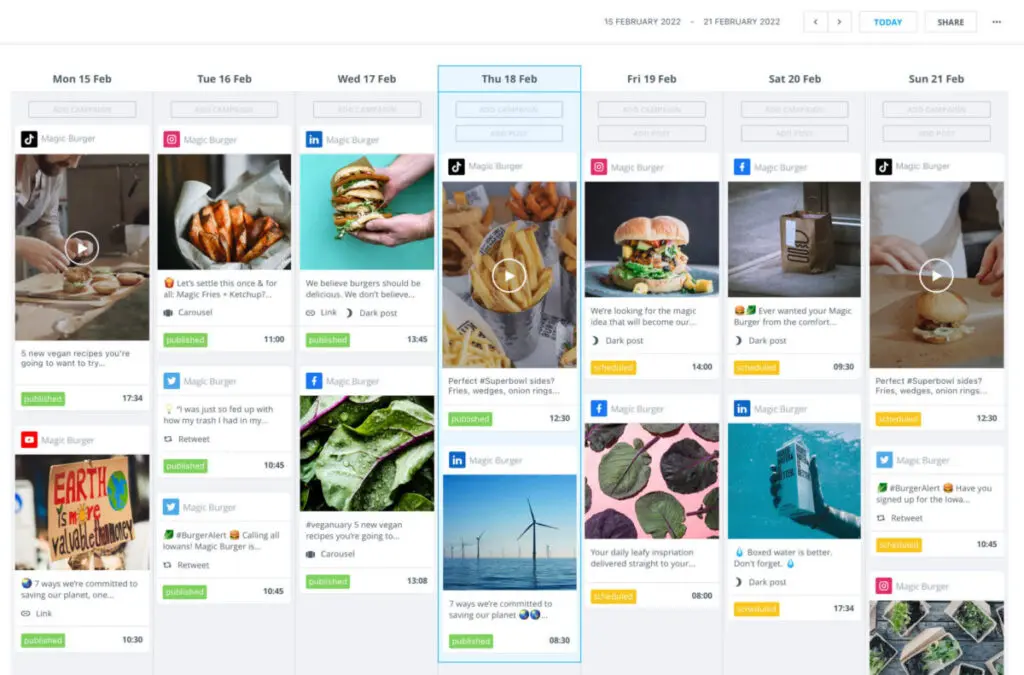
Brandwatch’s unified content calendar makes scheduling and publishing on Instagram incredibly straightforward. Whether you’re planning daily posts, Stories, or Reels, this tool lets you manage everything in one place. The calendar provides a clear overview of your content strategy, eliminating the need to publish outside of regular hours.
2. PromoRepublic
Platform: iOS, Android, Web
Purpose: Social Media Marketing
Price: Upon Request
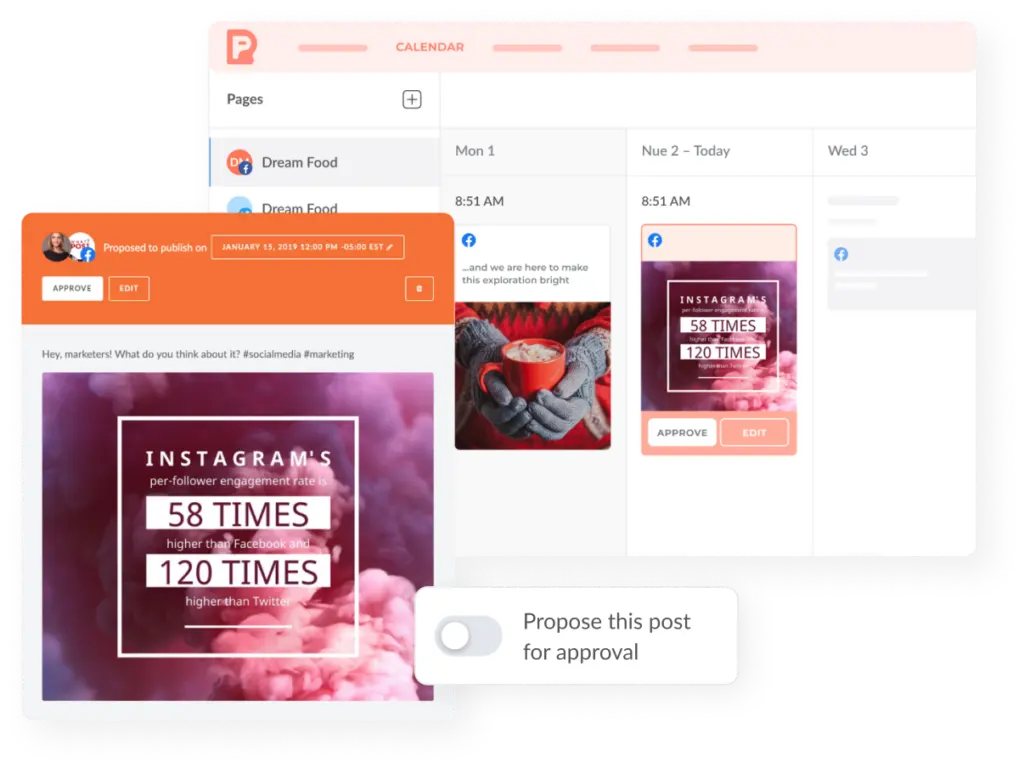
PromoRepublic offers a powerful, centralized hub for managing Instagram accounts, designed for businesses and agencies looking to scale their social media presence efficiently. Loved by over 50,000 brands, PromoRepublic stands out for its robust features, making it an excellent choice for businesses handling multiple Instagram profiles or locations.
With a focus on seamless content creation, scheduling, and performance analysis, PromoRepublic ensures that managing Instagram is both streamlined and effective.
Read More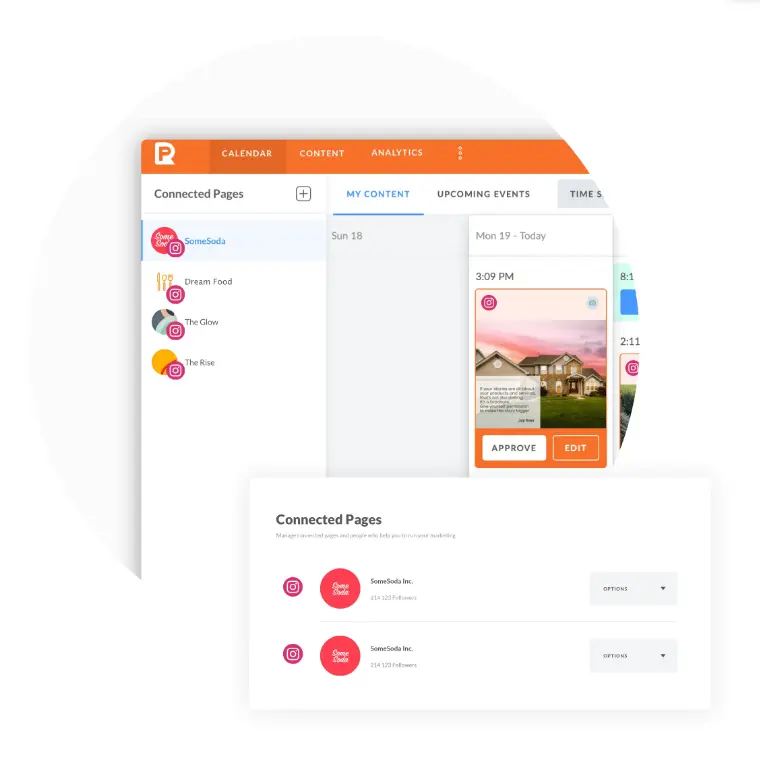
3. Snapseed
Platform: Android, iOS, macOS
Purpose: Photo editing
Price: Free
Snapseed is a photo editing app that you can download free of cost from the Google or Apple app stores. The power-packed app consumes just 22MB storage and comes in 40+ languages.
The app saves your photos without distorting colors and resolution. It has features such as contrast, crop, and rotate. You can annotate images and add vignettes. To retouch old photos, you can use its Brush, Lens, and White Balance features.
Fashion bloggers will love its Glamour Glow feature. Its Face Enhance capability diminishes facial imperfections. You can save your favorite effects and apply them on new images instantly.
4. VSCO
Platform: iOS, Android
Purpose: Photo/video editing
Price: Free and Membership
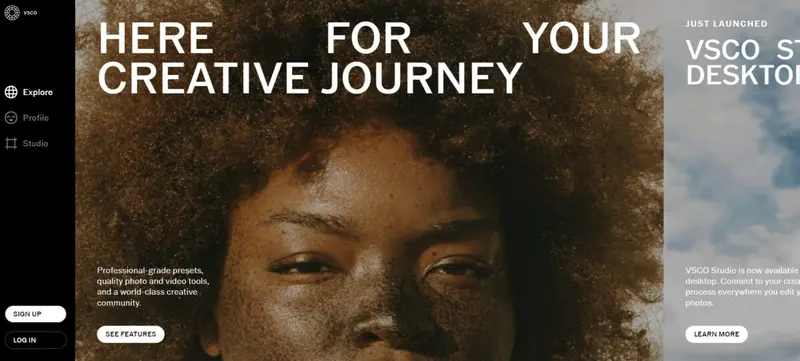
Instagram filters are passé. You need professional-grade tools to create stunning imagery that your followers will love. VSCO is a reputable photo editing app for Instagram with a full-featured free version.
The free edition of VSCO comes with 10+ original presets and standard editing tools to modulate contrast, grain, and saturation. You also get to connect with other content creators and learn from their valuable input.
If you need advanced features such as HSL and borders and video editing, you can opt for a VSCO membership, which costs $29.99 a year. For that price, you get 200+ presets and film emulation presets to recreate the vintage look.
5. Life Lapse
Platform: iOS, Android
Purpose: Video editing
Price: Free
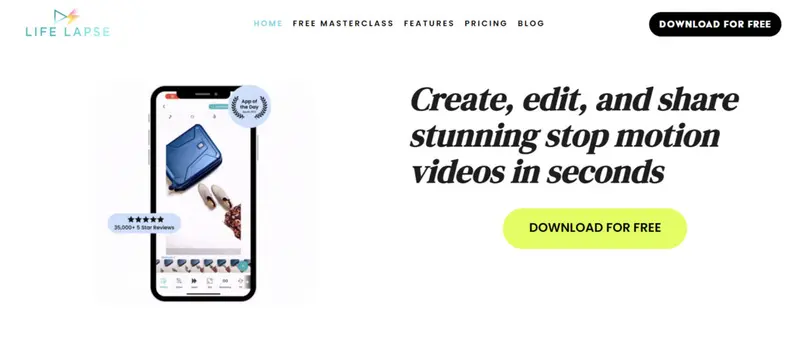
If you want to create Boomerang-type videos of longer duration, Life Lapse is the app you should download. From a single interface, you can import or capture videos, add effects, and post to Instagram or queue for later. The icing on the cake is that the app is completely free.
You can create stop videos, which are a series of pictures arranged end to end, to give the look and feel of a video. The app lets you add effects to the pictures, adjust video speed, and even add royalty-free music clips from their gallery.
Read More6. InShot
Platform: iOS, Android
Purpose: Video editing
Price: $3.99
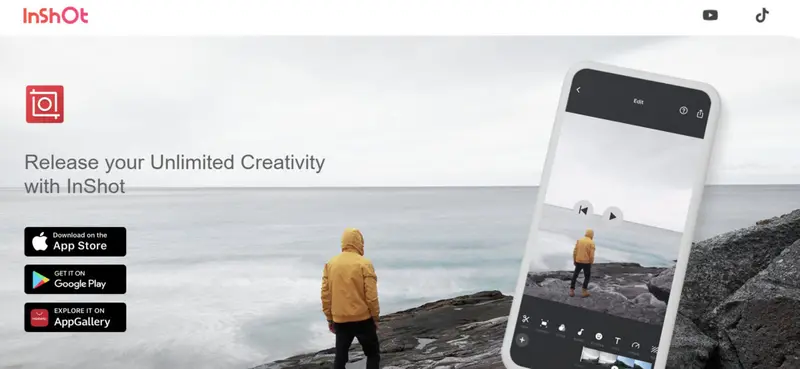
InShot has an edge over other free video editors owing to its remarkable features and user-friendly interface. Its GLITCH video effect was nominated for the #googleplaybestof awards in 2019.
It lets you trim, merge, and splice videos. You can add voice overs to your vlogs or pick free clips from their library. You get a rich lineup of animated stickers that can be added to videos. You can caption and sync text snippets to accompany your video content.
7. FilmoraGo
Platform: iOS, Android, macOS
Purpose: Video editing
Price: Free + optional in-app purchases
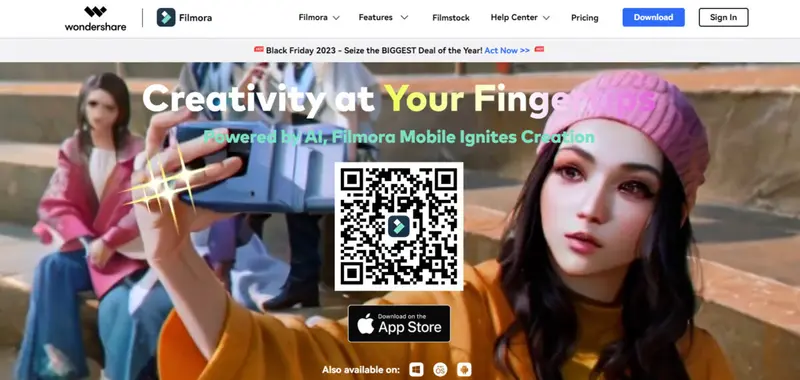
Wondershare’s FilmoraGo app is great for beginners who are testing the waters. It lets you preview edited videos in real time. You can merge videos and stills, apply transitions to frames, and add themes and filters.
It lets you delay or speed up videos, and create videos that run in reverse. It gives you the option of adjusting the screen ratio to 1:1 (suitable for Instagram) or 16:9. Without spending a penny, you can download several transitions, overlays, music, and elements.
Their support center has comprehensive step-by-step tutorials in multiple languages. You can also hobnob with the community and learn new editing hacks.
8. Layout from Instagram
Platform: iOS, Android
Purpose: Layout designing
Price: Free
If you’re in the mood for making collages, Layout from Instagram lets you make some cool ones. You can combine up to 9 pictures from your gallery and arrange them in innovative grid layouts. You can capture varied moods by clicking the Phone Booth feature.
To search pictures quickly, you can use the Faces tab. Mirror, duplicate, resize, flip, replace, and zoom images as you need. To up your editing game, add Instagram’s filters to your collage. Save the collage in your gallery and upload to your account.
9. Panoramiq Insights

Platform: iOS and Android
Purpose: Analytics
Price: $7.99/month
Panoramiq Insights is an Instagram analytics tool from Hootsuite. It works only with Business accounts. Its social listening capability keeps you abreast of trending topics in your niche. It analyses your follower demographics and highlights areas where you have a strong foothold.
The app scans the performance of all your posts and identifies the best ones. Then, you can derive algorithms for what’s clicking with your community and replicate the same approach.
It even analyses your Instagram Stories and gives detailed reports that you can export to CSV or PDF formats. For such a robust platform, Panoramiq Insights is reasonably priced.
How to Pick the Right Social Media Management Tool?
Despite this article being primarily about Instagram management, the principles for choosing the right social media management tool apply across platforms. Here are some key factors to consider:
Determine Your Needs
Start by assessing your specific requirements. For example, if you're managing a small team with a few accounts, a tool like Loomly could be ideal due to its intuitive interface and affordable pricing at $32 per month. Loomly’s content calendar is designed for efficiency, making it easy to manage multiple client accounts or team members.
On the other hand, if you’re managing a larger operation with extensive content creation and analytics needs, Sprout Social is a better fit. The tool is designed for brands and agencies handling multiple Instagram accounts. Sprout Social’s advanced scheduling, combined with a unified inbox, ensures seamless collaboration and content management.
Look for Comprehensive Features
An ideal social media management tool should streamline your workflow with a wide range of features. For instance:
- Content scheduling: Brandwatch offers a unified content calendar that allows you to manage everything from posts to Instagram Stories in one place. This is crucial for maintaining a consistent presence across Instagram and other social channels.
- Analytics and reporting: Tools like Sprout Social provide robust analytics that track post-level data and hashtag performance, helping you refine your Instagram strategy. The customizable reports are easy to share with your team or stakeholders, ensuring everyone stays informed.
- Content creation: Loomly integrates with Canva and Unsplash, allowing you to create high-quality visuals directly within the platform. This eliminates the need to switch between different apps, saving time and ensuring that your content is always on-brand.
Prioritize Ease of Use
Choose a tool with an intuitive interface that your team can easily navigate. For example, Loomly is known for its user-friendly design, making it an excellent choice for teams that don’t want to spend time on extensive training. Conversely, while Sprout Social offers a comprehensive feature set, it requires a more significant upfront setup and learning curve, which might be a consideration if ease of use is your top priority.
Consider Pricing and Value
Evaluate the tool's pricing structure and ensure it fits your budget. For example, some tools offer excellent value with its advanced analytics and scheduling features, making it a great option for medium-sized businesses. In contrast, Sprout Social is more expensive but offers extensive features that justify its cost for larger teams or agencies.
Prioritize Reliability and Support
Select a tool with a proven track record of reliability. Agorapulse is highly regarded for its responsive customer support, making it a reliable option for businesses that require consistent uptime and quick issue resolution. Agorapulse’s detailed analytics and robust engagement tools ensure that your Instagram management is both reliable and efficient, even during peak times.
Over to You
With these tools in your phones and tablets, you can manage your Instagram account anytime, anywhere. Most of these apps have no-obligation trial periods and pocket-friendly prices. They will help you stay on top of the game and establish your influence in no time.
Frequently Asked Questions
What is the best Instagram management app?
There is no shortage of Instagram management apps in the marketplace. Here are some of the best Instagram management apps:
- Brandwatch
- Loomly
- PromoRepublic
- AgoraPulse
- Snapseed
- VSCO
- Life Lapse
- InShot
- FilmoraGo
- Layout from Instagram
- SproutSocial
- Panoramiq Insights
What is the best app for Instagram planning?
Sprout Social is widely regarded as one of the best apps for Instagram planning. It offers a comprehensive suite of tools for content scheduling, analytics, and team collaboration, making it ideal for managing multiple Instagram accounts and executing well-organized campaigns.
How much does Instagram management cost?
The cost of Instagram management varies depending on the tool you choose and the features you need. For instance, Loomly offers plans starting at $32 per month, making it an affordable option for smaller teams. On the higher end, Sprout Social charges $199 per user per month, providing advanced features suitable for larger teams and agencies.
What is the best free Instagram scheduling app?
Here are the best free Instagram scheduling apps:
- Semrush
- Combin Scheduler
- Buffer
- Tailwind
- Later
- SkedSocial
- Hootsuite
What tools can help you manage Instagram the most?
Several tools can significantly enhance your Instagram management, including:
- Sprout Social: Ideal for comprehensive management, offering scheduling, analytics, and engagement features.
- Loomly: Great for content creation and scheduling with a user-friendly interface.
- Brandwatch: Provides advanced analytics and scheduling, ensuring a consistent presence across multiple platforms.
- PromoRepublic: Offers real-time engagement and collaboration features, ideal for agile social media management.
Comparing Social Media Management Tools
These social media management tools cater to various industries, including Business Services, Advertising & Marketing, eCommerce, Consumer Goods, and Healthcare, among others. Explore the sections below for an overview of Social Media Management Tools categorized by:
- Top 22 Social Media Tools You Need in Your Marketing Arsenal
- Best Social Media Posting and Scheduling Tools for 2025
- 28 Social Media Management Tools for Agencies
- Top 25 Social Media Listening Tools for Brand Monitoring
- Top 10 Community Management Tools for Growing Brands
- Leading Free Social Media Management Tools for 2025
- Top 11 Instagram Scheduler Apps & Tools
- Top 8 Tools to Schedule Posts on Facebook


