Top 16 Instagram Scheduling Apps and Tools to Automate Your Posts in 2026

Advertising Disclosure

If you're a casual social media user, it's easy enough to make your posts directly within your social media accounts. This is particularly so if you only have one account. If you're somebody who takes a casual shot which you share via Instagram, you can easily arrange this directly in the Instagram app.

However, with 4.95 billion active social media users globally, if you have more heavy-duty needs, you will probably find it much easier to use a social media management app. This is particularly the case if you manage multiple social accounts or like to schedule your posts to be delivered at set times of the week.

Summary
Platform:
Best For:
Pricing:
Mid to Large-sized Businesses
On request
Businesses of all sizes and agencies
From $25
Agencies and teams
From $50

Initially, most of the social media management apps restricted themselves to Facebook and Twitter, perhaps also adding LinkedIn. More recently, however, many of these apps have discovered the popularity of Instagram and added it to their roster.

Thanks to Instagram's API, it is not always as simple to schedule Instagram posts from within an app as it is with others, particularly Twitter. But some of these social media managers seem to have made the process much more straightforward than others.

The main reason why some of these apps face difficulties with Instagram publishing is that Facebook (the company) now gives very close scrutiny to all applications that use the Instagram Content Publishing API.

In the wake of the Cambridge Analytica scandal, they have put this process on hold. Apps that went through the process before this decision have a clear advantage over companies that had not reached the top of the queue.


Best Instagram Scheduling Apps & Tools

Top
instagram scheduling apps tools
2026

1. Sprout Social

Sprout Social

Pricing: Sprout Social provides social media plans starting at $249/mo, with higher tiers at $399/mo and $499/mo. A 30-day free trial is available, and custom pricing for Enterprise needs can be discussed. Additional user fees apply to all plans.

Sprout Social offers a comprehensive solution for managing your Instagram presence, enabling you to schedule content efficiently and boost engagement. If you’re looking to save time and strategically grow your audience, Sprout’s Instagram scheduling tools could be just what you need.

Read More
5 out of 5 stars
One of the most recognized names in social media management shows why it’s been so successful, with a platform that changes the game for social media managers.
Ratings
Features & Pricing
Pros and Cons
Ratings
Features
5.0
Ease of Use
5.0
Support
5.0
Overall Score
5
Features & Pricing
Analytics
Automated Publishing
Contact Management
Content Management
Conversion Tracking
Customer Targeting
Keyword Filtering
Multi-Account Management
Post Scheduling
Brand Tracking
Reporting/Analytics
Social Media Monitoring
Price starting at:$199
Pros and Cons
Highly flexible and customizable calendar keeps users organized
AI assisted social listening casts a wide net while keeping results useful/relevant
Inbox features take social comms to new levels of efficiency
Deeply holistic reporting
Getting the most out of the platform requires a lot of upfront setup and organization
You need to use the platform awhile to understand what you should have set up first
Best for: Brands and Agencies of All Sizes
5 out of 5 stars
One of the most recognized names in social media management shows why it’s been so successful, with a platform that changes the game for social media managers.
Visit Website View Profile

2. Brandwatch Social Media Management

Brandwatch Social Media Management

Pricing: Upon request.

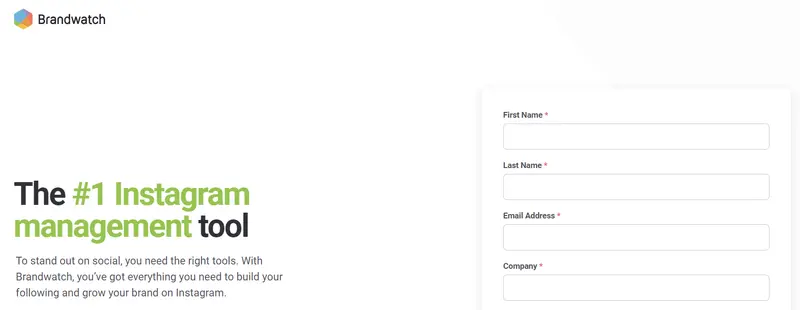
Brandwatch positions itself as a top-tier Instagram management tool, offering everything you need to build your brand and grow your following. If you’re looking to streamline your Instagram scheduling, Brandwatch provides a robust set of features designed to enhance your social media presence.

Effortless Instagram Scheduling and Publishing

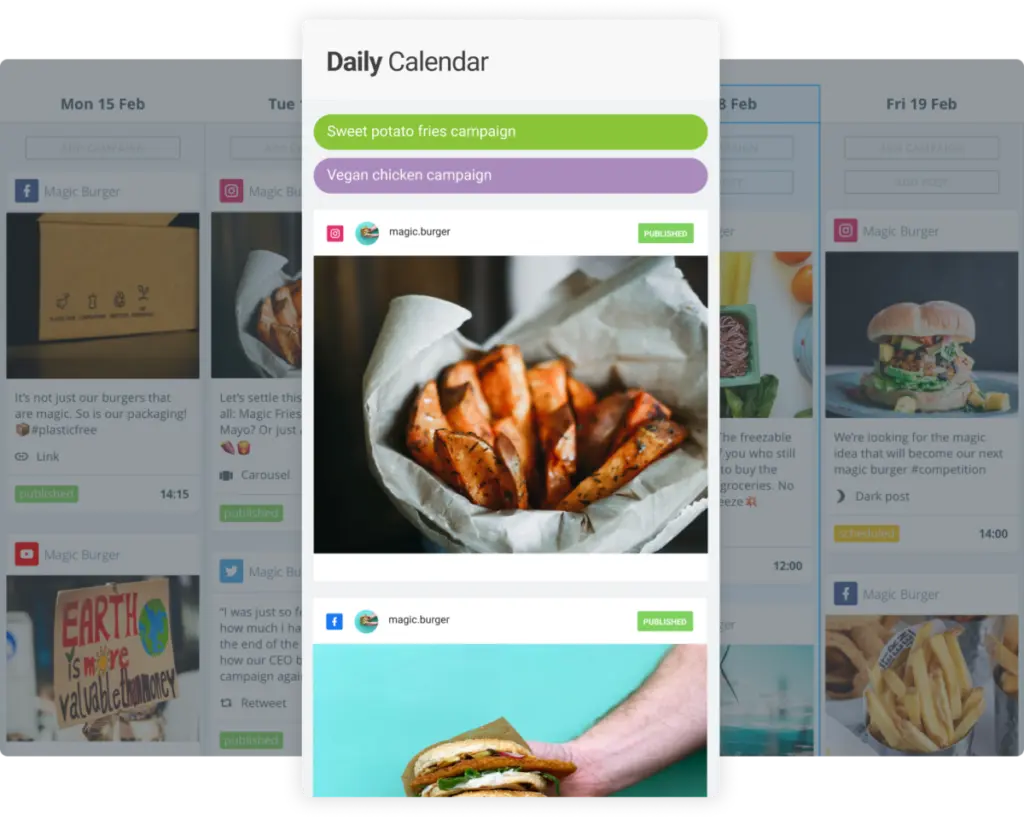
Brandwatch’s unified content calendar is the cornerstone of its Instagram scheduling capabilities. It allows you to easily schedule and publish Instagram Stories, Reels, and posts from one centralized platform. Whether you’re managing daily posts or executing full-scale campaigns, Brandwatch’s calendar keeps your content organized and on track. This means you can avoid the hassle of publishing out-of-hours, ensuring your posts go live at the optimal times without manual intervention.

Read More
4.8 out of 5 stars
A consumer intelligence platform, a social media marketing platform, and an influencer marketing platform were all acquired and forced to play well with each other—and they do!
Ratings
Features & Pricing
Pros and Cons
Ratings
Features
5.0
Ease of Use
4.5
Support
5.0
Overall Score
4.8
Features & Pricing
Analytics
Automated Publishing
Content Management
Keyword Filtering
Multi-Account Management
Post Scheduling
Brand Tracking
Social Media Monitoring
Hashtag Tracking
Sentiment Analysis
Reputation Management
Social Media Management
Price on request
Pros and Cons
Consumer Intelligence product uses social listening to help brands understand what people want
Audience tools give deep insights into the aggregate AND individuals
Newly added TikTok support goes further than you’d expect
Confusing array of products and services from three different companies
You can't post on multiple networks at once, but you can choose multiple channels within the same network for posting
Best for: Mid to Large-sized Businesses
4.8 out of 5 stars
A consumer intelligence platform, a social media marketing platform, and an influencer marketing platform were all acquired and forced to play well with each other—and they do!
Visit Website View Profile

3. Sendible

Sendible

Pricing: Starting at $25/mo

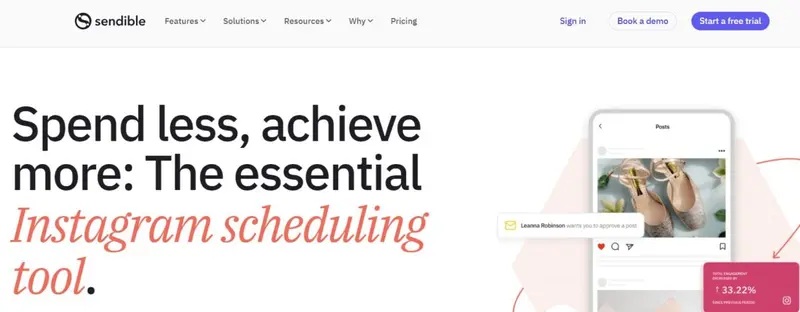
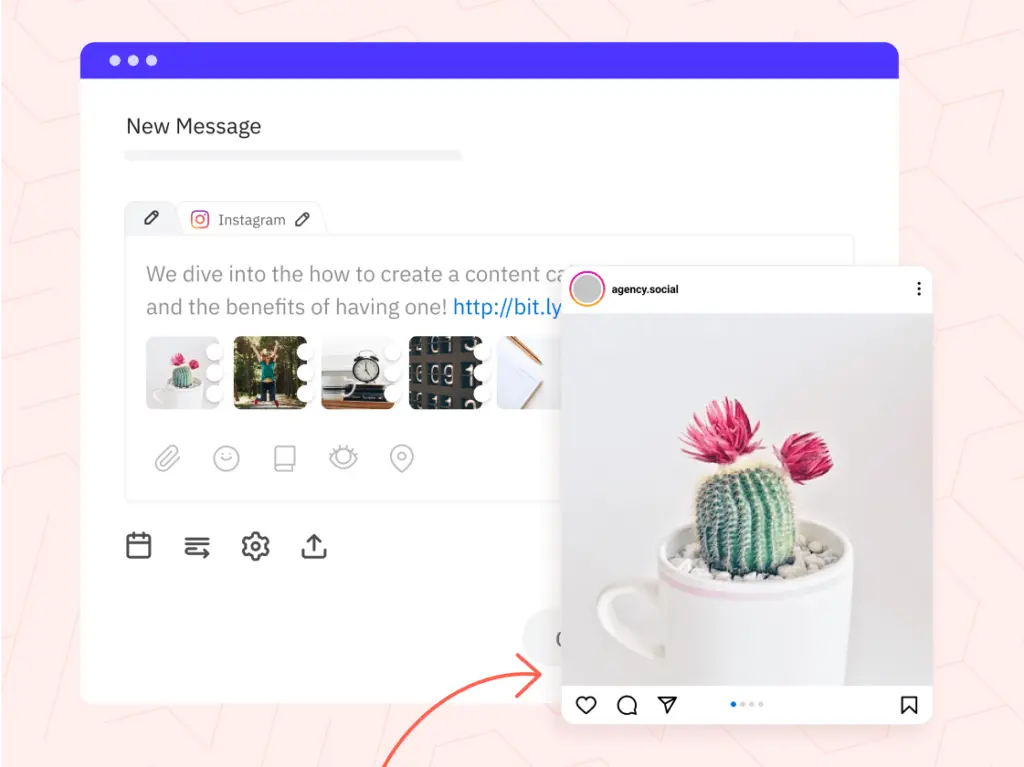
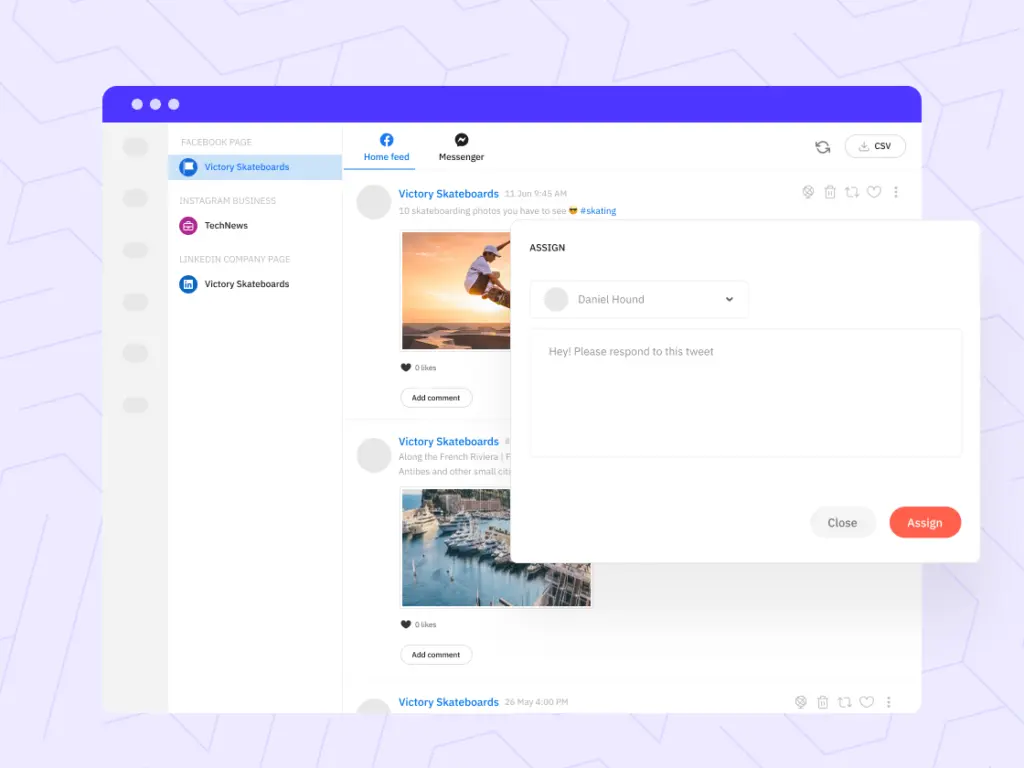
Sendible offers a comprehensive suite of Instagram scheduling tools designed to streamline your content management and amplify your brand’s presence on social media. If you’re managing multiple accounts or looking to optimize your Instagram strategy, Sendible provides the tools necessary to schedule, engage, and analyze with ease.

Read More
4.8 out of 5 stars
Sendible’s ease of use and social scheduling capabilities make the platform ideal for businesses of all sizes, from sole traders to enterprises and agencies. No matter who you are, you will find a plan suitable for your needs, with each plan including all you need to manage your social accounts but scaling to add those additional features needed by larger organizations.
Ratings
Features & Pricing
Pros and Cons
Ratings
Features
4.6
Ease of Use
5.0
Reporting
4.9
Overall Score
4.8
Features & Pricing
Analytics
Automated Publishing
Content Management
Keyword Filtering
Multi-Account Management
Post Scheduling
Price starting at:$25
Pros and Cons
Excellent social scheduling features
Smart queues ensure you always have evergreen content to share
Centralized social engagement platform
Canva and other useful integrations
Value for money
Pricing tiers can be confusing
Best for: Businesses of all sizes and agencies
4.8 out of 5 stars
Sendible’s ease of use and social scheduling capabilities make the platform ideal for businesses of all sizes, from sole traders to enterprises and agencies. No matter who you are, you will find a plan suitable for your needs, with each plan including all you need to manage your social accounts but scaling to add those additional features needed by larger organizations.
Visit Website View Profile

4. Iconosquare

Iconosquare

Pricing: Iconosquare offers three pricing tiers. The Pro plan is priced at $49/month, the Advanced plan at $99/month, and the Enterprise plan at $179/month.

Iconosquare is a powerful tool designed to simplify your Instagram management with robust scheduling features and advanced functionalities. If you’re seeking to streamline your Instagram content planning and enhance your social media strategy, Iconosquare offers a suite of tools that can help you achieve your goals efficiently.

Read More
Iconosquare Social Media Management Platform
4.5 out of 5 stars
Manage your social media and your analytics all in one place with Iconosquare. Businesses and agencies can easily manage the performance of their content as well as analytics, posting, and more. The platform supports Instagram, Facebook, TikTok, LinkedIn, and Pinterest.
Ratings
Features & Pricing
Pros and Cons
Ratings
Features
4.6
Ease of Use
4.4
Support
4.4
Overall Score
4.5
Features & Pricing
Analytics
Automated Publishing
Contact Management
Keyword Filtering
Multi-Account Management
Post Scheduling
Social Media Management
Price starting at:$49
Pros and Cons
Evolving functionality
Industry benchmarks
Competitive analysis features
Excellent automated posts
Customer support may not be helpful
Some features may glitch
Some platforms are not included
Best for: Brands and Agencies
Iconosquare Social Media Management Platform
4.5 out of 5 stars
Manage your social media and your analytics all in one place with Iconosquare. Businesses and agencies can easily manage the performance of their content as well as analytics, posting, and more. The platform supports Instagram, Facebook, TikTok, LinkedIn, and Pinterest.
Visit Website View Profile

5. HeyOrca

HeyOrca

Pricing: Starting at $50/mo

If optimizing your Instagram content strategy is your goal, you’ll find HeyOrca to be a tool tailored to your unique needs. With its visual scheduling interface, you can plan, preview, and directly schedule your Instagram posts, ensuring that what you see is exactly what your audience will get.

HeyOrca eliminates the need for third-party scheduling apps through its direct publishing feature, streamlining your workflow and allowing you to maintain a consistent posting schedule on Instagram. You’re empowered to work effectively with features that enable your team and clients to provide immediate feedback and approvals within the scheduling calendar, improving communication and project turnaround times.

Read More
4.5 out of 5 stars
HeyOrca is a social media scheduling platform built for teams. It permits unlimited users on all pricing plans. You can plan, schedule, and publish posts directly to Facebook, Instagram, Instagram Reels, Twitter, LinkedIn, Google My Business, & Pinterest, and indirectly to TikTok and Instagram Stories. In addition, you can use it to manage multiple brands, giving each a dedicated social media calendar, media library, and user permissions.
Ratings
Features & Pricing
Pros and Cons
Ratings
Features
4.2
Ease of Use
4.9
Reporting
4.5
Overall Score
4.5
Features & Pricing
Automated Publishing
Contact Management
Multi-Account Management
Post Scheduling
Multi-User Collaboration
Reporting/Analytics
Team Workflow & Collaboration
Content Calendar
Facebook Ads Moderation
Price starting at:$50
Pros and Cons
Excellent collaboration and approvals system
Integration with Canva for post designs
Simple interface that shows scheduled posts at a glance
No bulk upload feature or way to reshare others' posts
No engagement-related features (although these are reportedly coming soon)
Limited paid post tracking
Best for: Agencies and teams
4.5 out of 5 stars
HeyOrca is a social media scheduling platform built for teams. It permits unlimited users on all pricing plans. You can plan, schedule, and publish posts directly to Facebook, Instagram, Instagram Reels, Twitter, LinkedIn, Google My Business, & Pinterest, and indirectly to TikTok and Instagram Stories. In addition, you can use it to manage multiple brands, giving each a dedicated social media calendar, media library, and user permissions.
Visit Website View Profile

6. Loomly

Loomly

Pricing: Loomly provides yearly billing with monthly rates that begin at $32/mo (equivalent to $384/year) and extend to $277/mo (totaling $3,324/year). They also offer an Enterprise package upon inquiry.

Loomly is a versatile tool designed to help you effectively manage your Instagram presence, offering a comprehensive suite of features that cater to content creation, scheduling, and performance tracking. If you’re seeking a solution that simplifies Instagram scheduling while enhancing your social media strategy, Loomly provides the tools to do just that.

Read More
4.8 out of 5 stars
One of the social media management platforms we’ve seen is also the easiest to use and designed to meet any sized marketing need.
Ratings
Features & Pricing
Pros and Cons
Ratings
Features
4.8
Ease of Use
5.0
Reporting
4.5
Overall Score
4.8
Features & Pricing
Analytics
Automated Publishing
Contact Management
Customer Targeting
Keyword Filtering
Multi-Account Management
Post Scheduling
Customer Engagement
Multi-User Collaboration
Reporting/Analytics
Price starting at:$32
Pros and Cons
Post creation process leaves nothing to chance: every aspect is well thought out
Multiple social calendars eliminate confusion/accidental postings
Workflow templates are suitable for large teams and one-person operations
Reporting could use more audience insights
Best for: Literally everyone: Creators, Brands, Agencies, Marketing teams and solo freelancers, Franchises
4.8 out of 5 stars
One of the social media management platforms we’ve seen is also the easiest to use and designed to meet any sized marketing need.
Visit Website View Profile

7. Agorapulse

Agorapulse

Pricing: Agorapulse’s annual plans range from $49 to $119 per user/month, with custom options for unique business requirements.

AgoraPulse is a fully-featured social media management program with an extremely user-friendly interface. It has an easy set-up process, even for the potentially tricky Instagram.

The heart of AgoraPulse is its Inbox. It shows your comments, mentions, conversations, and reviews relating to each of your social accounts.

AgoraPulse provides a variety of ways to publish content. The Publishing tab takes you to a calendar, showing the current period with the social messages you have scheduled, queued, published, sent to approval, had assigned to you, or failed. You can schedule a post simply by clicking on the appropriate time slot.

Read More
4.5 out of 5 stars
Agorapulse is a social media management platform stocked full of features for individuals, businesses, and enterprises. Their added listening tool helps users monitor brand mentions. Features include a variety of ways to publish content, reporting, analytics, and more.
Ratings
Features & Pricing
Pros and Cons
Ratings
Features
4.0
Ease of Use
4.6
Support
4.8
Overall Score
4.5
Features & Pricing
Analytics
Automated Publishing
Contact Management
Content Management
Conversion Tracking
Keyword Filtering
Multi-Account Management
Post Scheduling
Reporting/Analytics
Social Media Monitoring
Competitive Analysis
Scheduling
Social Media Calendar
Social Media Management
Team Workflow & Collaboration
Social Media Listening
Price starting at:$49
Pros and Cons
Easy social media management
Simple platform
Makes it easy not to double reply etc
Lack of post editing features
Limited third party integrations
Engagement platform can be difficult to use
Best for: Mid-sized agencies, mid-sized businesses and some enterprise brands.
4.5 out of 5 stars
Agorapulse is a social media management platform stocked full of features for individuals, businesses, and enterprises. Their added listening tool helps users monitor brand mentions. Features include a variety of ways to publish content, reporting, analytics, and more.
Visit Website View Profile

8. Later

Later

Pricing: Starter, Growth, and Advanced plans are priced at $25, $45, and $80 monthly, with discounts to $16.67, $30, and $53.33 respectively when billed annually.

Although Later allows you to post to your Instagram, Twitter, Facebook, and Pinterest accounts, its main emphasis is on Instagram. It focuses on the visual. Unlike the rest of these social media management apps that start with a social message and then allow you to add an image, Later requires you to start a post by uploading an image. You then add suitable text to the image.

Read More
Later
4.3 out of 5 stars
Later is a calendar-focused social media scheduling platform with a drag-and-drop interface. Their planning and scheduling tools make it easy to visualize your social media management. Features include photo editing, publishing for stories, and more.
Ratings
Features & Pricing
Pros and Cons
Ratings
Features
4.0
Ease of Use
4.5
Support
4.3
Overall Score
4.3
Features & Pricing
Analytics
Automated Publishing
Content Management
Multi-Account Management
Post Scheduling
Reporting/Analytics
Price starting at:$16.67
Pros and Cons
Easy to use, simple interface and media gallery
Competitive pricing plans
"Best time to publish" feature
You need business accounts on social
Limited features compared to competition
Free version has basic features
Best for: Businesses of all sizes
Later
4.3 out of 5 stars
Later is a calendar-focused social media scheduling platform with a drag-and-drop interface. Their planning and scheduling tools make it easy to visualize your social media management. Features include photo editing, publishing for stories, and more.
Visit Website View Profile

9. Hootsuite

Hootsuite

Pricing: starting at $99/month.

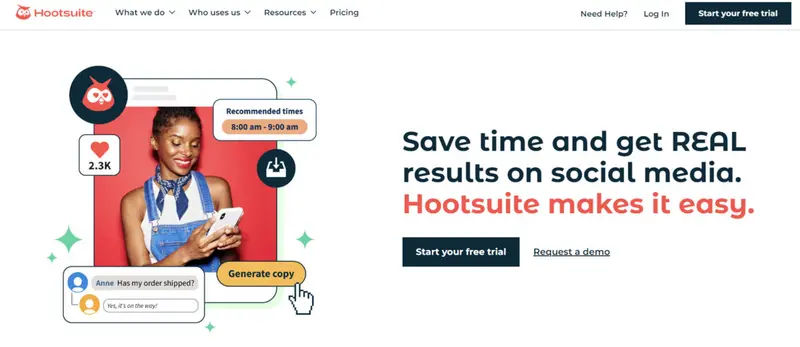
With Hootsuite, publishing to Instagram, engaging with your followers, and reporting become a whole lot easier. Though, in order to take advantage of all the functionality available in Hootsuite, you’ll need to add an Instagram Business profile. 

In addition to publishing and scheduling, it also offers a few advanced options. You can, for example, use it to promote a post to boost it on Instagram, link your post with one of your brand’s campaigns, upload images from your content library, or apply a tag. 

Read More
5 out of 5 stars
One of the first platforms designed to streamline social media management, Hootsuite continues to be one of the market leaders.
Ratings
Features & Pricing
Pros and Cons
Ratings
Features
5.0
Ease of Use
5.0
Reporting
5.0
Overall Score
5
Features & Pricing
Analytics
Automated Publishing
Contact Management
Content Management
Conversion Tracking
Customer Targeting
Keyword Filtering
Multi-Account Management
Post Scheduling
Brand Tracking
Customer Engagement
Multi-User Collaboration
Reporting/Analytics
Social Media Monitoring
Price starting at:$99
Pros and Cons
Customizable feeds show you all the social posts you need to see—no filler
Highly flexible post composer and scheduler, with a bulk option, drastically simplifies the most challenging part of the job
Inbox consolidated every message, comment, and mention—you’ll never miss a conversation
Best for: Small, Medium, and Large Businesses
5 out of 5 stars
One of the first platforms designed to streamline social media management, Hootsuite continues to be one of the market leaders.
Visit Website View Profile

10. SocialPilot

SocialPilot

Pricing: SocialPilot offers a 14-day free trial. Plans range from the Professional tier at $25.50/month to the Agency+ at $170/month, with annual billing discounts available.

Social Pilot is aimed at a broad audience, with pricing options aimed at everything from small businesses to large enterprises. There are no feature restrictions—nearly anything you can do at the highest level can also be done at the lowest. You just do it on a smaller scale.

The management of accounts is done cleanly and efficiently, as you can organize each account into relevant groups, e.g., by channel or client).

Read More
4.5 out of 5 stars
SocialPilot centralizes your social media management to help improve efficiency. The tool features an automated post schedule, easy integration with Canva, marketing tools, and other unique features to propel your social strategy.
Ratings
Features & Pricing
Pros and Cons
Ratings
Features
4.1
Ease of Use
4.7
Support
4.7
Overall Score
4.5
Features & Pricing
Analytics
Automated Publishing
Content Management
Conversion Tracking
Multi-Account Management
Post Scheduling
Price starting at:$25.50
Pros and Cons
Excellent value for money
Canva integration makes creating beautiful posts simple
Easy-to-navigate dashboard
No automated TikTok posting
Lacks advanced features that would attract large businesses and enterprises
Doesn’t offer a lot of third-party apps or integrations
Best for: Digital marketing agencies and SMBs
4.5 out of 5 stars
SocialPilot centralizes your social media management to help improve efficiency. The tool features an automated post schedule, easy integration with Canva, marketing tools, and other unique features to propel your social strategy.
Visit Website View Profile

11. Buffer

Buffer

Pricing: Buffer offers a free plan, Essentials at $5/channel/month, Team at $10/channel/month, and Agency at $100 for ten channels/month. Extra channels incur additional costs.

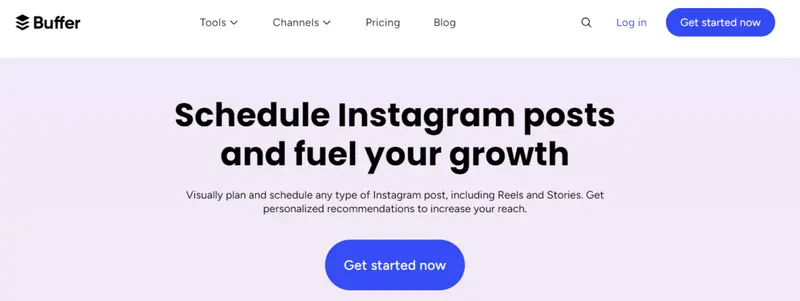
Buffer makes sharing content extremely easy. Once you’ve hooked up your social accounts, including Instagram, you can easily create a new post within the app. It lets you select the social accounts you want to use. With higher plans, you can content from other sources, such as your favorite blog.

Read More

4.4 out of 5 stars
Buffer is one of the most popular social media scheduling platforms. This software helps drive engagement and traffic on social media with the help of their scheduling, engagement, and analytics tools.
Ratings
Features & Pricing
Pros and Cons
Ratings
Features
4.0
Ease of Use
4.6
Support
4.5
Overall Score
4.4
Features & Pricing
Automated Publishing
Content Management
Multi-Account Management
Post Scheduling
Reporting/Analytics
Price starting at:$5
Pros and Cons
Simple cross-posting
Straightforward calendar view
Integrates with almost every social platform
Buffer Analyze may be too basic for some
Buffer may glitch with Instagram
Arbitrary character limits for Facebook, Twitter
Pay-as-you-go packaging
Best for: Publishers, mid-stage startup teams, non-profits, higher education, sports teams, e-commerce, solopreneurs, businesses
4.4 out of 5 stars
Buffer is one of the most popular social media scheduling platforms. This software helps drive engagement and traffic on social media with the help of their scheduling, engagement, and analytics tools.

12. PromoRepublic

PromoRepublic

Pricing: PromoRepublic’s plans begin at $49/mo for single-location businesses, $79/mo for agencies, with custom rates for multi-location firms. Annual billing offers up to a 25% discount.

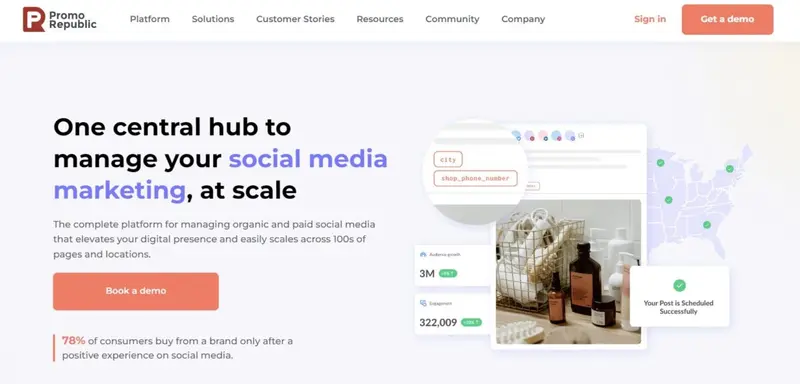
PromoRepublic’s point of difference is its strong design focus. You can design beautiful posts without leaving the app, with no need to open any separate graphics software. You can use it to schedule and share posts with all the major social networks, including Instagram.

You can set a posting schedule for different types of posts. You organize your posting schedules across a centralized calendar. 

Read More

13. Meet Edgar

Meet Edgar

Pricing: Meet Edgar presents two pricing tiers: The “Eddie Monthly Plan” for $24.91/month tailored for beginners and side hustlers, accommodating 5 social accounts among other functionalities. For a more comprehensive range of services, the “Edgar Monthly Plan” is available at $44.58/month.

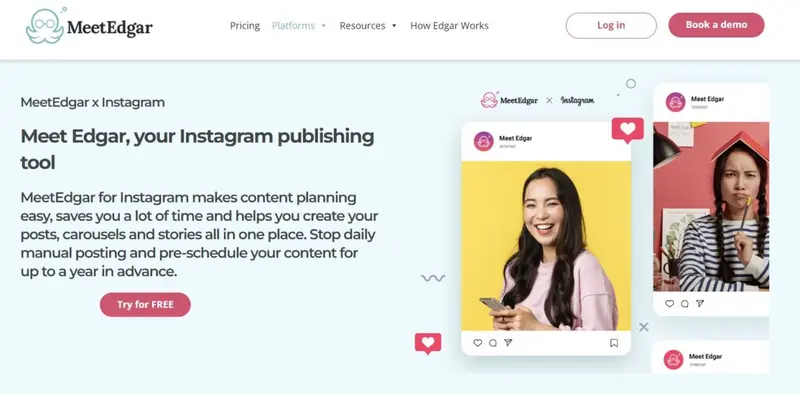
Meet Edgar offers just one plan. It is not as fully featured as some others in the market, but Meet Edgar is excellent for businesses that simply want to concentrate on queuing and delivering content.

Read More
4.4 out of 5 stars
This cloud-based social media management platform helps users manage multiple social acocunts in one platform. MeetEdgar specializes in recycling evergreen posts and content. Features include automation, a stacked content library, image and video support, email updates, link tracking and more.
Ratings
Features & Pricing
Pros and Cons
Ratings
Features
4.2
Ease of Use
4.4
Support
4.6
Overall Score
4.4
Features & Pricing
Automated Publishing
Contact Management
Multi-Account Management
Post Scheduling
Multi-User Collaboration
Price starting at:$24.91
Pros and Cons
Easy post recycling options
"Best time to publish" feature
Expensive price points
User interface can be difficult to use
Lack of platform integration
Best for: Businesses of all sizes
4.4 out of 5 stars
This cloud-based social media management platform helps users manage multiple social acocunts in one platform. MeetEdgar specializes in recycling evergreen posts and content. Features include automation, a stacked content library, image and video support, email updates, link tracking and more.

14. Crowdfire

Crowdfire

Pricing: The service offers a free trial, with subsequent tiers priced at $7.48/mo for solo-preneurs and small businesses, $37.48/mo for medium businesses, and $74.98/mo for agencies and larger enterprises.

Crowdfire is designed to assist you by discovering, curating, and scheduling content, plus managing your social accounts in a single place. Through the app, you can search for articles and images that your audience will appreciate and then share them effortlessly to all your social media profiles, which will keep your timelines always updated.

Read More
3.8 out of 5 stars
Crowdfire works to make your social media maangement simple. This tool lets you discover and schedule content in your niche as well as manage all your social accounts from one platform. Think of them as your marketing sidekick!
Ratings
Features & Pricing
Pros and Cons
Ratings
Features
3.2
Ease of Use
4.3
Support
4.0
Overall Score
3.8
Features & Pricing
Analytics
Automated Publishing
Content Management
Multi-Account Management
Post Scheduling
Brand Tracking
Customer Engagement
Multi-User Collaboration
Reporting/Analytics
Price starting at:$7.48
Pros and Cons
Automated scheduling suggestions
Tailor posts to each platform in one view
Manage multiple accounts
Not easy to link accounts
Some processes can take time to set up
Best for: Social Media Managers, agencies, brands, individuals, enterprises and startups
3.8 out of 5 stars
Crowdfire works to make your social media maangement simple. This tool lets you discover and schedule content in your niche as well as manage all your social accounts from one platform. Think of them as your marketing sidekick!

15.  SocialBee

 SocialBee

Pricing: SocialBee pricing plans start from $24/mo, and go up to $82/mo.

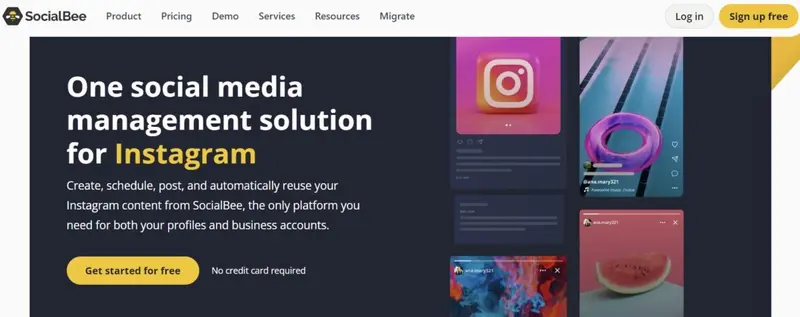
Make your hectic Instagram life a lot easier with SocialBee. SocialBee lets you schedule images, videos, Stories, and Carousels to your Instagram account (the last two can be done using the mobile app).

Here’s what you can do with your posts using SocialBee – you can schedule them for publishing, re-queue them to be published again in the future, and arrange for your posts to run as long as you like. You can also set your posts to expire based on the date or number of times posted.

Read More

16. Tailwind

Tailwind

Pricing: Pro is $12.99/mo ($155.88/yr); Advanced at $19.99/mo ($239.88/yr); Max is $39.99/mo ($479.88/yr); and a Free Forever option is available.

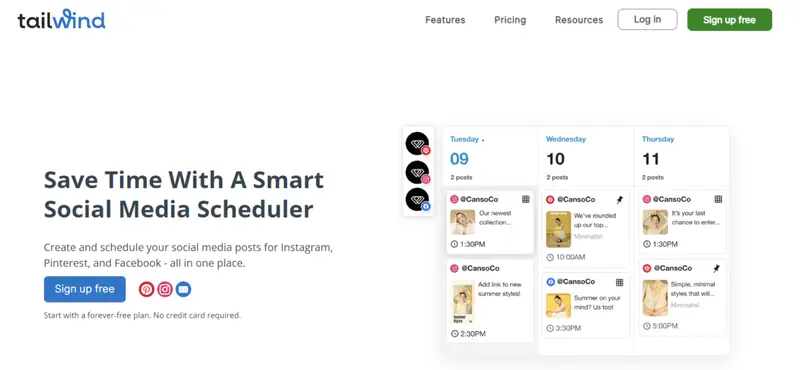
Scheduling on Instagram is a breeze when you use Tailwind, which is designed as a “tool that feels like a marketing team.” And indeed, that’s how Tailwind functions. Like AgoraPulse and SocialBee, this tool allows you to schedule postings of single images and videos directly or do the same for Carousel and Stories using push notifications.

Read More

What Makes the Best Instagram Scheduling App

When selecting an Instagram scheduling app, several key features and factors contribute to its effectiveness and usability. Here are the essential elements that define the best Instagram scheduling tools:

  1. User-Friendly Interface
    A straightforward and intuitive interface is crucial for ease of use. The app should allow users to navigate effortlessly, schedule posts quickly, and manage multiple accounts without confusion.
  2. Post Scheduling and Automation
    The ability to schedule posts in advance is a fundamental feature. The best apps enable users to automate posting for various content types, including images, carousels, and stories, ensuring consistent engagement without manual intervention.
  3. Visual Content Planning
    Tools that offer a visual content calendar or grid view help users plan their Instagram feed aesthetically. This feature allows users to see how their posts will appear together, which is vital for maintaining a cohesive brand image.
  4. Analytics and Insights
    Comprehensive analytics are essential for measuring the performance of posts. The best scheduling apps provide insights into engagement rates, follower growth, and optimal posting times, enabling users to refine their strategies based on data.
  5. Collaboration Features
    For teams managing social media accounts, collaboration tools are important. Features such as task assignments, approval workflows, and shared calendars facilitate teamwork and streamline the content creation process.
  6. Content Creation and Curation Tools
    Some apps include built-in content creation features, such as image editing, caption suggestions, and hashtag recommendations. These tools can save time and enhance the quality of posts.
  7. Integration Capabilities
    The ability to integrate with other platforms, such as social media management tools, analytics software, and design applications, enhances the functionality of the scheduling app. This ensures a seamless workflow across different marketing efforts.
  8. Affordable Pricing Options
    A range of pricing plans, including free trials or affordable subscriptions, allows users to choose an option that fits their budget. The best apps provide value for money while offering essential features.
  9. Customer Support
    Reliable customer support is crucial for addressing any issues or questions that may arise. The best scheduling apps offer responsive support through various channels, including chat, email, or phone.
  10. Compliance with Instagram’s API
    Ensuring that the app complies with Instagram’s API guidelines is essential for uninterrupted service and functionality. This compliance helps avoid issues with posting and account management.

By considering these factors, businesses and individuals can choose the best Instagram scheduling app that meets their specific needs and helps streamline their social media marketing efforts.


Benefits of Using an Instagram Scheduling Tool

Using an Instagram scheduling tool offers numerous benefits that can enhance your social media marketing efforts. Here are some key advantages:

1. Time Savings

Scheduling tools allow you to plan and prepare multiple posts in advance, freeing up time for other essential tasks such as content creation and strategy development. Instead of posting manually each day, you can dedicate a few hours to schedule posts for the week or month ahead, making your workflow more efficient.

2. Consistency and Reliability

Maintaining a consistent posting schedule is crucial for keeping your audience engaged. Scheduling tools help ensure that your posts go live at optimal times, even when you are busy or unavailable. This consistency helps keep your brand on the radar of potential customers, reducing the risk of losing followers due to irregular posting.

3. Improved Content Planning

With the ability to visualize your content calendar, you can plan the overall look and feel of your Instagram profile. Scheduling tools allow you to see how your posts will appear together, helping you maintain a cohesive aesthetic and theme throughout your feed.

4. Enhanced Quality of Posts

By scheduling your posts in advance, you have more time to craft thoughtful captions and select high-quality images. This reduces the likelihood of "panic posting," where you might publish content without sufficient planning or consideration, leading to lower engagement rates.

5. Analytics and Performance Tracking

Many scheduling tools come with built-in analytics features that allow you to track the performance of your posts. By analyzing engagement metrics, you can refine your content strategy and make data-driven decisions for future posts, enhancing your overall marketing efforts.

6. Flexibility for Vacations and Time Off

Scheduling tools enable you to maintain your posting schedule even when you're away or taking a break. By planning and scheduling posts in advance, you can enjoy time off without worrying about missing important updates or engagement opportunities on your Instagram account.

7. Streamlined Workflow and Collaboration

For teams managing social media accounts, scheduling tools facilitate collaboration by allowing multiple users to work on content creation and approvals. This streamlines the workflow and ensures that everyone is aligned on the content strategy.

By leveraging an Instagram scheduling tool, businesses and marketers can optimize their social media presence, improve engagement, and ultimately drive better results from their Instagram marketing efforts.


Conclusion

While casual social media users can easily manage their posts directly within their social media apps, the increasing complexity of managing multiple accounts often requires the use of a social media management app.

These tools are essential for streamlining the scheduling and automation of posts, offering features such as visual content planning, analytics, and collaboration. As social media continues to evolve, selecting the right management app is crucial for maintaining a consistent and effective online presence, ultimately enhancing both individual and business social media strategies.

Frequently Asked Questions

Is it easy to schedule Instagram posts?

Overall, it is more difficult to schedule Instagram posts compared to other platforms like Twitter. Though, there are a few social media managers that can make this process a lot simpler. That being said, the primary reason why not all of these apps can successfully simplify scheduling on Instagram is because Facebook (the company that owns Instagram) now closely scrutinizes all the applications that use the Instagram Content Publishing API.

Is Agorapulse easy to use?

The interface of Agorapulse is easy to understand and use. It is also easy to set up, even if you plan on using it to schedule Instagram posts which can be potentially challenging. With regards to publishing content, this fully featured social media management program offers a variety of ways to publish content. You can schedule a post simply by clicking on the most suitable time slot.

What makes PromoRepublic good?

One of the features that set PromoRepublic apart from other Instagram scheduling tools is its strong focus on design. With PromoRepublic, you can design beautiful posts without even having to leave the app or use a separate graphics software. It also focuses a lot on post ideas. It offers 100,000 post ideas that cover a wide range of topics. The majority of these post ideas are also pre-designed with graphics that you can modify and customize to suit your industry.

Is Sprout Social a good choice for a smaller business?

No. Sprout Social clearly targets bigger businesses with more heavy-duty requirements. It also does not offer a cheap (or free plan). Smaller businesses can instead check out a tool like Social Pilot which is aimed at a broader audience with pricing options aimed at small as well as large businesses. With Social Pilot, there are also no feature restrictions. You can practically do all the same things with its cheaper plan (just on a smaller scale).

What makes Later a good app for scheduling Instagram posts?

Later is one of the best Instagram scheduling tools. Although you can use Later to post on Twitter, Pinterest and Facebook too, its main focus is on Instagram. The reason for this is that it takes a more visual approach to posting. Unlike other social media management apps that begin the process with a social message before you can add an image, Later requires you to start a post by uploading an image first. Only after you have uploaded your image can you add text.

What features should I look for in an Instagram scheduling app?

When choosing an Instagram scheduling app, consider features such as post scheduling (including Stories and Reels), a visual content calendar, analytics and reporting, collaboration tools for team members, hashtag suggestions, and integration with other platforms. These features enhance usability and improve overall content management.

Comparing Instagram Scheduling Tools

About the Author
The Influencer Marketing Hub Team brings together a diverse group of experts with a passion for influencer marketing, digital trends, and social media strategies. Each piece of content crafted by this team is researched and written to provide valuable insights, tips, and updates for our readers. Our authors are dedicated to delivering high-quality, informative, and engaging articles that help businesses and influencers thrive in this rapidly changing digital world.