Top 11 Multi-Platform Social Media Posting Tools in 2025

Advertising Disclosure

Managing social content has never been more complex. Audiences now move fluidly across platforms, formats, and attention spans, which raises an important question for marketers: how do you keep publishing consistently when every channel demands something different?

The challenge is amplified by a global shift in user behavior. More than 5.17 billion people now use social media, and the typical user engages with about 7 platforms each month, creating pressure for brands to maintain a coordinated presence everywhere their audience goes.

At the same time, posting tools have evolved beyond simple schedulers. Teams now expect visual calendars, approval workflows, AI-assisted writing, cross-channel previews, and automation that adapts to each platform’s requirements.

The real trend in 2025 is not just publishing more content, but publishing smarter across multiple networks with fewer bottlenecks. This guide highlights the tools that help brands streamline workflows, stay consistent, and scale their social output.


What Are Multi-Platform Social Media Posting Tools?

Multi-platform social media posting tools are software solutions designed to streamline the management of your social media presence across various platforms. They enable you to create, schedule, and publish content from a single dashboard, saving you time and effort.

These tools allow you to post the same content on multiple networks, such as Facebook, Instagram, Twitter, and LinkedIn, while also providing options to customize posts for each platform's unique requirements. Notable features include advanced scheduling, performance analytics, and audience engagement tracking, which help you optimize your social media strategy.


Best Multi-Social Media Posting Tools

Top
multi social media posting tools
2025

1. Brandwatch Social Media Management

Brandwatch Social Media Management

Pricing: On request

Demo: Yes, demo available on request

Best for: Mid to large-sized businesses looking to streamline multi-platform social media management and gain actionable insights.

Supported Platforms: TikTok, Instagram, Facebook, X, YouTube, LinkedIn, Pinterest, Reddit, and more

Key Publishing and Scheduling Features: Cross-platform scheduling, content calendar and workflows, AI-assisted content insights

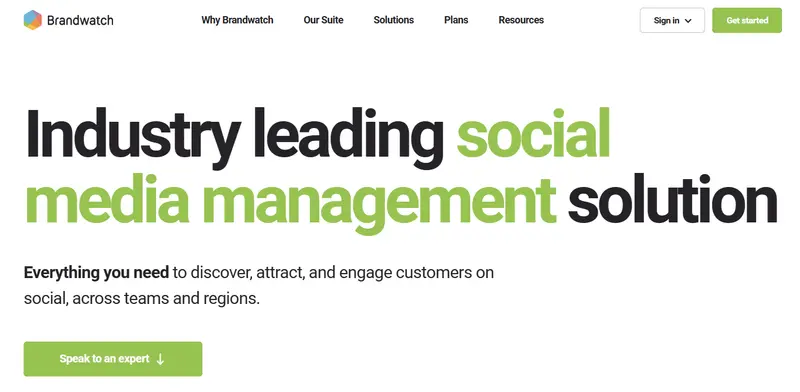
Brandwatch is the complete package when it comes to social media management, offering an efficient and scalable solution for managing multiple social media accounts across various platforms, including Facebook (and Messenger), Instagram, X (Twitter), LinkedIn, TikTok, WhatsApp, YouTube, and Google, among others.

social media management tool

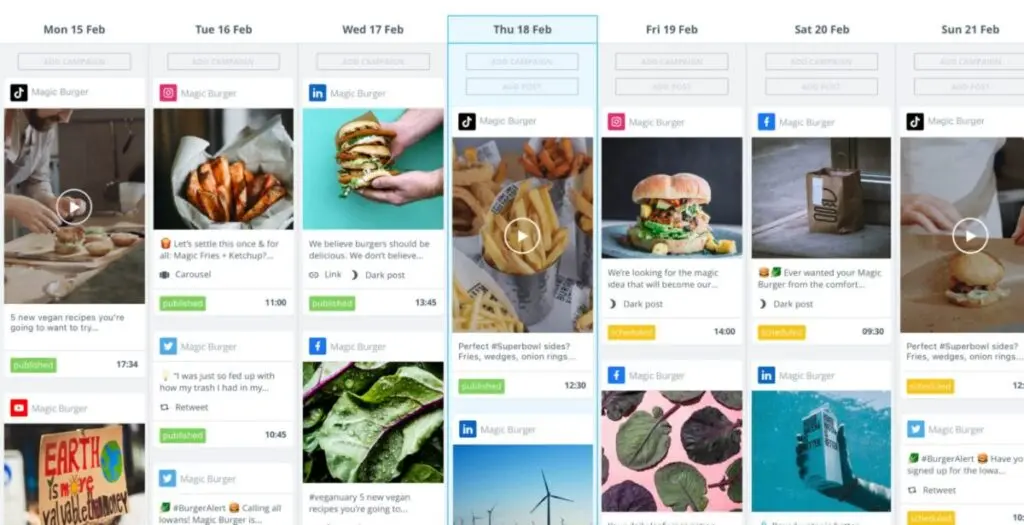
With its unified calendar, Brandwatch allows you to schedule and publish posts on these channels, all from one intuitive interface. This is ideal if you manage diverse accounts and need to keep your content consistent across multiple platforms without the hassle of switching between different tools.

social media management brandwatch

One of the standout features is its robust content library, which stores your social media assets and allows you to track and manage all your posts. Brandwatch’s automated publishing takes care of the posting process, freeing up your time to focus on strategy.

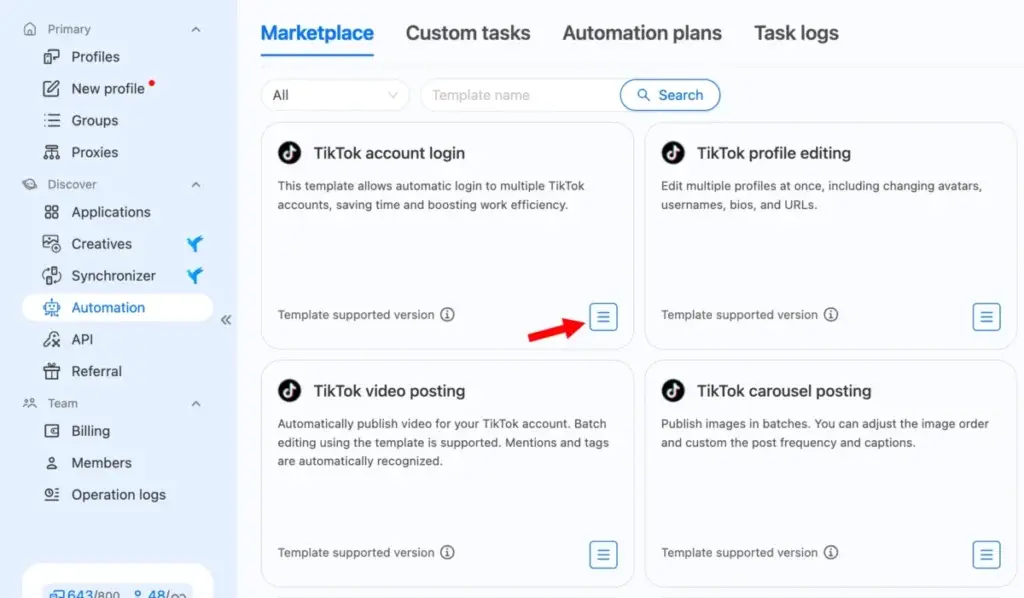
Plus, it supports TikTok’s unique content types, such as Reels and Carousels, making it a versatile tool for platforms with complex posting requirements.

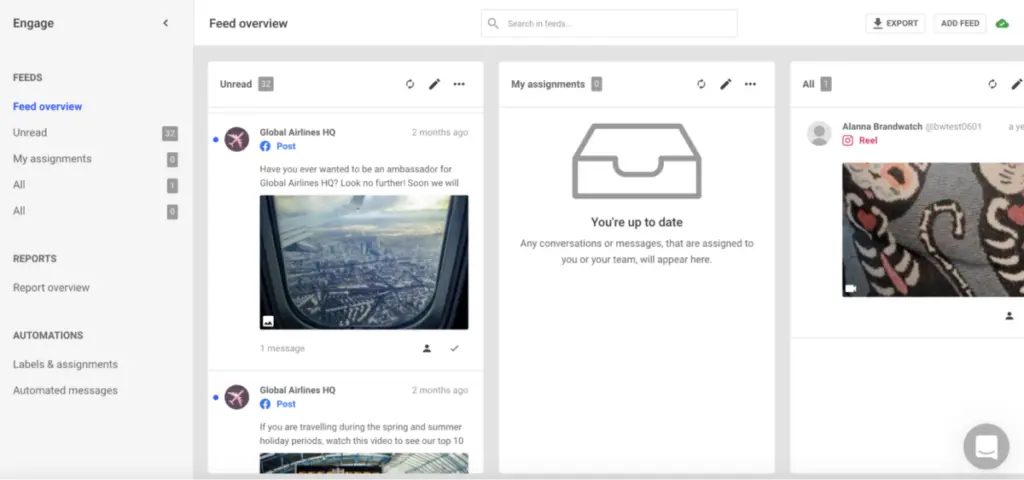
For social media teams, Brandwatch’s “Engage” module ensures that no comment or message goes unanswered, centralizing communication into a single inbox that integrates feedback across all channels.

Feed overview brandwatch

The software’s reporting and analytics tools provide deep insights into your audience, performance, and competitive landscape, which can help refine your strategy and improve engagement.

Brandwatch’s reputation speaks for itself, with the company recently being named a Strong Performer in the Forrester Wave for Social Suites 2024, a testament to its capabilities in the social media management space.

Additionally, it was recognized as the Best Social Media Monitoring Software by the MarTech Breakthrough Awards, a recognition that highlights its effectiveness in streamlining social media efforts.

Brandwatch Case Study

Petstock, an Australian pet retail giant, partnered with Brandwatch to efficiently manage their expansive social media presence across 90+ social channels. Faced with the challenge of delivering high-quality, localized content with a small central social team, Petstock needed a robust solution to maintain consistency and relevance.

Brandwatch Case Study

They turned to Brandwatch to streamline social media management and mitigate risks associated with managing multiple channels.

Strategic Approach

Brandwatch provided Petstock with an integrated social media management suite, allowing the team to schedule content four to six weeks in advance for a consistent and flexible approach. 

The Publish and Engage tools played a key role in daily operations, helping the team manage community interactions and ensure effective customer service. To cater to a diverse audience across urban and rural areas, Petstock utilized Brandwatch’s localized content features, enabling specific pages for country stores to connect with local communities.

Brandwatch’s Measure and Benchmark tools offered valuable performance insights, while its security features minimized risks related to user errors. With Brandwatch, Petstock streamlined their social media workflow, delivering localized, engaging content tailored to diverse audiences. 

As Petstock’s Social Media Marketing Specialist Brodie Zealand noted, 

“Brandwatch provides such an easy platform to use. It enables you to manage multiple brands in one location, making social media management much more efficient.”

4.8 out of 5 stars
A consumer intelligence platform, a social media marketing platform, and an influencer marketing platform were all acquired and forced to play well with each other—and they do!
Ratings
Features & Pricing
Pros and Cons
Ratings
Features
5.0
Ease of Use
4.5
Support
5.0
Overall Score
4.8
Features & Pricing
Analytics
Automated Publishing
Content Management
Keyword Filtering
Multi-Account Management
Post Scheduling
Brand Tracking
Social Media Monitoring
Hashtag Tracking
Sentiment Analysis
Reputation Management
Social Media Management
Price on request
Pros and Cons
Consumer Intelligence product uses social listening to help brands understand what people want
Audience tools give deep insights into the aggregate AND individuals
Newly added TikTok support goes further than you’d expect
Confusing array of products and services from three different companies
You can't post on multiple networks at once, but you can choose multiple channels within the same network for posting
Best for: Mid to Large-sized Businesses
4.8 out of 5 stars
A consumer intelligence platform, a social media marketing platform, and an influencer marketing platform were all acquired and forced to play well with each other—and they do!
Visit Website View Profile

2. Sendible

Sendible

Pricing: From $25 per month

Demo: Yes, 14-day free trial

Best for: Businesses of all sizes and agencies looking to streamline social media management

Supported Platforms: TikTok, Instagram, Facebook, X, LinkedIn, YouTube, Google Business Profiles, Pinterest

Key Publishing and Scheduling Features: Multi-platform scheduling with custom variations, bulk publishing, collaborative approval workflows

Sendible is a versatile social media management platform designed with agencies and businesses of all sizes in mind. It excels in streamlining social media workflows, enabling teams to collaborate efficiently, create content, and schedule posts across multiple platforms. 

With its intuitive dashboard, Sendible simplifies the management of multiple clients, making it an ideal solution for agencies handling several accounts. Each client has a dedicated dashboard to keep tasks and schedules organized, reducing the risk of mistakes and improving overall efficiency.

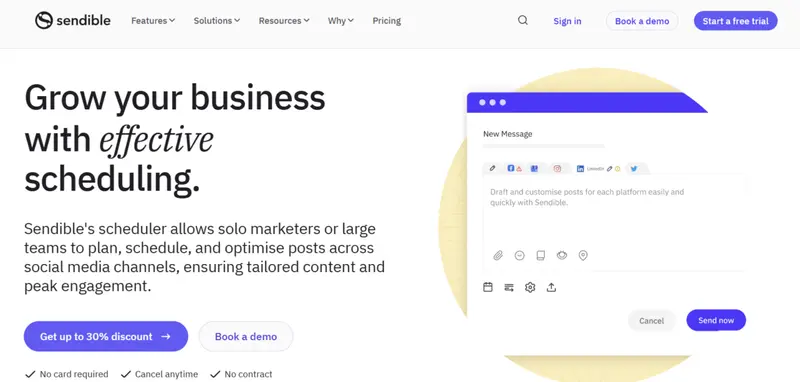
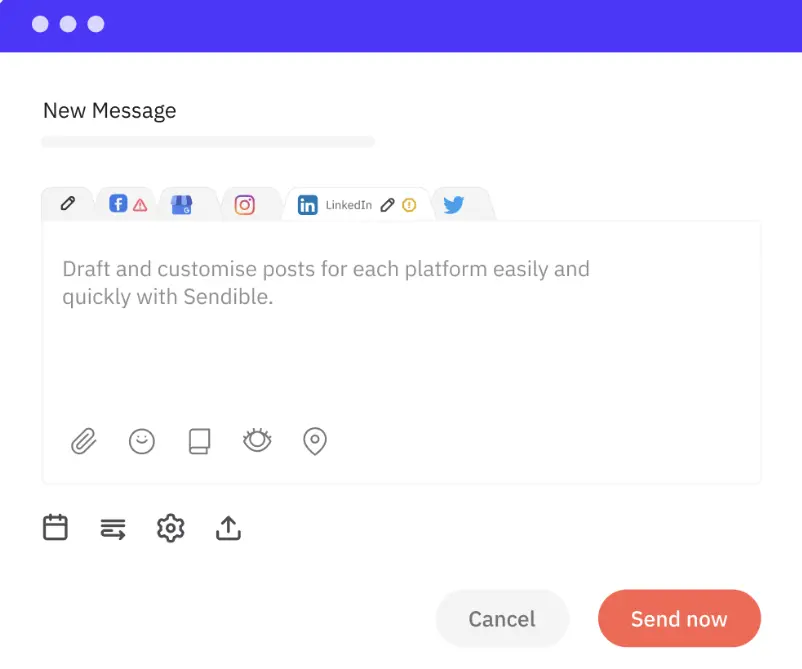
One of Sendible’s standout features is the Smart Compose Box, which allows users to quickly tailor posts for different social media platforms. This feature helps to save time by eliminating the need for creating separate posts for each platform while ensuring the content is optimized for each network. 

multi-platform posting sendible

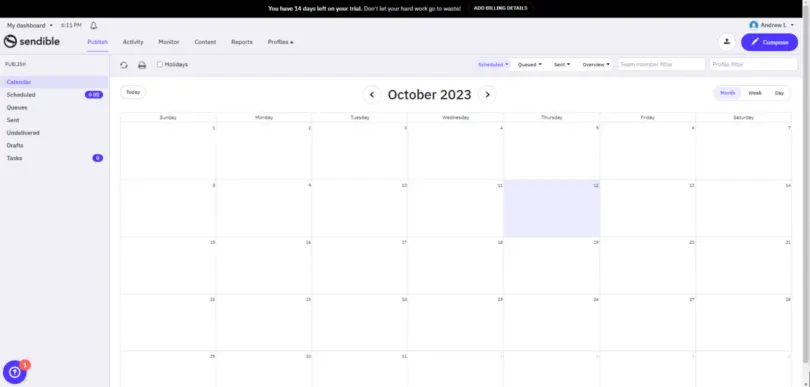
The platform also offers a robust content calendar, allowing you to manage and schedule posts with ease, plus drag-and-drop functionality for rearranging content.

content calendar sendible

Sendible takes collaboration to the next level with its approval workflows, where teams can request and manage approval for posts, ensuring everyone is on the same page before content goes live. 

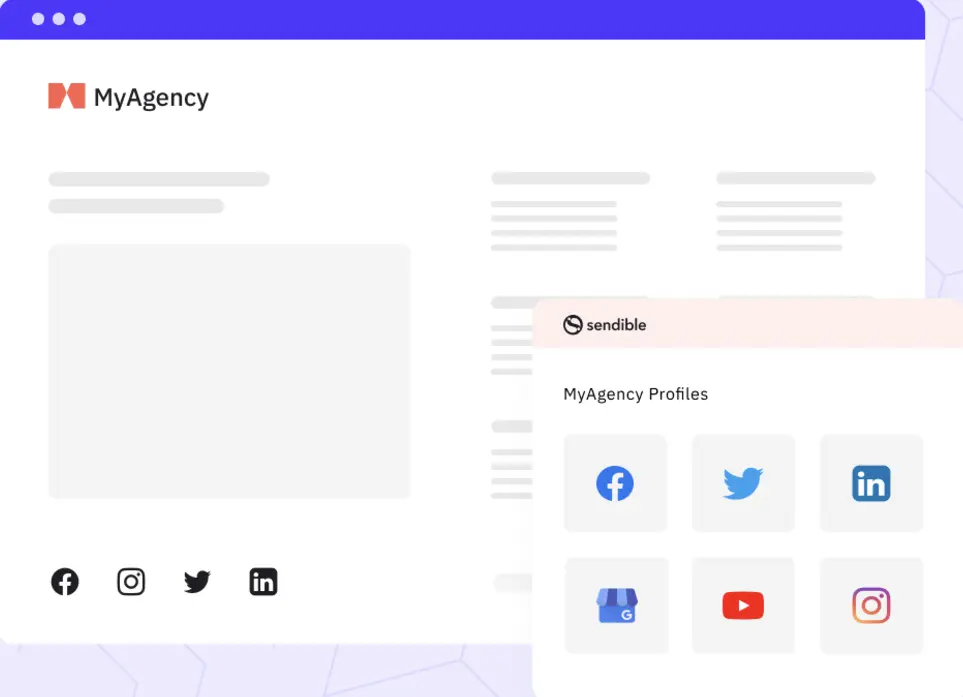
This feature is particularly useful for agencies and teams working with clients, making it easy to stay organized and avoid costly mistakes. Additionally, Sendible integrates with a wide variety of media tools, including Canva, Dropbox, and Google Drive, making it easy to source and manage visual assets from within the platform.

CLIENT CONNECT sendible

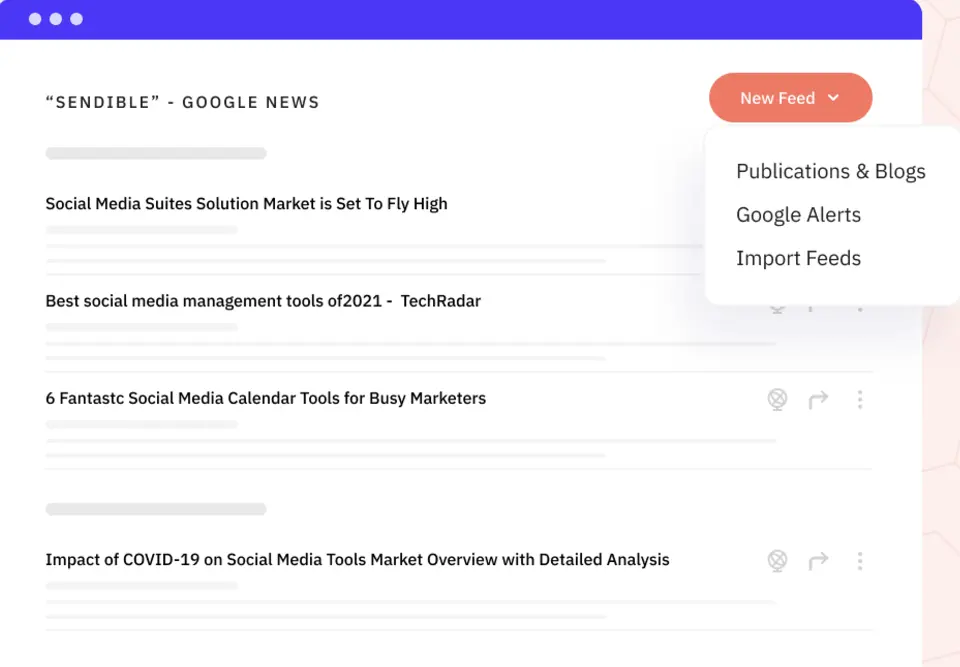
For content curation, Sendible offers RSS feed integration, allowing you to automatically pull in content and schedule it to post at regular intervals, ensuring your social media presence remains active even when you’re busy.

The platform also supports bulk importing for scheduling content in mass, saving time for those managing high volumes of posts.

social media management tool RSS feeds sendible

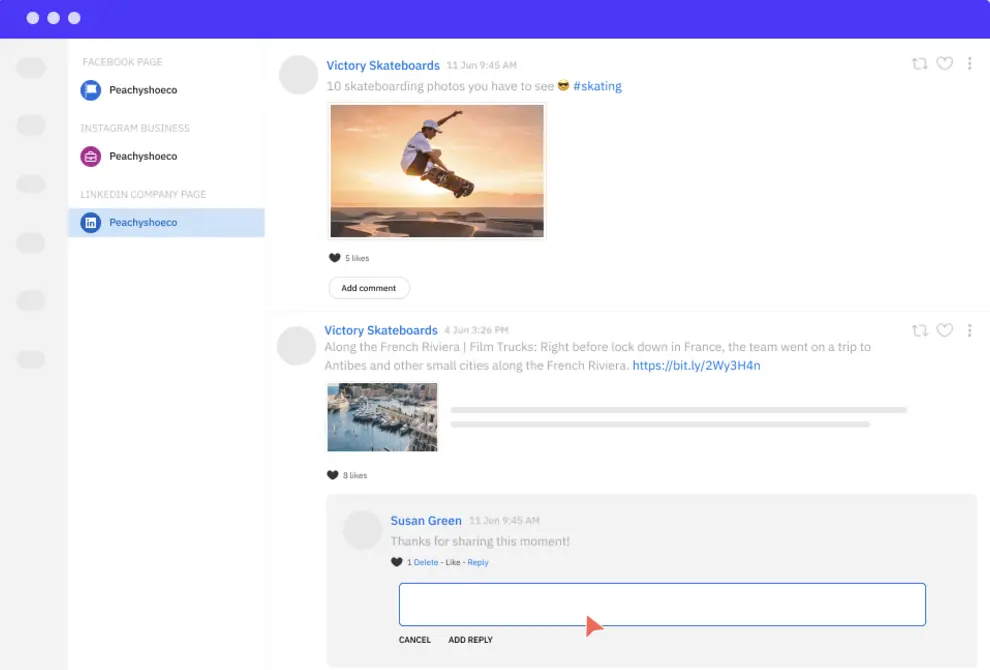
Sendible’s Priority Inbox allows you to manage customer engagement across multiple channels from a centralized location, making it easy to respond to comments and messages in real time. This feature is especially valuable for businesses looking to maintain strong customer relationships and ensure timely responses.

Sendible Community Management

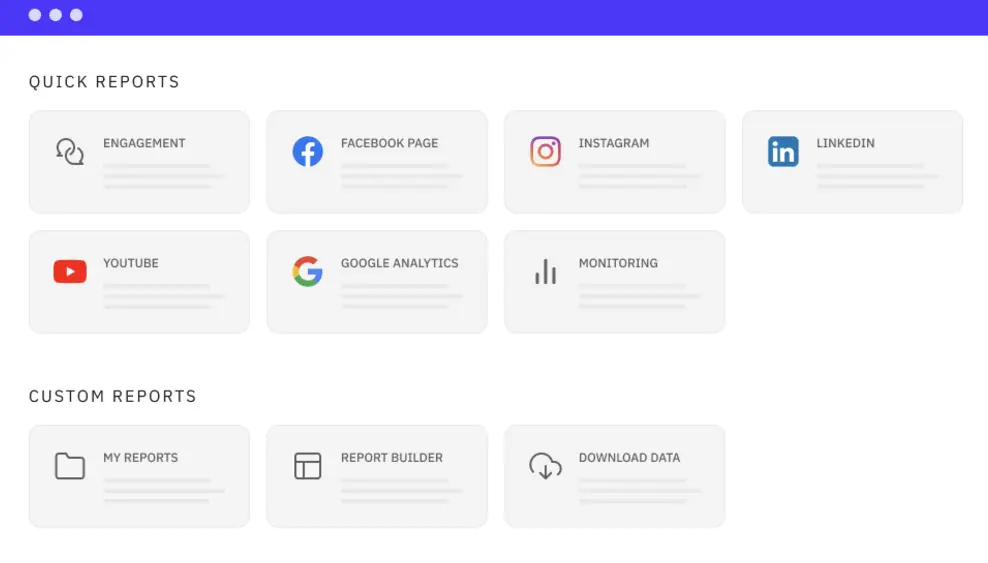
Analytics and reporting in Sendible are robust, with pre-built reports for Facebook, Twitter, Instagram, LinkedIn, and YouTube, covering key metrics like engagement, audience growth, and content performance. For businesses on higher-tier plans, the Report Builder allows for customized, branded reports, which can be automated and sent directly to clients.

Reports Sendible

Sendible Case Study

Sendible’s multi-platform social media posting capabilities are exemplified through its partnership with Qebot, a San Francisco-based business management platform tailored for small and medium-sized businesses (SMBs). 

Qebot’s clients struggled to stay active on social channels, often logging into multiple accounts without effectively connecting with their audiences. Seeking an integrated solution that aligned with their platform, Qebot partnered with Sendible to deliver a branded, user-friendly social media management tool.

Strategic Approach

Qebot opted for Sendible’s White Label solution, which seamlessly integrated with Qebot’s platform using single sign-on (SSO). This streamlined social media management for Qebot’s clients, allowing them to access Sendible’s tools directly from Qebot’s dashboard. 

Features like monitoring and content suggestions helped clients identify trending topics and craft creative posts efficiently. With just 30 minutes a day, users could plan their social strategy, manage posts across multiple channels, and engage with their audience in real time. The simplicity and functionality of the platform made it accessible even to non-tech-savvy users.

With Sendible, Qebot’s clients saved significant time while boosting engagement and building stronger connections with their local communities. 

“Clients love the monitoring capabilities that keep them up-to-date with industry news and competitors,” 

said Matt White, CEO of Qebot. 

4.8 out of 5 stars
Sendible’s ease of use and social scheduling capabilities make the platform ideal for businesses of all sizes, from sole traders to enterprises and agencies. No matter who you are, you will find a plan suitable for your needs, with each plan including all you need to manage your social accounts but scaling to add those additional features needed by larger organizations.
Ratings
Features & Pricing
Pros and Cons
Ratings
Features
4.6
Ease of Use
5.0
Reporting
4.9
Overall Score
4.8
Features & Pricing
Analytics
Automated Publishing
Content Management
Keyword Filtering
Multi-Account Management
Post Scheduling
Price starting at:$25
Pros and Cons
Excellent social scheduling features
Smart queues ensure you always have evergreen content to share
Centralized social engagement platform
Canva and other useful integrations
Value for money
Pricing tiers can be confusing
Best for: Businesses of all sizes and agencies
4.8 out of 5 stars
Sendible’s ease of use and social scheduling capabilities make the platform ideal for businesses of all sizes, from sole traders to enterprises and agencies. No matter who you are, you will find a plan suitable for your needs, with each plan including all you need to manage your social accounts but scaling to add those additional features needed by larger organizations.
Visit Website View Profile

3. Planable

Planable

Pricing: Pricing starts from $33 per month; free plan available

Demo: Yes, free trial available

Best For: Any size brand or agency

Supported: Platforms Instagram, Facebook, TikTok, LinkedIn, YouTube, X

Key Publishing and Scheduling Features: Visual content calendar, multi-platform scheduling and collaboration, approval workflows

Planable is a collaboration-centered social media posting platform built for teams that need a fast and intuitive workflow across multiple channels. It offers a visual content calendar, multi-platform scheduling, and detailed approval systems that help teams move from creation to publishing with fewer bottlenecks.

Unlike heavier enterprise suites, Planable focuses on speed and clarity, giving marketers an environment that feels closer to a real workspace than a traditional scheduler. The platform fits well into any posting stack where creative alignment, stakeholder sign-off, and version control are essential.

Visual Collaboration Workspace

Planable presents posts exactly as they will appear on each platform, which simplifies creative review and allows teams to spot issues before publishing. This realistic preview system improves content consistency across channels and reduces back-and-forth corrections.

For agencies that rely on client sign-off, the ability to comment directly on posts at every stage provides a clear audit trail of decisions and changes.

Multi-Level Approval Flows 

Planable supports approval layers ranging from optional review to strict multi-step validation. This flexibility allows brands to adapt the workflow to different teams, campaigns, or clients.

Creative teams can draft content while managers approve messaging or compliance elements. This structured process is especially valuable for regulated industries or large social teams that cannot rely on informal checks.

Speed-Focused Content Creation

Planable is designed to eliminate unnecessary steps in the posting process. Teams can duplicate posts for fast cross-channel repurposing, adjust copy and media for each platform, and schedule everything directly from the same calendar.

The streamlined interface reduces tool fatigue, which is a common issue for social teams juggling multiple publishing environments. This simple yet capable workflow makes Planable effective for brands that value execution speed without sacrificing alignment.

Proof of Performance

  • Over 5,000 brands and agencies use Planable to coordinate social publishing across multiple platforms
  • Ranked as a top performer in categories such as Social Media Management and Collaboration
  • Customer case studies highlight time savings during campaign approvals and fewer publishing errors after adopting multi-step flows

Pros

  • Highly intuitive visual workspace that improves collaboration
  • Multi-level approvals designed for agencies and structured teams
  • Realistic post previews that match each platform
  • Fast scheduling workflow with easy cross-posting
  • Clear commenting and version history for accountability

Cons

  • Limited advanced analytics since the platform focuses on planning and publishing
  • Some enterprise-level features, like deep automation rules, are not available
  • Best suited to collaborative teams rather than solo creators who need heavy analytics

Why Choose Planable

Planable is an excellent choice for brands and agencies that prioritize collaboration, accuracy, and smooth approval processes across social channels. Its realistic previews, fast scheduling system, and flexible approval flows make it ideal for teams managing multiple stakeholders or client accounts.

If your posting workflow demands clarity, alignment, and fewer publishing mistakes, Planable provides a clean and efficient environment purpose built for organized social execution.

4.7 out of 5 stars
Planable streamlines social media content creation with collaborative scheduling, creation tools, and a heavy focus on collaboration, making it ideal for creative teams.
Ratings
Features & Pricing
Pros and Cons
Ratings
Features
5.0
Ease of Use
5.0
Reporting
4.0
Overall Score
4.7
Features & Pricing
Analytics
Social Media Management
Marketing Calendar
Price starting at:$33
Pros and Cons
The Feed view shows content the way it’s meant to appear on social
Collaboration tools and features remove operational stress, teams can focus on creating
Very scalable and no harder to use for dozens of clients or one small brand
Analytics aren’t very deep, limited only to basic stats and lists
Figuring out the price feels more complicated than it should
Best for: Any size brand or agency
4.7 out of 5 stars
Planable streamlines social media content creation with collaborative scheduling, creation tools, and a heavy focus on collaboration, making it ideal for creative teams.
Visit Website View Profile

4. Iconosquare

Iconosquare

Pricing: From $33 per month

Demo: Yes, 14-day free trial available

Best for: Brands and Agencies interested in simplifying social media publishing

Supported Channels: Instagram, TikTok, Facebook, LinkedIn, Pinterest, YouTube

Key Publishing and Scheduling Features: Cross-platform scheduling, optimal posting time recommendations, unified calendar with performance feedback

Iconosquare is a robust and user-friendly social media management platform designed to simplify content creation, scheduling, and publishing across multiple platforms. 

Whether you’re managing a personal brand or handling social media for a client, Iconosquare’s intuitive dashboard allows you to schedule posts for Instagram, Facebook, LinkedIn, and TikTok in just a few clicks. 

One of Iconosquare’s standout features is the automatic Reels publishing, allowing you to schedule Instagram Reels directly from your desktop. With the added bonus of the AI Caption Generator, you can easily create engaging captions and even tag people or name your audio track for enhanced discoverability.

As Iconosquare’s post automation takes over, you can sit back and watch the performance stats roll in through the platform’s comprehensive dashboard. The ability to cross-post content to different platforms while customizing captions and media for each one saves time and ensures consistency.

All you need to do to make that happen is toggle “Crosspost.”

cross-post content Iconosquare

In addition to these powerful scheduling tools, Iconosquare also offers a content calendar that keeps all your planned posts organized, alongside a media library for storing and managing your assets.

content calendar Iconosquare

The platform supports integrations with Google Drive and Dropbox, ensuring your content is always accessible. Iconosquare’s post-approval workflow also makes collaboration smooth, allowing clients or team members to approve drafts before going live.

Iconosquare

Iconosquare isn’t just about efficiency—it’s also about community. The platform recently sponsored the 2024 State of Social (SOS24), a key event for social media managers, where they hosted the Icono-lounge to connect with industry experts and share insights.

This reflects the brand’s commitment to supporting social media professionals beyond just providing a tool.

Iconosquare

Source: linkedin.com

Iconosquare Case Study

Gymshark partnered with Iconosquare to address a critical challenge: maintaining and improving engagement rates while simultaneously doubling their follower growth annually.

With over 8 million followers across 131 countries and a robust Instagram presence (4.5 million followers across three accounts), Gymshark needed an efficient and collaborative tool to manage its growing social media operations. 

Iconosquare was selected for its ability to provide in-depth analytics, streamline processes, and enhance content management across social media.

Strategic Approach

Iconosquare offered a comprehensive solution tailored to Gymshark’s needs. The tool provided advanced engagement analytics, content scheduling, real-time user interaction management, and streamlined reporting. 

This allowed the team of 10 to collaboratively plan, execute, and monitor campaigns. Iconosquare’s features, such as influencer performance tracking and centralized profile management, also supported Gymshark’s focus on user-generated content and influencer marketing, which are pivotal to their strategy. 

Social Media Executive Rebecca Shipton noted:

“It has facilitated me in planning for both short-term and long-term activity for our 3 Gymshark Instagram accounts.”

Iconosquare Case Study

The collaboration yielded impressive results, including a 30% increase in engagement rates per post and over 50% follower growth. Posts saw double the average number of likes and comments, demonstrating a significant improvement in audience interaction. 

Additionally, Iconosquare saved the team substantial time, optimized reporting, and streamlined operations, enabling Gymshark to maintain their upward trajectory in social media performance.

Iconosquare Social Media Management Platform
4.5 out of 5 stars
Manage your social media and your analytics all in one place with Iconosquare. Businesses and agencies can easily manage the performance of their content as well as analytics, posting, and more. The platform supports Instagram, Facebook, TikTok, LinkedIn, and Pinterest.
Ratings
Features & Pricing
Pros and Cons
Ratings
Features
4.6
Ease of Use
4.4
Support
4.4
Overall Score
4.5
Features & Pricing
Analytics
Automated Publishing
Contact Management
Keyword Filtering
Multi-Account Management
Post Scheduling
Social Media Management
Price starting at:$49
Pros and Cons
Evolving functionality
Industry benchmarks
Competitive analysis features
Excellent automated posts
Customer support may not be helpful
Some features may glitch
Some platforms are not included
Best for: Brands and Agencies
Iconosquare Social Media Management Platform
4.5 out of 5 stars
Manage your social media and your analytics all in one place with Iconosquare. Businesses and agencies can easily manage the performance of their content as well as analytics, posting, and more. The platform supports Instagram, Facebook, TikTok, LinkedIn, and Pinterest.
Visit Website View Profile

5. Loomly

Loomly

Pricing: From $32/month

Demo: Yes, 15-day free trial available

Best for: Literally everyone looking for an easy-to-use yet feature-rich platform for planning, creating, and scheduling 

Supported Platforms: Instagram, TikTok, YouTube, Facebook, LinkedIn, Threads, Pinterest

Key Publishing and Scheduling Features: Direct publishing and scheduling across platforms, content calendar with optimization tips, automated and customizable approval workflows

Loomly is a highly intuitive social media management tool designed to simplify the creation, scheduling, and collaboration process for businesses and agencies managing multiple social media accounts. 

It allows you to plan and schedule posts across a variety of platforms, including Instagram, TikTok, YouTube, Facebook, LinkedIn, Threads, and Pinterest, with ease.

Loomly’s clean interface and drag-and-drop functionality in the calendar view make it easy to organize and reschedule posts across channels, ensuring content consistency and timely publication.

Social Media Content Calendar loomly

One of Loomly’s standout features is its post customization, where you can adapt content for different platforms like auto-posting Instagram Reels and carousels, as well as repurposing short-form videos across YouTube Shorts and TikTok.

You can also preview your posts in mockups that match each platform’s user interface, ensuring everything looks perfect before scheduling.

social media scheduler loomly

Collaboration is seamless with Loomly’s multi-layer custom approval workflows, real-time commenting, and version logs, making it ideal for teams and agencies. The platform also integrates with tools like Slack, Microsoft Teams, Canva, Unsplash, and Google Drive, providing easy access to assets and streamlining content approval processes.

Loomly’s content inspiration feature, offering post ideas and hashtag suggestions, helps you stay creative and consistent with your content. Additionally, its advanced analytics and reporting tools allow you to track performance, identify high-performing posts, and fine-tune your strategy.

Social Media Content Inspiration loomly

For engagement, Loomly consolidates all messages and comments across platforms into one unified inbox, making it easier to manage and respond to interactions.

Loomly has earned significant recognition for its impressive growth and performance in the social media management space. It was ranked as the Fastest Growing Software in Social Media Management by SaaSworthy, a testament to its user-friendly interface and powerful features that help businesses and agencies streamline their social media workflows.

Loomly Case Study

Ink & Olive Media, a boutique digital marketing agency specializing in real estate and service-based businesses, partnered with Loomly to enhance its social media management across multiple platforms. 

Founder Sarah Mills sought a solution to replace costly, inefficient tools that complicated her workflow and failed to provide reliable support. Loomly’s intuitive, feature-rich platform allowed Ink & Olive Media to seamlessly serve multiple clients from a single interface.

Strategic Approach

Loomly’s multi-platform capabilities enabled Sarah Mills to manage content creation and scheduling efficiently for multiple social channels, including Instagram, Facebook, and TikTok. 

The tool’s standout features, like Instagram post previews and first-comment scheduling, streamlined her ability to tailor content to each platform. The calendar view was instrumental in planning campaigns, allowing for easy toggling between clients and platforms while maintaining a cohesive strategy. 

With Loomly, Sarah could adapt content for specific audiences and schedule location-tagged posts to enhance engagement and visibility.

By leveraging Loomly, Sarah saved significant time and optimized her workflow, eliminating the need to juggle multiple tools. 

“I love being able to toggle between different calendars,”

She shared, emphasizing how the platform’s user-friendly features helped her stay consistent and effective. 

The result: growth for both her agency and her clients, including tangible feedback such as clients receiving personal compliments about their social media presence.

4.8 out of 5 stars
One of the social media management platforms we’ve seen is also the easiest to use and designed to meet any sized marketing need.
Ratings
Features & Pricing
Pros and Cons
Ratings
Features
4.8
Ease of Use
5.0
Reporting
4.5
Overall Score
4.8
Features & Pricing
Analytics
Automated Publishing
Contact Management
Customer Targeting
Keyword Filtering
Multi-Account Management
Post Scheduling
Customer Engagement
Multi-User Collaboration
Reporting/Analytics
Price starting at:$32
Pros and Cons
Post creation process leaves nothing to chance: every aspect is well thought out
Multiple social calendars eliminate confusion/accidental postings
Workflow templates are suitable for large teams and one-person operations
Reporting could use more audience insights
Best for: Literally everyone: Creators, Brands, Agencies, Marketing teams and solo freelancers, Franchises
4.8 out of 5 stars
One of the social media management platforms we’ve seen is also the easiest to use and designed to meet any sized marketing need.
Visit Website View Profile

6. Blog2Social

Blog2Social

Pricing: Pricing starts from $8 per month

Demo: Yes, free trial available

Best For: Small to Medium Businesses

Supported Platforms: Instagram, Facebook, TikTok, LinkedIn, X, Pinterest, YouTube, Tumblr, Reddit, and more

Key Publishing and Scheduling Features: Auto posting from CMS to multiple networks, smart scheduling for each platform, customized reposting

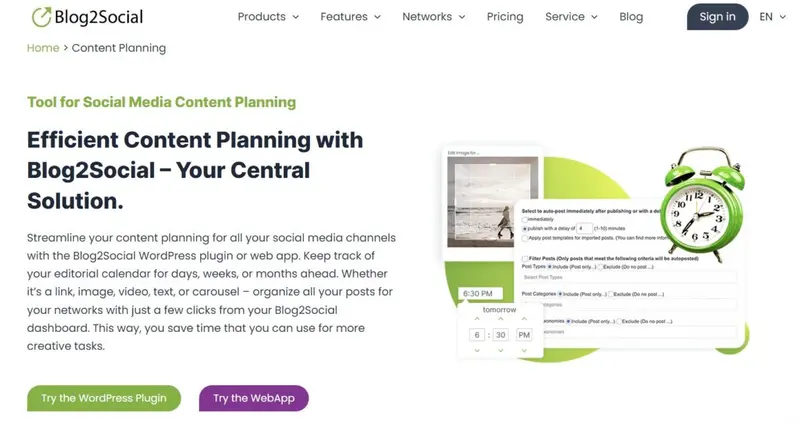
Blog2Social is a multi-platform posting and automation tool built primarily for teams that work heavily with blogs, websites, and long-form content. The platform connects directly with WordPress, allowing marketers to transform articles into social posts and distribute them across multiple channels with minimal manual work.

This makes Blog2Social particularly valuable for brands that rely on steady content throughput and need a reliable way to publish, repurpose, and recycle posts across networks. The software focuses on time-saving automation, custom variations per platform, and repeated scheduling, giving small teams an efficient workflow without complexity.

Automated Distribution from WordPress to Socials

Blog2Social stands out for its deep integration with WordPress. Once connected, marketers can convert any article into ready-to-post social updates and push them to several platforms in a single workflow. This eliminates copy and paste workflows, reduces repetitive tasks, and ensures every article receives multi-channel visibility.

For content-led brands, this connection is a major operational advantage.

Smart Scheduling Built for Each Platform’s Algorithm

The platform provides recommended posting times based on typical audience engagement patterns. Instead of one uniform schedule, Blog2Social adapts timing across platforms so content is published when each audience is most active.

This is especially helpful for teams without dedicated analysts since smart scheduling prevents guesswork and supports reach improvement through timing-based optimization.

Customization and Repeated Sharing

Blog2Social allows users to create tailored versions of the same post for different platforms and set automated reposting schedules. This helps long-form content achieve ongoing visibility, especially evergreen articles or campaigns that benefit from repeated exposure.

By automating variations and reposting cycles, small teams can maintain active profiles without creating new content daily.

Proof of Performance

  • Over 300,000 users rely on Blog2Social for automated publishing and social distribution
  • Recognized as a high performer in categories such as Social Media Management and Content Distribution
  • User case studies cite significant time reduction in multi-channel publishing and improved consistency in posting cadence

Pros

  • Strong WordPress integration is ideal for content-heavy brands
  • Smart scheduling that adapts to each platform
  • Automated reposting supports evergreen content strategies
  • Easy customization for platform-specific formats
  • Wide platform coverage, including niche networks

Cons

  • Limited advanced analytics for large teams
  • Interface feels more functional than visually collaborative
  • Best suited to blog-driven workflows rather than video-first brands

Why Choose Blog2Social

Blog2Social is ideal for teams with consistent content output who want to automate distribution across social networks without adding new tools or workflows. Its WordPress connection, smart scheduling, and reposting features give smaller teams meaningful efficiency gains.

Brands that treat social as an extension of their publishing strategy will find Blog2Social a dependable and cost-effective accelerator for multi-platform posting.


7. Buffer

Buffer

Pricing: Pricing starts from $5 per month per channel

Demo: Yes, 14-day free trial available

Best For: Publishers, mid-stage startup teams, non-profits, higher education, sports teams, e-commerce, solopreneurs, businesses

Supported Platforms: TikTok, Instagram, Facebook, LinkedIn, X, Pinterest, YouTube, Google Business Profiles

Key Publishing and Scheduling Features: Cross-platform scheduling, AI writing assistant, content calendar with reusable posting queues

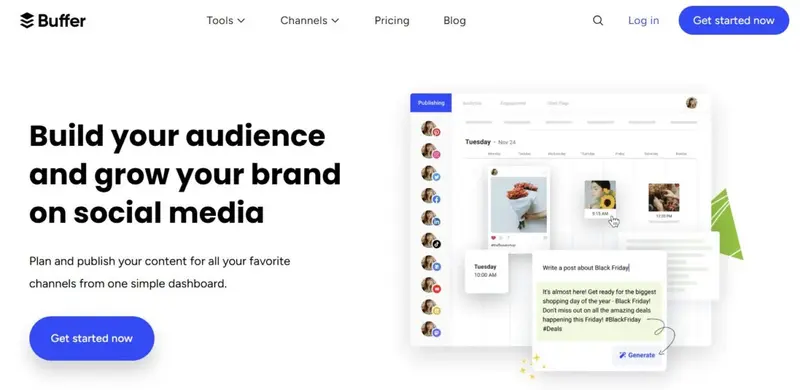
Buffer is a lightweight yet powerful multi-platform posting tool designed for teams that want a clean and uncomplicated workflow for planning and scheduling social content. It provides a visual calendar, an intuitive post composer, and reusable scheduling queues that help keep publishing consistent across channels.

The platform focuses on simplicity, enabling brands to manage posting without navigating complex menus or heavy enterprise feature sets. Buffer fits naturally into the workflow of small teams or solo marketers who need a fast way to create, optimize, and publish posts for multiple networks in one place.

The platform also integrates an AI assistant to help refine copy and improve messaging across channels.

Straightforward Scheduling

Buffer is known for its streamlined scheduling workflow. Teams can create posts, assign them to predefined queues, and let the platform automate publishing at the ideal times.

This reduces the burden of manual scheduling and maintains a steady posting rhythm that is essential for ongoing engagement. For brands seeking consistency without adding complexity, this simplicity is a notable advantage.

AI-Powered Content Assistance

Buffer includes built-in AI features that help users write captions, improve tone, and repurpose posts across platforms. This assists marketers who manage several channels but prefer to avoid switching between third-party tools for writing support.

By generating variations for different platforms or helping refine messaging, the AI assistant speeds up content production while maintaining clarity and alignment.

Small Team Collaboration

Buffer provides shared calendars, approval options, and organized workspaces that help small teams coordinate content effectively. Although not an enterprise-heavy workflow tool, it still supports collaboration through drafts, internal notes, and role-based access.

This structure allows teams to stay aligned without overwhelming them with workflow complexity. For agencies with smaller client sets or brands with lean teams, Buffer’s collaboration model is practical and easy to adopt.

Proof of Performance

  • Trusted by more than 140,000 users across industries for everyday social publishing
  • Recognized as a category leader in Social Media Management
  • Customers frequently cite reduced time spent on scheduling and improved posting consistency

Pros

  • Clean interface ideal for small teams and creators
  • Queue-based scheduling ensures reliable posting
  • AI assistant helps with caption writing and repurposing
  • Affordable entry pricing for multi-platform management
  • Clear content calendar for visual planning

Cons

  • Limited advanced analytics compared to enterprise platforms
  • Approval workflows are simpler than agency-specific tools
  • Some automation features require higher-tier plans

Why Choose Buffer

Buffer is a strong choice for teams that value simplicity, speed, and clarity in their posting workflow. Its queues, AI writing support, and visual calendar make cross platform scheduling easy without the need for complex setup.

If your brand relies on a steady publishing rhythm and you want a tool that enhances execution without overwhelming your team, Buffer delivers a dependable and intuitive environment for multi-platform content management.

4.4 out of 5 stars
Buffer is one of the most popular social media scheduling platforms. This software helps drive engagement and traffic on social media with the help of their scheduling, engagement, and analytics tools.
Ratings
Features & Pricing
Pros and Cons
Ratings
Features
4.0
Ease of Use
4.6
Support
4.5
Overall Score
4.4
Features & Pricing
Automated Publishing
Content Management
Multi-Account Management
Post Scheduling
Reporting/Analytics
Price starting at:$5
Pros and Cons
Simple cross-posting
Straightforward calendar view
Integrates with almost every social platform
Buffer Analyze may be too basic for some
Buffer may glitch with Instagram
Arbitrary character limits for Facebook, Twitter
Pay-as-you-go packaging
Best for: Publishers, mid-stage startup teams, non-profits, higher education, sports teams, e-commerce, solopreneurs, businesses
4.4 out of 5 stars
Buffer is one of the most popular social media scheduling platforms. This software helps drive engagement and traffic on social media with the help of their scheduling, engagement, and analytics tools.

8. Hootsuite

Hootsuite

Pricing: Pricing starts from $99 per month

Demo: Yes, 30-day free trial available

Best For: Small, Medium, and Large Businesses

Supported Platforms: TikTok, Instagram, Facebook, LinkedIn, X, Pinterest, YouTube, Google Business Profiles

Key Publishing and Scheduling Features: Unified cross-platform scheduling, optimal posting time recommendations, collaborative workflows with compliance controls

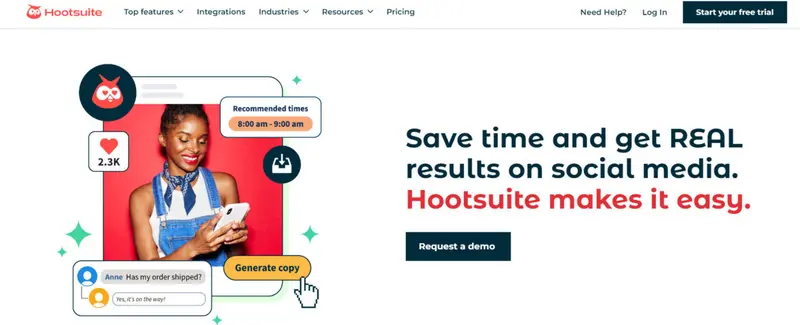
Hootsuite has long been a trusted name in social media management, empowering businesses and individuals to manage their online presence with ease. At the heart of its offerings is the multi-platform posting tool, a game-changer for social media marketers looking to streamline their processes while achieving maximum impact.

With Hootsuite, you can create, schedule, and publish content across all your social media platforms from a single, user-friendly dashboard. Whether you’re managing posts for Instagram, LinkedIn, TikTok, or Pinterest, the platform ensures that your campaigns remain cohesive and on-brand, saving you time and energy.

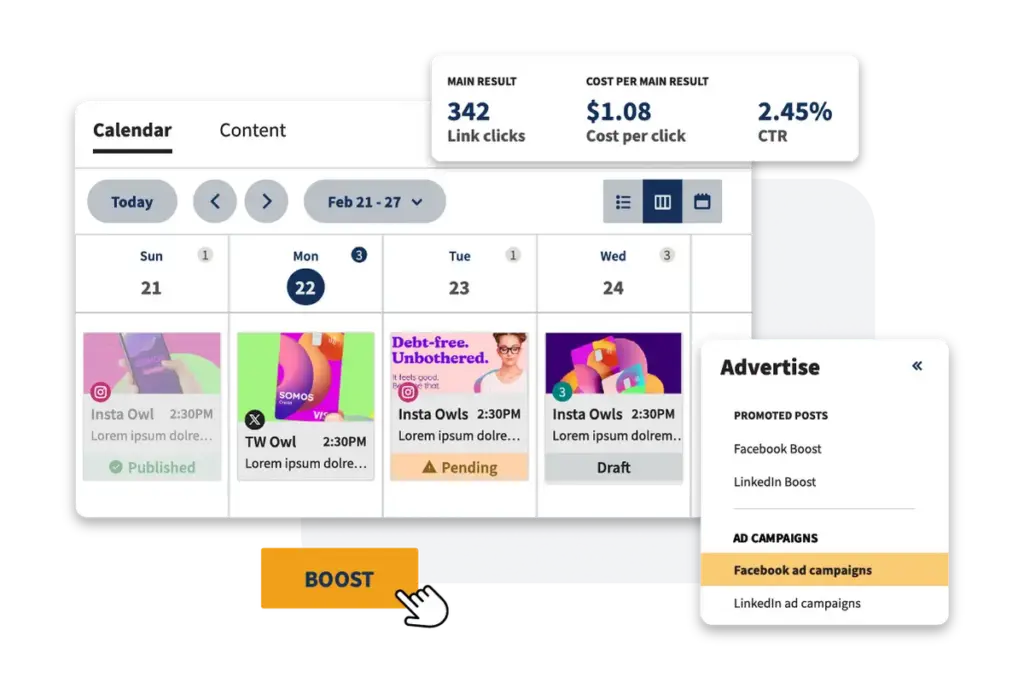
The integrated social media calendar and planner allow you to visually map out your strategy, identifying content gaps and filling them with ease.

Hootsuite content calendar

Hootsuite content calendar

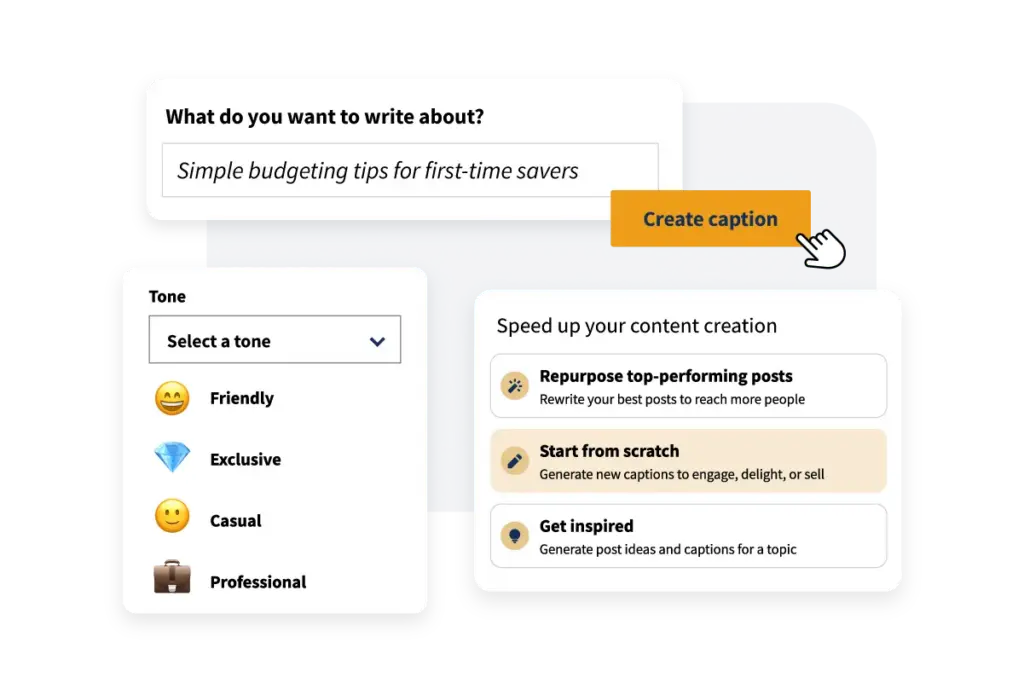
One of the standout features is the AI-powered OwlyWriter, designed to help creatively and eliminate writer’s block. This tool generates captions, post ideas, and even repurposes high-performing posts to keep your content fresh and engaging. 

AI-powered OwlyWriter

AI-powered OwlyWriter

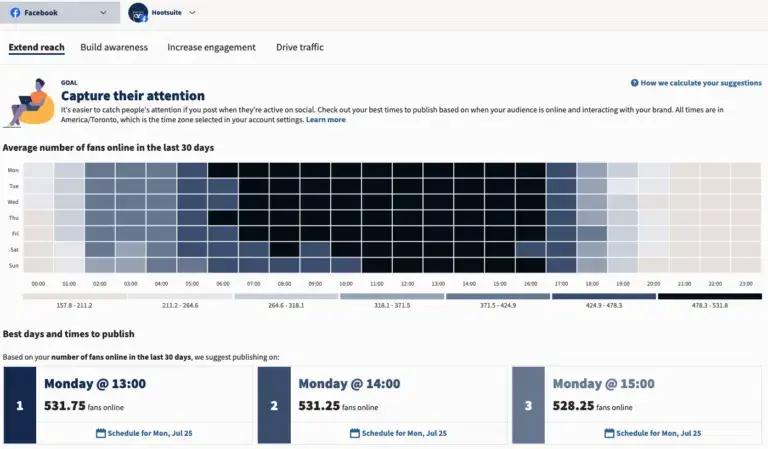
Combined with Hootsuite’s Best Time to Post functionality, which uses data-driven insights to recommend optimal posting times, you can ensure your content reaches the right audience when they’re most active. 

Hootsuite’s “Best Time to Post” functionality

Hootsuite’s “Best Time to Post” functionality

The scheduling process becomes as simple as a single click, letting you focus on other aspects of your marketing strategy.


Hootsuite doesn’t just stop at helping you post at the right time; it offers integrated tools like Canva templates and a media library to ensure your visuals are as captivating as your captions. 

Creating and editing professional-grade graphics directly within the platform eliminates the need to toggle between tools. From here, you can apply Hootsuite’s hashtag generator, which automatically suggests the best tags based on your copy and visuals, boosting your chances of reaching wider audiences.

 Hootsuite's hashtag generator

Hootsuite’s hashtag generator

For those managing larger campaigns or working with a team, Hootsuite’s collaborative workflow is indispensable. Its bulk scheduling tool lets you plan and queue up to 350 posts at once, all while maintaining quality through approval workflows. 

Bulk scheduling tool

Bulk scheduling tool

Not only does Hootsuite streamline publishing, but it also keeps you connected to social trends and conversations that matter most to your brand. With its built-in social listening and trend-tracking features, you can quickly identify hot topics or mentions in your industry and transform these insights into engaging posts.

Hootsuite’s multi-platform posting tool is more than just a scheduler—it’s a comprehensive solution that empowers you to manage your social media strategy effectively, freeing up your time to focus on growth and creativity. 

Hootsuite Case Study

A global leader in the insurance industry, MAPFRE faced a unique challenge in restructuring its social media strategy to meet the demands of its 30 million customers worldwide. With operations in over 100 countries, MAPFRE needed a solution that allowed its numerous teams to retain their autonomy while implementing a unified, secure system for managing social media across the organization.

Strategic Approach

MAPFRE turned to Hootsuite to tackle this complexity, beginning with a comprehensive audit of its digital channels. The audit revealed over 80 social media accounts spread across platforms such as Twitter, Facebook, and YouTube, along with numerous region-specific profiles. To address this fragmented approach, MAPFRE consolidated its account management using Hootsuite’s multi-platform posting tool.

By centralizing these accounts within Hootsuite, the company gained a single, clear picture of its global social media presence. The intuitive dashboard allowed the social media team to manage all accounts seamlessly, ensuring every post maintained a consistent brand voice while catering to regional nuances. Hootsuite’s bulk scheduling feature proved invaluable, enabling MAPFRE to coordinate campaigns across multiple regions without unnecessary duplication of effort.

Results

MAPFRE campaign results

MAPFRE campaign results

Through Hootsuite, MAPFRE transformed its social media strategy, achieving an impressive 31% increase in online interactions and growing its follower base to over 2 million users across platforms. The enhanced coordination and transparency provided by Hootsuite enabled the company to respond to customers promptly, fostering greater trust and engagement.

MAPFRE now receives over 200 million comments annually, demonstrating its ability to connect with its audience effectively. 

As Corporate Director for Social Networks Jaime Valverde noted, 

“Thanks to the support of Hootsuite, we now have a single picture of MAPFRE’s position on social networks. Now we have the bases covered, and we know what we have, the profiles we manage, and the people who work on them.”

5 out of 5 stars
One of the first platforms designed to streamline social media management, Hootsuite continues to be one of the market leaders.
Ratings
Features & Pricing
Pros and Cons
Ratings
Features
5.0
Ease of Use
5.0
Reporting
5.0
Overall Score
5
Features & Pricing
Analytics
Automated Publishing
Contact Management
Content Management
Conversion Tracking
Customer Targeting
Keyword Filtering
Multi-Account Management
Post Scheduling
Brand Tracking
Customer Engagement
Multi-User Collaboration
Reporting/Analytics
Social Media Monitoring
Price starting at:$99
Pros and Cons
Customizable feeds show you all the social posts you need to see—no filler
Highly flexible post composer and scheduler, with a bulk option, drastically simplifies the most challenging part of the job
Inbox consolidated every message, comment, and mention—you’ll never miss a conversation
Best for: Small, Medium, and Large Businesses
5 out of 5 stars
One of the first platforms designed to streamline social media management, Hootsuite continues to be one of the market leaders.
Visit Website View Profile

9. IFTTT

IFTTT

Pricing: Pricing starts from $2.99 per month; free plan available.

Demo: Yes, 30-day free trial available

Best For: Small Businesses, Solo Creators, and Automation-Focused Teams

Supported Platforms: Instagram, Facebook, X, LinkedIn, Pinterest, Tumblr, Reddit, YouTube, TikTok

Key Publishing and Scheduling Features: Automated cross-posting, custom applets for scheduled actions, integrations triggered by real time events

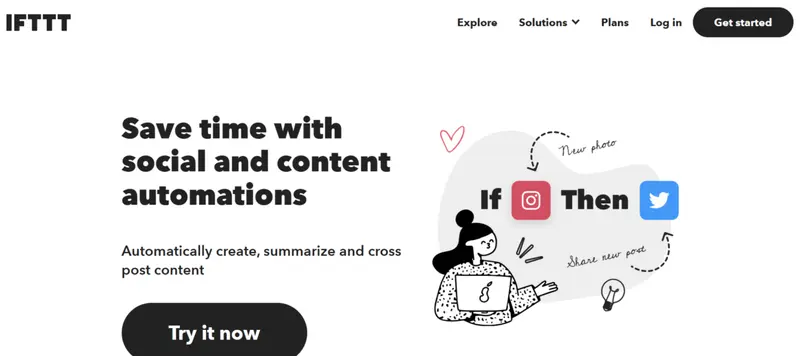
IFTTT is an automation-focused platform that allows users to connect apps, devices, and social networks through simple if this then that workflows. Instead of functioning as a traditional social media scheduler, IFTTT enables automated posting through triggers and actions that fire whenever defined conditions are met.

This approach lets brands distribute content with minimal manual effort and link social activity directly to events, updates, or content changes happening elsewhere. For small teams that prefer automation over calendars and manual scheduling, IFTTT fits into the posting stack as an efficiency tool that removes repetitive publishing tasks and keeps profiles active based on preset logic.

Event-Driven Social Posting

IFTTT supports automated workflows that publish content whenever a trigger occurs. Examples include posting to social networks when a new blog article is published, sending updates when a product inventory changes, or syncing content across channels.

This allows marketers to keep profiles active without touching a calendar interface and ensures immediate distribution of updates. Brands with frequent content changes benefit from hands-free posting that reacts instantly to real-time events.

Deep Library of Connectors

The platform connects with hundreds of apps and services, enabling creative posting workflows that traditional schedulers cannot replicate. Users can link RSS feeds, cloud storage, newsletter platforms, or even smart devices to social networks.

This flexibility lets brands design custom automation chains that reflect their specific workflow. For teams that enjoy building tailored processes rather than relying on rigid scheduling tools, IFTTT offers uncommon versatility.

Lightweight Automation

IFTTT requires no technical skill to set up basic applets, making automation accessible even for non-technical marketers. Prebuilt applets cover common posting needs, while custom workflows can be created with a simple visual interface.

This ease of use allows small businesses, creators, and freelancers to scale their social activity without investing in complex enterprise systems. The result is an efficient, low-cost posting environment.

Proof of Performance

  • More than 25 million users have created automated workflows across apps and social networks
  • Consistently ranked as a top automation platform for small teams and individual creators
  • User reports highlight a significant reduction in manual posting tasks and improved consistency across networks

Pros

  • Highly flexible automation for cross-platform posting
  • Easy to set up with prebuilt and custom applets
  • Integrates with a large ecosystem of apps and services
  • Effective for teams with heavy blog or content feeds
  • Very affordable entry pricing

Cons

  • Not a full calendar-based scheduling tool
  • Limited analytics and reporting
  • Some social platforms require indirect or third-party connectors (TikTok)

Why Choose IFTTT

IFTTT is ideal for teams that want automation-driven posting rather than manual scheduling. Its broad connector ecosystem and event-based workflows allow brands to keep profiles active with minimal effort while linking social activity to real-world triggers.

For small teams and creators who want a simple, low-cost way to streamline posting and reduce repetitive tasks, IFTTT offers a unique and efficient solution that traditional schedulers do not provide.


10. Sprout Social

Sprout Social

Pricing: From $199 per month

Demo: Yes, 30-day free trial available

Best for: Brands and Agencies of All Sizes looking to streamline social media content planning, scheduling, and collaboration

Supported Channels: X, Facebook, TikTok, LinkedIn, Instagram, Pinterest, YouTube

Key Publishing and Scheduling Features: Cross-platform scheduling with optimal send time insights, multi-step approval workflows, unified content calendar with performance indicators

Much like Loomly, Sprout Social is a dedicated social media management platform designed to streamline content creation, scheduling, and team collaboration These functionalities make it an ideal solution for businesses and agencies looking to enhance their social media strategy. 

To achieve this, Sprout Social offers a powerful set of tools for planning, optimizing, and analyzing social media posts across multiple platforms, including Instagram, LinkedIn, Twitter, Facebook, and more. 

Sprout Social also has a content calendar that allows for seamless scheduling and approval workflows, ensuring that your team stays aligned and on track, while its AI-powered content suggestions help inspire new ideas and improve the quality of your posts.

Sprout Social content calendar

The platform’s Optimal Send Times feature maximizes engagement by automatically determining the best time to post based on audience data, while its unified inbox, equipped with AI sentiment analysis, allows teams to manage customer interactions efficiently and effectively. 

social media publishing Sprout Social

Sprout Social also excels in campaign management, enabling users to organize, track, and measure the success of their social media campaigns with flexible and visual reporting and tagging features that allow for deep, actionable insights. It measures reach, impressions, engagement, CTRs (click-through rates), and much more.

Sprout Social campaign management

This level of data visualization has landed Sprout Social a finalist nomination at the 16th annual, 2023 Short Awards for the Data Visualization category

Most impressively, Sprout Social has been an industry leader for over 15 years. It continues to grow and upgrade its suite of products, with the latest addition being Tagger Media, a dedicated platform designed for influencer marketing.

Sprout Social also won the Best Overall Social Media Platform by the 2024 MarTech Breakthrough Awards.

Sprout Social Case Study

Sprout Social’s expertise on multi-platform social media posting is exemplified through its partnership with Nutrisense, a health technology company committed to empowering individuals to improve their metabolic health. 

In 2021, Nutrisense’s social media team, led by Marketing Manager Luz Cortázar, sought to enhance engagement and grow their audience across platforms like Instagram, Facebook, X, TikTok, and LinkedIn. 

Facing the challenge of creating compelling content for diverse platforms while optimizing workflow, Nutrisense turned to Sprout Social for an effective solution.

Strategic Approach

Sprout Social provided Nutrisense with robust tools like the Smart Inbox, enabling centralized management of all social interactions, and Reports for analyzing content performance.

Cortázar leveraged insights from Sprout to amplify user-generated content (UGC), which became a cornerstone of Nutrisense’s strategy. By analyzing data to identify high-performing content, the team replicated successes across channels.

Collaborating with the paid media team, they used UGC, such as TikTok experiments and registered dietitian explainers, to drive brand awareness and follower growth. The streamlined tools also saved Nutrisense 60 hours per month, allowing Cortázar to focus on content creation and strategy.

Sprout Social Case Study

Through Sprout Social, Nutrisense achieved a 469% increase in social media followers, growing from 25,000 in mid-2021 to over 130,000 by late 2022. Engagement also rose by 45% within 18 months. 

“The growth we’ve seen in our social media community reflects our team’s investments in content creation—and how the insights we’re getting from Sprout are paying off,” 

said Cortázar. The strategic use of Sprout’s multi-platform features continues to drive Nutrisense’s mission of improving metabolic health through impactful storytelling.

5 out of 5 stars
One of the most recognized names in social media management shows why it’s been so successful, with a platform that changes the game for social media managers.
Ratings
Features & Pricing
Pros and Cons
Ratings
Features
5.0
Ease of Use
5.0
Support
5.0
Overall Score
5
Features & Pricing
Analytics
Automated Publishing
Contact Management
Content Management
Conversion Tracking
Customer Targeting
Keyword Filtering
Multi-Account Management
Post Scheduling
Brand Tracking
Reporting/Analytics
Social Media Monitoring
Price starting at:$199
Pros and Cons
Highly flexible and customizable calendar keeps users organized
AI assisted social listening casts a wide net while keeping results useful/relevant
Inbox features take social comms to new levels of efficiency
Deeply holistic reporting
Getting the most out of the platform requires a lot of upfront setup and organization
You need to use the platform awhile to understand what you should have set up first
Best for: Brands and Agencies of All Sizes
5 out of 5 stars
One of the most recognized names in social media management shows why it’s been so successful, with a platform that changes the game for social media managers.
Visit Website View Profile

11. dlvr.it

dlvr.it

Pricing: Pricing starts from $12.50 per month

Demo: Yes, free plan available with limited features

Best For: Small Businesses, Solo Creators, Publishers, and Teams

Supported Platforms: Instagram, Facebook, LinkedIn, X, Pinterest, Google Business Profiles

Key Publishing and Scheduling Features: Automated posting from RSS feeds, bulk scheduling, smart distribution across multiple social channels

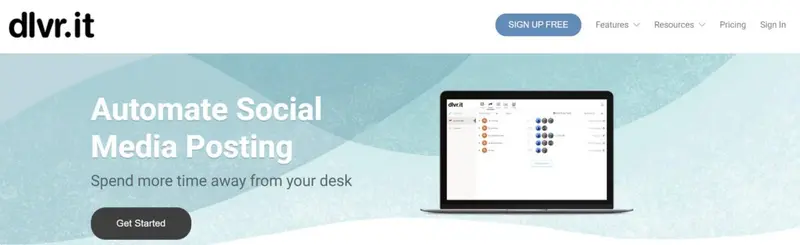
dlvr.it is a posting tool designed for brands and creators who publish frequent content on blogs or websites and want it automatically distributed across social channels.

The platform connects RSS feeds, bulk upload files, and content streams to multi-platform posting workflows, allowing teams to maintain active profiles with minimal manual scheduling. dlvr.it fits well into environments where speed, automation, and reliability matter more than detailed collaboration features.

Automated Posting from any RSS Source

dlvr.it pulls content directly from RSS feeds and instantly converts new articles or updates into social posts. This eliminates repetitive scheduling tasks and keeps profiles active without extra effort. The automation saves time for teams that publish frequently and need immediate distribution.

For bloggers, news outlets, or brands that rely on continuous updates, this feature creates a reliable publishing pipeline.

Smart Distribution Features

The platform offers customization tools that adjust how titles, descriptions, hashtags, and images appear on different social networks. Combined with automation rules, dlvr.it ensures posts remain native to each channel rather than generic cross-posts. This helps brands maintain a professional presence while still relying on automated workflows.

Bulk Tools

dlvr.it includes bulk uploading and scheduling options for teams that need to repurpose evergreen content or distribute updates in batches. This simplifies campaign planning for seasonal promotions, recurring announcements, or content series. The system is lightweight and easy to operate, making it suitable for small teams that want automation without complex setup.

Proof of Performance

  • Trusted by more than 500,000 users for automated cross-posting and RSS-driven workflows
  • Consistently rated as a top automation tool for publishers and small brands across major review sites
  • Customers frequently report time savings and increased consistency in posting once automation is activated

Pros

  • Strong automation for RSS-driven content
  • Easy bulk upload and scheduling
  • Minimal setup needed for ongoing publishing
  • Customization options for each platform
  • Affordable entry pricing suitable for solopreneurs and small teams

Cons

  • Limited advanced collaboration features
  • No deep analytics compared to all-in-one suites
  • Best suited for feed-driven posting rather than creative content planning

Why Choose dlvr.it

dlvr.it is an ideal choice for teams that rely on automation and need a simple, dependable tool for distributing content across multiple platforms. Its RSS integration, bulk scheduler, and customization rules enable hands-free publishing that keeps profiles active without increasing workload.

If your brand produces steady content and values efficiency over complex planning features, dlvr.it offers a streamlined and cost-effective solution for multi-platform posting.


Which Multi-Platform Social Media Posting Tools Best Fit Your Brand?

Finding the right posting tool depends on the shape of your workflow, the size of your team, and how much creative or operational oversight you need. Some brands require governance and compliance controls, while others prioritize speed, automation, or visual collaboration.

The following scenarios map common posting challenges to the tool best suited for solving them.

  • Enterprise governance and global content control -> Brandwatch
  • Agency grade collaboration for multi-client operations -> Sendible
  • High velocity creative alignment with visual mockups and approvals -> Planable
  • Performance-informed scheduling and optimization insights -> Iconosquare
  • Unified cross-channel publishing for mixed teams and franchises -> Loomly
  • Automation-driven distribution for content-heavy publishing pipelines -> Blog2Social
  • Lightweight multi-platform posting with AI-assisted workflows -> Buffer
  • Enterprise-scale planning and compliance-ready workflows -> Hootsuite

Platform

Best For Pricing Demo Key Publishing and Scheduling Offering

Use For

Brandwatch Mid to large brands managing complex workflows On request Yes Cross-platform scheduling with unified calendar and AI-assisted content insights Enterprise governance and multi-team coordination
Sendible Agencies and businesses of all sizes From $25 per month Yes Multi-platform scheduling with custom variations and approval workflows Client-friendly collaboration and streamlined operations
Planable Any size brand or agency From $33 per month Yes Visual calendar with realistic previews and multi-level approvals High velocity creative alignment and stakeholder sign off
Iconosquare Brands and agencies needing data-informed scheduling From $33 per month Yes Cross-platform scheduling with optimal posting time recommendations Performance-guided publishing optimization
Loomly Creators, brands, agencies, and franchises From $32 per month Yes Direct publishing across platforms with optimization tips and approval flows Easy all-purpose scheduling for mixed teams
Blog2Social Small to medium teams with content-heavy workflows From $8 per month Yes Auto-publishing from CMS with smart scheduling and platform-specific variations Automation-driven distribution for publishers
Buffer Small teams, solo marketers, and nonprofits From $5 per month per channel Yes Cross-platform scheduling with reusable queues and AI writing assistance Lightweight posting with minimal setup
Hootsuite Small, medium, and large organizations From $99 per month Yes Unified scheduling with best time insights and bulk publishing Enterprise-scale planning with compliance controls
IFTTT Small businesses and automation-focused creators From $2.99 per month Yes Automated cross-posting and custom applets triggered by real-time events Event-driven posting workflows
Sprout Social Brands and agencies of all sizes From $199 per month Yes Cross-platform scheduling with optimal send times and advanced approval workflows Deep collaboration and publishing intelligence

Crush Your Competition With Multi-Platform Social Media Posting Tools in 2025

Social media is proving to be a fiercely competitive scene in 2025, with businesses, creators, and agencies all vying for attention in a saturated market. Therefore, staying ahead requires more than just creativity—it demands efficiency, strategy, and the right tools. 

Multi-platform social media posting tools are no longer a luxury; they’re essential for anyone serious about building an online presence.

These tools empower you to outpace competitors by streamlining your social media processes, automating repetitive tasks, and ensuring your content reaches the right audience at the perfect time—even when you’re offline. 

Whether you’re managing one brand or multiple accounts across platforms, the ability to post consistently and adapt content to each platform’s nuances gives you a significant edge.

Save Time With Automation and Scheduling

Manually managing posts across multiple platforms can be a time-consuming hassle, especially when each platform demands unique formats and schedules. Tools like Loomly simplify this process with drag-and-drop content calendars and scheduling capabilities, allowing users to plan and publish posts across Instagram, TikTok, and YouTube simultaneously. 

Similarly, Brandwatch offers automated multi-platform publishing, freeing you to focus on strategic initiatives while ensuring posts go live at optimal times. It’s a game-changer for scheduling posts across multiple time zones and maintaining consistency even when you're unavailable or unable to post manually.

Improve Engagement With Consistent Posting

Consistency is critical to keeping your audience engaged, as regular posting helps you stay visible and relevant in ever-changing social media algorithms. Multi-platform tools simplify this process, saving time and reducing the risk of missed opportunities. 

For example, Sprout Social includes a feature to identify optimal posting times, maximizing visibility and engagement. Sendible provides a centralized platform where teams can schedule and manage posts seamlessly, ensuring consistency across all accounts.

Many of these tools also allow you to monitor and respond to comments from a single, centralized dashboard, helping you maintain real-time engagement and ensure no interaction goes unnoticed.

Access Platform-Specific Analytics

Understanding the performance of your posts helps refine your strategy for better results. Tools like Iconosquare offer in-depth analytics tailored for platforms such as Instagram and TikTok, providing insights into metrics like engagement rates and follower growth. 

Sprout Social goes a step further with actionable reports that track impressions, reach, and click-through rates, making it ideal for agencies managing multiple campaigns.

These benefits make multi-platform social media posting tools indispensable for anyone looking to establish a powerful, competitive presence online.


Free vs. Paid Tools: What’s Worth More?

When choosing a multi-platform social media posting tool, understanding the difference between free and paid options is crucial. Free plans often appeal to beginners or those on tight budgets, but they come with limitations that may not suit growing businesses or professionals managing multiple accounts.

The Pros and Cons of Free Plans

Free plans are great for testing a tool’s basic features without financial commitment. For example, Loomly, despite offering an affordable starting price for some of its top features like post customization and previews, offers a 15-day free trial. 

Similarly, Iconosquare also provides a free trial, enabling users to explore features like automated publishing and analytics.

However, free plans typically come with restrictions, and you’ll find that not many tools are free:

  • Limited accounts or platforms: Most free plans cap the number of accounts you can manage, which may not work for businesses with diverse social profiles.
  • Basic features only: Advanced tools like AI-powered analytics, optimal posting time suggestions, or extensive collaboration workflows are often locked behind paid tiers.
  • Lower scalability: Free plans may not handle the demands of growing businesses or teams managing multiple clients.

The Value of Paid Tools

Investing in a paid plan unlocks features that drive efficiency and results:

  • Advanced Analytics: Tools like Brandwatch and Sprout Social offer detailed reports, audience insights, and metrics like engagement rates and click-through rates, empowering users to refine their strategies with data.
  • AI and Automation: Platforms such as Sprout Social use AI for content suggestions and audience sentiment analysis, enhancing engagement and reducing manual effort.
  • Scalability: Paid options often support unlimited accounts, making tools like Sendible ideal for agencies managing multiple brands or clients. The custom approval workflows and reporting tools ensure streamlined collaboration and growth.

With several tools listed offering free trials, there exists an opportunity to really test out these features and see what works for you the most. Free trials are often considered essential in such a competitive industry but don’t expect the best tools to be free.


How to Fix Your Multi-Platform Posting Headaches

Managing multiple social media platforms can feel like an uphill battle, especially when juggling different formats, scheduling demands, and the need for actionable insights. The right tools can help you overcome these challenges, streamlining your workflow and enhancing your results. Let’s break down common frustrations and how specific tools address them.

Customization Challenges

Copy-pasting content across platforms often results in posts that don’t resonate with your audience due to format mismatches. For instance, hashtags that work on Instagram may clutter posts on LinkedIn, and character limits on X (formerly Twitter) can cut off your message.

Tools like Loomly and Brandwatch offer post-customization features that allow you to tailor content for each platform. Loomly’s platform-specific mockups ensure your posts look perfect before publishing, while Brandwatch’s support for TikTok Reels and Instagram Carousels helps you optimize content for visual-heavy platforms.
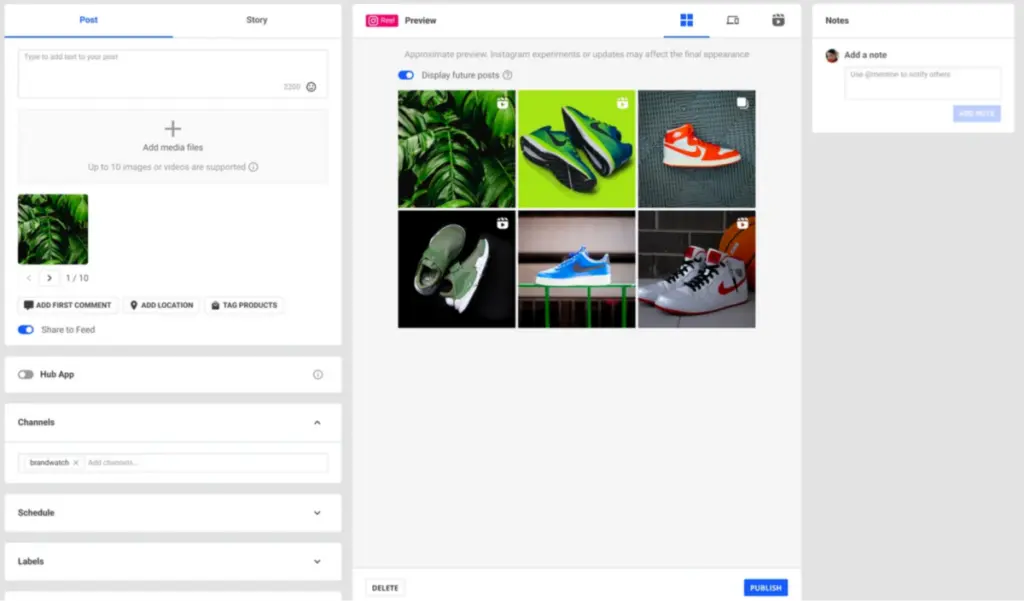
Profile grid view Social Media Management Brandwatch

API and Integration Issues

Evolving APIs or newly launched platforms often disrupt workflows, causing posting errors or missing integrations. Without regular updates, tools can quickly become obsolete.

Platforms like Sprout Social and Sendible are known for their robust integration capabilities and regular updates to support new platforms, such as Threads. This ensures seamless posting and analytics tracking, even as the social media landscape evolves.
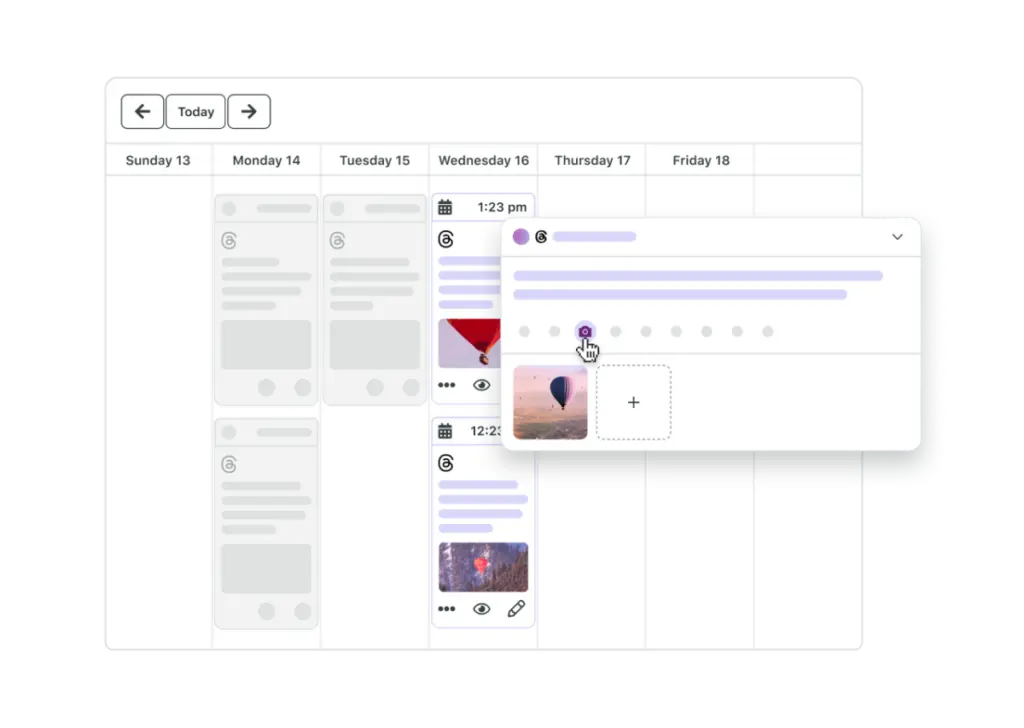
Threads management tool sproutsocial

Scheduling Across Time Zones

Global audiences require a thoughtful approach to posting schedules, but managing time zones manually can lead to inconsistent or poorly timed posts.

Sprout Social’s Optimal Send Times feature analyzes audience activity to recommend the best times for engagement. With that said, we have guides to help you pick the best times to post on each social platform:

In addition, we also have a guide on How to Optimize Your Social Media Posting Schedule

Team Collaboration and Approval Bottlenecks

For teams and agencies, inefficient workflows—like lengthy approval processes or disjointed communication—can delay publishing and reduce productivity.

Tools like Sendible and Loomly excel in collaboration. Sendible’s approval workflows and shared dashboards help keep everyone on the same page, while Loomly’s version control and real-time commenting streamline the review process, reducing bottlenecks.

Lack of Analytics and Insights

Without comprehensive analytics, it’s nearly impossible to refine strategies or measure success. Many platforms offer basic metrics, but advanced insights are necessary for meaningful improvements.

For example, TikTok's analytics provide creators and businesses with detailed insights into their content performance, including metrics such as total video views, average watch time, and traffic sources like the "For You" page or follower interactions. 
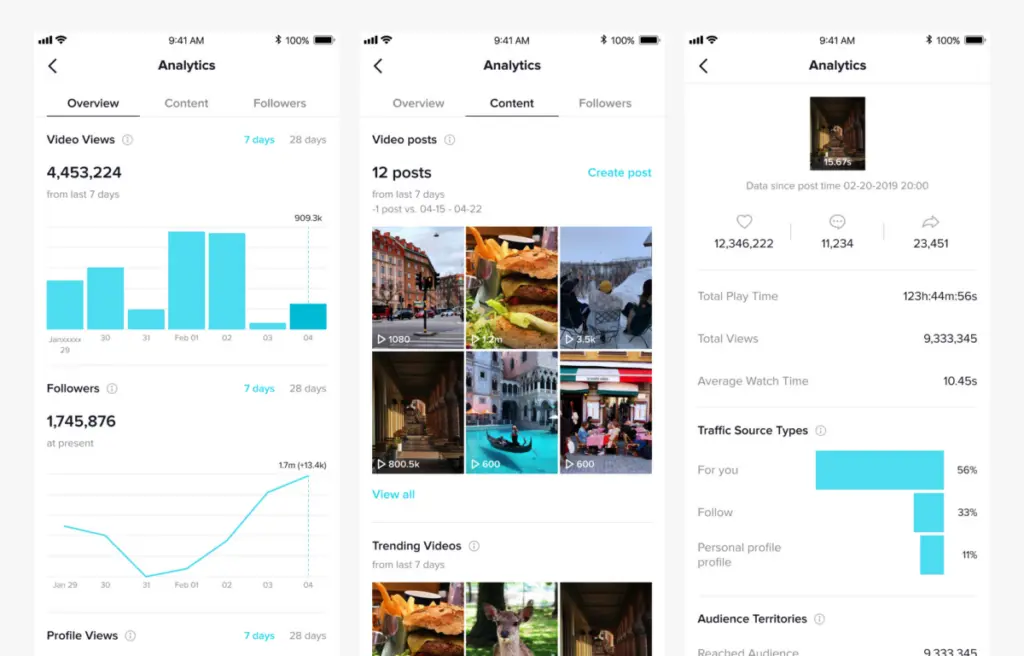
TikTok Analytics

This level of granularity allows users to understand not just how many people are viewing their content but also where those views are coming from and how audiences are engaging. 

Tools like Brandwatch and Iconosquare can enhance these insights by integrating TikTok metrics into a broader analytics dashboard, enabling users to benchmark their performance against competitors and optimize strategies across platforms. 

By combining TikTok's advanced native analytics with these third-party tools, social media managers can refine their approach, maximize engagement, and ensure their content aligns with audience preferences.
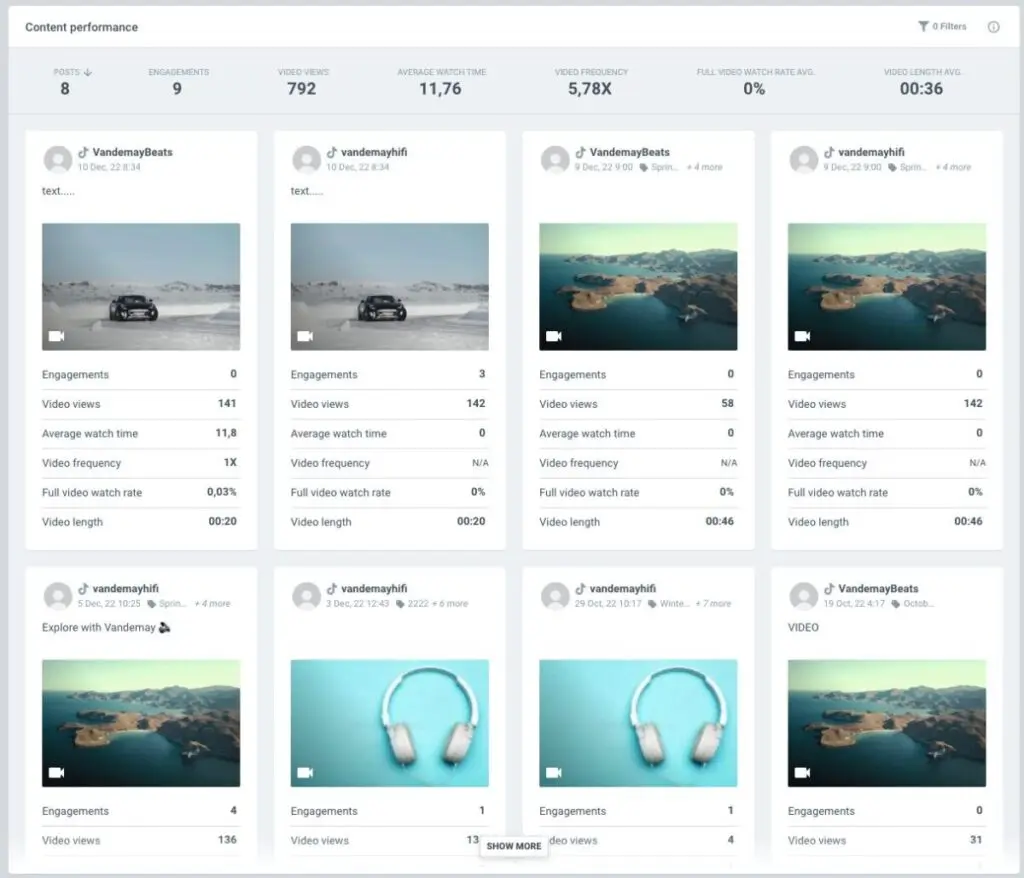
TikTok analytics brandwatch


The Social Media Revolution: Trends That Will Define Posting in 2025

As social media continues to evolve, staying ahead requires embracing emerging trends and leveraging tools that align with the shifting landscape. Here’s a closer look at the key developments that will shape the way we post and engage in 2025.

The Rise of AI in Content Creation and Scheduling

AI-powered tools are revolutionizing how social media content is created and managed. Platforms like Sprout Social now include AI features that suggest content ideas based on audience sentiment and engagement trends, while Loomly leverages AI for post inspiration and hashtag recommendations. 

These capabilities help businesses automate repetitive tasks, tailor posts to platform-specific requirements, and ensure consistent posting schedules—all while saving valuable time. By integrating AI into their strategies, brands can focus more on creativity and strategy, leaving the technicalities to smart tools.

Data-Driven Decision Making

In 2025, successful social media strategies are increasingly reliant on data-driven insights. Tools like Iconosquare provide detailed metrics, such as engagement rates and audience demographics, to help users fine-tune their campaigns. 

Similarly, Brandwatch's advanced analytics and benchmarking capabilities allow brands to measure their performance against competitors and identify what resonates with their audiences. With these insights, businesses can refine their content to deliver maximum impact, ensuring every post aligns with their audience's preferences and needs.

The Growing Role of Social Media SEO

As platforms like Instagram, TikTok, and LinkedIn adopt search-friendly features, social media SEO is becoming a critical trend. Optimizing posts with keywords, hashtags, and metadata ensures that content is easily discoverable in platform-specific searches. This shift requires creators and brands to adopt SEO strategies that boost visibility and enhance reach.

Authenticity as the Key to Engagement

Authenticity has become a cornerstone of successful social media strategies, particularly with the rise of micro and nano influencers. These creators thrive on platforms like TikTok and Instagram by sharing genuine, relatable content that resonates deeply with niche audiences. 

For example, influencers who focus on sharing personal experiences and transparent collaborations often outperform those who rely solely on curated aesthetics or generic promotions.

Moreover, authenticity has become non-negotiable for modern consumers, with 40% of them prioritizing genuine endorsements over scripted campaigns. This trend is even more pronounced among Millennials and Gen Z, who are increasingly skeptical of inauthentic content. 

A staggering 88% of Millennials believe that brands should take a stand on societal issues, meaning influencers need to collaborate with brands that align with their personal values. Transparent partnerships not only foster trust but also ensure that campaigns feel authentic and impactful.


Choosing the Right Posting Tool Shapes Your Entire Social Workflow

The best multi-platform posting tool is ultimately the one that matches how your team creates, collaborates, and publishes every day. Whether you need enterprise-level governance, collaborative client workflows, automation for content-heavy pipelines, or a lightweight scheduler that keeps posting simple, the platforms in this guide offer clear strengths for every type of brand.

As posting demands continue to rise across formats and channels, choosing a tool that removes friction while improving consistency becomes a strategic advantage. The right software not only saves time but also strengthens the impact of every message your brand puts into the world.

Frequently Asked Questions

What types of tools are best for social media management?

What are multi-platform social media posting tools?

Multi-social media posting tools are platforms designed to help you manage, schedule, and publish content across multiple social media platforms from a single dashboard. They often include features like automation, analytics, and post customization.

How do multi-platform posting tools help teams manage growing channel demands?

Using a social media posting tool saves time by automating repetitive tasks, ensures consistent posting, and provides insights through analytics to refine your strategy. It streamlines your workflow, making it easier to manage multiple platforms efficiently.

What types of posts should brands schedule across multiple platforms?

Brands often mix various types of content, including educational, promotional, and community-driven formats, to keep feeds varied.

How can marketers keep their posting schedule fresh throughout the year?

Most teams mix evergreen content with timely campaigns, often guided by seasonal prompts and social media ideas that spark new angles for each platform.

Should automation be part of a multi-platform posting workflow?

Automation helps maintain consistency by handling queues, recurring posts, and cross-channel delivery. Social media automation tools are especially useful for lean teams that need a reliable cadence without daily oversight.

How does a social media planner fit into a cross-platform workflow?

A planner helps map campaigns, track assets, and maintain pacing across channels. Many teams adopt a centralized social media planner to align strategy before scheduling posts.

What alternatives should small teams consider if a posting tool feels too complex?

If a full suite is unnecessary, teams often shift to lightweight options that emphasize simplicity and low-effort workflows.

How do posting tools differ from full social media marketing platforms?

Posting software focuses on scheduling and workflow, while a social media marketing platform typically adds analytics, listening, and campaign management on top.

How should brands decide what content deserves cross-platform publishing?

Most decisions come from audience insights and performance trends. Reviewing principles in a strong social media content strategy helps marketers determine which posts should be adapted, repurposed, or platform-specific.

How do I choose the right multi-platform social media posting tool?

Evaluate your needs, such as the platforms you use, your budget, and features like analytics or collaboration. Start with free trials to test tools like Loomly or Brandwatch before committing to a paid plan.

What are the top features to look for in multi-platform social media posting tools?

Some of the more important features these tools should offer include:

  • Automation and scheduling
  • Post customization for each platform
  • Analytics and performance tracking
  • Team collaboration and approval workflows
  • Integration with third-party tools like Canva or Dropbox

Which tools are the best for free social media management?

Some of the best, free or partially free tools include:

What are the limitations of free social media tools?

Limitations with free tools do exist. The more notable ones include:

  • Restricted account integrations
  • Limited scheduling capabilities
  • Basic or no analytics
  • Lack of team collaboration features
  • Limited support for advanced features like AI or SEO optimization

Which tool fits your business size?

The following table will help you determine which tool is best suited for your business size:

Business Size

Recommended Tool
Small Businesses

Loomly, Iconosquare

Agencies

Sprout Social, Sendible, Iconosquare
Influencers

Brandwatch, Loomly

Enterprise-Level Businesses

Brandwatch, Sprout Social, Sendible

What are the differences between free and paid multi-platform posting tools?

There are a few notable differences in using free and paid multi-platform social media posting tools. Those include:

Aspect

Free Tools Paid Tools
Features Basic scheduling, limited accounts

Advanced scheduling, AI, and analytics

Scalability

Suitable for small-scale use Supports multiple accounts and clients
Analytics Limited or basic insights

Detailed, actionable reports

Collaboration

Limited or no team features Approval workflows, multi-user access
About the Author
Dan Atkins is a renowned SEO specialist and digital marketing consultant, recognized for boosting small business visibility online. With expertise in AdWords, ecommerce, and social media optimization, he has collaborated with numerous agencies, enhancing B2B lead generation strategies. His hands-on consulting experience empowers him to impart advanced insights and innovative tactics to his readers.