Choosing the right scheduler is no longer about convenience but about survival in a landscape where brands are expected to publish faster, adapt quicker, and stay consistent across every channel.
As social platforms multiply and format requirements shift, teams face a growing operational strain. In fact, industry research shows that just over 15% of marketersstruggle to scale their efforts across multiple platforms while still keeping brand identity intact, highlighting how difficult it is to maintain cohesion as audiences fragment.
Which tools actually reduce that complexity instead of adding to it?
Which platforms help teams deliver more content without sacrificing quality, creativity, or control?
This guide breaks down the best social media posting and scheduling tools of the year, helping you match your workflow, channel mix, and publishing needs to the software built to support them.
What is a Social Media Scheduling Tool?
A social media scheduling tool is an application that automates the planning and posting of your social media content.
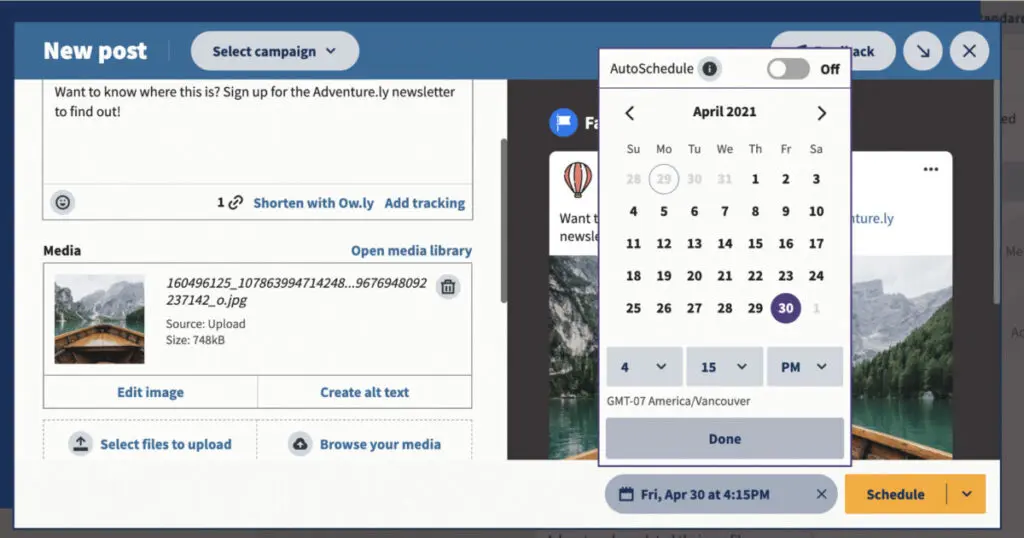
It lets you schedule your posts ahead of time, so even if you’re not always active or online, you can still manage to get your posts up. While each tool’s features can vary, it works by letting you upload your post to the app and determine a schedule for posting as well as the platform where it’s going to go live.
It also doubles as a content curation tool. Below, we review the top social media scheduling tools and platforms!
Best Suited For: Established businesses ranging from mid to large-scale operations.
Pricing Overview: Upon request
Supported Social Platforms:
Brandwatch seamlessly integrates with a wide array of social networks, including:
Facebook
Messenger
Instagram
LinkedIn
TikTok
YouTube
Reddit
Twitter (X)
WhatsApp
Tumblr
The Social Media Management module of Brandwatch began life as Falcon.io, which we previously reviewed positively for its user-friendly and in-depth feature set. In 2019, Falcon.io was purchased by Cision’s Communications Cloud, adding social media management to that tool’s capabilities.
Cision bought Brandwatch in 2021 to add tools for competitive and consumer research. At some point soon afterward, they rebranded part of their product Brandwatch (although Cision’s Communications Cloud still operates separately).
The Australian War Memorial (AWM) is a national shrine, museum, and archive dedicated to commemorating all Australians who have died in war or on operational service and those who have served in times of conflict.
The pandemic and a recent large-scale development project pushed the AWM to rethink its social strategy. They decided to work with Brandwatch’s Social Media Management tool to optimize their digital presence.
AWM’s social team now uses the Brandwatch Social Media Management tool to make running their social accounts manageable.
Alix Heraid, Digital Content Manager at the Australian War Memorial, observes that
“Brandwatch has significantly enhanced our governance and community engagement functionality.”
Strategic Approach
Before using the Brandwatch tool, it was difficult for the AWM Digital Experience team to manage the posting frequency and social media initiatives for each department. Now they have a more organized approach to content posting. They can assign social media posting slots more effectively internally, making sure everyone gets a chance to post.
In addition, Brandwatch is particularly useful for assigning post approval to senior management when required. This provides assurance to junior staff and establishes an audit trail for decisions.
Brandwatch Social Media Management has also helped encourage engagement. Australian War Memorial uses Brandwatch Engage which features Labels to categorize all related conversations, reducing the amount of manual work needed to revisit specific discussions and review how they’ve previously handled them.
The University of Connecticut (UConn) has multiple social media managers to represent different departments. However, they each have the same goals:
To represent UConn on social
To drive engagement among students and alumni
To show off the school’s big public wins
Before using Brandwatch Social Media Management they used four different social media management platforms to handle their daily social media posting and scheduling, community management, social listening, and analytics. Their social media managers had to juggle between at least four different tabs when carrying out their social activities. Different departments at UConn have different social representatives, making communication and consistency seemingly impossible.
Strategic Approach
The Brandwatch social media management suite now enables UConn’s team to collaborate easily across departments to present a fantastic, consistent social image. Brandwatch replaced the team’s four different tools, letting them handle all social media activities from one unified hub. Brandwatch’s campaign planner means the social team can control messaging across networks to make sure it is cohesive.
As well as simplifying the university’s social media planning and scheduling, Brandwatch enabled a massive improvement in areas like community management. UConn’s social team could share incoming messages, tag messages, and sort through crowded DM feeds. They use Brandwatch’s social listening tool to find top-notch UGC from current students and repost it on their main channels, showcasing an accurate depiction of the UConn student life.
Key Findings of Our Review
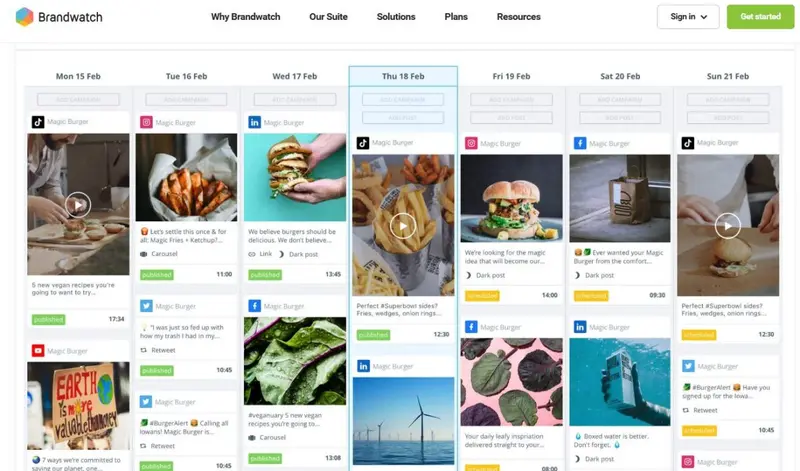
Brandwatch’s Social Media Management tool provides an all-in-one solution for effectively managing your social media channels. It provides a centralized platform to manage and collaborate on social media content creation, including organic and paid posts. As well as featuring core social media posting and scheduling capabilities, you gain ease-of-use features like a unified social calendar, a centralized social CRM for engaging with the community, brand monitoring, and the ability to benchmark performance against your competitors.
Strengths:
Quality TikTok Support: Newly added TikTok support goes further than you’d expect.
Comprehensive Listening Tool: Brandwatch stands out for its unparalleled listening capabilities, offering a unified view of conversations across platforms and providing insights into public sentiment.
Advanced Data Analysis: The platform boasts sophisticated charting and analysis tools, empowering businesses to delve deep into data and extract actionable insights.
Adaptable Dashboards: With over 25 components, Brandwatch’s dashboards are designed for flexibility, ensuring optimal data visualization.
Limitations:
Contextual Understanding: Occasionally, the platform may misinterpret the context or categorization of words, potentially influencing the accuracy of insights.
A consumer intelligence platform, a social media marketing platform, and an influencer marketing platform were all acquired and forced to play well with each other—and they do!
Ratings
Features & Pricing
Pros and Cons
Ratings
Features
5.0
Ease of Use
4.5
Support
5.0
Overall Score
4.8
Features & Pricing
Analytics
Automated Publishing
Content Management
Keyword Filtering
Multi-Account Management
Post Scheduling
Brand Tracking
Social Media Monitoring
Hashtag Tracking
Sentiment Analysis
Reputation Management
Social Media Management
Price on request
Pros and Cons
Consumer Intelligence product uses social listening to help brands understand what people want
Audience tools give deep insights into the aggregate AND individuals
Newly added TikTok support goes further than you’d expect
Confusing array of products and services from three different companies
You can't post on multiple networks at once, but you can choose multiple channels within the same network for posting
Best for: Mid to Large-sized Businesses
4.8 out of 5 stars
A consumer intelligence platform, a social media marketing platform, and an influencer marketing platform were all acquired and forced to play well with each other—and they do!
Sendible offers something for businesses of all sizes, making it extremely versatile. It is comparatively cheaply priced but includes all the essentials necessary to help you manage your social media activity.
You may not be able to use Sendible for tangential activities like sentiment and reputation management, but it has everything necessary to simplify your social media publishing and scheduling across all the major social platforms.
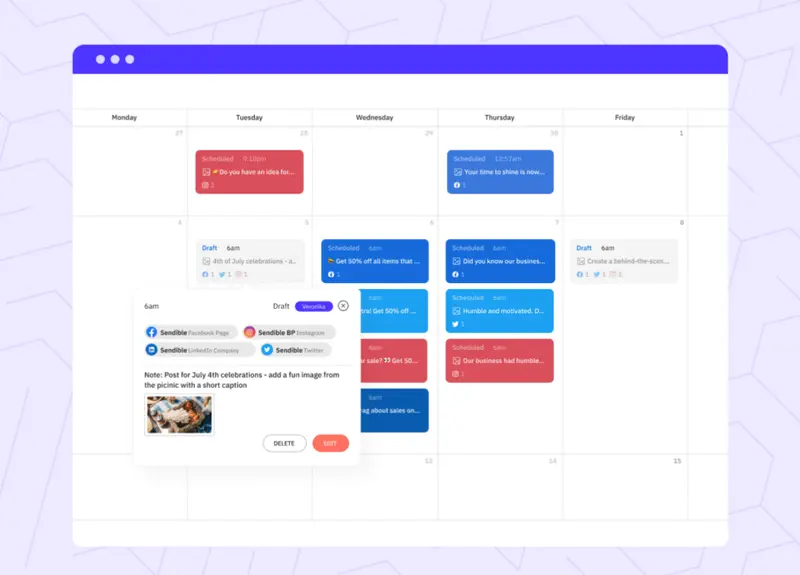
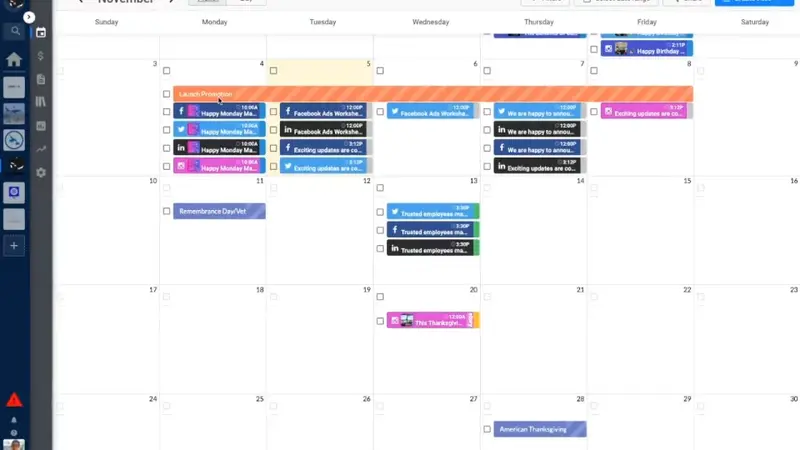
Sendible gives you tremendous flexibility for creating and sharing posts. You can plan and schedule content either individually or in bulk. You begin by creating a generic version of a post and then customize it for each social network. Sendible checks to ensure that you’ve obeyed each social network’s rules.
For bulk scheduling, you can import CSV files featuring copy, send date, URL, image, and other fields.
Core Features:
Campaign-based post grouping
Built-in visual editor
Content sourcing through RSS feeds and Google Alerts
Automated content reports
Content approval workflows
Awards and Recognitions:
Sendible is currently showcasing the following awards:
Leader (Winter 2024)
Users Most Likely to Recommend – Enterprise (Winter 2024)
Best Usability – Small business (Winter 2024)
Easiest to Use – Enterprise (Winter 2024)
Best Results (Winter 2024)
High Performer – Mid-Market (Winter 2024)
Notable Campaigns
Sphere Media Marketing
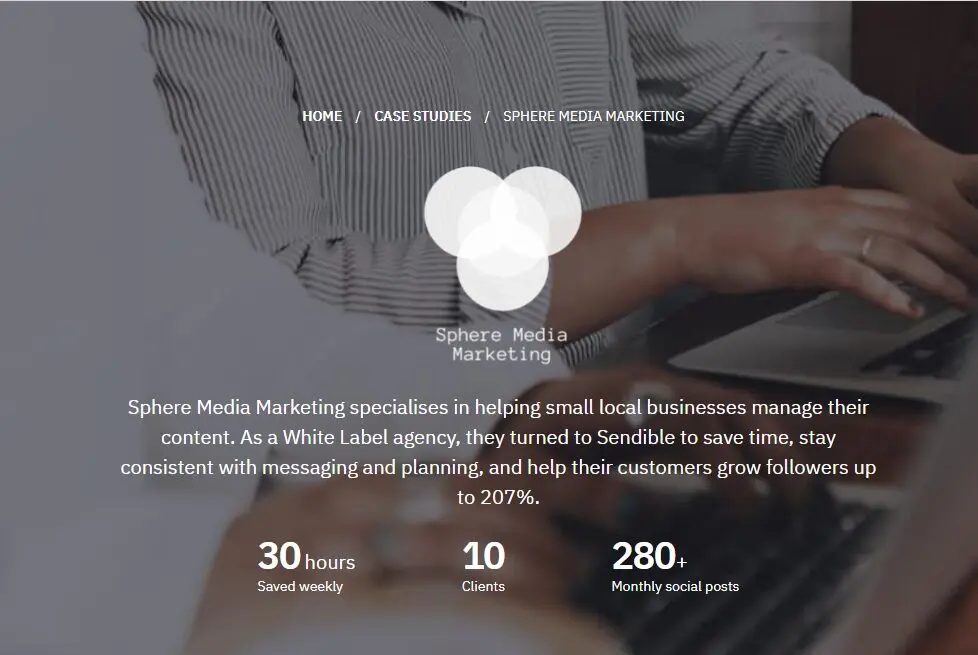
Sphere Media Marketing is a White Label agency that specializes in helping small local businesses manage their content.
They have found Sendible’s White Label plan to be a useful tool for managing social media for their clients. Adrienne Wilkins, founder of Sphere Media Marketing, credits Sendible with growing followers for her small business customers by up to 207% in a year.
Before using Sendible the greatest challenge Sphere Media Marketing faced in its daily work was having to go from platform to platform to platform when managing their clients’ social accounts. Using Sendible has saved a huge amount of time, cutting her time spent on social apps by half.
Sphere Media Marketing
Strategic Approach
Adrienne found that one of the best features of Sendible is its Canva plugin. It saves having to separately download graphics, upload them to social platforms, and keep them organized.
She also loves being able to tailor each of the messages in different tabs. She can create one overall image and customize that message to make sure it suits the platform.
In addition, the calendar features help Sphere Media Marketing stay consistent with messaging and planning.
The ability to use White Label features is also appreciated by a small agency. They can work as a team and collaborate with clients on different posts, content, and what needs to go out. It also encourages clients to post consistently and manage their own content themselves, while knowing that Sphere Media Marketing is on hand to help.
TravelClick
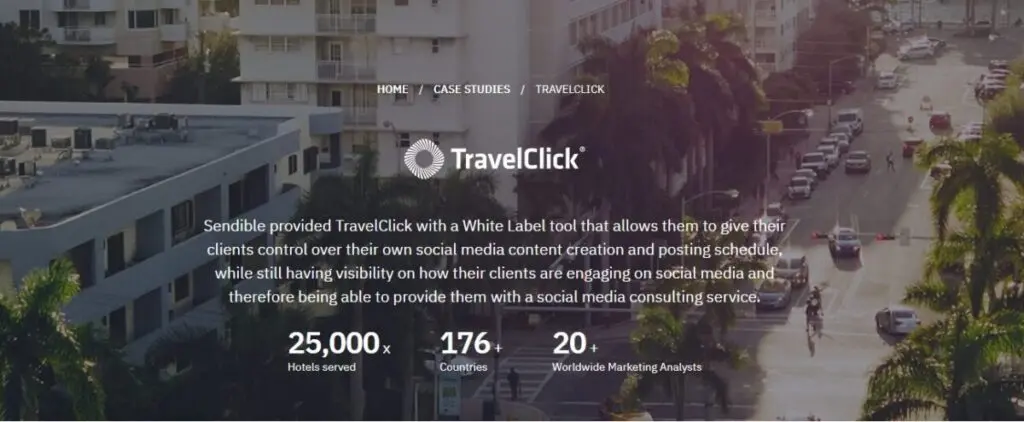
TravelClick is a global hotel marketing company operating in 176 countries that offers mid to high-range hotels across the world. Amongst other services, they offer social media management to their clients to help them grow their brand presence and online engagement.
Senior Digital Marketing Analyst, Jennifer Cox runs the company’s social media team. When Jennifer arrived, she recognized the need to set up a proper strategy for providing social media services using a tool to make things manageable. They needed to set up a platform where clients could create and schedule their own content, while TravelClick could simply monitor and offer their clients social media consulting when it was needed.
Strategic Approach
TravelClick turned to Sendible for their White Label solution. They were able to give clients access to a tool that encouraged them to be consistent in their social media postings. There was no Sendible branding present in the software, which strengthened TravelClick’s brand.
TravelClick
Key Findings of Our Review
Sendible focuses on doing the basics well, without adding all the bells and whistles that some of its competitors have. This makes it an ideal social media posting and scheduling tool for many businesses.
Its lower-level plans are comparatively cheap, yet still have sufficient features to make it viable for many small businesses who may otherwise avoid these tools. However, they haven’t ignored large businesses and agencies, including a White Label plan where you can match your brand colors and logo, adjust system-generated email notifications, and use your web domain.
Strengths:
Campaign-Based Post Grouping: Sendible allows users to group posts based on campaigns, ensuring organized content delivery.
Built-In Visual Editor: The platform’s integrated visual editor facilitates content customization, ensuring posts are tailored to the brand’s aesthetic.
Content Sourcing: With RSS feeds and Google Alerts integration, Sendible ensures a steady stream of fresh content ideas.
Automated Content Reports: Sendible’s automated reports provide insights into content performance, aiding in data-driven decision-making.
Limitations:
Advanced Listening Tools: While Sendible offers listening capabilities, users might need third-party integrations for in-depth social listening and sentiment analysis.
Sendible’s ease of use and social scheduling capabilities make the platform ideal for businesses of all sizes, from sole traders to enterprises and agencies. No matter who you are, you will find a plan suitable for your needs, with each plan including all you need to manage your social accounts but scaling to add those additional features needed by larger organizations.
Ratings
Features & Pricing
Pros and Cons
Ratings
Features
4.6
Ease of Use
5.0
Reporting
4.9
Overall Score
4.8
Features & Pricing
Analytics
Automated Publishing
Content Management
Keyword Filtering
Multi-Account Management
Post Scheduling
Price starting at:$25
Pros and Cons
Excellent social scheduling features
Smart queues ensure you always have evergreen content to share
Centralized social engagement platform
Canva and other useful integrations
Value for money
Pricing tiers can be confusing
Best for: Businesses of all sizes and agencies
4.8 out of 5 stars
Sendible’s ease of use and social scheduling capabilities make the platform ideal for businesses of all sizes, from sole traders to enterprises and agencies. No matter who you are, you will find a plan suitable for your needs, with each plan including all you need to manage your social accounts but scaling to add those additional features needed by larger organizations.
HeyOrca makes designing, scheduling, and publishing your social media posts easy. Getting started is just as straightforward and it offers various videos and guides to help with the onboarding process.
User-Friendly Interface and Calendars
Its user-friendly interface focuses a lot on calendars which help you to visualize all your scheduled posts and quickly identify on which days you might have insufficient content planned.
It’s an attractive option, especially for social media marketing agencies, and is trusted and loved by more than 10,000 social media managers across the globe. One of the reasons why it was launched in the first place was to fill the gap in the market for a solid tool that creative agencies could use for content creation and collaboration.
Features for Effective Agency Management
It, for example, includes multiple social calendars, allowing you to separate different clients. Another useful feature for agencies is its content and media libraries, where you can manage your posts and media assets.
Then, after you and the rest of your team have exchanged feedback (which can be done directly on the posts) and you’re ready to present your ideas to your clients, the final approval phase is just as seamless. Instead of having to send emails back and forth, clients can approve or reject a post directly on the platform.
All in all, HeyOrca is a solid solution for scheduling and much more. While it’s mostly aimed at agencies, brands looking for a social media marketing platform to use in-house will also find its features helpful and intuitive.
Pricing:
HeyOrca offers a free plan that allows a limited number of scheduled posts. Paid plans fall into two categories: For 5+ calendars ($29/month) and for 1-4 calendars ($50/month)
HeyOrca is a social media scheduling platform built for teams. It permits unlimited users on all pricing plans. You can plan, schedule, and publish posts directly to Facebook, Instagram, Instagram Reels, Twitter, LinkedIn, Google My Business, & Pinterest, and indirectly to TikTok and Instagram Stories. In addition, you can use it to manage multiple brands, giving each a dedicated social media calendar, media library, and user permissions.
Ratings
Features & Pricing
Pros and Cons
Ratings
Features
4.2
Ease of Use
4.9
Reporting
4.5
Overall Score
4.5
Features & Pricing
Automated Publishing
Contact Management
Multi-Account Management
Post Scheduling
Multi-User Collaboration
Reporting/Analytics
Team Workflow & Collaboration
Content Calendar
Facebook Ads Moderation
Price starting at:$50
Pros and Cons
Excellent collaboration and approvals system
Integration with Canva for post designs
Simple interface that shows scheduled posts at a glance
No bulk upload feature or way to reshare others' posts
No engagement-related features (although these are reportedly coming soon)
Limited paid post tracking
Best for: Agencies and teams
4.5 out of 5 stars
HeyOrca is a social media scheduling platform built for teams. It permits unlimited users on all pricing plans. You can plan, schedule, and publish posts directly to Facebook, Instagram, Instagram Reels, Twitter, LinkedIn, Google My Business, & Pinterest, and indirectly to TikTok and Instagram Stories. In addition, you can use it to manage multiple brands, giving each a dedicated social media calendar, media library, and user permissions.
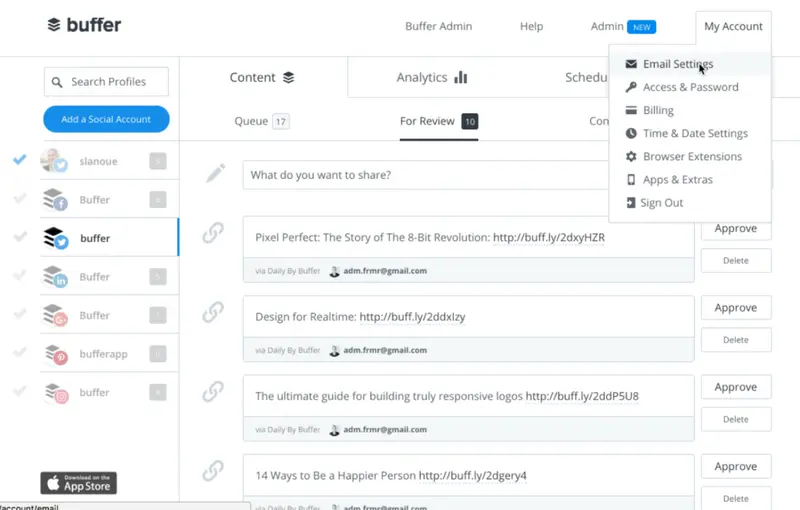
As its name indicates, Buffer allows you to build up a selection of relevant posts you want to share. You can then build automated social media campaigns by scheduling these to go out at more suitable, appropriate times for your audience.
It allows you to customize your messages for each social network. The Buffer mobile app and the web browser extension make it easy to add webpage links, titles, and images quickly to your Buffer schedule.
It suggests the most suitable times for you to post to each of your networks. Buffer also provides analytics showing how successful your posts were.
Pricing:
Buffer operates a freemium model, where you can schedule 10 social updates for free, or with a paid plan you can undertake unlimited scheduling. Paid plans start at $5 per month.
Buffer is one of the most popular social media scheduling platforms. This software helps drive engagement and traffic on social media with the help of their scheduling, engagement, and analytics tools.
Buffer is one of the most popular social media scheduling platforms. This software helps drive engagement and traffic on social media with the help of their scheduling, engagement, and analytics tools.
Best Suited For: Marketing agencies, multi-location brands, multi-brand companies
Supported Networks:
Facebook
Instagram
LinkedIn
Pinterest
TikTok
Twitter (X)
YouTube
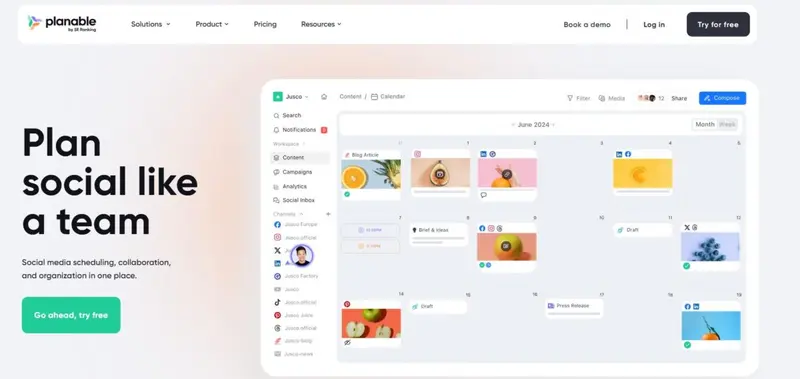
Planable positions itself as a collaboration-first social media management platform built for teams that need to move content from idea to approval without friction.
While many scheduling tools focus primarily on publishing, Planable is designed around the workflow that happens before a post goes live, making it particularly valuable for agencies and brands managing multiple stakeholders.
Where Planable stands out is its structured approval system. Teams can leave internal comments, annotate directly on posts, and control what feedback is visible to clients versus internal stakeholders. This eliminates fragmented feedback loops across email and messaging apps, a pain point frequently highlighted by users who manage client approvals at scale.
Approval workflows can be customized per workspace, with role-based permissions ensuring only relevant stakeholders can approve content. Once approved, posts can be automatically scheduled, removing additional manual steps from the publishing process.
Visual Planning and Content Organization
Planable leans heavily into visual planning, offering multiple views including feed, calendar, grid, and list formats. This allows teams to preview exactly how content will appear across platforms before it goes live, which is especially useful for visually driven channels like Instagram.
Features like labels, campaign tagging, and drag-and-drop scheduling help teams organize content by campaign, client, or content pillar. Users consistently highlight the platform’s ease of use and intuitive interface, noting that onboarding is fast and requires minimal training.
Planable is a social media management tool for agencies and brands. It helps teams plan, collaborate, and approve social media content in one place, making it ideal for managing multiple clients or stakeholders.
Ratings
Features & Pricing
Pros and Cons
Ratings
Features
5.0
Ease of Use
5.0
Reporting
4.0
Overall Score
4.7
Features & Pricing
Analytics
Post Scheduling
Scheduling
Social Media Management
Team Workflow & Collaboration
Content Planning
Marketing Calendar
Price starting at:$33
Pros and Cons
Best-in-class collaboration for social media teams
Highly customizable approval workflows
Built for agencies and multi-brand teams
Advanced features like analytics and engagement cost extra
Less focused on full-stack social media management
Best for: Marketing agencies, multi-location brands, multi-brand companies
4.7 out of 5 stars
Planable is a social media management tool for agencies and brands. It helps teams plan, collaborate, and approve social media content in one place, making it ideal for managing multiple clients or stakeholders.
Pricing Overview: From $15/month billed annually. Expands into $40/month for Teams and $80/month for Agencies
Supported Networks:
TikTok
Instagram
Threads
Facebook
Twitter (X)
Pinterest
LinkedIn
Mastodon
YouTube
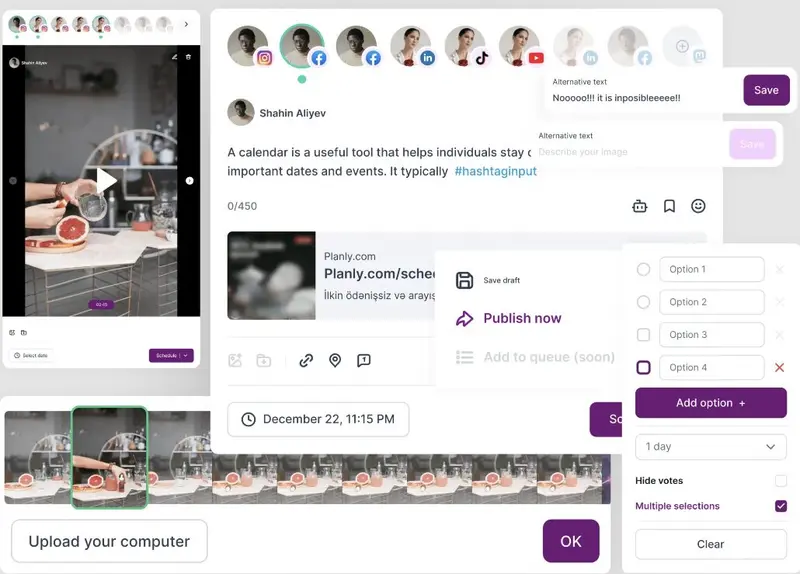
Planly’s social media scheduling tool is designed to simplify the process of managing your content across multiple platforms. If you’re looking to streamline your social media workflow and maintain consistent content delivery, Planly’s scheduling feature is a game-changer.
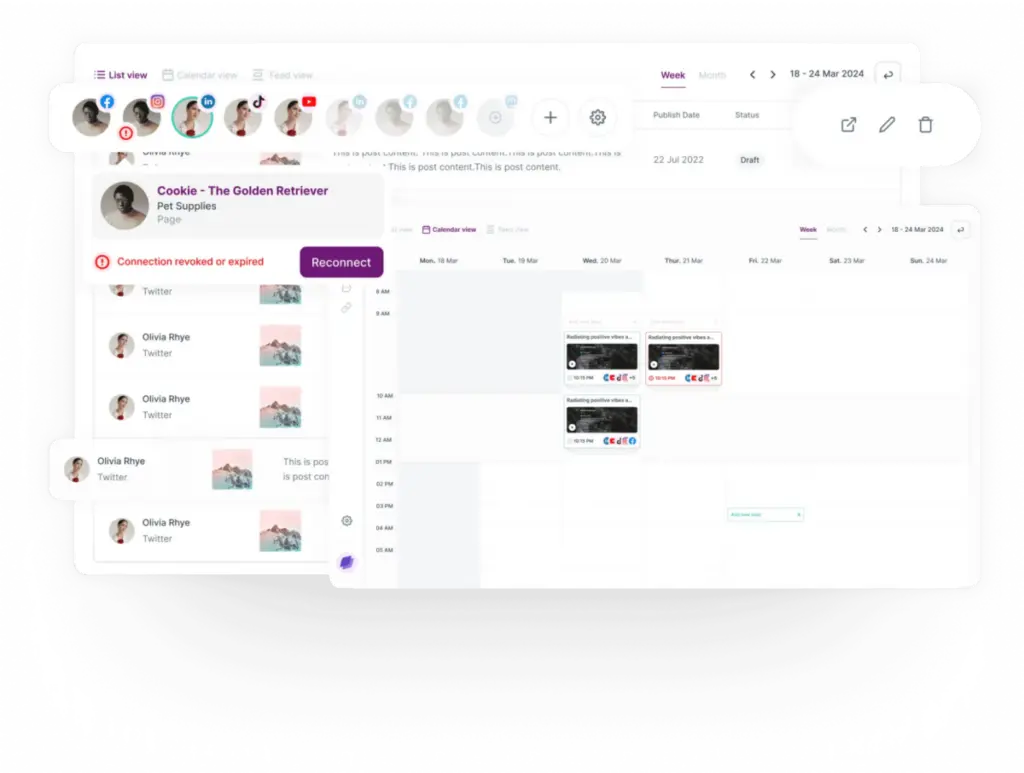
One of the standout features of Planly is Composer, its dedicated scheduling tool. Composer allows you to plan, schedule, and manage posts across more than 10 platforms, including Instagram, Facebook, Twitter, LinkedIn, Pinterest, and TikTok.
The platform’s intuitive design makes it easy to create a cohesive social media calendar that ensures your content is delivered on time and consistently. You can also automate the process to reduce the manual effort involved in posting.
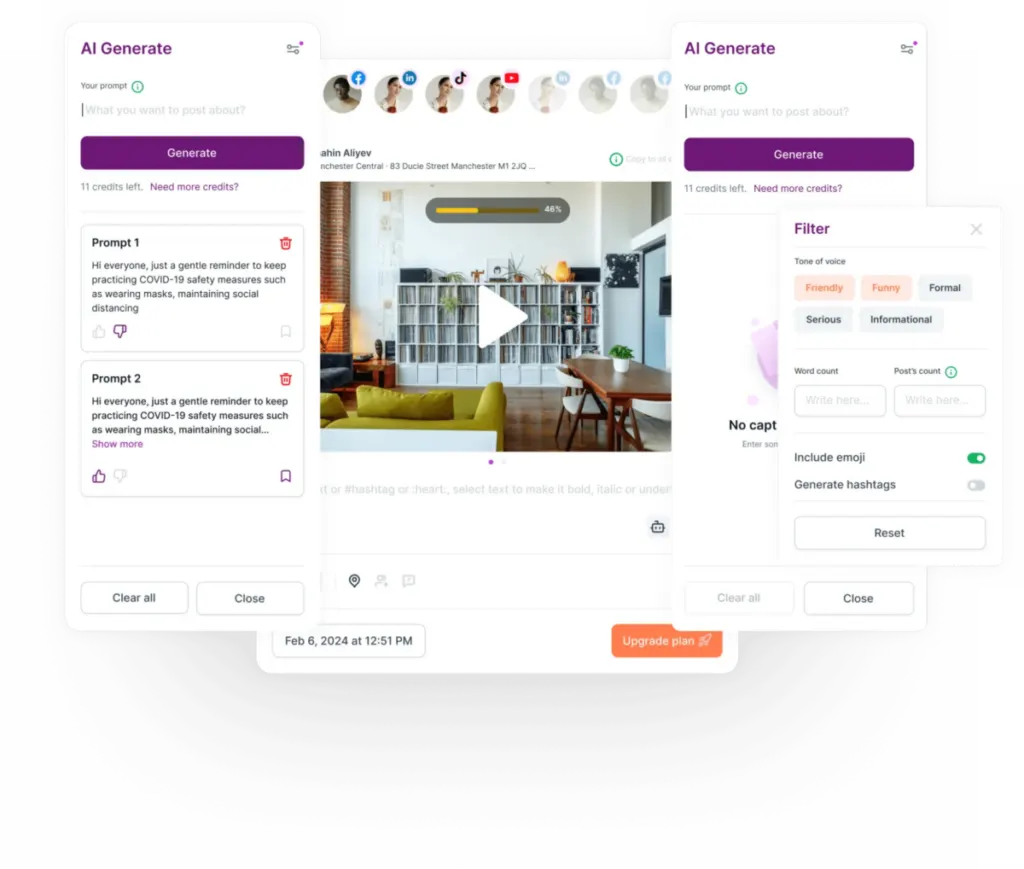
What sets Planly apart is its AI-powered content creation capabilities integrated within Composer. If you’re stuck for ideas, the AI can help you generate engaging posts that align with your brand’s voice and goals. This means you’re not just scheduling content—you’re also improving its quality and relevance.
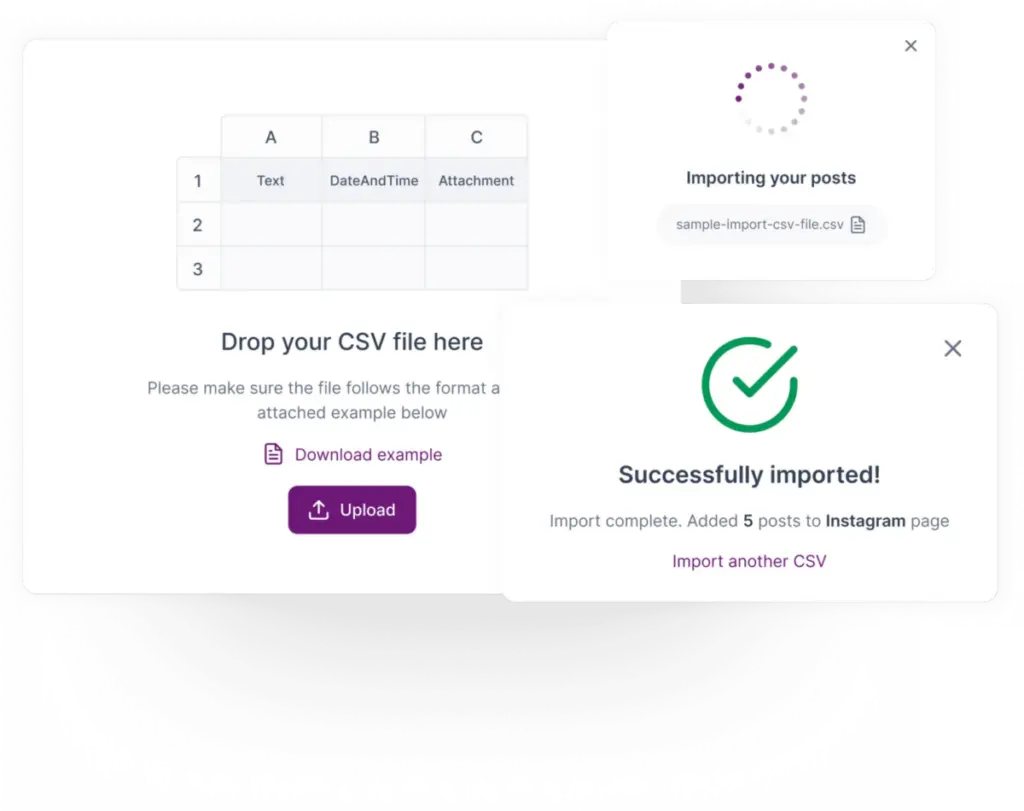
For those handling large volumes of content, Planly’s bulk scheduling feature is a significant time-saver. By allowing you to upload content via CSV, Planly makes it easy to manage campaigns in bulk.
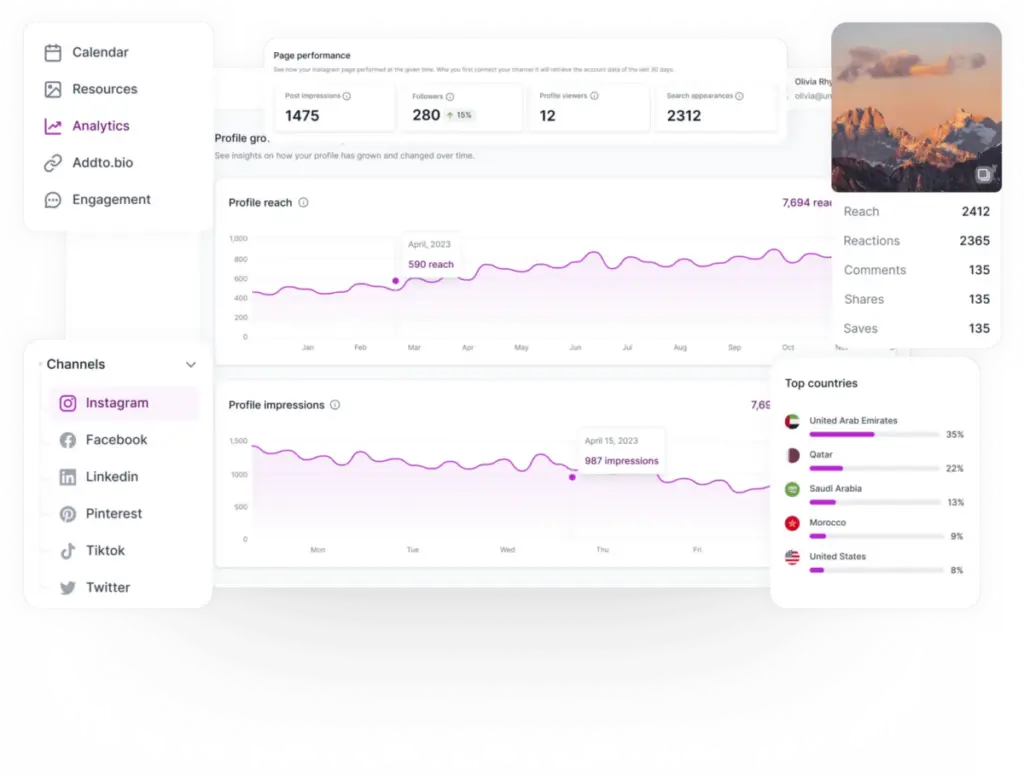
The platform also offers detailed engagement analytics, giving you insights into the performance of your scheduled posts. You can track key metrics like reach, impressions, and engagement rates to evaluate your strategy’s effectiveness. These insights allow you to optimize future posts and enhance your social media efforts.
Planly’s Founding Product Manager & Customer Service, Natella Zadeh, had this to say about the tool:
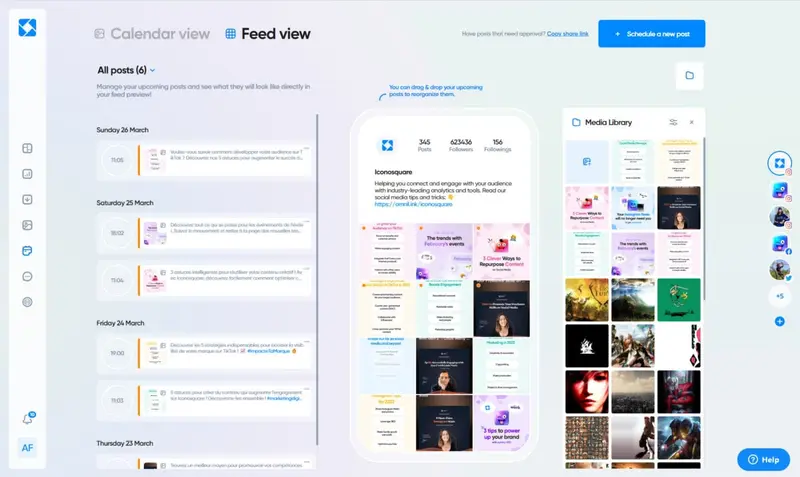
Advanced Scheduling Capabilities: Iconosquare’s scheduling tool allows users to plan posts in advance, either via desktop or the dedicated app. Features like saved captions, hashtag lists, scheduling the first comment, and cross-posting to multiple profiles enhance the scheduling experience. The drag-and-drop functionality ensures easy reordering of the feed.
Efficient Content Scheduling: Streamlining the content creation process, Iconosquare enables users to pre-create captions and frequently used hashtag lists. This facilitates easy copy-pasting during content scheduling, ensuring consistency and efficiency.
Effective Media Management: Iconosquare supports media uploads from various sources, including Dropbox, Google Drive, and OneDrive. Users can label, organize, and schedule posts using content from their media library. The platform also tags used images to prevent repetitive posting.
In-Depth Social Analytics: While Iconosquare is renowned for its analytics, its expanded offerings now encompass multi-profile social management, ensuring brands have a holistic view of their social media performance.
Competitor Benchmarking & Hashtag Tracking: Brands can monitor competitors and track hashtag performance, ensuring they stay ahead in the social media landscape.
Limitations:
Limited Integration with Emerging Platforms: While Iconosquare supports major social platforms, it might have limited capabilities with newer or niche platforms.
Key Features at a Glance:
Content calendar sharing
Built-in visual editor
Advanced audience insights
Competitor benchmarking
Hashtag tracking
4.5 out of 5 stars
Manage your social media and your analytics all in one place with Iconosquare. Businesses and agencies can easily manage the performance of their content as well as analytics, posting, and more. The platform supports Instagram, Facebook, TikTok, LinkedIn, and Pinterest.
Ratings
Features & Pricing
Pros and Cons
Ratings
Features
4.6
Ease of Use
4.4
Support
4.4
Overall Score
4.5
Features & Pricing
Analytics
Automated Publishing
Contact Management
Keyword Filtering
Multi-Account Management
Post Scheduling
Social Media Management
Price starting at:$49
Pros and Cons
Evolving functionality
Industry benchmarks
Competitive analysis features
Excellent automated posts
Customer support may not be helpful
Some features may glitch
Some platforms are not included
Best for: Brands and Agencies
4.5 out of 5 stars
Manage your social media and your analytics all in one place with Iconosquare. Businesses and agencies can easily manage the performance of their content as well as analytics, posting, and more. The platform supports Instagram, Facebook, TikTok, LinkedIn, and Pinterest.
Best Suited For: Businesses of all sizes, with a special emphasis on those leveraging Instagram and Pinterest for their marketing efforts.
Pricing Overview: Planoly offers a range of pricing options tailored to different needs. Plans start at $15 per month for individual users, with scalable plans to accommodate growing business requirements.
Supported Social Platforms:
Planoly integrates with a diverse set of social networks, including:
Facebook
Instagram
LinkedIn
X
Pinterest
YouTube
TikTok
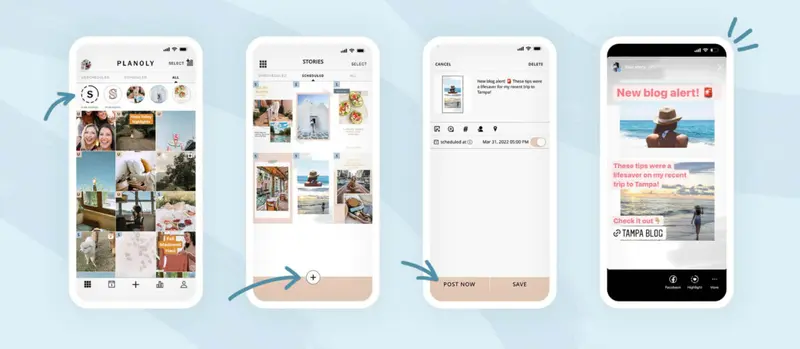
Planoly has a particular strength as a visual planner, focusing initially on the most visual platforms of Instagram and Pinterest, although expanding to most other popular social networks over time.
Unsurprisingly, they make it particularly easy to schedule and post images and videos, adapting well to the nuances of each platform. It has adapted well to cover newer additions, like Reels.
Another useful addition to Planoly is the add-on, Sellit. Sellit lets you transform a link into a social storefront. You create a digital storefront highlighting the products you wish to sell and then Planoly provides a process to add your products to the store.
Core Features:
Visual planner
Auto-posting
Weekly trend curation
Reposting across channels
Awards and Recognitions:
Planoly is currently showcasing the following awards:
Highest User Adoption (Winter 2023)
High Performance – Small Business (Winter 2023)
Notable Campaigns (Social Media Posting and Scheduling Related)
Good Good Good
Branden Harvey founded Good Good Good (GGG), a media company to help people feel less overwhelmed by the news and more equipped to make a meaningful difference.
Working alongside social media manager, Megan Burns, Brenden chose to use Planoly as the go-to tool for helping GGG with all their social media marketing efforts.
Before working with Planoly, GGG’s feeds were overwhelmed with heartbreaking and shocking headlines, and socially conscious followers flocked to GGG’s Instagram. This increase in followers led to GGG feeling an added responsibility to keep up with the news cycle while continuing to produce thoughtful and nuanced content.
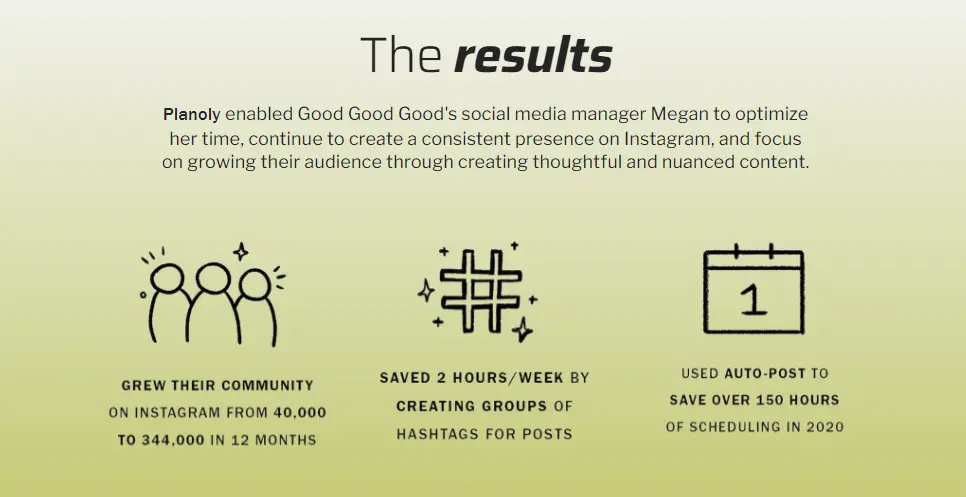
Megan began using Planoly to optimize time spent planning and scheduling content. She felt it held her accountable for maintaining a consistent schedule.
Good Good Good
Strategic Approach
Some of the features Megan has found most valuable to her daily posting and scheduling on behalf of GGG include Planoly’s visual grid, hashtag manager, auto-post, placeholder, and social calendar.
She found the hashtag manager feature fantastic for storing hashtags and uses it every time she schedules content in Planoly. Incorporating a group of hashtags on a post is now a 30-second maneuver that saves 5-10 minutes each time a post goes live.
Planoly’s auto-post feature lets you schedule content to automatically post to your social platforms. Megan finds this allows her to set up posts for the weekend when she’s taking a break. She believes she saves 3 hours per week using auto-post.
Camille Styles
Camille Styles is an event planner turned media entrepreneur and editor-in-chief of her self-named lifestyle site and brand, Camille Styles. The site focuses on empowering its readers to live their happiest and healthiest lives.
As Camille and her team developed the website, they felt torn over how they should focus their time when handling social media needs.
“How can we make the most of all the benefits of social media without becoming imprisoned by the constant scrolling, monitoring, and posting?”
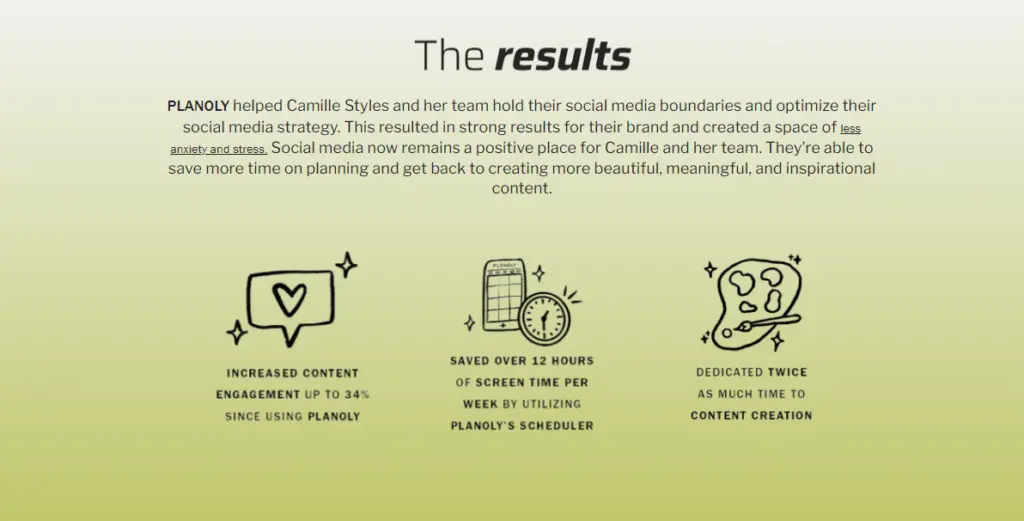
Planoly helps Camille and her team create stronger boundaries with social media and also keeps their social strategy deliberate by planning content in advance.
Camille Styles
Strategic Approach
Camille now time-batches, meaning she spends about 15-30 minutes per day on social media to get inspiration and stay informed by others’ content. All content planning now occurs on Planoly.
The team uses Planoly’s scheduler to plan and publish their content either manually or ahead of time with the auto-post feature. This has helped them to construct an Instagram feed that emulates the exact feeling and tone of their brand. Camille views the Instagram feed as a mini portfolio.
Key Findings of Our Review
Although social media marketing platforms are commonplace now, most still offer Instagram and Pinterest as afterthoughts. They have traditionally appeared to be the most challenging to implement in social media planning and scheduling platforms. However, using Planoly with these platforms is simple, with most of the complications removed (or at least hidden).
If your focus is on Instagram and/or Pinterest, you should seriously consider this platform to assist you with your social posting and scheduling, particularly if you use Instagram’s offshoots, like Reels and Stories.
Strengths:
Hashtag Recommendations: Planoly aids in maximizing content reach with its hashtag recommendation feature, ensuring posts gain optimal visibility.
Ease of Posting to Instagram: Planoly links to Instagram with ease. You have an Instagram-specific visual grid planning workspace. Can tag shoppable products from your Instagram Shop. Can add stock photos to your grid.
Weekly Trend Curation: Staying updated with current trends is crucial, and Planoly’s weekly trend curation ensures users are always in the loop.
Collaboration Capabilities: Planoly fosters team and client collaboration, ensuring content strategies are cohesive and aligned.
Limitations:
Limited Advanced Features for Other Platforms: While Planoly offers robust features for Instagram and Pinterest, users might find advanced features for other platforms are not yet as advanced.
PLANOLY makes it easy to create, customize, plan and schedule content for Instagram, Pinterest, Facebook, and Twitter, as well as sell anything to anyone with a single click - no website needed.
Ratings
Features & Pricing
Pros and Cons
Ratings
Features
4.0
Ease of Use
5.0
Support
4.0
Overall Score
4.5
Features & Pricing
Analytics
Automated Publishing
Content Management
Multi-Account Management
Post Scheduling
Reporting/Analytics
Price starting at:$11.25
Pros and Cons
Straightforward setup for Instagram and Pinterest
Caters for Instagram posts, Stories, and Reels
Practical workarounds to improve linking on Instagram, particularly for social commerce
Facebook and Twitter integration is only via Instagram
Can only auto post to an Instagram Business account (not Personal or Creator)
Calendars remain separate for each social network
Best for: Businesses of all sizes who post to Instagram and Pinterest
4.5 out of 5 stars
PLANOLY makes it easy to create, customize, plan and schedule content for Instagram, Pinterest, Facebook, and Twitter, as well as sell anything to anyone with a single click - no website needed.
Best Suited For: Agencies, freelancers, startups, non-profit organizations, influencers, and individuals.
Pricing Overview: Loomly offers a Starter and Beyond plan; pricing available upon request.
Supported Social Platforms:
Loomly seamlessly integrates with a diverse range of social networks, including:
Facebook
Instagram
LinkedIn
X
Pinterest
YouTube
TikTok
Snapchat
Google Business Profile
Loomly was designed to be an easy-to-use social media scheduling and publishing platform targeting businesses of all sizes. It was created by marketers, and this is evident in its ability to help social marketers with the real problems they face.
This wide target market is obvious in Loomly’s pricing structure. The $32/mo. (if paid annually) low-end plan enables 2 users to manage up to 10 social accounts. However, Loomly also offers plans to large businesses and enterprises, scaling their offering (and prices) accordingly.
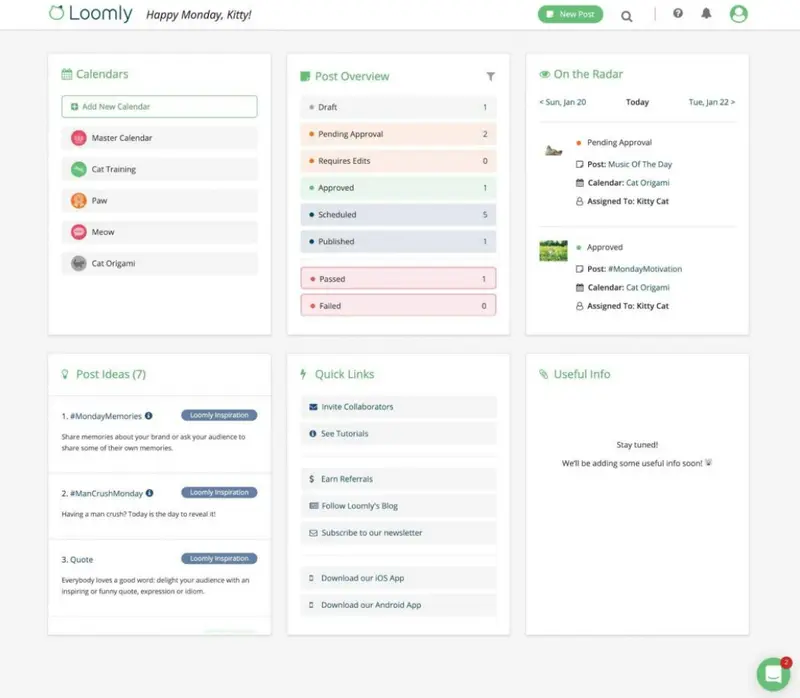
One of the most useful of Loomly’s features for posting and scheduling is the way it copes with multiple calendars. You can organize them any way you want. For example, an agency managing multiple clients can create a different calendar for each client, and each calendar connects to all that client’s accounts. Every calendar entry is drag-and-drop meaning you can reschedule up to 9 direct posts in a matter of seconds.
Core Features:
Automated content idea generation
Centralized media library
Custom channel support
Real-time post performance insights
Awards and Recognitions:
Loomly proudly displays a selection of various awards they have received:
Most Implementable Small Business (Winter 2024)
Best results (Winter 2024)
Top 100 Highest Satisfaction Products (Best Software Awards 2024)
Fastest Implementation – Enterprise (Winter 2024)
Notable Campaigns
Ink & Olive Media
Ink & Olive Media
Ink & Olive Media is a digital marketing boutique based in Ashburn, Virginia. Founder, Sarah Mills, began the company in 2018 after getting her start in social media management at a real estate brokerage. She specializes in realtors and other service-based business owners, telling their stories online.
She used other platforms before choosing Loomly but found them expensive and had poor customer support. She tried Loomly for two weeks and was impressed by how user-friendly she found it.
Sarah was particularly impressed by being able to preview Instagram posts (a feature her previous tools lacked).
Strategic Approach
The main advantage for Ink & Olive Media of using Loomly is the time it saves and its streamlined workflow. According to Sarah,
“Before Loomly, I was having to bounce between two different platforms to get the features I needed. I was also having issues with one that was causing me to spend time reaching out to customer service.”
Loomly has everything she needs in the one platform.
Katie Creative Co.
Katie Creative Co.
Katie Creative Co. is a social media studio based in Baton Rouge, Louisiana. Its founder is Katie Campbell. The business focuses on helping fun, local lifestyle businesses connect with their dream clients and customers through social media. It has used Loomly throughout its operations (from 2022).
Katy used another product in her previous job but looked for something better when setting up her social media studio. She specifically looked for a posting and scheduling tool that was easy to learn and use.
Katy particularly likes Loomly’s Instagram ‘First Comment’ feature. She also loves how the ‘Post Ideas’ feature cuts out the step of researching holidays or trending hashtags.
Strategic Approach
With Katie Creative Co. having used Loomly since its inception they clearly find it an essential part of their workflow. It has many features that simplify the daily tasks required of a social media studio.
For example, Kate has found that Loomly’s collaboration features make it easy for clients to see mockups.
Key Findings of Our Review
Loomly claims it can simplify your social media management and marketing. You might expect, therefore, that it might simply be a basic social media scheduling and publishing tool, with perhaps some simple mechanisms for responding to posts.
Yet, Loomly is full of features. Nothing feels tacked on for the sake of it, and no feature’s not going to get used.
Strengths:
Automated Content Ideas: Loomly’s automated content idea generation ensures a steady stream of fresh content suggestions.
Centralized Media Library: The platform offers a centralized media library, making content storage and retrieval efficient.
Custom Channel Support: Loomly supports customization for various channels, ensuring content is tailored for optimal performance.
Real-time Insights: Users can access real-time post performance insights, aiding in data-driven decision-making.
Limitations:
Lack of Advanced Analytics: While Loomly provides real-time insights, users might need to integrate with third-party tools for in-depth analytics.
Best Suited For: Both enterprises and small businesses looking to leverage AI-powered social media management.
Pricing Overview: Birdeye offers a tiered pricing structure to cater to diverse needs:
Starter Plan at $299 per month.
Dominate Plan at $449 per month. Both plans come with a range of features, and the platform offers options for annual discounts. Customizable add-ons like Referrals and Mass Texting are available to further tailor the service to specific requirements.
Supported Social Platforms:
Birdeye integrates seamlessly with a variety of social networks, including:
AI-Powered Content Generation: Birdeye’s advanced AI capabilities simplify the content creation process, offering contextually relevant image suggestions. This ensures that each post is not only engaging but also resonates with specific audience segments.
Efficient Social Scheduling: Birdeye’s social scheduling tool epitomizes efficiency. Users can schedule multiple posts across different accounts and platforms concurrently. The visual calendar, which allows filtering by date, status, and channel, ensures that content delivery is strategic and aligns with audience engagement patterns.
Centralized Engagement Hub: With Birdeye, real-time engagement is at the forefront. Instant notifications about interactions on posts ensure that brands can respond promptly, fostering meaningful conversations and strengthening brand-audience relationships.
In-Depth Performance Analytics: Birdeye’s social reporting provides comprehensive analytics, shedding light on top-performing content, reach, engagement, and audience growth. These insights, which can be segmented by location or region, enable brands to fine-tune their social media strategies for optimal engagement.
Strengths:
Multi-Location Management: Birdeye stands out with its ability to manage content and engagement across multiple locations, ensuring consistent brand messaging.
Sales Growth Referrals: Birdeye supports referral programs, aiding in sales growth and expanding the customer base.
Detailed Engagement Analytics: The platform’s analytics delve deep into engagement metrics, providing actionable insights for strategy refinement.
Limitations:
Limited Integration with Emerging Platforms: While Birdeye supports major social platforms, integration with emerging or niche platforms might be limited.
Birdeye is a reputation and customer experience platform for local businesses. We’ve included it in the Social Media Marketing section of our reviews because it includes a comprehensive Social Media module, that includes most of the features offered by standalone social media marketing platform competitors.
Ratings
Features & Pricing
Pros and Cons
Ratings
Features
4.9
Ease of Use
4.8
Reporting
4.8
Overall Score
4.8
Features & Pricing
Social Media Management
Review Management
Review Generation
Online Reputation Management
Customer Messaging
Referral Marketing
Website Chat
Google Reviews
Google My Business
Facebook Reviews
Business Listing Management
Customer Experience
Price starting at:$299
Pros and Cons
Offers a comprehensive range of tools to assist businesses to grow
Social tools are simple to use, yet powerful
The unified inbox makes it easy to keep track of any issues
Has incorporated AI throughout, to expand the usefulness of its tools
Social features are only included in the most expensive plan.
Expensive if you include all the add-ons
Best for: Businesses of all sizes. Pick and choose the add-ons according to your needs and budget
4.8 out of 5 stars
Birdeye is a reputation and customer experience platform for local businesses. We’ve included it in the Social Media Marketing section of our reviews because it includes a comprehensive Social Media module, that includes most of the features offered by standalone social media marketing platform competitors.
Best Suited For: Small, Medium, and Large Businesses
Pricing Overview: From $99/month
Supported Social Platforms:
Facebook
Instagram
Twitter
LinkedIn
TikTok
YouTube
Pinterest
WhatsApp
Threads
Let’s face it—social media can feel like a never-ending to-do list: managing accounts, curating content, tracking performance, and keeping up with trends. Enter Hootsuite, the ultimate tool to tame the chaos and put your strategy on autopilot.
Hootsuite isn’t just another social media platform; it’s the central command center for businesses of all sizes. Whether you’re a solo entrepreneur or part of a global team, Hootsuite makes managing multiple accounts feel effortless. Its intuitive dashboard empowers everyone, from social rookies to seasoned marketers, to create, schedule, and analyze content like pros.
What makes Hootsuite a game-changer? Efficiency meets innovation. With features like the AI-powered OwlyWriter for instant captions and content ideas, and heat maps that reveal the best times to post, it’s designed to help you do more with less effort.
Not to mention its cutting-edge analytics and social listening tools, which don’t just track your performance but keep you ahead of the curve by spotting trends and mentions before anyone else.
In the words of Gabriel Gomez, Head of Social at MCoBeauty:
“Hootsuite’s tools have not only doubled our engagement but also cut our workload in half.”
Ready to turn your social strategy into a well-oiled machine? Stick around to see why thousands of brands call Hootsuite their secret weapon for social media success.
Core Features:
Smart social media calendar and planner
AI-powered caption and post idea generation with OwlyWriter AI
Optimal posting time recommendations
Integration with Canva for on-brand content creation
Bulk post scheduling
Social listening and trend-tracking tools
Unified inbox for managing messages and comments
Comprehensive analytics across all social media channels
Management of paid and organic content side by side
Customizable ‘link in bio’ pages
Awards and Recognition:
TrustRadius 2023 Best Of Awards
MarTech Breakthrough Awards 2023
AdWeek’s Readers’ Choice 2022
15th Annual Shorty Awards Winner
Notable Campaigns
Witness Change
Witness Change, a non-profit organization focused on amplifying stories from marginalized communities, partnered with Hootsuite to launch 1000 Dreams, a photo-storytelling campaign aimed at shifting global perceptions of refugees.
Witness Change sought Hootsuite’s expertise to scale the reach and engagement of the campaign through social media, leveraging the platform to change stereotypes and increase awareness.
The organization turned to Hootsuite to manage the complexities of social media posting and scheduling for this large-scale project.
Strategic Approach
Hootsuite provided Witness Change with its Enterprise platform, enabling the team to streamline the creation, scheduling, and publishing of social media content. This single-tool approach significantly reduced the time required to manage posts across multiple channels, as noted by William Lounsbury:
“The pure usability of the platform has really just saved us a bunch of time, making it much more possible to get all of this work released.”
In addition to scheduling, Hootsuite’s analytics tools allowed the team to measure engagement and refine strategies. Monthly analytics reviews and collaboration with Hootsuite’s experts helped optimize content to reach a broader audience. The platform also supported ad targeting, which boosted the campaign’s impact beyond organic reach.
With Hootsuite’s tools and support, the 1000 Dreams campaign reached 100 million people in its first week, achieving 2.7 million Instagram impressions and adding over 30,000 new Instagram followers. The team also saw a 54% increase in organic reach on Instagram, demonstrating the efficiency of their social media strategy.
Croda
Croda, a leader in life sciences and consumer care, partnered with Hootsuite to enhance its global digital strategy and improve customer engagement through social media. The company needed a centralized platform to streamline its social media activities, align its messaging across diverse audiences, and empower employees to participate in social media advocacy.
Hootsuite’s tools helped Croda unify its social presence, boost visibility, and effectively share its sustainability message.
Strategic Approach
Croda adopted Hootsuite Enterprise to centralize the management of 36 distinct social media channels across its Consumer Care, Life Sciences, and Industrial Specialties divisions. This consolidation allowed marketing teams to efficiently create, schedule, and analyze social content while avoiding duplicated efforts.
As noted by Global Digital Marketing Lead Ashley Sidi,
“Hootsuite Enterprise has consolidated everything for us, so it keeps Croda in one consistent place—this is our social media factory that keeps us moving forward. And Hootsuite’s made my life easier. I don’t have to ask people to send me separate reports and what content they’re posting. I can see everything in one place.”
The platform also enabled the use of Hootsuite Amplify, allowing employees to share curated content easily, increasing brand visibility and strengthening customer relationships.
Using Hootsuite, Croda achieved significant milestones, including a 50% increase in website conversions from social media between Q2 2022 and Q2 2023. Employee advocacy through Hootsuite Amplify contributed to 23 million LinkedIn connections and 5,000+ web conversions since its implementation.
Key Findings of Our Review
Strengths
User-Friendly Interface: Hootsuite’s dashboard is intuitive, making it accessible for users at all levels.
AI Integration: The OwlyWriter AI enhances content creation by generating captions and post ideas, saving time and boosting creativity.
Optimal Posting Times: Provides data-driven recommendations on the best times to post, maximizing engagement.
Comprehensive Analytics: Offers in-depth insights across all social media channels, aiding in performance tracking and strategy refinement.
Collaboration Tools: Features like built-in Canva templates and streamlined approval processes facilitate efficient teamwork.
Limitations
Pricing: Some users may find the cost of higher-tier plans steep, especially small businesses or individual users.
Learning Curve: Despite its user-friendly design, the platform’s extensive features may require time to master fully.
Limited Features on Lower-Tier Plans: Certain advanced functionalities are restricted to premium plans, which may limit access for some users.
Best Suited For: Mid-sized agencies, mid-sized businesses and some enterprise brands
Supported Networks:
Facebook
Instagram
LinkedIn
Twitter
YouTube
TikTok
Google Business Profile
Google Analytics
Agorapulse lets you publish, engage, listen, report, and collaborate with your social networks. You can centrally post to all of your social accounts, with a queue or schedule ensuring your content is delivered at the best times. It allows you to re-queue or reschedule evergreen posts to easily optimize your social media post frequency.
Agorapulse supports platform-specific social media content optimization, allowing you to tweak each post to take advantage of features specific to each social network. This makes it easier to optimize content performance and engagement ratings for each platform.
Agorapulse offers four-tier pricing: Standard, Professional, Advanced, and Custom, with plans starting from $79 per month and providing varying features and social profile limits
Key Features:
Real-time collaboration
Visual publishing calendar
UTM tracking to measure campaign success
Centralized asset library
4.5 out of 5 stars
Agorapulse is a social media management platform stocked full of features for individuals, businesses, and enterprises. Their added listening tool helps users monitor brand mentions. Features include a variety of ways to publish content, reporting, analytics, and more.
Ratings
Features & Pricing
Pros and Cons
Ratings
Features
4.0
Ease of Use
4.6
Support
4.8
Overall Score
4.5
Features & Pricing
Analytics
Automated Publishing
Contact Management
Content Management
Conversion Tracking
Keyword Filtering
Multi-Account Management
Post Scheduling
Reporting/Analytics
Social Media Monitoring
Competitive Analysis
Scheduling
Social Media Calendar
Social Media Management
Team Workflow & Collaboration
Social Media Listening
Price starting at:$49
Pros and Cons
Easy social media management
Simple platform
Makes it easy not to double reply etc
Lack of post editing features
Limited third party integrations
Engagement platform can be difficult to use
Best for: Mid-sized agencies, mid-sized businesses and some enterprise brands.
4.5 out of 5 stars
Agorapulse is a social media management platform stocked full of features for individuals, businesses, and enterprises. Their added listening tool helps users monitor brand mentions. Features include a variety of ways to publish content, reporting, analytics, and more.
Best for: Small businesses, e-commerce, agencies, marketers, digital influencers
Supported Networks:
Facebook
Instagram
LinkedIn
TikTok
Google My Business
In the decade that they’ve been in business, NapoleonCat has built an impressive client list that includes brands like the World Wildlife Foundation, Avon, and Allianz.
One of their claims to fame is that they can help social media marketing teams win back up to 70% of their time and energy. Even if this is not the case, just looking and interacting with its beautiful platform will make work feel less of a chore.
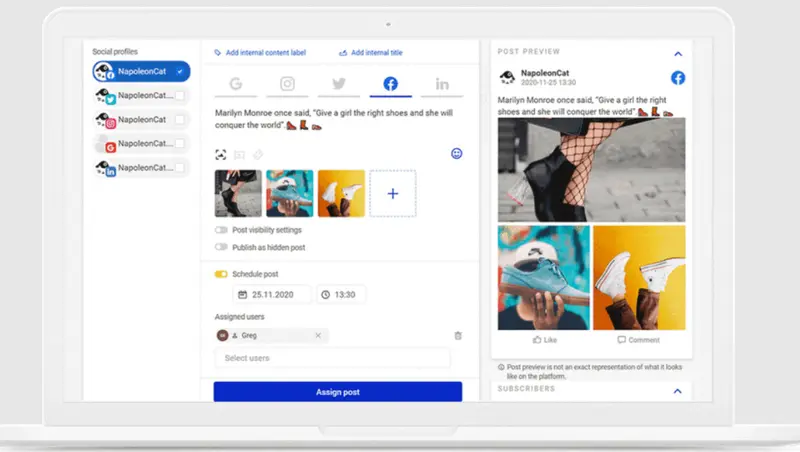
All in all, it’s easy to use and set up. One feature that deserves special mention is that when you set up your social media accounts after signing up, it also gives you the option to keep tabs on your competitors. You just type in the competitor’s social media account name and add it to your watch list.
You can also set it up so that each team member gets assigned a specific permission. This is useful if you want to control who may create content.
Multi-platform Posting and Performance Analytics
With regards to posting and scheduling specifically, you can use it for scheduling posts simultaneously across multiple social networks via a single dashboard. It also generates post previews as you create them, which is more useful than it sounds.
Then, after your content has been posted, you can use its performance analytics to monitor your reach, engagement, click-throughs, and social shares.
Pricing:
While its list of features is pretty much the same as other social media tools, its approach to pricing is different and a lot more flexible. Unlike the majority of tools, NapoleonCat actually lets you select the number of social media profiles and users, making it an ideal tool for smaller teams.
The most basic plan for individual users starts at $79/month and lets you manage up to 5 social profiles for 2 users.
Key Features:
Platform-specific customizations
First comment scheduling for Instagram
Optimal post time recommendation
Auto-moderation for Facebook and Instagram
Social CRM for enhanced customer interactions
4.6 out of 5 stars
This social media management tool is created specifically for social media managers, agencies, marketers and creators looking to harness the power of engagement. The platform supports Facebook, Instagram, Twitter, LinkedIn, YouTube and Google My Business.
Ratings
Features & Pricing
Pros and Cons
Ratings
Features
4.2
Ease of Use
4.8
Reporting
4.9
Overall Score
4.6
Features & Pricing
Automated Publishing
Analytics/Reporting
Content Calendar
Facebook Ads Moderation
Competitor Tracking
Moderator Activity Reports
Sentiment Mapping
Language Translation
Social Inbox
Price starting at:$27
Pros and Cons
Publishing and scheduling to social media
In-depth analytics on social profiles
Social inbox that consolidates messages
Multi-hashtag searches
Confusing billing options
Glitchy interface
Difficult-to-use interface
Best for: Small businesses, e-commerce, agencies, marketers, digital influencers
4.6 out of 5 stars
This social media management tool is created specifically for social media managers, agencies, marketers and creators looking to harness the power of engagement. The platform supports Facebook, Instagram, Twitter, LinkedIn, YouTube and Google My Business.
Best for: SMM-specialists, Bloggers, Freelancers, Small and Medium-sized Businesses, Big Business, Agencies
Supported Networks:
Facebook
Instagram
Twitter
LinkedIn
Google My Business
YouTube
TikTok
Tumblr
WordPress
Telegram
Pinterest
Medium
Onlypult markets itself as being the one platform for brands, agencies, and businesses to work with social media. It actually offers more than that, letting you work with images and videos and post to social media, blogs, and messengers.
The list of apps you can schedule is one of the largest we have seen and includes Russian platforms such as Vkontakte and Odnoklassniki.
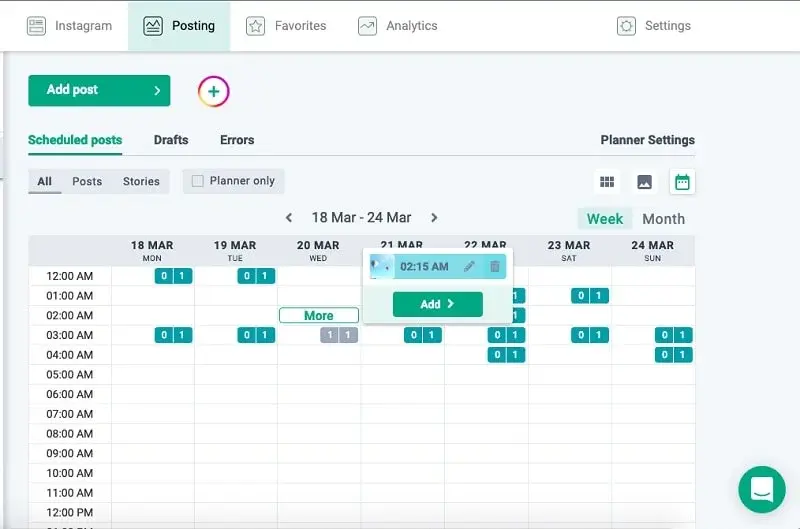
Onlypult’s scheduling allows you to create multiple social posts and set days and times for them to be pushed through to your social channels. You can even schedule carousel posts and Stories.
In addition, you can set posts to auto-delete at a scheduled time, so you don’t have to worry about promotional links and codes floating around on the web or people querying old posts and asking for special discounts.
Efficient Content Creation and Management
Usefully, you can multipost with Onlypult. You can create a copy and apply it to multiple posts using different images. Like most of these social media scheduling tools, Onlypult provides you with a content calendar to help you keep tabs on what’s happening and when your content will be published. It is clean and easy to use.
Powerful Tools: Builder and Monitoring
Onlypult includes limited access to two other tools at all plan levels, Builder and Monitoring. Builder helps you create a micro landing page in a few minutes with a convenient visual builder. Monitoring tracks mentions of your competitors, partners, or buyers. You can use Monitoring to find discussions related to your brand to help you make the right decisions.
Pricing:
Onlypult offers four plans (Start, SMM, Agency, and Pro) with various features, including image and video editors, multiple accounts, hashtags, planner, calendar, and auto post deletion. Prices start from $12.50 per month (billed annually and 50% off).
Manage multiple accounts and post to multiple accounts using Onlypult, a social media management tool. This platform allows you to customize posting based on your needs as well as manage engagement.
Ratings
Features & Pricing
Pros and Cons
Ratings
Features
4.6
Ease of Use
4.8
Support
4.7
Overall Score
4.7
Features & Pricing
Analytics
Automated Publishing
Keyword Filtering
Multi-Account Management
Post Scheduling
Multi-User Collaboration
Reporting/Analytics
Content Planning
Hashtag Management
Auto Post Deletion
Micro Landing Pages
Social Media Listening
Price starting at:$17.50
Pros and Cons
Simple toggling between users
Multiple price points
Simple interface
Missing publishing features for some social platforms
No video scheduler
Photo editor can be clunky
Best for: SMM-specialists, Bloggers, Freelancers, Small and Medium-sized Businesses, Big Business, Agencies
4.7 out of 5 stars
Manage multiple accounts and post to multiple accounts using Onlypult, a social media management tool. This platform allows you to customize posting based on your needs as well as manage engagement.
Monday.com focuses on content planning and doesn’t offer support for specific social networks.
Monday.com is different from most of the social media scheduling tools included in this post in that it doesn’t specifically target social media posting and scheduling. In fact, many businesses use Monday.com for things other than social media.
Its primary focus is on improving the efficiency and workflow of your teams. However, this makes it ideal for those wanting to create a logical workflow to manage their social media accounts.
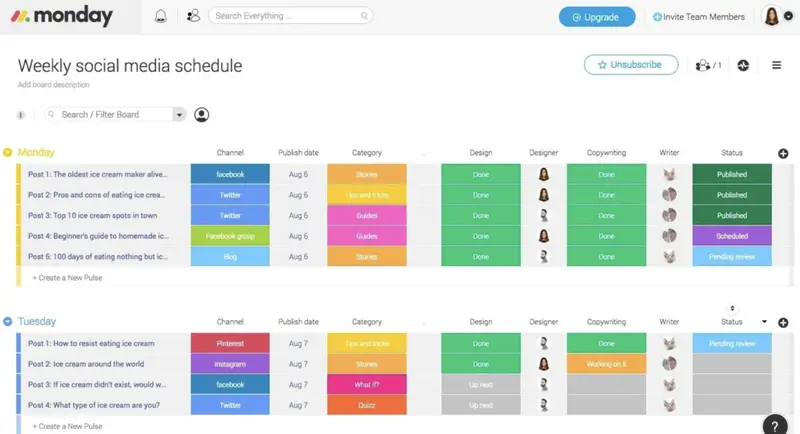
Boards are the heart of Monday.com. It uses boards as fully customizable tables to manage your projects and everyday work. You build boards to represent your workflow, which makes it easier to organize any projects and activities your team does.
Social Media Management Template and Workflow
Monday.com includes numerous templates to give you a starting point and has one specifically designed for social media management. This template builds two boards:
Campaign Ideas and Requests
Campaign Progress and Status
Collaborative Campaign Planning
Members of your team can make suggestions for upcoming social media posts in the Campaign Ideas and Requests board. You then use it to create an efficient and standardized workflow for your social media campaigns.
The Campaign Progress and Status board focuses more on specific campaigns. It shows Upcoming Campaigns, Live Campaigns, Completed, and Stuck. The two boards join, so when you approve a campaign on the Campaign Ideas and Requests board, it automatically populates the Upcoming Campaigns section on the Campaign Progress and Status board.
Automation and Integration Features
You can include Automations and Integrations on your boards. Automations are rules based on some action that occurs within the site. Integrations are where your Monday.com boards interact with some other software platform.
Pricing:
Monday.com offers multiple paid plans, starting at $8 per user per month for Basic (5GB storage) up to Pro at $16 per user per month, and an Enterprise plan with custom pricing, each plan with increasing features and an 18% annual plan discount. Free plan available
Monday.com is a work operating system (Work OS) that powers team to run projects and workflows. This simple yet intuitive tool helps adjust to your business' shifting needs while enabling employees to collaborate.
Ratings
Features & Pricing
Pros and Cons
Ratings
Features
4.0
Ease of Use
4.5
Support
4.6
Overall Score
4.4
Features & Pricing
Content Management
Multi-User Collaboration
Social Media Calendar
Marketing Project Management
Teams / Collaboration
Price starting at:$8
Pros and Cons
Collaboration tools for teams
Great task management
Unified work views
Cluttered interface
Limited file management tools
Time tracking features may glitch
Does not support waterfall or Agile methodology
Best for: Any project and business
4.4 out of 5 stars
Monday.com is a work operating system (Work OS) that powers team to run projects and workflows. This simple yet intuitive tool helps adjust to your business' shifting needs while enabling employees to collaborate.
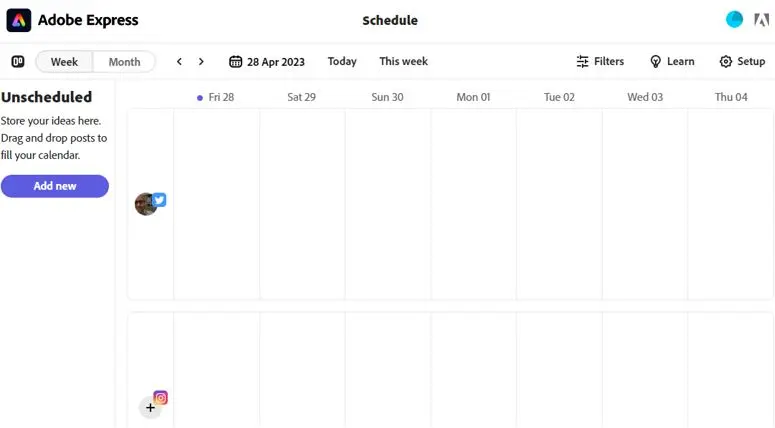
Adobe Express Content Scheduler takes a different approach from many traditional social posting tools. Rather than building scheduling on top of a workflow platform, Adobe Express builds scheduling on top of a full creative environment. This makes it particularly useful for teams that need to design, version, and publish content in a single place.
Its core strength is removing handoffs. You can create assets, apply your brand kit, generate variants with AI, and schedule posts without exporting files or switching platforms. For small businesses and solo creators, this consolidation saves an enormous amount of time. For larger teams, it functions as a central creative workspace with built-in publishing.
Integrated Creative Workflow
Adobe Express is first and foremost a design tool. Templates, brand kits, Adobe Stock photos and videos, image effects, background removal, and AI-assisted editing are all available inside the same interface where scheduling happens. This means every post can be created, reviewed, and queued without leaving the platform.
Creators can plan content by saving ideas as Unscheduled posts or drafting full posts directly in the calendar. Drag and drop editing allows users to reorder and refine their publishing sequence in seconds.
Calendar-Based Planning and Publishing
The Content Scheduler uses a visual calendar to map out weekly or monthly activity across all connected networks. Users can preview how posts will appear once published, ensuring on-brand formatting before anything goes live.
Auto-publishing is supported for all connected channels. You can schedule Posts, Reels, and Stories and publish at optimal times for each network. This makes it easy to maintain a consistent brand presence while taking advantage of peak engagement windows across different time zones.
Collaboration Through Consistency
By scheduling within Adobe Express, teams gain a unified brand system. Brand kits standardize logos, colors, and typography so that every post follows the same identity guidelines. For businesses aiming to strengthen recognition through predictability, this consistency is a major advantage.
The platform also helps maintain regular posting rhythms across all channels. Even when teams are offline, content continues going out automatically, improving reach and driving sustained engagement.
Pricing:
Adobe Express offers a free plan that includes Content Scheduler and allows up to 1000 scheduled posts per month, plus access to templates, Adobe Stock assets, design features, and fonts. Premium plans are available at $9.99 and $19.99 per month with expanded creative features and multi-account scheduling.
Best suited for: Brands and organizations of all sizes
Pricing Overview: Plans range from $79 to $399 per month, after a free 30-day trial. Social scheduling is available on all plans.
Supported Networks:
Facebook
Instagram (incl. Threads)
LinkedIn
X
YouTube
Pinterest
TikTok
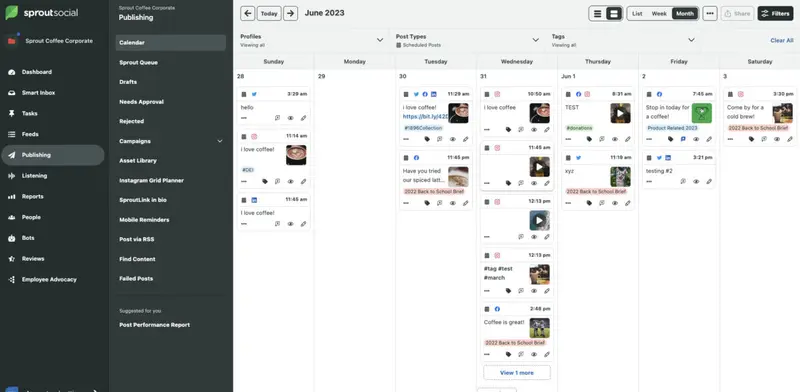
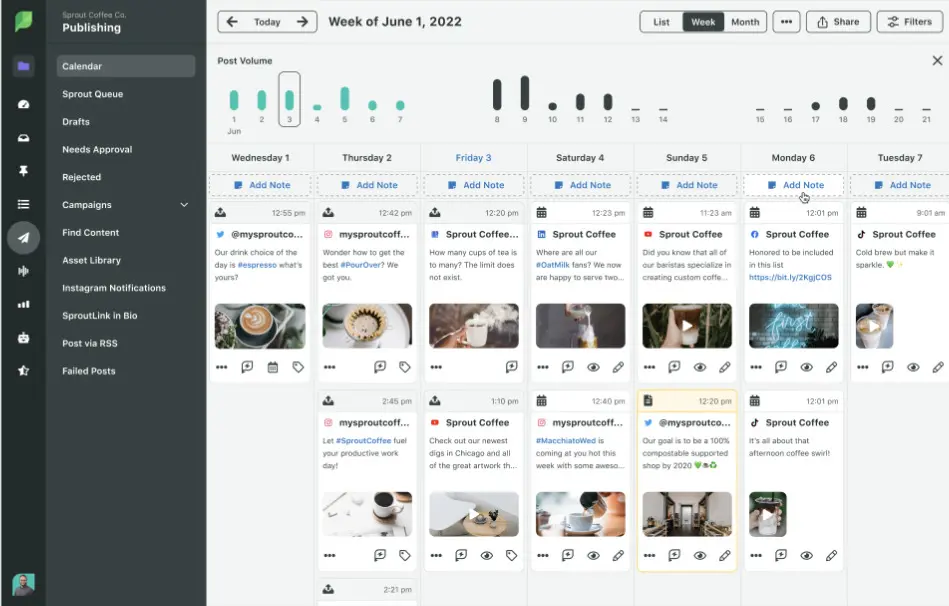
Sprout Social is an all-in-one social media management platform, much more than just a social media scheduling tool. You can both schedule and post across all major social networks.
Marketing teams can use it for collaboration, with user-level permissions providing specific access to marketing managers, writers, and everyone in between to contribute to a social media calendar.
Although Sprout Social may seem expensive compared to some of the other social media scheduling tools covered here, this is because it offers a comprehensive offering. You might wonder whether Sprout Social is relevant for a small business; however, they currently assist more than 10,000 small and medium-sized businesses.
Sprout Social recognizes that manually publishing, engaging, and analyzing data separately on each native platform can be time-consuming. The agency brings all those actions into one, streamlined workflow.
Core Features:
Posting and scheduling posts on 5+ social profiles (unlimited on higher plans)
Centralized social inbox
Optimal post time recommendation
Brand-relevant content suggestions
Message approval workflows
Link in bio tool
URL tracking
Digital asset and content library, paid promotion tools, chatbots, sentiment analysis, CRM integrations, social listening, employee advocacy, influencer marketing, and more on higher plans.
Awards and Recognitions:
Sprout Social awards:
Great Place to Work – Best Workplaces in Chicago
Best Workplaces for Parents awards 2021
Glassdoor Best Places to Work 2023
Trust Radius Top Rated 2022
Fortune Best Workplaces in Technology 2023
Notable Campaigns (Social Media Posting and Scheduling Related)
Northwestern Settlement
Northwestern Settlement has provided essential social services to Chicago for over a century. Nowadays, social media is an essential part of Northwestern Settlement’s strategy.
The problem Northwestern Settlement faced was that it had a wide range of programs catering to a diverse variety of people. This means that they had multiple target audiences on social media. Nearly all the organization’s programs have separate Facebook pages, and others have profiles on X and Instagram as well.
Katie Taylor, Director of Development at Northwestern Settlement, is responsible for the organization’s social media management. But as she is also responsible for many other tasks, she needed to find a way to better spend her time.
“I had to go out and fundraise. I had to go meet with people. Then I had to handle social media. I was wearing many hats. So, when the leader of a social media workshop for nonprofits showed us Sprout Social and what it could do, I was like, ‘Wow, this is so much easier.”
Northwestern Settlement
Strategic Approach
Each of Northwestern Settlement’s social pages serves a unique audience. Each page is also intended to show current donors, volunteers, and partners how their contributions are supporting the organization’s work.
Sprout provides the way Northwestern Settlement can track who is sharing its content and when, as well as how that content performs. The organization receives notifications through Sprout when people message it, mention it, or share a post across all social channels. Northwestern Settlement can quickly see who’s engaging with it online and respond.
Northwestern Settlement can easily track performance at the post-level, providing insight into the best times to publish for maximum reach. Sprout Social’s platform allows Northwestern Settlement to schedule content and compare performance across all social channels at once.
Over its first three years using Sprout, Northwestern Settlement achieved a:
73% increase in social impressions
100% increase in social engagements
590.6% increase in social messages received
American City Business Journals
American City Business Journals (ACBJ) distributes targeted news for 43 business journals across the United States and manages that content across social media platforms.
LinkedIn is an effective social platform for ACBJ to share content and expand engagement because the business-focused platform caters to a niche audience.
Each of ACBJ’s 43 business journals oversees its own LinkedIn account, typically co-managed by an editor and a marketer.
American City Business Journals
Strategic Approach
ACBJ uses Sprout’s Tag Report. Each marketing team makes sure to tag every LinkedIn post identically across markets, tracking them through the Tag Report to measure what types of posts perform best.
They found from the Tag report that education-related content performed well, so tried to focus more on posts like that. ACBJ has found that Sprout’s scheduling and management features help drive efficiency in publishing.
The company has found that they can centrally post all their marketing posts from their corporate office using Sprout Social, as opposed to going into 43 different LinkedIn, Facebook, or X accounts.
The company noticed a 21% hike in follower growth on LinkedIn and a 7% increase in overall engagement in the first year.
Key Findings of Our Review
We found Sprout Social to be a heavy-duty social media platform targeting top-end companies, but also keeping relevant and affordable to small businesses. It integrates with all major social platforms and includes scheduling, publishing, engagement tools, and access to rich analytics.
Despite the platform’s growth over almost 15 years, it still performs its core task: to centralize a social media manager’s day onto a single platform.
Strengths:
Customizable calendar: Sprout Social features a highly flexible and customizable calendar that keeps users organized
AI-assisted social listening: this casts a wide net while keeping results useful/relevant
Inbox features: Social comms demonstrate a new level of efficiency
Reporting: Deeply holistic reporting.
Limitations:
Learning curve: Getting the most out of the platform requires a lot of upfront setup and organization. You need to use the platform for a while to understand what you should have set up first
One of the most recognized names in social media management shows why it’s been so successful, with a platform that changes the game for social media managers.
Ratings
Features & Pricing
Pros and Cons
Ratings
Features
5.0
Ease of Use
5.0
Support
5.0
Overall Score
5
Features & Pricing
Analytics
Automated Publishing
Contact Management
Content Management
Conversion Tracking
Customer Targeting
Keyword Filtering
Multi-Account Management
Post Scheduling
Brand Tracking
Reporting/Analytics
Social Media Monitoring
Price starting at:$199
Pros and Cons
Highly flexible and customizable calendar keeps users organized
AI assisted social listening casts a wide net while keeping results useful/relevant
Inbox features take social comms to new levels of efficiency
Deeply holistic reporting
Getting the most out of the platform requires a lot of upfront setup and organization
You need to use the platform awhile to understand what you should have set up first
Best for: Brands and Agencies of All Sizes
5 out of 5 stars
One of the most recognized names in social media management shows why it’s been so successful, with a platform that changes the game for social media managers.
Best Suited For: Franchise and Multi-Location Brands, Direct Sales Organizations, Marketing Agencies, Small Business Owners, Marketers
Supported Networks:
Facebook
Instagram
Twitter
LinkedIn
Pinterest
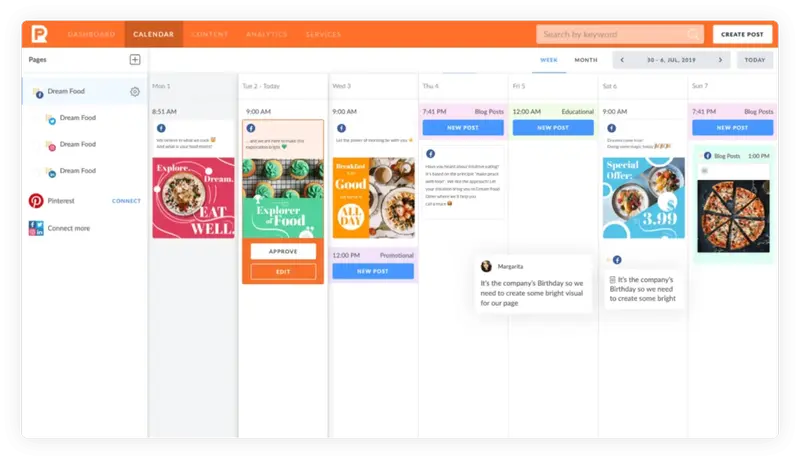
PromoRepublic is designed for marketers who need to manage social media across dozens or hundreds of locations. Unlike tools built for individual creators or small teams, PromoRepublic functions as a centralized control hub. It allows marketers to coordinate publishing, brand compliance, approvals, paid amplification, and analytics across entire networks of pages.
Its core value is scale. Multi-location brands often struggle with oversight, consistency, and localized engagement. PromoRepublic provides the framework to create on-brand content libraries, distribute assets to local teams, and publish to hundreds of profiles in a single workflow.
This makes it well-suited for franchises, retailer networks, and enterprise brands that require central governance without sacrificing local relevance.
Automated Social Media Publishing and Scheduling
You can use PromoRepublic to automate your social media publishing and scheduling. You enter all your posts and visuals in one social media publishing calendar and schedule them in advance so they get posted automatically to multiple social media.
Comprehensive Features and Tools
But they offer more than just scheduling posts. You have access to a 100,000-post ideas library and graphics editing tools. Not to mention the other features expected of social media management and planning software, such as analytics and reporting and smart posting using AI.
For firms wanting more, PromoRepublic offers two other products:
Social Monitoring to manage your brand reputation and keep track of your social mentions
Intelligent Ads to improve your social advertising campaigns
Collaboration Across Networks and Teams
PromoRepublic includes structured workflows for approvals and permissions. Headquarters teams can approve posts created by local pages, suggest content for publishing, or allow representatives to contribute ideas. Discussions, comments, and edits remain inside the platform, keeping collaboration centralized and recorded.
A unified social inbox aggregates messages and reviews from all connected profiles, enabling timely responses across a distributed network.
Pricing:
PromoRepublic offers multiple paid plans. Pricing is available upon request.
Which Social Media Posting and Scheduling Tools Best Fit Your Brand?
Choosing the right scheduler depends on the operational reality behind your social presence. Whether you manage hundreds of pages, juggle client approvals, or run a lean startup team, the best tool is the one that removes friction from the exact workflow you struggle with most.
These use cases map common challenges to the scheduling platforms that solve them most effectively.
Enterprise governance plus cross-department collaboration → Brandwatch
Collaboration-first content planning with customizable approvals for agencies and multi-stakeholder teams → Planable
High volume client approvals and agency-first workflows → HeyOrca
Budget-friendly publishing and white-label client management → Sendible
Instagram and Pinterest visual planning with creator-friendly tooling → Planoly
Advanced analytics plus scheduling for insight-driven teams → Iconosquare
Cost-efficient AI-assisted scheduling for lean brand and agency teams → Planly
Unified enterprise hub for planning, publishing, listening, and paid orchestration → Hootsuite
Platform
Best for
Pricing
Key SMM Scheduling and Posting Value
Use For
Brandwatch Social Media Management
Established mid- to large-scale businesses, organizations with multiple departments
Price on request
Cross-channel scheduling, unified social calendar, social inbox, granular permissions, advanced analytics and listening
Centralized governance of complex, multi-department social operations
Sendible
Businesses of all sizes, freelancers and agencies
From $25/month (Creator Plan) up to $750/month (White Label+)
Flexible scheduling across networks, bulk scheduling via CSV, built-in visual editor, content sourcing and RSS/alert integration
Budget-friendly publishing and scalable client-facing scheduling
HeyOrca
Agencies or teams managing multiple clients
From $29–$50/month depending on number of calendars
Multiple social calendars (per client), collaborative media library, visual calendar view, direct client approvals
Client-first approval workflows and streamlined agency collaboration
Buffer
Publishers, startups, non-profits, small to mid-size teams, solopreneurs
Freemium (up to 10 posts free), paid plans from $5/month
Time-saving automation and scheduling for lean teams
Iconosquare
Brands and agencies needing scheduling plus deep analytics
From $33/month (Launch) to $116/month (Enterprise tier)
Scheduling with saved captions and hashtags, first-comment scheduling, media library, multi-profile support, in-depth analytics and competitor tracking
Insight-driven scheduling with performance analytics
Planoly
Businesses focused on Instagram or Pinterest and visual storytelling
From $15/month
Visual content grid planner, auto-posting to Instagram, hashtag manager, social calendar, support for Reels and Stories
Visual-first content scheduling for photo and video heavy brands
Why Use a Social Media Scheduling and Posting Tool?
A social media posting tool is a crucial addition to any business’s or social media manager’s marketing arsenal. Because it helps automate manual tasks, you can maximize your time and focus on other, more complex issues or tasks.
These tools can help your business become more consistent and stay true to your branding. Consistency is vital, especially when you’re on social media. It delivers a seamless experience for both your patrons and potential customers and creates a unified identity and messaging for your business.
By being consistent, you can stand out from the competition because people will know what to expect from you. For example, if your brand is consistently using a certain design or layout for your content, then people will know that this particular post is from you.
These tools let you review your posts, allowing you to check for consistency across different platforms without having to go through each page or platform one by one.
Some of these platforms let you design a generic version of a post, which you can then customize for each of your social platforms.
Planoly scheduler
All in all, social media scheduling tools offer the following benefits:
Save time by planning and scheduling posts days, weeks, or even months in advance, freeing up time for other tasks
Maintain a consistent social media presence by posting regularly, even when busy
Reach your audience at optimal times by scheduling posts when your followers are most active
Avoid overloading followers by spacing out posts throughout the day rather than posting everything at once
Maintain brand consistency by managing content for all social channels from one place
Improve quality control by minimizing errors and typos, and enabling content previews before posting
Gain a bird's-eye view of your planned content across all channels with a visual calendar interface
Streamline cross-promotion by easily sharing content across multiple platforms through social media automation
Analyze post performance with detailed analytics to optimize your social media strategy.
Manage customer comments and questions in one central location for timely responses
Leveraging Social Media Tools for Business Transformation: Insights from Ex-Hootsuite CEO Tom Keiser
Utilizing a social media scheduling tool goes beyond just managing multiple accounts—it's about embracing a digital transformation that can drive business success.
Ex-Hootsuite CEO Tom Keiser exemplifies this through the case of Meliá Hotels International. Tom Keiser mentioned:
By centralizing content management across various social platforms through Hootsuite, Meliá Hotels not only enhanced its online communication but also achieved business objectives like improving customer satisfaction and recruiting fresh talent. This case underscores the strategic value in adopting social media tools, showcasing how they can serve as a conduit for organizational transformation, fostering a stronger, more engaging online presence that resonates with both existing and prospective customers.
Building on these insights, we also gathered valuable perspectives from a B2B marketing consultant, offering a deeper exploration into the strategic utilization of social media tools:
Djanan Kasumovic
Head of Growth - Influencer Marketing Hub
Camille Kennedy
Revenue driven marketing and sales strategist
From your experience, what are the most critical features to look for in social media posting and scheduling tools when aiming to build an effective and cohesive social media strategy?
In my experience, there are several critical features to consider when investigating the use of social media tools. One of the first things I consider is the use case for the company and/or social media manager’s needs. Identifying this first is the most helpful in selecting the right tool and doing so at the right price point. The use case might include evaluating factors and weighing their importance against the functions of the tool and the price point of the tool. A few of the core features I look for in a social media posting and scheduling tool include:
The ability to schedule options across multiple channels (static, video and stories)
The ease of previewing and editing planned feeds
Advanced features for e-commerce, such as the ability to link, tag or incorporate conversion-driving methods.
A cohesive approach to measurement to help me optimize and amplify the right content on the proper channels.
Additional content adaption features to aid in scheduling content across channels and formats
With the recent advancements of AI, I am finding that more social media tools will become a one-stop shop, where they not only allow the ease of posting but also offer new tools to quickly adapt and optimize creative content, video captions, hashtags and more, across channels. At the end of the day, social media is much more than scheduling a great-looking content calendar. It’s about engaging with your audience in relevant ways and capitalizing on what’s working in real time. With so many tools out there needed by one individual social media manager, the platforms and tools that progress into a seamless one-stop shop for brands will win going forward.
Social media platforms are constantly evolving. How can businesses stay ahead of these changes, and how should they adapt their tool selection and usage in response to new features and algorithm updates?
I believe that a business can stay ahead of the changing social media landscape by working with a partner or platform that has a history of being progressive and comprehensive with its product roadmap. It is not advisable that the company switch their social tools every time a new feature or function comes out. If a company is chasing price and features and constantly changing tools, I believe the company stands to lose a lot of historical data tracking and analytics that these platforms offer and hold, plus face the added burden of having to retrain staff and agency partners.
What’s the Best Time to Schedule Posts Using a Social Media Scheduling and Posting Tool?
To maximize the effectiveness of your social media scheduling and posting tool, it's crucial to align your schedule with the optimal posting times for each platform.
We have comprehensive guides on the best times to post on:
By utilizing these guides, you can ensure your content reaches its audience when engagement is highest, enhancing your social media strategy's overall impact.
Can Small Businesses Use Social Media Management Tools?
Yes, they can! For small businesses, social media can play a major role in their growth. By being able to manage your social media channels more effectively, you’re more likely to build and maintain not only an active online presence but also an engaged following.
Small businesses often juggle many roles with only a limited number of resources, like manpower.Social media scheduling toolscan help you streamline your business processes and workflows, save time and money, improve collaboration, and create the right content for your target audience, all on one dashboard.
So, even with a small number of people, you can still produce high-quality content that appeals to your intended audience.
Pro Tip
If you’re a small business that’s looking to leverage the capabilities of such tools, make sure that you consider your budget and utilize their free trial offers. This way, you can get a firsthand experience of what it’s like and see whether its capabilities can meet your needs. Make sure that the social media scheduling and posting tool you choose offers round-the-clock customer support.
What Should I Look at to Find the Right Social Media Scheduling Tool
With the sheer amount of social media scheduling and posting tools out there, it can be tough to find the right one for your organization. Here are some key factors to consider when finding the best social media scheduling tool:
1. Evaluate Key Features
Determine what your business needs and goals are and what challenges you’re currently facing when it comes to social media management. Do you need an app that has advanced scheduling features, or do you want something that offers integrations for creating visuals?
Do you need an app that lets you create a content calendar? What about monitoring conversations and analytics? Different tools offer different features. From there, identify the features you need to have in a social media tool.
When comparing tools, look at:
Publishing tools
They must be able to schedule and publish content across all the social channels you use. They should have a robust scheduling tool that will let you schedule and organize weeks’ or months’ worth of content in one go.
Engagement tools
E.g., an integrated social media inbox that lets you keep track of all messages and lets you take appropriate actions like replying to them.
2. Platform Integrations
Integrations let you do more with your social media scheduling tool. For example, an integration with Canva or other photo editing apps will let you directly add images or videos directly to your content in one place.
3. Analytics and Reports
Analytics tools enable you to gauge your performance and inform future actions or strategies. Reporting tools let you communicate essential information to all your stakeholders and team members.
For example, if your social media scheduling tool has an engagement report feature, you’re able to monitor your performance when it comes to audience engagement, such as if you’re frequently responding to messages or answering them in a timely manner.
A team reporting feature is also helpful to monitor large social media accounts. You’re able to see which aspects are doing great and which ones need more attention, or if you need to expand operations for that particular aspect, allowing you to make better strategies.
A trends report functionality will also come in handy. This lets you view hashtags or mentions about your brand or posts so you can tailor your future content accordingly and determine the kind of audience that engages with your brand online.
Collaboration features let you assign tasks, get notifications, manage permissions, and detect overlaps or task collisions.
Approval workflows can help streamline your scheduling process. This gives you more control over the posts as you can choose to accept or approve them before scheduling.
5. CRM
CRM functionalities let you monitor audience interactions and derive more information about your audience, including customers. One useful feature that your scheduling tool should have is a conversation history tool that lets you check past conversations to better tailor your response to current interactions.
6. Publishing Tools
A good social media scheduling tool should make it easy for you to schedule and publish content across different channels, meet your goals (whether it’s increased engagement, acquiring new followers, or something else), and get your brand out there. It should have a robust scheduling tool that will let you schedule and organize weeks’ or months’ worth of content in one go.
Another great feature to have is a queueing and rescheduling tool, which automatically shares posts even if you’ve lapsed on some content and allows you to insert evergreen content. You may also want to consider additional features such as post-time optimization and post-geotargeting.
The former helps you automatically post content at optimal times to maximize audience engagement, while the latter lets you publish content for specific locations to ensure that you reach the right audience.
7. Engagement Tools
Engagement is vital to establishing growth. You need to engage your audience to maintain their loyaltyand attract new customers. Your social media scheduling and posting tool should have engagement functionalities, such as an integrated social media inbox that lets you keep track of all messages and lets you take appropriate actions like replying to them.
It should also let you monitor keywords, allowing you to monitor conversations about your brand and engage your audience in a dialogue or identify what people are searching for so you have the opportunity to tap into trends and leverage that information for your campaigns.
8. Customizability
A good social media scheduling tool is customizable, so you can program it to fit your needs. While presets are good and can help make your work easier, they’re not that helpful if you’re unable to tailor them according to your needs and preferences.
For example, your scheduling and posting tool should let you choose what you need to see on your content calendar, as well as how that calendar should look.
With this in mind, you also need to look at a scheduling tool’s capacity to make regular updates and fixes. Bugs can interrupt your operations, which is why it’s crucial to find a tool that offers routine fixes for bugs. These updates can also add new features to your tool, making it more comprehensive.
Check whether your social media scheduling tool supports the social media platforms you’re currently using. If it doesn’t, you may end up switching from one scheduling tool to another, which can lead to additional costs and reduced efficiency.
10. User Interface
Find a scheduling tool that’s intuitive and easy to use. This way, you or your team won’t have to spend a lot of time figuring out how to use it, so you can focus on creating quality content instead. A drag-and-drop functionality goes a long way here.
11. Automation
Automation functionalities are a great feature to have in your social media scheduling tool.Automationensures that you get things done even if you’re not online all the time. It also gives you more control over what you’re posting, as well as your scheduling process.
It lessens your workload, ensures consistent engagement on your social media channels, and expands your online reach. Being able to leverage automation can lead to better outcomes when it comes to engagement rates, sales, and brand awareness. Some of the scheduling tools on our list, such as Brandwatch, Monday.com, and Buffer have automation features.
12. Customer Support
When using a new tool, you don’t expect everyone to get the hang of it right away. Find out if your provider offers resources like guidesand trainingfor new users. Also, check to see if they offer round-the-clock support and the available channels their customer support services are on so you can get in touch with them if you have any questions or concerns.
13. Scalability
As your business grows, you may find that your needs will start to change. You’ll need to determine whether your social media scheduling tool is scalable to accommodate your growth. Find out if your chosen tool offers a flat rate (regardless of your scale) or if it charges a separate fee for each user.
If it’s the latter, check to see if the total cost still fits within your budget or if you need to make allowances.
14. Mobile App
Make sure that the scheduling tool you choose offers a mobile app. This way, you can access it even when you’re on the go. Check to see if the mobile app is easy to use and comes with all the features that its desktop or web counterpart has.
15. Pricing
Check your budget. How much are you willing to spend on a scheduling tool?
Many scheduling tools offer a variety of pricing options, and most of them offer free trials. Check if a certain plan has features that meet your needs or if you need an upgrade to access more advanced features. You can also checkscheduling tools that offer free plansif you’re working on a tight budget. below we have compared our top 10 choices:
Platform
Pricing Overview
Sprout Social
Price starting at: $249
Brandwatch Social Media Management
Price on request
Loomly
Price starting at: $32
Sendible
Price starting at: $25
Planoly
Price starting at: $11.25
Birdeye
Price starting at: $299
PromoRepublic
Price starting at: $49
Agorapulse
Price starting at: $49
HeyOrca
Price starting at: $50
Which Social Media Scheduling Tool Should You Choose?
So, how do you choose the right social media scheduling tool for your needs? Aside from looking at features that are important to have, we’ve come up with separate categories for recommendations.
These cover individual creators, SMBs, large-scale enterprises, eCommerce businesses, and more. In these recommendations, we’ve outlined the capabilities of selected scheduling and posting tools and how these can help your brand.
Recommended Social Media Scheduling Tools for Creators and Small Businesses
Creators and small businesses have several considerations when it comes to choosing the best scheduling and posting tools for their needs. We’ve looked at several scheduling tools that combine functionality, ease of use, and affordability, as well as their scaling capabilities.
Tailwind is a robust social media scheduling tool that lets you create content, schedule posts, and streamline operations without breaking the bank. It offers a “Free Forever” plan that comes with basic features, such as basic analytics. This makes it perfect for individual users such as creators who only have to manage and schedule their own social media posts.
However, this freemium version has limited capabilities. For example, you’re only able to work on one account each for Pinterest, Instagram, and Facebook. Plus, you can only schedule 20 posts per month.
It does offer a Pro plan that starts at $24.99 per month (or $14.99 per month when billed annually). This comes with more advanced features, such as access to 200 Post Designs per month and advanced analytics, making it a good option for individual creators or businesses that are just starting out.
Later gives you access to powerful social media scheduling tools at an affordable starting price of $16.67 per month. This Starter plan is accessible for one user and lets you add up to one account across supported social networks. So it’s a great option for creators and solopreneurs who only have to manage individual accounts.
However, the basic plan is slightly limited with up to 30 posts per social profile and basic analytics. Small businesses can use the Growth plan for $30 per month for additional features and then upgrade to the Advanced plan costing $53.33 per month as their business scales.
The ability to enjoy an individual Creator plan makes Sendible a great option for…well, creators. This plan is available to one user for $29 per month and lets you add up to six social profiles. Even though it’s the most basic plan, it still offers unlimited scheduling. Plus, you get access to monitoring, replying, and reporting features.
Small businesses can access the platform for up to four users with the Traction plan costing $89 per month. The platform also offers white label plans for agencies that have to manage client accounts.
Recommended Scheduling Tools for Medium-Sized Businesses
When it comes to social media and social media scheduling tools, medium-sized businesses want something that can help them reach their goals, expand their reach, nurture their brand image, and boost brand awareness without necessarily having to resort to more expensive options. Additionally, much like small businesses, medium-sized businesses are looking to reach the right audience.
With this in mind, having a scheduling tool that lets you manage your posts, get insights and analytics, generate reports, and monitor keywords can help you meet your online goals. Below are some of the social media scheduling tools that medium-sized businesses may find useful:
If you want a social media scheduling tool that also offers competitor analysis functionalities, then Agorapulse is a great option. Similar to Sprout Social, it’s easy to use and offers quick customer support for its paid plans.
Its pricing plans are also designed for growing teams, making it a good choice for medium-sized businesses. It offers a freemium version, which lets you schedule a limited number of posts, monitor ad comments, and get access to its Agorapulse Academy and a Facebook ROI calculator. Or you can upgrade to the Standard plan ($49 per user per month when billed annually) to schedule an unlimited number of posts.
If you want something that’s a bit more powerful, you can go with its Professional plan ($79 per user per month when billed annually), which is designed for smaller teams. If you want an option that can handle your growth, its Advanced plan ($119 per user per month when billed annually) is also a great alternative. With the Advanced plan, you can add up to 10 social profiles and five shared calendars. Note that corresponding fees apply for additional users and profiles.
While e-clincher is designed for a variety of users, be they agencies or franchises, it’s also one of the best solutions for medium-sized businesses. The platform offers 24x7 support so you can always rely on them for help if your team runs into any problem using its tools. It doesn’t offer a freemium plan, but you can get a 14-day free trial.
You can also opt for its Basic plan ($65 per month), which can accommodate one user and up to 10 profiles. Meanwhile, its Premier plan ($175 per month) can accommodate three users and 20 profiles. You can also go with its Agency plan ($425 per month), which works for six users and up to 40 profiles.
It’s worth noting that even with its Basic plan, you can already get plenty of useful features, including analytics reporting, team collaboration and post approval, and post scheduling functionalities.
Buffer offers a free plan that gives you access to a limited number of planning and scheduling tools, integrations, and customer support. Note that the free plan doesn’t give you access to analytics, insights, reporting tools, and functionalities like engagement and team management.
You can upgrade to Buffer’s Essentials plan, which starts at $5 per month per channel. This plan comes with all the same features as the free plan along with engagement tools and analytics. If you want to add more channels, be prepared to shell out $56 per month for each additional channel.
What makes it a great option for medium-sized operations is the ability to customize your plan based on the number of channels and the types of tools you need. Medium-sized businesses could benefit from the Team plan, which costs $10 per month per channel and comes with draft collaboration tools and access for an unlimited number of team members and clients.
Enterprise-Level Scheduling Tools Worth Trying Out
While they’re already operating at a relatively larger scale, enterprise-level businesses still need to bolster their online visibility, keep track of key metrics, and manage potential risks. Given their scale, they’re likely to run more social accounts and multiple campaigns at the same time. To help you better manage your online presence, here are a few enterprise-level social media scheduling tools that you should check out:
Designed as a tool that can keep up with our rapidly changing world, Brandwatch lets you access an extensive archive of consumer opinion, leverage cutting-edge AI to discover trends, manage workflows and approvals, and protect your brand reputation, among other capabilities. Its enterprise-level solution offers a full product suite that lets you manage multiple social media channels, access a centralized social CRM, monitor your brand, and use benchmarking tools to measure your performance.
More than being just a social media scheduling and posting tool, Sprout Social also works as a powerfulsocial media management toolfor enterprise-level businesses. With its enterprise-level solution, you can conduct competitive analysis, and trend analysis (Twitter keywords and hashtags), create automated chatbots, and access social CRM tools. When it comes to publishing and scheduling, you get media integrations, a campaign planner, social commerce tools,social listening tools, and employee advocacy solutions.
Hootsuite’s Enterprise plan gives you all the features in its Team and Business plans without all the limitations. You can get social ad reporting and ad campaign management for up to 10 ad profiles, employee advocacy features for up to 25 employees (free), team productivity reporting, and message tagging. It also lets you connect and manage up to 50 social accounts all in one place.
Social Media Scheduling and Posting Tools for eCommerce Businesses
eCommerce businesses will also benefit from using the right social media scheduling tool, which can help them oversee social activity and conversations about their brand and engage with customers and leads. This list includes some of the scheduling tools that work well for eCommerce businesses:
Crowdfire is an excellent social media scheduling tool for ecommerce businesses as it connects with your Shopify or Etsy account. This means you can easily schedule product updates you’re your social media accounts right within the platform. No more having to manually curate new products from your store and posting them to your social media profiles.
Planoly offers a free link in bio tool that lets you create a shoppable storefront of your top social media posts. This makes it perfect for ecommerce businesses that want to easily drive users from discovery to purchase and increase their sales from social media.
Elevate Your Social Workflow With the Right Scheduling Platform
The best social media scheduler is the one that fits your team’s workflow, scale, and channel mix. Whether you need enterprise-grade governance, agency-friendly approvals, visual planning for Instagram, or AI-assisted automation, today’s tools make it possible to streamline publishing without sacrificing creativity or consistency.
As social platforms expand and content demands accelerate, choosing software that removes operational friction becomes a competitive advantage. With the right platform in place, brands can plan confidently, post reliably, and engage audiences more strategically across every channel.
Frequently Asked Questions
How can brands manage posting across many platforms without duplicating work?
Most teams streamline multi-channel publishing by using planners that centralize posting rules and asset variations, similar to how multi-social account tools simplify channel-by-channel customization in one interface.
What features matter most when scheduling Instagram content?
Brands prioritizing Reels, carousel queueing, or first-comment workflows often rely on robust Instagram scheduling capabilities that help maintain consistency during high-volume posting cycles.
Is there an easy way to schedule Facebook content for multiple pages?
Yes. Tools built specifically for Facebook page scheduling let teams queue posts, coordinate approvals, and adjust timing based on engagement patterns.
How much automation should teams introduce into their publishing workflow?
Lightweight automation is often enough, especially when paired with adaptive automation features that handle repetitive tasks without removing creative control.
What helps teams plan content calendars more strategically?
Brands typically map campaigns using structured content planning tools that align weekly output, creative themes, and cross-platform timing.
Comparing Social Media Tools and Software
These tools and software are designed to support various types of businesses, including startups, small businesses, eCommerce platforms, service providers, and large enterprises. Explore the sections below for an overview of Social Media Tools and Software categorized by:
What should agencies look for in a scheduling platform?
Agencies generally prefer platforms with client-specific calendars, permission tiers, and shared asset libraries, all common in agency management toolsets built for multi-client operations.
How can teams prepare for sudden PR or brand safety issues on social?
Scheduling platforms often integrate with real-time crisis response tools, enabling teams to pause queues, adjust messaging, or review sentiment during unexpected events.
What options exist for scheduling YouTube videos alongside other social channels?
Creators managing upload cadence across platforms benefit from YouTube scheduling tools that handle metadata, thumbnails, and publish timing.
The Influencer Marketing Hub Team brings together a diverse group of experts with a passion for influencer marketing, digital trends, and social media strategies. Each piece of content crafted by this team is researched and written to provide valuable insights, tips, and updates for our readers. Our authors are dedicated to delivering high-quality, informative, and engaging articles that help businesses and influencers thrive in this rapidly changing digital world.